A sample PDF is any small, freely shareable PDF you use to test software that opens, uploads, previews or parses PDFs. If you just need one file right now, the W3C hosts a one-page dummy.pdf (13,264 bytes) whose server timestamp shows it unchanged since 2007. Download it and move on.
If you are testing code, though, one clean PDF tells you very little. Production PDFs arrive encrypted, truncated, scanned, mislabeled and occasionally empty. This guide covers where to get sample PDFs, then builds a set of 11 edge-case files and shows how five popular parsers actually handle each one.
All results below come from running the files locally in October 2026 with pypdf 6.19.0, pdfminer.six 20260107, pikepdf 10.16.0 (qpdf 12.4.2), pdf.js 6.4.299 and pdf-lib 1.17.1. They describe those versions, not every PDF library.
Where to download a sample PDF
The best source for a sample PDF depends on whether you need one file, a realistic variety, or thousands of real-world documents:
| Source | What you get | Best for |
|---|---|---|
| W3C dummy.pdf | One page, 13 KB, text only | A quick "does upload work" check |
| py-pdf/sample-files | Curated PDFs for testing readers, CC BY-SA 4.0 | Fonts, encodings, annotations, odd structures |
| pdf.js test corpus | About 1,000 PDFs plus links to roughly 460 more, mostly named after the bug they reproduce | Rendering and parser regressions |
| Digital Corpora SAFEDOCS | Nearly 8 million unique PDFs from Common Crawl's July/August 2021 crawl | Fuzzing and large-scale robustness runs |
| Generate your own | Exactly the edge case you need | Repeatable test fixtures in CI |
Two cautions before you grab the first search result. First, check the license if the file goes into a public repo; "free sample" sites rarely state one. Second, don't hotlink a third-party sample URL from CI. When that server is slow or moves the file, your build breaks for a reason unrelated to your code. Commit the fixture instead.
Why one sample PDF file isn't enough for testing
A clean sample PDF only exercises the path where nothing goes wrong. The bugs live in the files your users actually upload: password-protected bank statements, phone scans with no text layer, downloads cut off at 70%, and PNGs someone renamed to .pdf.
Here is the test set used in this guide. Each file targets one specific failure:
| File | What it is | What it tests |
|---|---|---|
valid.pdf |
3 text pages | Baseline |
1000-pages.pdf |
1,000 text pages, 454 KB | Page-count limits, timeouts |
form.pdf |
One AcroForm text field | Form handling, flattening |
password.pdf |
AES-256, user password test |
Password prompts and errors |
no-copy.pdf |
Encrypted, empty user password, copying disallowed | Permission handling |
javascript.pdf |
/OpenAction that runs JavaScript |
Active-content detection |
scanned.pdf |
A page that is only an image | OCR path, empty-text handling |
truncated.pdf |
Valid file cut to 70% of its bytes | Interrupted downloads and uploads |
junk-prefix.pdf |
500 junk bytes before %PDF- |
Magic-byte validators |
empty.pdf |
0 bytes | Empty-file guard |
not-a-pdf.pdf |
A PNG with a .pdf extension |
Extension vs content checks |
How five PDF parsers handled each sample PDF
Most libraries agree on the easy cases and disagree on the broken ones. Here is what happened when each library opened each file and, where it could, extracted text:
| File | pypdf | pdfminer.six | pikepdf (qpdf) | pdf.js | pdf-lib |
|---|---|---|---|---|---|
| valid | Opens | Opens | Opens | Opens | Opens |
| 1000-pages | Under 1 s, all text | Under 1 s, all text | Opens | Opens | Opens |
| form | Opens | Opens | Opens | Opens | Opens |
| password | Error | Error | Error | Error | Error |
| no-copy | Text extracted | Text extracted | Opens | Text extracted | Refuses |
| javascript | Opens | Opens | Opens, /OpenAction visible |
Opens | Opens |
| scanned | Empty string | Only a form feed | Opens | Empty string | Opens |
| truncated | Error | Error | Repaired, 3 pages (2 blank) | Error | Error |
| junk-prefix | Opens | Opens | Opens | Opens | Opens |
| empty | Error | Error | Error | Error | Error |
| not-a-pdf | Error | Error | Error | Error | Error |
Four results deserve a closer look.
The scanned PDF fails silently. pypdf, pdfminer.six and pdf.js all opened it and returned no text (pdfminer.six gives back a lone form feed). No exception, no warning. If your pipeline indexes PDF text for search, a scan quietly becomes an unsearchable document. Check for empty or near-empty extracted text and route those files to OCR.
"No copying" is a request, not a lock. no-copy.pdf is encrypted, but with an empty user password, so it opens without a prompt. Three libraries extracted its text anyway, because the permission flags are only advisory: the reader software is trusted to honor them. pdf-lib was the odd one out. It refuses any encrypted input unless you pass { ignoreEncryption: true }, which means a perfectly ordinary bank statement can break a pdf-lib upload flow.
Only qpdf recovered the truncated file, and only partly. pikepdf rebuilt the cross-reference table and found all three pages, but pages 2 and 3 came back blank because their content streams were in the missing 30%. Every other library threw. So a validation step built on qpdf can pass a file that your pypdf-based worker will choke on later. Test with the same library that runs in production.
Junk before the header is tolerated in practice. All five libraries opened junk-prefix.pdf. Adobe's PDF Reference (Appendix H, implementation note 13) states that Acrobat viewers only require the header to appear somewhere within the first 1024 bytes of the file. A validator that checks for %PDF- at byte 0 will reject files that Acrobat and all five libraries here accept.
Generate the whole sample PDF set with one script
You can generate every edge-case sample PDF above in a few seconds with Python, reportlab, pikepdf and Pillow. This is the exact script that produced the test set:
# pip install reportlab pikepdf pillow
import pikepdf
from PIL import Image, ImageDraw
from reportlab.lib.pagesizes import letter
from reportlab.lib.utils import ImageReader
from reportlab.pdfgen import canvas

def text_pdf(path, pages=1, form=False):
    c = canvas.Canvas(path, pagesize=letter)
    for i in range(pages):
        c.drawString(72, 720, f"Sample PDF page {i + 1}")
        if form and i == 0:
            c.acroForm.textfield(name="email", x=72, y=650, width=200, height=20)
        c.showPage()
    c.save()

text_pdf("valid.pdf", pages=3)
text_pdf("1000-pages.pdf", pages=1000)
text_pdf("form.pdf", form=True)

with pikepdf.open("valid.pdf") as pdf:
    pdf.save("password.pdf", encryption=pikepdf.Encryption(user="test", owner="owner", R=6))
    pdf.save("no-copy.pdf", encryption=pikepdf.Encryption(
        user="", owner="owner", R=6, allow=pikepdf.Permissions(extract=False)))
    pdf.Root.OpenAction = pdf.make_indirect(pikepdf.Dictionary(
        S=pikepdf.Name.JavaScript, JS=pikepdf.String("app.alert('hi');")))
    pdf.save("javascript.pdf")

img = Image.new("RGB", (1700, 2200), "white")
ImageDraw.Draw(img).text((150, 150), "Invoice #4411  Total: 120.00", fill="black")
c = canvas.Canvas("scanned.pdf", pagesize=letter)
c.drawImage(ImageReader(img), 0, 0, 612, 792)
c.save()

data = open("valid.pdf", "rb").read()
open("truncated.pdf", "wb").write(data[: int(len(data) * 0.7)])
open("junk-prefix.pdf", "wb").write(b"X" * 500 + data)
open("empty.pdf", "wb").close()
img.save("not-a-pdf.pdf", format="PNG")
R=6 selects the AES-256 security handler, the newest revision and pikepdf's default. The JavaScript file only shows an alert. None of the five libraries ran it while parsing, but viewers are different: Acrobat and Reader execute PDF JavaScript unless it is turned off in preferences, and Firefox's built-in viewer runs a sandboxed subset of the PDF JavaScript API. That gap is what your detection should catch.
Generate the files once, commit them as fixtures, and pin their checksums with sha256sum *.pdf > fixtures.sha256. A sha256sum -c step in CI then catches a fixture that someone accidentally re-saved. The SHA-256 guide covers why that works.
Validate uploaded PDFs against your sample set
A reasonable PDF upload check looks for the header in the first 1024 bytes, then asks a real parser to open the file. Here is a version using pikepdf:
import pikepdf

def check_pdf(path):
    with open(path, "rb") as f:
        head = f.read(1024)
    if b"%PDF-" not in head:
        return "reject: no PDF header"
    try:
        with pikepdf.open(path) as pdf:
            if "/OpenAction" in pdf.Root or "/JavaScript" in pdf.Root.get("/Names", {}):
                return "flag: runs an action on open"
            return f"ok: {len(pdf.pages)} pages, encrypted={pdf.is_encrypted}"
    except pikepdf.PasswordError:
        return "reject: password required"
    except pikepdf.PdfError as e:
        return f"reject: {e}"
Run against the 11 sample PDFs, it produced:
1000-pages.pdf   ok: 1000 pages, encrypted=False
empty.pdf        reject: no PDF header
form.pdf         ok: 1 pages, encrypted=False
javascript.pdf   flag: runs an action on open
junk-prefix.pdf  ok: 3 pages, encrypted=False
no-copy.pdf      ok: 3 pages, encrypted=True
not-a-pdf.pdf    reject: no PDF header
password.pdf     reject: password required
scanned.pdf      ok: 1 pages, encrypted=False
truncated.pdf    ok: 3 pages, encrypted=False
valid.pdf        ok: 3 pages, encrypted=False
Two of those "ok" lines need a second look before shipping this. scanned.pdf passes because it really is a valid PDF; catching it needs a text-extraction step. truncated.pdf passes because qpdf repairs it, even though two of its three pages are now blank. If a different library processes the file afterward, either save the repaired copy with pdf.save() or validate with that library instead.
The /OpenAction flag is deliberately coarse. Plenty of harmless PDFs use it just to open on a specific page, so flag and review rather than reject outright. For anything beyond that, the OWASP File Upload Cheat Sheet covers size limits, storage and content-type checks.
The smallest valid sample PDF, explained
A PDF is a text-like file of numbered objects plus an index of their byte offsets. This 592-byte file is a complete, valid one-page sample PDF. All five libraries above opened it, and the text extractors read "Hello, sample PDF":
%PDF-1.4
1 0 obj
<< /Type /Catalog /Pages 2 0 R >>
endobj
2 0 obj
<< /Type /Pages /Kids [3 0 R] /Count 1 >>
endobj
3 0 obj
<< /Type /Page /Parent 2 0 R /MediaBox [0 0 612 792] /Contents 4 0 R /Resources << /Font << /F1 5 0 R >> >> >>
endobj
4 0 obj
<< /Length 48 >>
stream
BT /F1 24 Tf 72 720 Td (Hello, sample PDF) Tj ET
endstream
endobj
5 0 obj
<< /Type /Font /Subtype /Type1 /BaseFont /Helvetica >>
endobj
xref
0 6
0000000000 65535 f
0000000009 00000 n
0000000058 00000 n
0000000115 00000 n
0000000241 00000 n
0000000339 00000 n
trailer
<< /Size 6 /Root 1 0 R >>
startxref
409
%%EOF
Object 1 is the catalog, object 2 the page tree, object 3 the single US Letter page (612 × 792 points), object 4 the drawing instructions, and object 5 a font every reader has built in. The xref table lists where each object starts, and startxref points at that table. If you hand-edit this file, the offsets go stale. In testing, all five libraries still opened a copy with a deliberately wrong startxref, because they fall back to scanning for objects. Stricter tools may not.
This structure has one more consequence worth testing. PDFs can be edited by appending new objects and a new xref section to the end, leaving the old bytes in place. Appending a version of object 4 that says REDACTED made pypdf, pdfminer.six and pdf.js extract only the new REDACTED text, yet grep -a "Hello, sample PDF" still found the original in the file. If your product redacts or "removes" content from PDFs, add an incrementally updated sample to your test set and make sure you rewrite the file, not append to it. The ISO 32000-2 specification (PDF 2.0, free via the PDF Association) covers incremental updates in detail.
Don't use real documents as sample PDFs
The easiest sample PDF to grab is often a real one: last month's invoice, a customer's uploaded contract, an export from production. Those files carry names, addresses, account numbers and metadata such as the author and the software that created them. Once one goes into a test fixtures folder, it gets copied into every clone, every CI cache and every bug report attachment.
Generated files avoid that. So does keeping generation local. Uploading a "realistic" document to an online PDF tool to tweak it puts the same data on someone else's server, which is the general case for offline tools. For filler text inside your own generated PDFs, the Lorem Ipsum generator guide has code for producing it in several languages.
Generating realistic sample PDFs in SelfDevKit
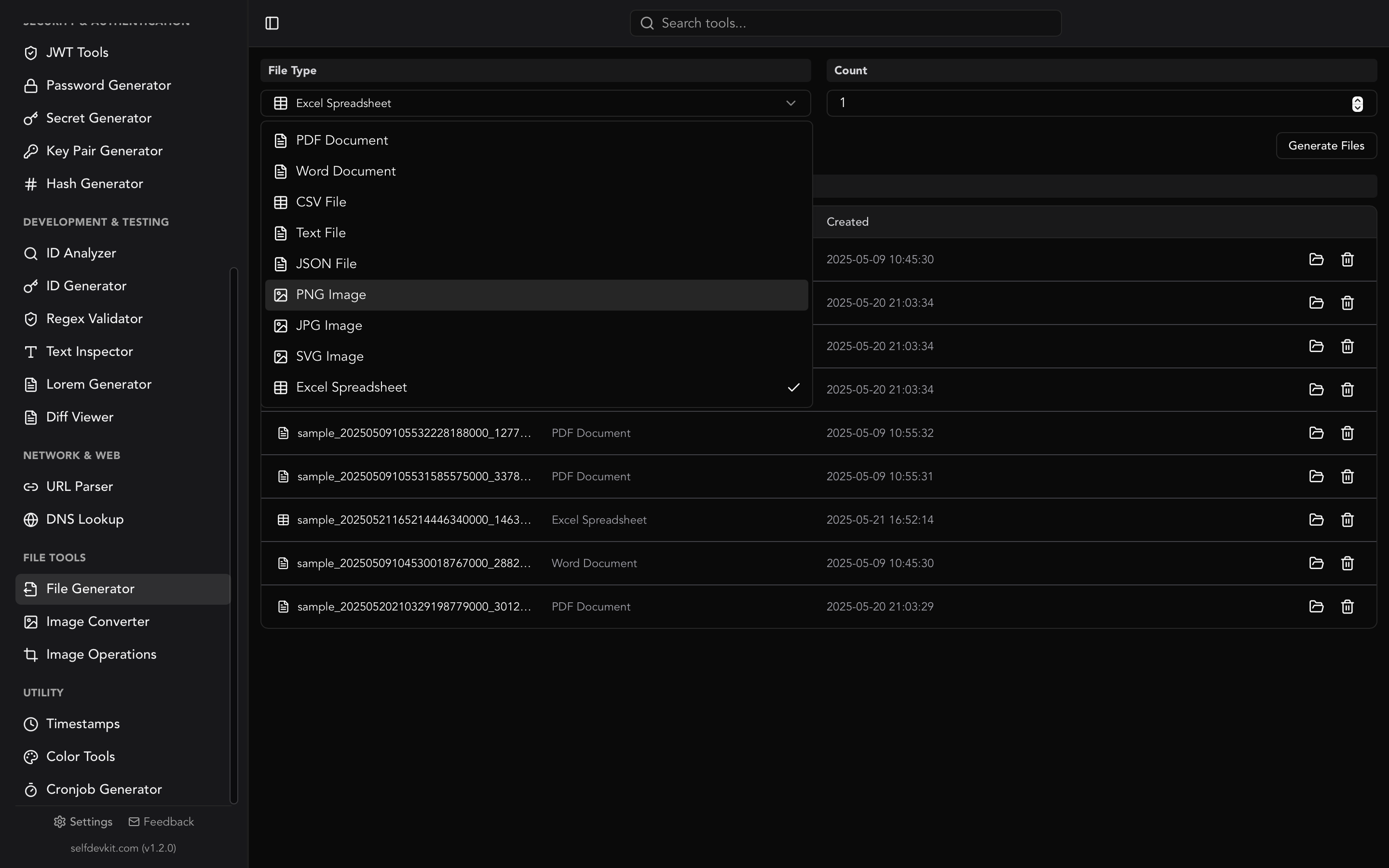
SelfDevKit's File Generator creates realistic sample PDFs on your machine, with no upload and no network access:
- Open File Generator and choose PDF Document.
- Set Count (1 to 100) and click Generate Files.
- Click a file to open it, or reveal it in your file manager. Delete the ones you don't need from the same list.
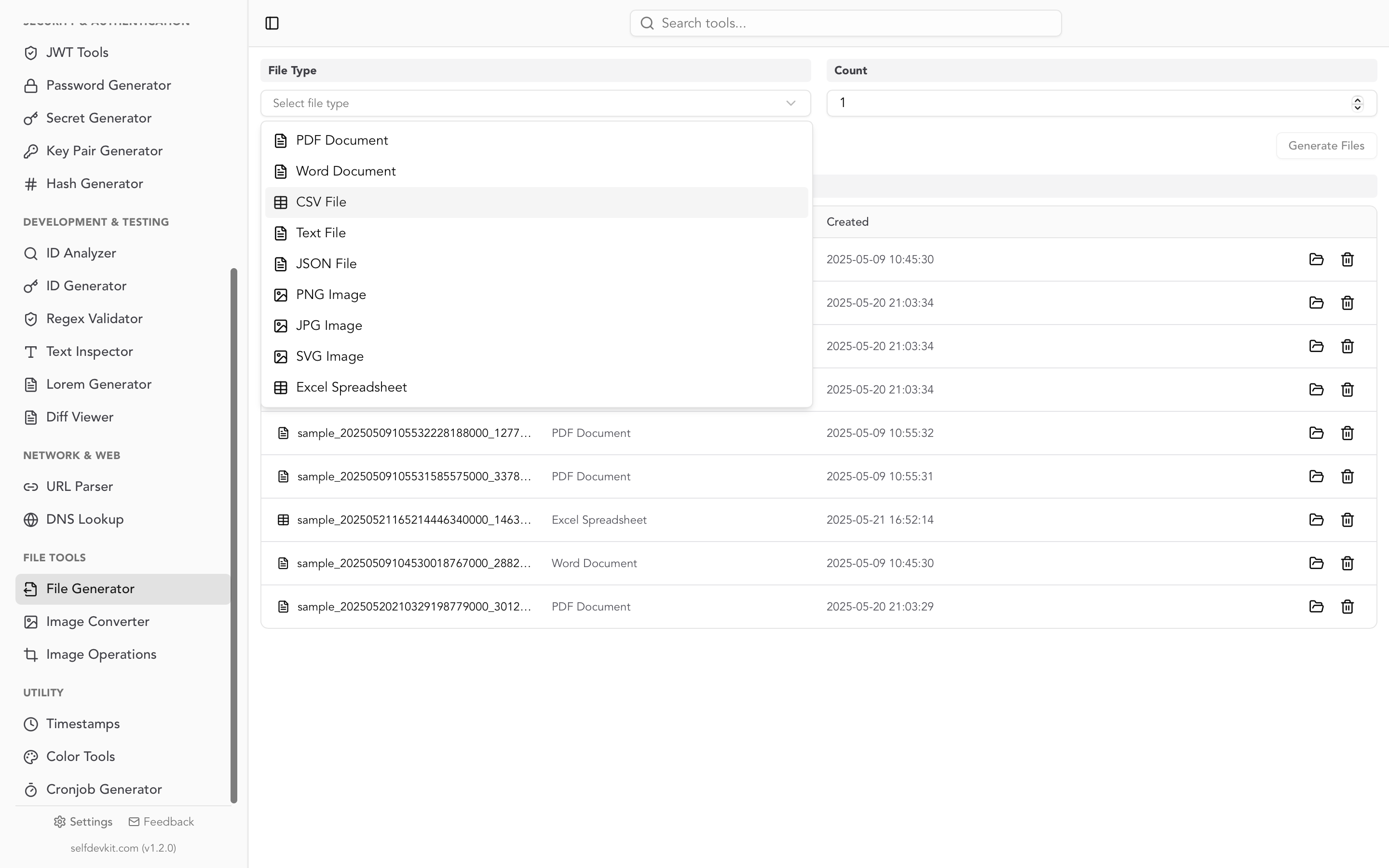
Each file is a fake business report: a random company name, a title, today's date, an executive summary, and four sections (Introduction, Methodology, Findings, Conclusion) filled with Lorem-style paragraphs. Text is real, selectable text in an embedded Open Sans font, so extraction and search work.
The Count value does double duty. It sets how many PDFs you get, and it caps the number of paragraphs per section, which is chosen at random up to that number. Building the app's PDF code locally and generating files gave these results:
| Count | Pages per file | File size |
|---|---|---|
| 1 | 1 | About 1.07 MB |
| 10 | Usually 2 to 3 | About 1.1 MB |
| 100 | Random, usually 8 to 20 | About 1.2 to 1.8 MB |
Every file is A4, PDF 1.3, and at least about 1 MB, because the font files are embedded. That makes them useful for the "realistic document" end of your test set: multi-page layout, upload progress bars, preview thumbnails, text search. There is no setting for an exact file size, and the generator makes valid PDFs only. For the encrypted, truncated and malformed cases, use the script above.
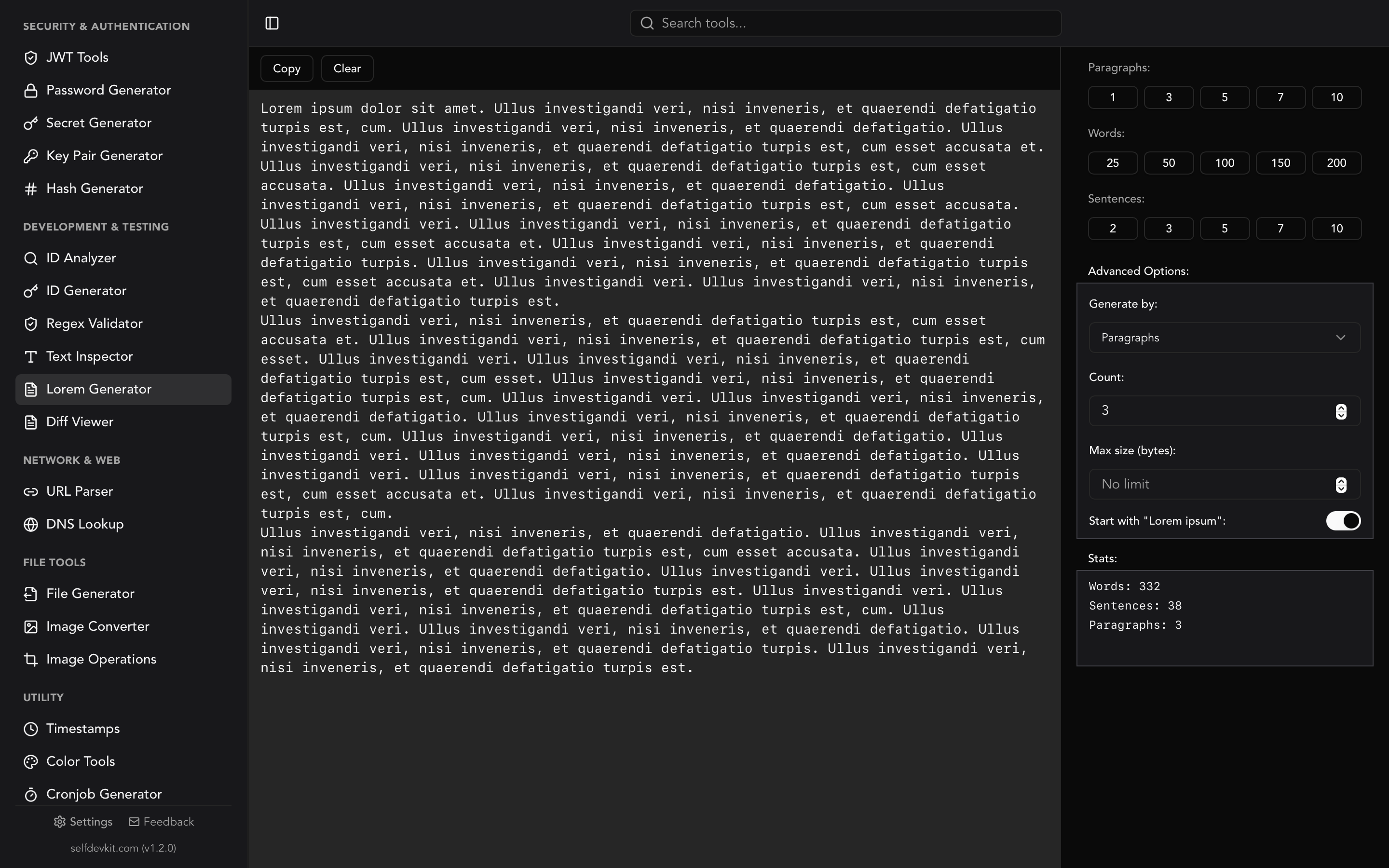
The same tool generates DOCX, XLSX, CSV, JSON, TXT, PNG, JPG and SVG files, so one place covers the fixtures for a whole upload form. When you need filler text outside a file, the Lorem Generator produces it directly.
Download SelfDevKit to generate sample PDFs and test files offline, alongside 50+ other developer tools that never upload your data.