
Secret Key Generator: Generate Secure API Keys and JWT Secrets
Free secret key generator to create cryptographically secure API keys, JWT secrets, encryption keys, and random tokens. Works offline with complete privacy.
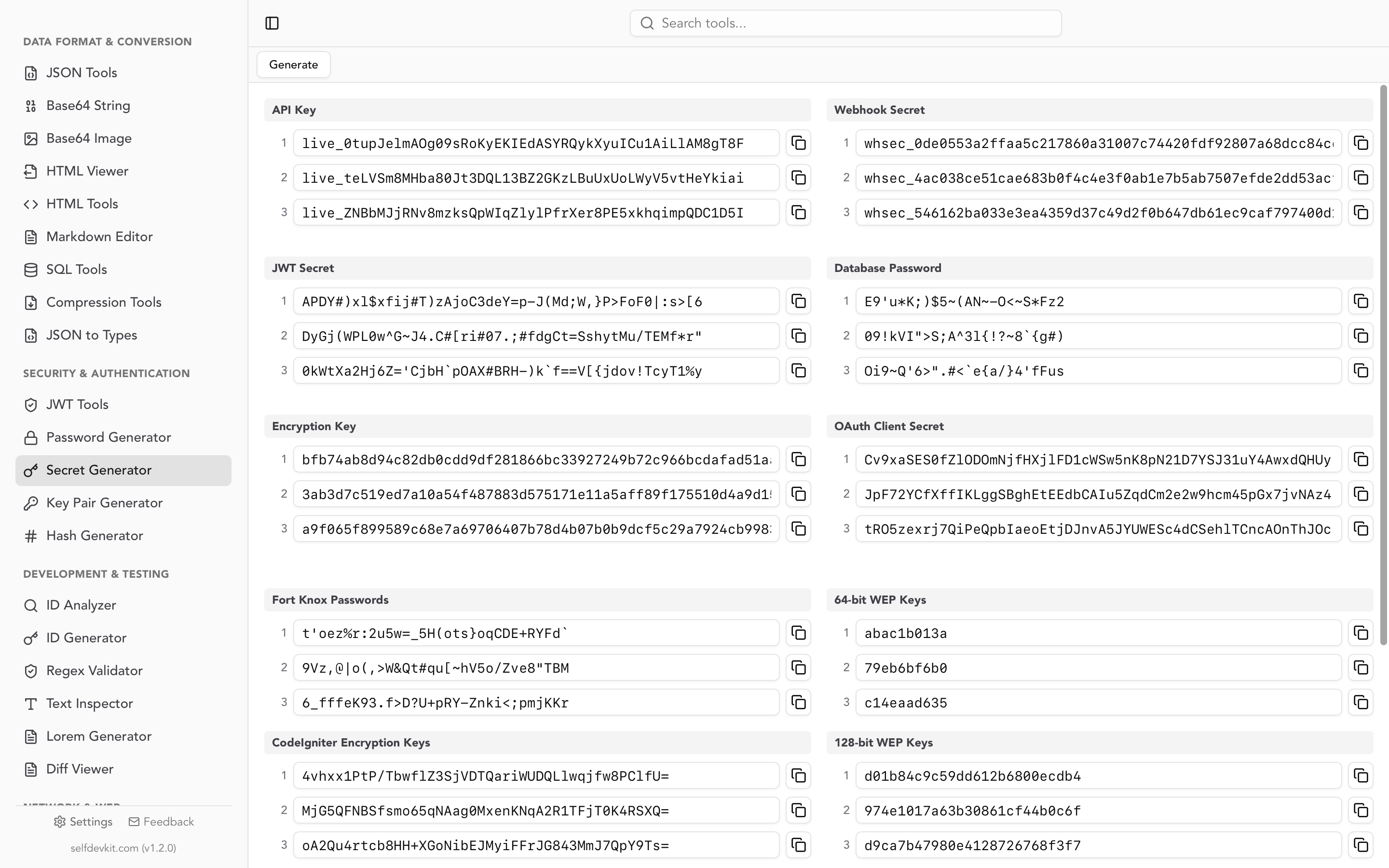
What are Secret Keys?
Secret keys are cryptographically random strings used to secure applications, APIs, and data. They're essential for authentication, encryption, and digital signatures in modern software development.
Common uses for secret keys:
- JWT Signing - Sign JSON Web Tokens for secure authentication
- API Authentication - Secure API endpoints with unique keys
- Encryption - Encrypt sensitive data at rest or in transit
- Webhooks - Verify webhook payloads from third-party services
How to Generate Secure Secrets
Generating secure secrets is simple with SelfDevKit:
- Choose secret type - Select from JWT secret, API key, encryption key, or other formats
- Set length - Choose appropriate length for your security requirements
- Generate - Click to generate a cryptographically secure random secret
- Copy & use - One-click copy to clipboard for immediate use
Types of Secrets You Can Generate
JWT Secret Keys
Generate secrets for signing JWTs with HMAC algorithms (HS256, HS384, HS512). Perfect for authentication systems and session management.
API Keys
Create unique API keys for authenticating requests to your services. Customizable length and format for different API requirements.
Encryption Keys
Generate keys for AES encryption and other symmetric algorithms. 128-bit, 256-bit, and 512-bit options available.
Webhook Secrets
Create secrets for verifying webhook signatures from services like Stripe, GitHub, and other providers.
Database Passwords
Generate strong, random passwords for database users and service accounts. High entropy for maximum security.
100% Offline & Private
All secrets are generated locally on your device. Nothing is ever sent to a server - safe for production use.
Best Practices for Secret Management
- Never commit secrets to git - Use environment variables or secret management tools
- Rotate secrets regularly - Change production secrets periodically to limit exposure
- Use appropriate length - 256-bit minimum for most applications, 512-bit for high security
- Keep secrets secret - Never log, expose in URLs, or share unnecessarily
- Use different secrets per environment - Separate secrets for dev, staging, and production
Frequently Asked Questions
Related Developer Tools
Ready to Generate Secrets Offline?
Download SelfDevKit and get access to 50+ developer tools including the secret key generator, all working offline with complete privacy.
Download SelfDevKit