What is JSON to Dart conversion?
JSON to Dart conversion is the process of generating typed Dart classes from a JSON structure, so your Flutter or Dart application can deserialize API responses into strongly typed objects rather than untyped
dynamicmaps. The two core methods are writingfromJsonandtoJsonmanually usingdart:convert, or generating them automatically with packages likejson_serializableorfreezed.
Flutter developers spend a surprising amount of time on what should be a solved problem: converting JSON from an API response into usable Dart objects. You fetch some data, call jsonDecode(), and then you're staring at a Map<String, dynamic> with zero autocomplete and a runtime exception waiting to happen.
This guide covers every approach to JSON to Dart conversion, from writing the boilerplate yourself to automating it entirely with code generation. It also covers the real-world complexity that basic converters skip: nested objects, lists of typed models, null safety, and the step that happens before any of this works. Actually understanding the JSON you're working with.
Table of contents
- Why Dart requires explicit JSON deserialization
- Approach 1: Manual fromJson and toJson with dart:convert
- Handling nested objects and lists
- Null safety in Dart JSON parsing
- Approach 2: json_serializable for code generation
- Approach 3: freezed for immutable models
- Inspect your JSON before writing any Dart code
- The privacy problem with online JSON to Dart converters
- Frequently Asked Questions
Why Dart requires explicit JSON deserialization
Dart is a statically typed language with no reflection at runtime (in Flutter's AOT-compiled mode). Unlike some languages that can automatically map JSON fields to object properties using runtime introspection, Dart requires you to explicitly describe how each field maps.
Call jsonDecode() on a JSON string and you get back a Map<String, dynamic>. The dynamic is the problem. You can access json['email'] fine, but you lose all type safety. Your IDE can't autocomplete. A typo in a field name becomes a runtime crash, not a compile-time error.
The solution is a class with a fromJson factory constructor that does the casting explicitly. There are three main ways to set this up.
Approach 1: Manual fromJson and toJson with dart:convert
The simplest approach requires no extra packages. You import dart:convert, write a class, and add the mapping manually.
Given this JSON from an API:
{
  "id": "usr_123",
  "email": "jane@example.com",
  "active": true,
  "loginCount": 42
}
Here is the corresponding Dart class:
import 'dart:convert';

class User {
  final String id;
  final String email;
  final bool active;
  final int loginCount;

  User({
    required this.id,
    required this.email,
    required this.active,
    required this.loginCount,
  });

  factory User.fromJson(Map<String, dynamic> json) => User(
        id: json['id'] as String,
        email: json['email'] as String,
        active: json['active'] as bool,
        loginCount: json['loginCount'] as int,
      );

  Map<String, dynamic> toJson() => {
        'id': id,
        'email': email,
        'active': active,
        'loginCount': loginCount,
      };
}
To parse an API response string into a typed User object:
final String responseBody = response.body; // from http package
final Map<String, dynamic> jsonMap = jsonDecode(responseBody);
final User user = User.fromJson(jsonMap);
Now user.email is a String, not dynamic. Autocomplete works. A missing field throws at the cast, which is easier to debug than a silent null.
When to use the manual approach
For small projects or when you control the API, writing fromJson and toJson manually is fine. The code is readable and has no build step. For large projects with dozens of models that change frequently, the manual approach gets painful fast. That's where code generation helps.
Handling nested objects and lists
Most real API responses aren't flat. This is where basic online converters fall short. They give you a simple class for simple JSON but don't explain how to handle nested structures properly.
Consider this order response:
{
  "orderId": "ord_456",
  "customer": {
    "id": "usr_123",
    "email": "jane@example.com"
  },
  "items": [
    { "sku": "WIDGET-01", "quantity": 2, "price": 9.99 },
    { "sku": "GADGET-03", "quantity": 1, "price": 24.99 }
  ]
}
You need three classes: Order, Customer, and OrderItem. The Order.fromJson constructor needs to call Customer.fromJson for the nested object and map the items array into a List<OrderItem>.
class Customer {
  final String id;
  final String email;

  Customer({required this.id, required this.email});

  factory Customer.fromJson(Map<String, dynamic> json) => Customer(
        id: json['id'] as String,
        email: json['email'] as String,
      );
}

class OrderItem {
  final String sku;
  final int quantity;
  final double price;

  OrderItem({
    required this.sku,
    required this.quantity,
    required this.price,
  });

  factory OrderItem.fromJson(Map<String, dynamic> json) => OrderItem(
        sku: json['sku'] as String,
        quantity: json['quantity'] as int,
        price: (json['price'] as num).toDouble(),
      );
}

class Order {
  final String orderId;
  final Customer customer;
  final List<OrderItem> items;

  Order({
    required this.orderId,
    required this.customer,
    required this.items,
  });

  factory Order.fromJson(Map<String, dynamic> json) => Order(
        orderId: json['orderId'] as String,
        customer: Customer.fromJson(json['customer'] as Map<String, dynamic>),
        items: (json['items'] as List<dynamic>)
            .map((e) => OrderItem.fromJson(e as Map<String, dynamic>))
            .toList(),
      );
}
Two patterns to remember:
- Nested object: cast to
Map<String, dynamic>and pass to the nested class'sfromJson. - Array of objects: cast to
List<dynamic>, map each element toMap<String, dynamic>, and callfromJsonon each.
The (json['price'] as num).toDouble() pattern for numeric fields is important. JSON integers and decimals are both num in Dart's jsonDecode, so casting directly to double can throw if the server sends 9 instead of 9.0.
Null safety in Dart JSON parsing
Dart's null safety (introduced in Dart 2.12) means every field is either nullable or non-nullable, and you have to declare which. JSON doesn't share this constraint. A field can be present, absent, or explicitly null. Your Dart code needs to handle all three cases.
class UserProfile {
  final String id;
  final String email;
  final String? role;     // nullable: may not be present
  final int loginCount;   // non-nullable: use a default if missing

  UserProfile({
    required this.id,
    required this.email,
    this.role,
    required this.loginCount,
  });

  factory UserProfile.fromJson(Map<String, dynamic> json) => UserProfile(
        id: json['id'] as String,
        email: json['email'] as String,
        role: json['role'] as String?,
        loginCount: json['loginCount'] as int? ?? 0,
      );
}
The ?? 0 null-coalescing operator provides a default when the field is absent or null. This is the right pattern for fields that are optional in the API contract but required in your Dart model.
A common mistake is casting to String when the field can be null. This throws Null check operator used on a null value at runtime. Audit your JSON schema and mark every field that can be absent as nullable.
Approach 2: json_serializable for code generation
For anything beyond a few models, writing fromJson and toJson by hand becomes tedious and error-prone. json_serializable automates this with code generation.
Add dependencies to your pubspec.yaml:
dependencies:
  json_annotation: ^4.9.0

dev_dependencies:
  build_runner: ^2.4.0
  json_serializable: ^6.8.0
Annotate your class:
import 'package:json_annotation/json_annotation.dart';

part 'user.g.dart';

@JsonSerializable()
class User {
  final String id;
  final String email;
  final bool active;
  final int loginCount;

  User({
    required this.id,
    required this.email,
    required this.active,
    required this.loginCount,
  });

  factory User.fromJson(Map<String, dynamic> json) => _$UserFromJson(json);
  Map<String, dynamic> toJson() => _$UserToJson(this);
}
Then run:
dart run build_runner build
This generates user.g.dart containing the actual _$UserFromJson and _$UserToJson implementations. You never edit that file. When your model changes, re-run build_runner and the generated code updates automatically.
json_serializable supports field renaming with @JsonKey(name: 'user_id'), default values, custom converters for complex types, and nested class serialization. It handles the boilerplate so you can focus on the model design.
For continuous development, use watch mode instead of a one-time build:
dart run build_runner watch
Approach 3: freezed for immutable models
freezed combines immutable data classes, union types, and JSON serialization in a single annotation. It is the most feature-complete option and popular in production Flutter codebases.
dependencies:
  freezed_annotation: ^2.4.0
  json_annotation: ^4.9.0

dev_dependencies:
  build_runner: ^2.4.0
  freezed: ^2.5.0
  json_serializable: ^6.8.0
The class definition is concise:
import 'package:freezed_annotation/freezed_annotation.dart';

part 'user.freezed.dart';
part 'user.g.dart';

@freezed
class User with _$User {
  const factory User({
    required String id,
    required String email,
    required bool active,
    @Default(0) int loginCount,
    String? role,
  }) = _User;

  factory User.fromJson(Map<String, dynamic> json) => _$UserFromJson(json);
}
Run build_runner and you get a fully immutable class with:
copyWithfor creating modified copies==operator andhashCodebased on field valuestoStringthat prints all fieldsfromJsonandtoJsonfromjson_serializable
The @Default(0) annotation handles missing JSON fields gracefully, equivalent to the ?? 0 pattern in manual code but declared at the model level.
Freezed is especially powerful for modeling API states. A union type can represent the three states of an async operation cleanly:
@freezed
class ApiResult<T> with _$ApiResult<T> {
  const factory ApiResult.loading() = _Loading;
  const factory ApiResult.success(T data) = _Success;
  const factory ApiResult.error(String message) = _Error;
}
For large Flutter projects, freezed is the standard choice. For quick scripts or small utilities, the manual approach or json_serializable alone is sufficient.
Inspect your JSON before writing any Dart code
Before you write a single line of Dart, you need to understand the JSON structure you're working with. This step gets skipped constantly, and it causes most of the runtime errors in Flutter JSON parsing.
Minified API responses are unreadable. A deeply nested structure with arrays inside objects inside arrays is impossible to parse visually when it's a single line. Formatting and exploring the JSON first tells you exactly which fields are present, what types they have, and which ones are nullable.
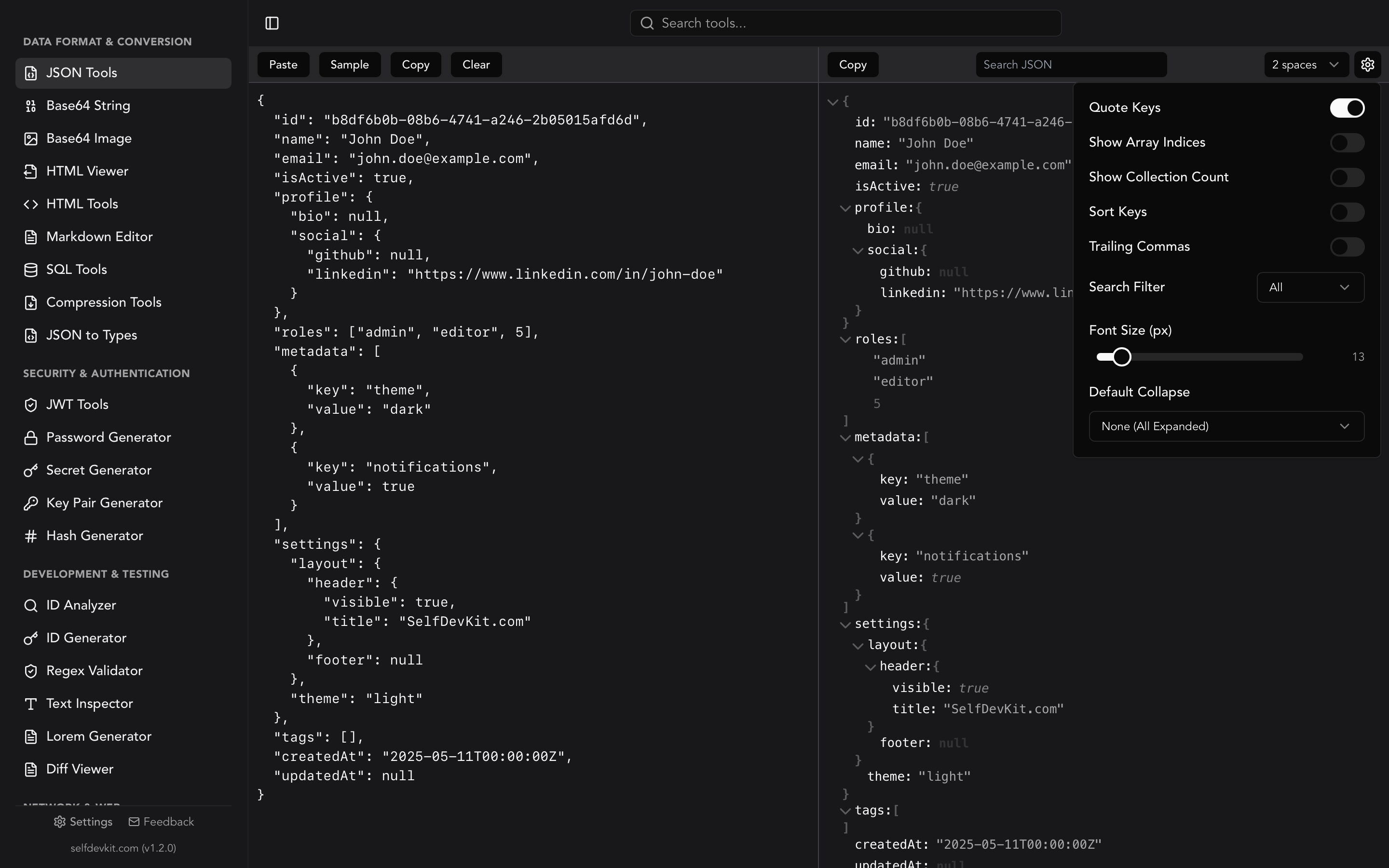
SelfDevKit's JSON Tools formats and validates JSON locally, with an interactive tree view for exploring nested structures. The tree view lets you collapse and expand objects and arrays, search for specific fields, and inspect data types at a glance. Before writing your fromJson constructors, spend two minutes in the tree view confirming the actual shape of the response.
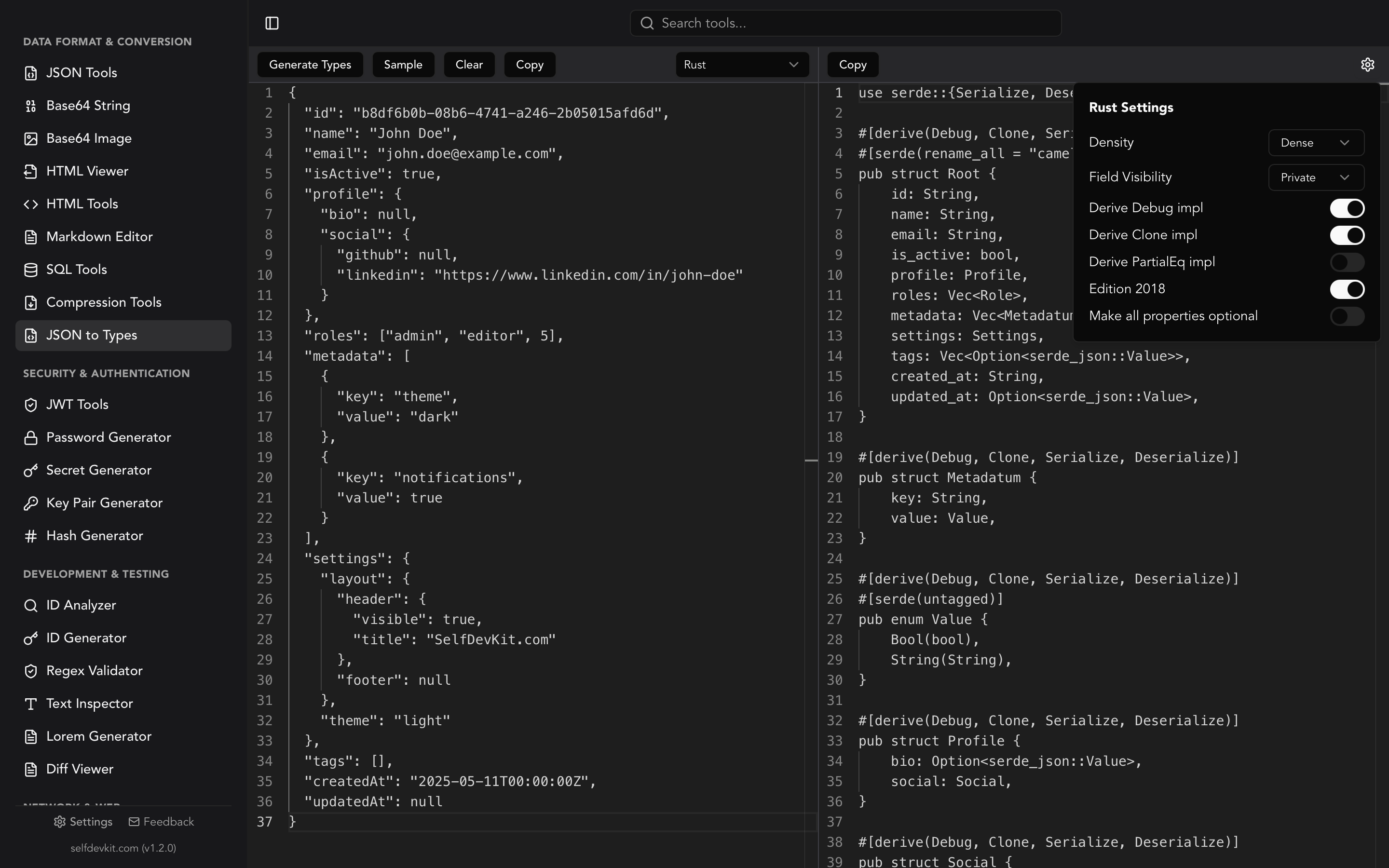
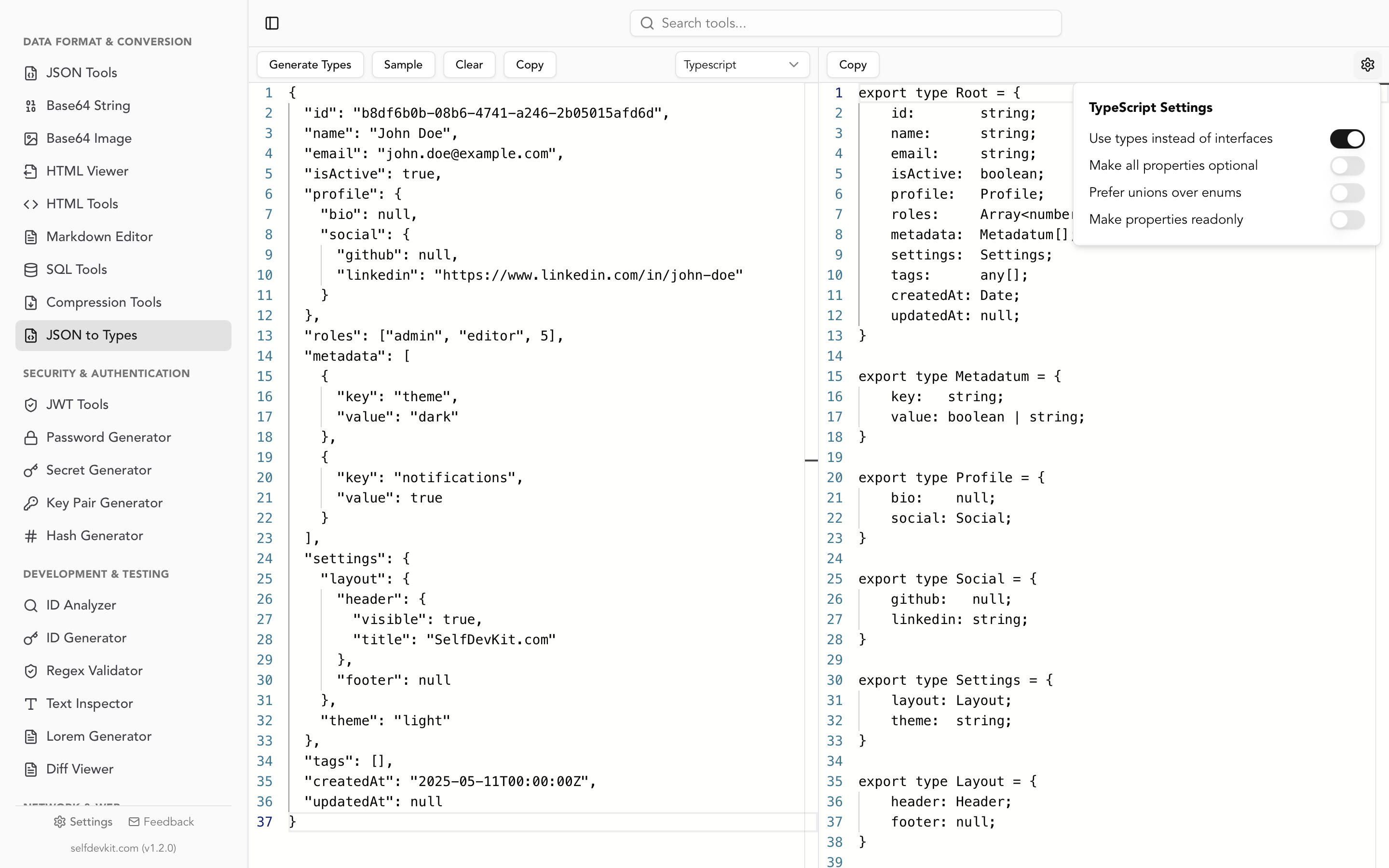
The JSON to Types tool takes this further: paste any JSON and instantly generate TypeScript, Rust, Go, Python, or Ruby type definitions. While it doesn't generate Dart directly, the generated TypeScript interfaces are a useful reference for structuring your Dart classes. The field names, types, and nesting are identical. Many Flutter developers also work on backend services in TypeScript or Go, so the multi-language output is directly useful across their stack.
Both tools run offline. No API responses leave your machine.
The privacy problem with online JSON to Dart converters
Here's something nobody mentions in online converter documentation: the JSON you paste into them is almost certainly real data.
When you're integrating a new API, you grab an actual API response to use as your sample. That response contains real field values. Depending on the API, it might contain user IDs, email addresses, authentication tokens, account details, or internal system identifiers. You paste it into a web converter, get your Dart class, and move on.
What happened to that data? You don't know. It went to their servers over HTTPS, but after that you have no visibility. It may have been logged. It may have been passed through analytics pipelines. Third-party scripts running on the page may have had access to the DOM input value before you submitted. The converter's hosting provider has it in access logs.
This isn't paranoia. It's the realistic outcome of using any web service for processing input. Most converter sites have no privacy policy, or have one that says they collect "usage data."
The safer workflow:
- Fetch your API response in your development environment
- Inspect and explore the JSON using a local, offline tool
- Write or generate your Dart models based on what you found
- Test against real responses in your local environment
Nothing in this workflow requires pasting sensitive data into a browser-based tool on someone else's server.
SelfDevKit runs entirely on your machine. Download it and your JSON data stays local through the entire development process.
Frequently Asked Questions
What is the difference between json_serializable and freezed for Dart JSON?
json_serializable generates only the fromJson and toJson methods. freezed generates those plus copyWith, ==, hashCode, and toString, and supports union types for modeling states. For simple data transfer objects, json_serializable is lighter. For feature-complete model classes in a production Flutter app, most developers choose freezed because it generates more useful code from the same annotation.
Why does jsonDecode return dynamic instead of a typed object in Dart?
jsonDecode from dart:convert returns dynamic because JSON is a language-agnostic format with no concept of Dart types. The parser doesn't know what class you intend to create from the data. You provide that mapping through fromJson constructors or code generation. This is by design: the Dart team prioritized predictability over magic, so every type mapping is explicit in your code rather than inferred at runtime.
How do I handle a JSON array at the top level in Dart?
If the API returns a JSON array rather than an object at the root level, decode it as List<dynamic> and map each element:
final List<dynamic> jsonList = jsonDecode(responseBody);
final List<User> users = jsonList
    .map((e) => User.fromJson(e as Map<String, dynamic>))
    .toList();
This is the same pattern used for nested arrays inside objects, just applied to the top-level decoded value.
Should I use fromJson manually or an online JSON to Dart converter for Flutter?
Online converters are useful for generating a starting point quickly. They typically produce correct output for flat JSON structures. The problem is complex nested structures with arrays of objects, nullable fields, and custom field name mappings often require manual corrections after generation. Use an online converter as a scaffold, then review and adjust the output. For production projects with frequently changing models, json_serializable or freezed with build_runner is more maintainable than either manual code or converter-generated code.
Try it yourself
Format, inspect, and validate your JSON locally before writing a single line of Dart. SelfDevKit's JSON Tools and JSON to Types work completely offline, so your API responses stay on your machine.
Download SelfDevKit. 50+ developer tools, offline and private.