This SQL cheat sheet is built for the moment you know what you want but not the exact syntax, or the moment a query that worked in one database fails in another. Every section is a lookup table. Most tables carry a portability note, because "valid SQL" is a smaller language than people assume: LIMIT, ||, upserts, and even 7 / 2 behave differently across MySQL, PostgreSQL, SQL Server, and SQLite.
The trap results below were produced by running the queries, not recalled. PostgreSQL rows come from PostgreSQL 18.3 and SQLite rows from SQLite 3.45.1. MySQL and SQL Server behavior is taken from their official reference manuals, linked where it matters.
Table of contents
- The sample tables
- SQL cheat sheet: query skeleton and execution order
- Selecting and filtering
- Joins
- Aggregation and grouping
- Subqueries, CTEs, and set operations
- Window functions
- Changing data safely
- Tables, constraints, and indexes
- NULL traps, tested
- SQL dialect differences: MySQL, PostgreSQL, SQL Server, SQLite
- Checking a query before you run it
The sample tables
Every example uses two small tables. They are deliberately messy: one customer has no country, and one order has no customer. That is where real queries go wrong.
CREATE TABLE customers (id INTEGER PRIMARY KEY, name TEXT, country TEXT);
CREATE TABLE orders (id INTEGER PRIMARY KEY, customer_id INTEGER, total NUMERIC, status TEXT);

INSERT INTO customers VALUES (1, 'Ada', 'UK'), (2, 'Linus', 'FI'), (3, 'Grace', NULL);
INSERT INTO orders VALUES (10, 1, 120, 'paid'), (11, 1, 80, 'refunded'),
                          (12, 2, 50, 'paid'), (13, NULL, 30, 'paid');
Grace has never ordered. Order 13 belongs to nobody. Keep both facts in mind.
SQL cheat sheet: query skeleton and execution order
A SQL query is written in one order and evaluated in another. You write SELECT first, but the database logically runs FROM first and SELECT near the end. Many "column does not exist" errors come from that gap.
| Written order | Logical evaluation order | What happens at this step |
|---|---|---|
SELECT |
1. FROM / JOIN |
Build the working set of rows |
FROM |
2. WHERE |
Filter individual rows |
JOIN ... ON |
3. GROUP BY |
Collapse rows into groups |
WHERE |
4. HAVING |
Filter groups |
GROUP BY |
5. Window functions | Compute OVER (...) values |
HAVING |
6. SELECT |
Compute output columns and aliases |
ORDER BY |
7. DISTINCT |
Remove duplicate output rows |
LIMIT / OFFSET |
8. ORDER BY, then LIMIT |
Sort, then cut |
The practical consequence: a column alias defined in SELECT does not exist yet when WHERE runs, but it does exist when ORDER BY runs.
SELECT total * 2 AS doubled FROM orders WHERE doubled > 100;
-- PostgreSQL: ERROR: column "doubled" does not exist
-- SQLite:     returns 240 and 160 (SQLite resolves the alias anyway)

SELECT total * 2 AS doubled FROM orders ORDER BY doubled DESC LIMIT 1;
-- Both: 240
SQLite's leniency is the dangerous half of that result. A query that passes your SQLite test suite can fail on the PostgreSQL production database. Repeat the expression in WHERE, or wrap the query in a subquery or CTE and filter on the alias from outside.
Selecting and filtering
These are the clauses you type most. All of them are portable unless the note says otherwise.
| Syntax | Does | Note |
|---|---|---|
SELECT a, b FROM t |
Pick columns | Avoid SELECT * in application code; new columns change your result shape |
SELECT DISTINCT country FROM t |
Unique rows | Applies to the whole output row, not one column |
SELECT a AS alias |
Rename an output column | Usable in ORDER BY, not in WHERE (see above) |
WHERE a = 1 AND (b = 2 OR c = 3) |
Combine conditions | AND binds tighter than OR. Parenthesize anyway |
WHERE a IN (1, 2, 3) |
Match a list | NOT IN with a NULL in the list returns nothing. See NULL traps |
WHERE a BETWEEN 10 AND 20 |
Inclusive range | Both ends included. For timestamps, prefer >= start AND < end |
WHERE name LIKE 'A%' |
Pattern: % any run, _ one character |
Case sensitivity differs per database |
WHERE a IS NULL / IS NOT NULL |
Test for NULL | = NULL never matches anything |
ORDER BY a DESC, b |
Sort | Where NULLs land differs per database |
CASE WHEN x > 100 THEN 'big' ELSE 'small' END |
Conditional value | Standard and portable everywhere |
COALESCE(a, b, 'default') |
First non-NULL argument | Prefer over IFNULL/ISNULL/NVL, which are vendor-specific |
NULLIF(a, 0) |
NULL if equal | Classic guard: x / NULLIF(y, 0) avoids divide-by-zero |
CAST(a AS TEXT) |
Convert type | Type names vary: TEXT, VARCHAR(n), NVARCHAR(n). MySQL's CAST takes CHAR, not TEXT or VARCHAR |
Row limiting is the first thing that breaks when you switch databases. It has its own row in the dialect table.
Joins
A join combines rows from two tables on a condition. The type of join decides what happens to rows that have no partner.
| Join | Keeps | Portability |
|---|---|---|
INNER JOIN b ON ... |
Only rows with a match on both sides | Universal. Plain JOIN means inner |
LEFT JOIN b ON ... |
Every row from the left, NULLs where b has no match |
Universal |
RIGHT JOIN b ON ... |
Every row from the right | SQLite only since 3.39.0. Usually clearer to swap the tables and use LEFT |
FULL OUTER JOIN b ON ... |
Every row from both sides | Not supported in MySQL. SQLite since 3.39.0 |
CROSS JOIN b |
Every combination | Universal. Size is rows(a) × rows(b) |
JOIN t AS t2 ON t.parent_id = t2.id |
Self join | Universal. Aliases are required |
JOIN b USING (id) |
Join on same-named columns | Not in SQL Server |
The most common join bug is filtering a LEFT JOIN in WHERE instead of ON. It silently turns the left join into an inner join.
-- Intent: every customer, plus their paid orders if any
SELECT c.name, o.id
FROM customers c
LEFT JOIN orders o ON o.customer_id = c.id
WHERE o.status = 'paid';
-- Ada 10, Linus 12          (Grace is gone)

SELECT c.name, o.id
FROM customers c
LEFT JOIN orders o ON o.customer_id = c.id AND o.status = 'paid';
-- Ada 10, Grace NULL, Linus 12
Both PostgreSQL and SQLite return exactly those rows. Grace disappears in the first query because her joined o.status is NULL, and NULL = 'paid' is not true. Conditions on the right-hand table belong in ON. Conditions on the left-hand table belong in WHERE.
Aggregation and grouping
Aggregates collapse many rows into one value per group. The three COUNT forms are not interchangeable, and the difference is NULL handling.
| Syntax | Result on orders |
Meaning |
|---|---|---|
COUNT(*) |
4 | Rows, including rows full of NULLs |
COUNT(customer_id) |
3 | Rows where customer_id is not NULL |
COUNT(DISTINCT customer_id) |
2 | Distinct non-NULL values |
SUM(total), AVG(total) |
280, 70 | NULLs are skipped, not treated as zero |
MIN(x), MAX(x) |
Work on text and dates too | |
GROUP BY customer_id |
3 groups | NULL forms its own group |
HAVING COUNT(*) > 1 |
Customer 1 | Filters groups. WHERE filters rows before grouping |
The portability trap here is selecting a column that is neither grouped nor aggregated.
SELECT customer_id, total FROM orders GROUP BY customer_id;
-- PostgreSQL: ERROR: column "orders.total" must appear in the GROUP BY clause
--             or be used in an aggregate function
-- MySQL:      ERROR 1055 with ONLY_FULL_GROUP_BY, which is on by default
-- SQLite:     runs, and returns a total from one row of each group
SQLite returned 120 for customer 1, but nothing in the query says why 120 rather than 80. MySQL's documentation on GROUP BY handling explains its rule. Write MAX(total) or SUM(total) and say what you mean.
Subqueries, CTEs, and set operations
A CTE (WITH clause) names a subquery so you can read the query top to bottom instead of inside out. Subqueries and CTEs are interchangeable in most cases; pick the one that reads better.
| Syntax | Does | Note |
|---|---|---|
WHERE x = (SELECT MAX(x) FROM t) |
Scalar subquery | Errors if it returns more than one row. SQLite silently uses the first row |
WHERE x IN (SELECT y FROM t) |
List subquery | Safe. NOT IN is not, if y can be NULL |
WHERE EXISTS (SELECT 1 FROM t WHERE t.a = o.a) |
Correlated existence test | The NULL-safe way to write "has no ..." |
FROM (SELECT ...) AS sub |
Derived table | Alias required in MySQL and SQL Server. PostgreSQL made it optional in version 16 |
WITH paid AS (SELECT ...) SELECT ... FROM paid |
CTE | Universal in current versions |
WITH RECURSIVE n AS (...) |
Recursive CTE | SQL Server spells it WITH n AS (...), no RECURSIVE keyword |
UNION / UNION ALL |
Stack results | UNION deduplicates, which costs extra work (a sort or hash). Use UNION ALL unless you need that |
INTERSECT / EXCEPT |
Rows in both / rows in first only | MySQL added both in 8.0.31; older servers reject them |
A recursive CTE generates rows from a seed plus a step. This one counts to five, and returns 1,2,3,4,5 on both test databases:
WITH RECURSIVE n(x) AS (
    SELECT 1
    UNION ALL
    SELECT x + 1 FROM n WHERE x < 5
)
SELECT x FROM n;
The WHERE x < 5 is the termination condition. Forget it and the query runs until it hits a recursion limit or runs out of memory.
Window functions
Window functions compute a value across related rows without collapsing them the way GROUP BY does. They are the answer to "top N per group," running totals, and comparing a row to the previous one.
| Syntax | Does |
|---|---|
ROW_NUMBER() OVER (PARTITION BY a ORDER BY b) |
1, 2, 3 per partition, ties broken arbitrarily |
RANK() / DENSE_RANK() |
Ties share a rank; RANK leaves gaps, DENSE_RANK does not |
LAG(x) OVER (ORDER BY d) / LEAD(x) |
Previous / next row's value |
SUM(x) OVER (ORDER BY d) |
Running total (watch the default frame on tied dates) |
SUM(x) OVER (PARTITION BY a) |
Group total repeated on every row |
You cannot filter on a window function in WHERE, since windows are computed after it. The full set of traps, including the default-frame surprise and a support table across databases, is in the SQL window functions guide.
Changing data safely
INSERT, UPDATE, and DELETE are short to write and expensive to get wrong. The syntax fits in one table; the safety habits matter more.
| Syntax | Does |
|---|---|
INSERT INTO t (a, b) VALUES (1, 'x'), (2, 'y') |
Insert rows. Always list the columns |
INSERT INTO t (a, b) SELECT a, b FROM s |
Insert from a query |
UPDATE t SET a = 1 WHERE id = 5 |
Change matching rows |
DELETE FROM t WHERE id = 5 |
Remove matching rows |
TRUNCATE TABLE t |
Remove all rows fast. Not in SQLite; use DELETE FROM t |
BEGIN; ... COMMIT; / ROLLBACK; |
Group statements so they succeed or fail together. SQL Server writes BEGIN TRANSACTION |
UPDATE and DELETE without WHERE are valid SQL. They touch every row. A safe routine for any destructive statement:
-- 1. Run the WHERE clause as a SELECT first and check the count
SELECT COUNT(*) FROM orders WHERE status = 'paid';

-- 2. Run the change inside a transaction and look at what it hit
BEGIN;
DELETE FROM orders WHERE status = 'paid' RETURNING id;
-- returned 10, 12, 13

-- 3. Only then decide
ROLLBACK;   -- or COMMIT;
Run against PostgreSQL, the DELETE reported three rows and the table still held all four after ROLLBACK. RETURNING works in PostgreSQL and SQLite 3.35.0+. SQL Server uses an OUTPUT deleted.id clause instead. MySQL has no equivalent, so step 1 carries more weight there.
MySQL does offer a guard rail. Starting the client with --safe-updates makes it reject UPDATE and DELETE statements that have neither a key constraint in WHERE nor a LIMIT, according to the mysql client tips. It is worth enabling on any session pointed at production.
Tables, constraints, and indexes
Schema statements are the least portable part of SQL, mostly because of types and auto-increment. The constraint syntax itself is close to universal.
| Syntax | Does | Note |
|---|---|---|
CREATE TABLE t (id ... PRIMARY KEY, name TEXT NOT NULL) |
Create table | Auto-increment syntax differs; see dialect table |
email TEXT UNIQUE |
Unique column | Most databases allow multiple NULLs in a unique column. SQL Server allows only one |
customer_id INTEGER REFERENCES customers(id) |
Foreign key | SQLite ignores it unless PRAGMA foreign_keys = ON is run on each connection |
CHECK (total >= 0) |
Row rule | MySQL enforces CHECK only since 8.0.16 |
ALTER TABLE t ADD COLUMN c TEXT |
Add column | SQL Server omits COLUMN: ADD c NVARCHAR(100) |
DROP TABLE IF EXISTS t |
Drop without error | Supported by all four in current versions |
CREATE INDEX idx_orders_customer ON orders (customer_id) |
Index | Index foreign-key columns you join on |
If your tables use UUID primary keys instead of auto-increment integers, the index locality trade-offs are covered in the UUID generator guide. SelfDevKit's ID generator produces UUID v4 and v7 values for seed data.
NULL traps, tested
NULL means "unknown," and any comparison with an unknown is itself unknown. WHERE keeps only rows where the condition is true, so unknown rows quietly vanish. Every result below was identical on PostgreSQL 18.3 and SQLite 3.45.1 except the last row.
| Query | Result | Why |
|---|---|---|
WHERE id NOT IN (SELECT customer_id FROM orders) |
No rows | The list contains NULL, so 3 NOT IN (1, 2, NULL) is unknown, never true |
WHERE NOT EXISTS (SELECT 1 FROM orders o WHERE o.customer_id = c.id) |
Grace | EXISTS only asks whether a row exists. Use this form |
WHERE country = NULL |
No rows | Use IS NULL |
WHERE country <> 'UK' |
Linus only | Grace's NULL country is not "not UK"; it is unknown. Add OR country IS NULL |
SELECT NULL = NULL |
NULL | Two unknowns are not known to be equal |
SUM(total) over zero rows |
NULL, not 0 | Wrap in COALESCE(SUM(total), 0) |
'a' || NULL |
NULL | Any NULL operand poisons || concatenation |
CONCAT('a', NULL, 'b') |
PostgreSQL and SQLite: ab |
Those two treat NULL as an empty string here, as does SQL Server. MySQL's CONCAT() returns NULL if any argument is NULL; use CONCAT_WS or COALESCE there |
ORDER BY country |
PostgreSQL: NULL last. SQLite: NULL first | See the dialect table, then say NULLS LAST explicitly where supported |
The NOT IN row is the one that reaches production. The subquery works fine until the day a single NULL appears in that column, and then the report is empty with no error. PostgreSQL documents this rule in its subquery expressions reference: if no value matches and at least one subquery row is NULL, NOT IN yields NULL, not true.
SQL dialect differences: MySQL, PostgreSQL, SQL Server, SQLite
The same intent often needs different syntax in each database. This table is the reason a SQL cheat sheet without a dialect column only gets you halfway. Version notes reflect current releases.
| Task | MySQL | PostgreSQL | SQL Server | SQLite |
|---|---|---|---|---|
| First 10 rows | LIMIT 10 |
LIMIT 10 or FETCH FIRST 10 ROWS ONLY |
TOP (10), or ORDER BY ... OFFSET 0 ROWS FETCH NEXT 10 ROWS ONLY |
LIMIT 10 |
| Skip 20, take 10 | LIMIT 10 OFFSET 20 |
LIMIT 10 OFFSET 20 |
OFFSET 20 ROWS FETCH NEXT 10 ROWS ONLY (needs ORDER BY) |
LIMIT 10 OFFSET 20 |
| Concatenate strings | CONCAT(a, b). || means OR |
a || b or CONCAT |
a + b or CONCAT; a || b since 2025 |
a || b, concat() since 3.44.0 |
| Insert or update | ON DUPLICATE KEY UPDATE |
ON CONFLICT (id) DO UPDATE |
MERGE |
ON CONFLICT (id) DO UPDATE since 3.24.0 |
| Return changed rows | Not supported | RETURNING |
OUTPUT inserted.* |
RETURNING since 3.35.0 |
| Auto-increment key | AUTO_INCREMENT |
GENERATED ALWAYS AS IDENTITY |
IDENTITY(1,1) |
INTEGER PRIMARY KEY |
| Quote an identifier | `order` |
"order" |
[order] or "order" |
"order" |
| Join strings in a group | GROUP_CONCAT(x) |
string_agg(x, ',') |
STRING_AGG(x, ',') (2017+) |
group_concat(x), string_agg since 3.44.0 |
7 / 2 |
3.5000 (decimal) |
3 |
3 |
3 |
NULLs in ORDER BY ... ASC |
First | Last | First | First |
NULLS FIRST / NULLS LAST |
Not supported | Yes | Not supported | Yes |
LIKE case sensitivity |
Insensitive under default collation | Sensitive. Use ILIKE |
Depends on collation. The en-US default collation is case-insensitive | Insensitive for ASCII only ('e' LIKE 'E' true, 'é' LIKE 'É' false) |
Bare column with GROUP BY |
Error (default mode) | Error | Error | Allowed, value from an arbitrary row |
SELECT alias in WHERE |
Error | Error | Error | Allowed |
| Show the query plan | EXPLAIN / EXPLAIN ANALYZE |
EXPLAIN / EXPLAIN ANALYZE |
SET SHOWPLAN_XML ON or the actual plan in SSMS |
EXPLAIN QUERY PLAN |
A few of these deserve a sentence each.
MySQL's || is a logical OR. SELECT 'a' || 'b' does not concatenate in MySQL unless the PIPES_AS_CONCAT SQL mode is on. The MySQL logical operators page marks this use of || as deprecated. CONCAT() is the one form all four databases accept.
Integer division truncates everywhere except MySQL. PostgreSQL and SQLite both returned 3 for 7 / 2 and 3.5 for 7 / 2.0. SQL Server's division operator docs state the truncation rule. MySQL returns a decimal and offers DIV for integer division. Averages computed as SUM(a) / COUNT(*) are the usual casualty; cast one side to a decimal.
SQL Server ties OFFSET/FETCH to ORDER BY. The syntax is part of the ORDER BY clause in the T-SQL reference, which also says NULLs sort as "the lowest possible values." Pagination without a unique sort key gives unstable pages in every database, not only this one.
SQLite is the permissive one. It accepted both the alias-in-WHERE and the bare-column-in-GROUP BY queries that PostgreSQL rejected. If SQLite is your test database and something stricter is production, your tests can pass on queries production will reject.
Checking a query before you run it
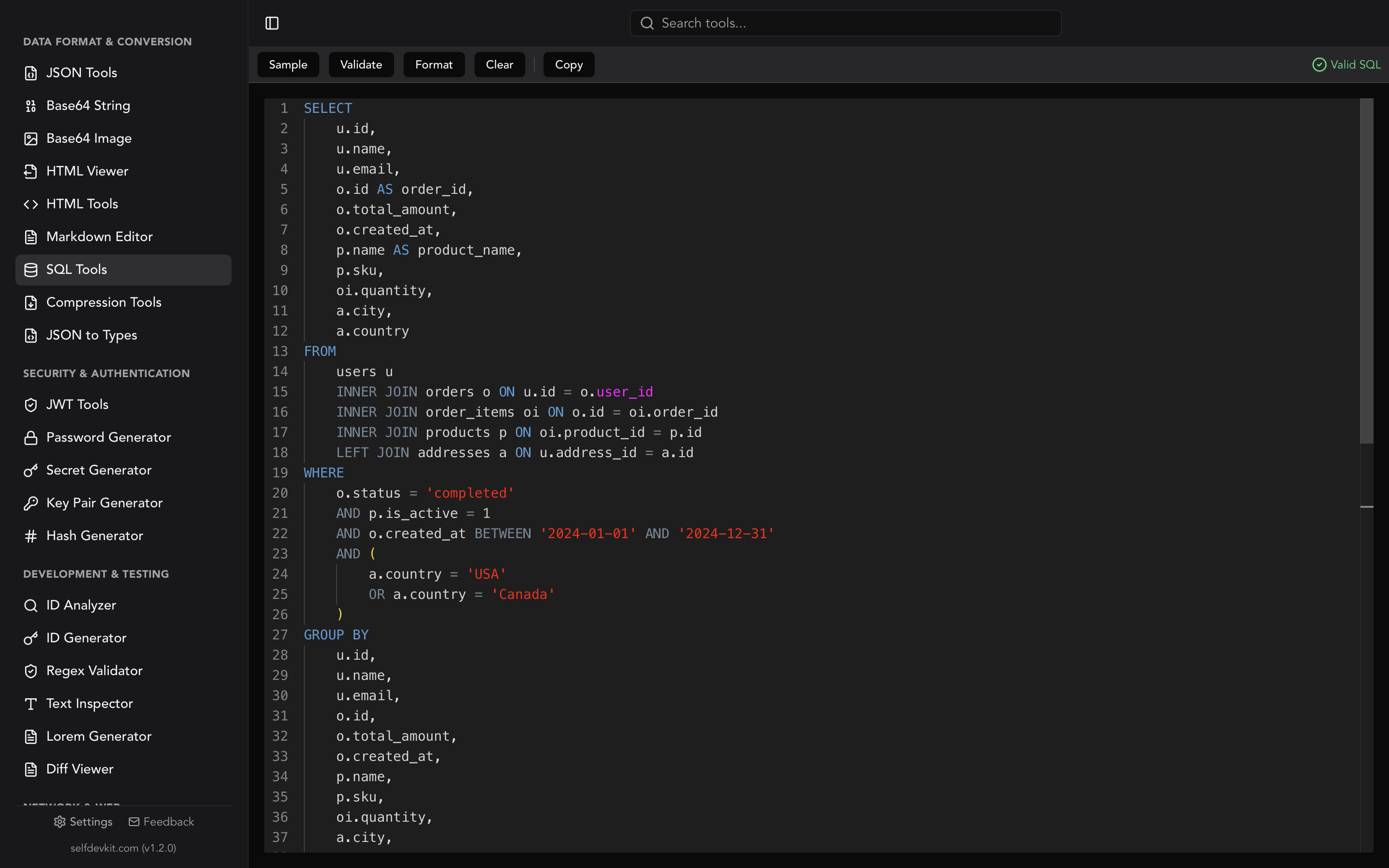
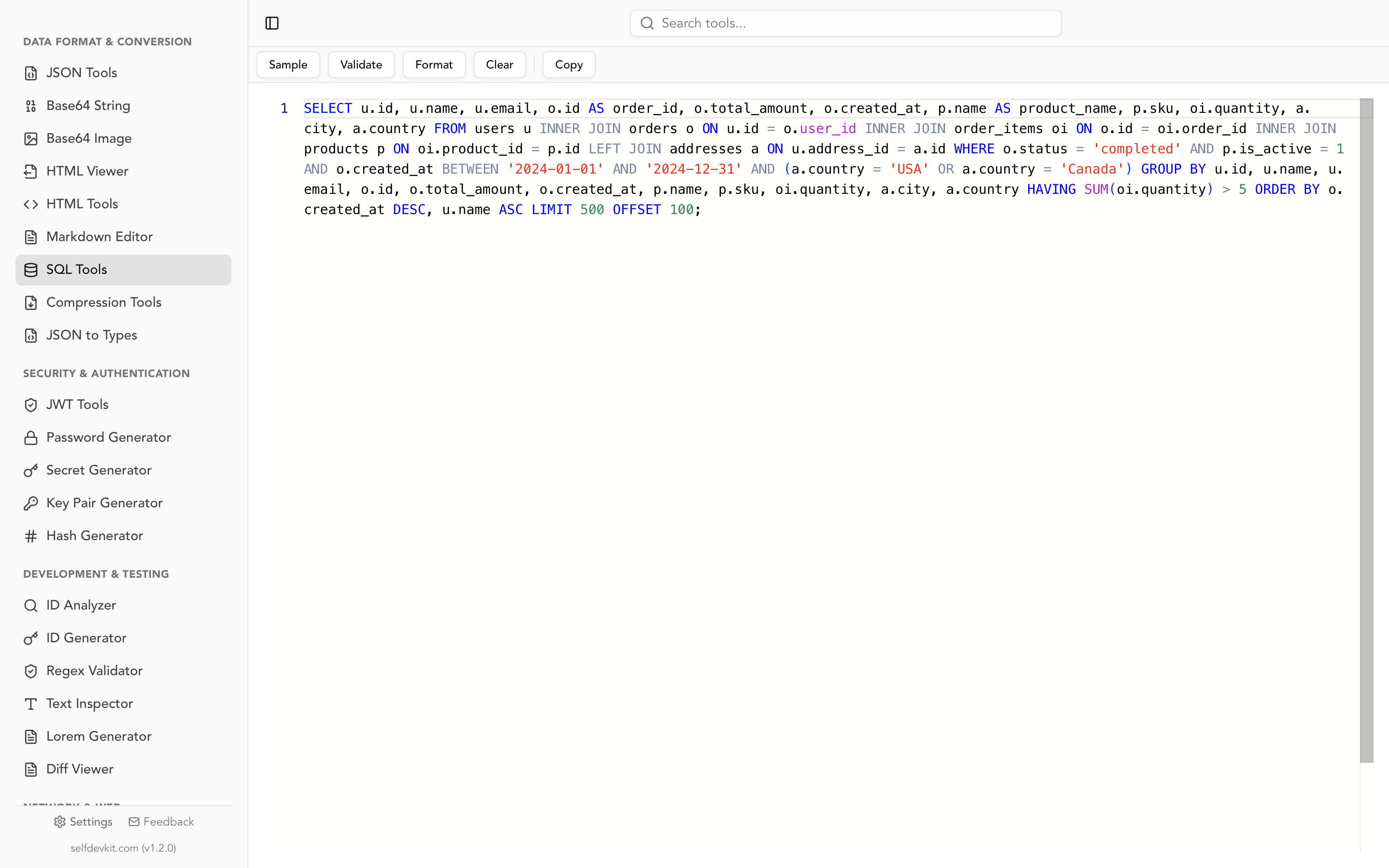
Formatting a query before you run it is the cheapest check there is. Formatting puts each clause on its own line, so a misplaced WHERE, a missing join condition, or an AND/OR precedence mistake becomes visible. SelfDevKit's SQL tools format and validate SQL offline, which matters when the query contains your schema, internal table names, or customer values pasted into a WHERE clause.
It helps to know exactly what the validator checks. It parses against a generic SQL grammar, so it answers "is this parseable SQL?" rather than "will this run on MySQL?". Running this post's queries through the same parser library the app uses showed:
| Input | Validator | Real database |
|---|---|---|
SELECT * FORM customers |
Invalid, points at FORM |
Syntax error |
WHERE id IN (1, 2 |
Invalid, "Expected ), found: EOF" | Syntax error |
SELECT TOP 10 ... and ... LIMIT 10 |
Both valid | Each works on only some databases |
ON CONFLICT and ON DUPLICATE KEY UPDATE |
Both valid | Each works on only some databases |
SELECT [name] FROM [customers] |
Invalid | Valid on SQL Server |
SELECT id, name, FROM customers |
Valid | Syntax error in PostgreSQL and SQLite |
NOT IN subquery, = NULL, bare GROUP BY column |
Valid | Runs, and returns surprising results |
So it catches typos and unbalanced parentheses, and it does not catch dialect mismatches, trailing commas, or logic errors. That gap is what the NULL traps and dialect table above are for.
For queries pulled out of logs or generated by an ORM, the SQL query formatter guide walks through cleaning them up before you read them, and how SQL formatters work explains why template placeholders and vendor syntax sometimes trip formatters.
Two other tools pair well with this sheet. When a query rewrite should return the same rows, export both result sets and compare them in the diff viewer. When a WHERE clause filters on epoch columns, the timestamp converter turns 1767225600 into a date you can sanity-check.
If you keep a regex reference open next to this one, the regex cheat sheet uses the same portability-column layout.
The formatting and validation run locally, so the query text stays on your machine. Download SelfDevKit to keep the formatter, validator, and 50+ other developer tools available offline.