
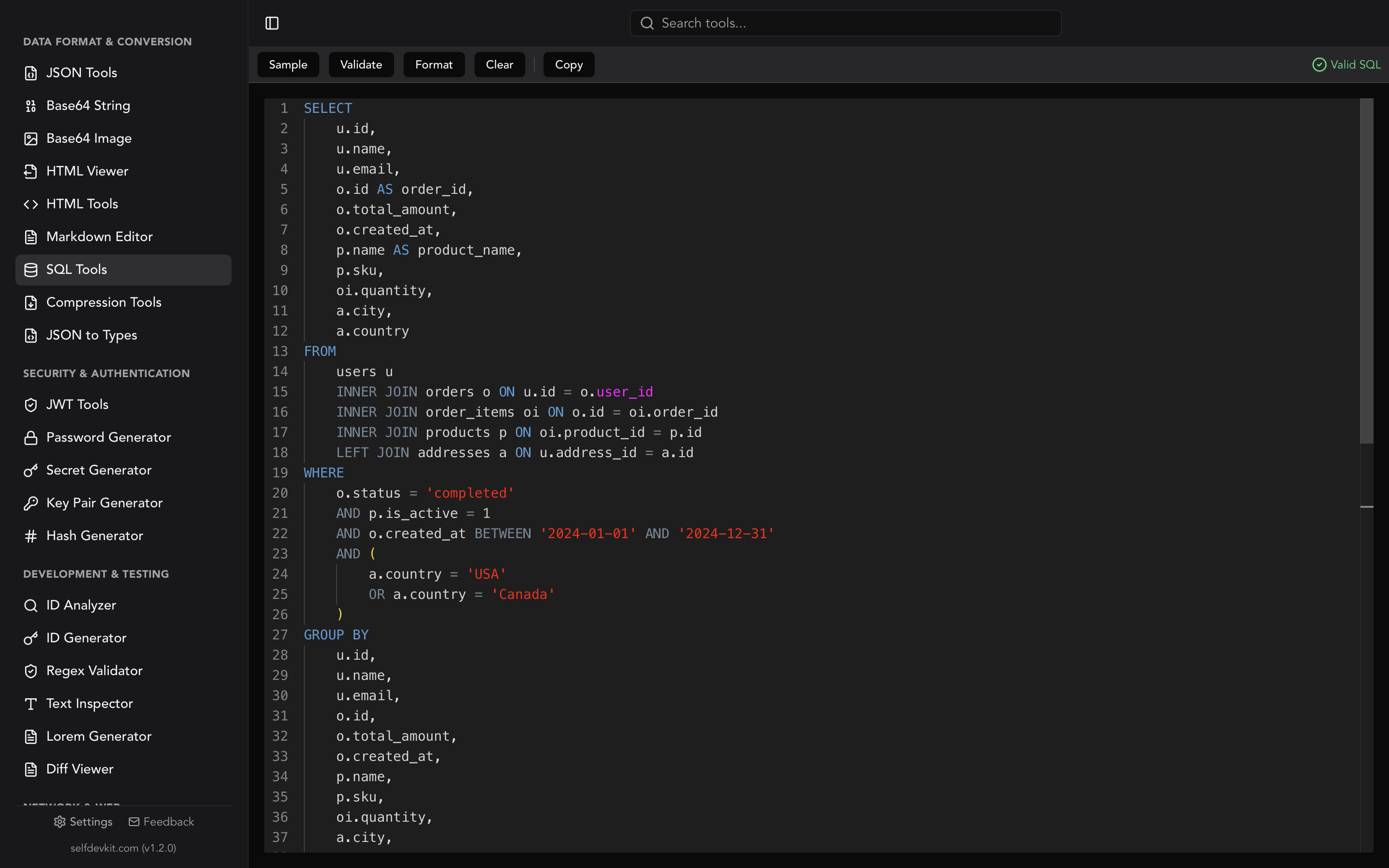
SQL window functions compute a value for each row from a set of related rows, without collapsing those rows the way GROUP BY does. You recognize one by its OVER clause: SUM(amount) OVER (PARTITION BY customer) gives every row its customer's total and keeps every row in the output.
That one idea covers ranking, running totals, period-over-period changes, moving averages, and "latest row per group" queries. All of those used to need self-joins or correlated subqueries.
Every result table in this post comes from running the query on SQLite 3.45.1 against the eight-row table below. None of it was typed by hand. Where PostgreSQL, MySQL, or SQL Server behave differently, the post says so.
CREATE TABLE orders (
    id         INTEGER PRIMARY KEY,
    customer   TEXT,
    order_date TEXT,
    amount     INT
);

INSERT INTO orders VALUES
  (1, 'acme',    '2026-01-03', 120),
  (2, 'acme',    '2026-01-03',  80),
  (3, 'acme',    '2026-01-07', 200),
  (4, 'acme',    '2026-01-09',  50),
  (5, 'globex',  '2026-01-02', 300),
  (6, 'globex',  '2026-01-05', 300),
  (7, 'globex',  '2026-01-08', 100),
  (8, 'initech', '2026-01-04',  75);
Two details are deliberate. Acme has two orders on the same date, and globex has two orders with the same amount. Ties are where window functions surprise people, so the data includes some.
SQL window functions vs GROUP BY
GROUP BY returns one row per group. A window function returns one row per input row, with the group-level value attached. Compare the two:
SELECT customer, SUM(amount) AS total
FROM orders
GROUP BY customer;
| customer | total |
|---|---|
| acme | 450 |
| globex | 700 |
| initech | 75 |
Three rows. The individual orders are gone. Now the window version:
SELECT
    id,
    customer,
    amount,
    SUM(amount) OVER (PARTITION BY customer) AS customer_total,
    ROUND(100.0 * amount / SUM(amount) OVER (PARTITION BY customer), 1) AS pct
FROM orders
ORDER BY customer, id;
| id | customer | amount | customer_total | pct |
|---|---|---|---|---|
| 1 | acme | 120 | 450 | 26.7 |
| 2 | acme | 80 | 450 | 17.8 |
| 3 | acme | 200 | 450 | 44.4 |
| 4 | acme | 50 | 450 | 11.1 |
| 5 | globex | 300 | 700 | 42.9 |
| 6 | globex | 300 | 700 | 42.9 |
| 7 | globex | 100 | 700 | 14.3 |
| 8 | initech | 75 | 75 | 100.0 |
All eight rows survive, and each one knows its share of the customer total. Doing this with GROUP BY means joining the grouped result back to the original table.
The three parts of the OVER clause
An OVER clause can hold three optional parts, in this order:
function(args) OVER (
    PARTITION BY ...   -- which rows belong together
    ORDER BY ...       -- order inside each partition
    ROWS | RANGE | GROUPS BETWEEN ... AND ...   -- the frame
)
PARTITION BYsplits rows into independent groups. Leave it out and the whole result set is one partition.ORDER BYsorts rows inside each partition. Ranking functions andLAG/LEADneed it. For aggregates likeSUM, adding it switches the meaning from "partition total" to "running total."- The frame picks which rows around the current row the function can see. If you leave it out you get a default, and that default causes most of the bugs in the sections below.
Empty parentheses, OVER (), are valid. The whole result set becomes one window.
Ranking: ROW_NUMBER, RANK, DENSE_RANK, NTILE
The four ranking functions only disagree when there are ties, so here they are side by side on the two tied 300 orders:
SELECT
    customer, order_date, amount,
    ROW_NUMBER() OVER (ORDER BY amount DESC) AS rn,
    RANK()       OVER (ORDER BY amount DESC) AS rnk,
    DENSE_RANK() OVER (ORDER BY amount DESC) AS drnk,
    NTILE(3)     OVER (ORDER BY amount DESC) AS tile
FROM orders
ORDER BY amount DESC, id;
| customer | order_date | amount | rn | rnk | drnk | tile |
|---|---|---|---|---|---|---|
| globex | 2026-01-02 | 300 | 1 | 1 | 1 | 1 |
| globex | 2026-01-05 | 300 | 2 | 1 | 1 | 1 |
| acme | 2026-01-07 | 200 | 3 | 3 | 2 | 1 |
| acme | 2026-01-03 | 120 | 4 | 4 | 3 | 2 |
| globex | 2026-01-08 | 100 | 5 | 5 | 4 | 2 |
| acme | 2026-01-03 | 80 | 6 | 6 | 5 | 2 |
| initech | 2026-01-04 | 75 | 7 | 7 | 6 | 3 |
| acme | 2026-01-09 | 50 | 8 | 8 | 7 | 3 |
ROW_NUMBERalways gives a unique number. Which of two tied rows gets 1 is not defined unless theORDER BYbreaks the tie.RANKgives ties the same number and then skips: 1, 1, 3.DENSE_RANKgives ties the same number without gaps: 1, 1, 2.NTILE(3)deals rows into three buckets that are as even as possible. With eight rows the first two buckets get three rows each and the last gets two.
That first point is the one that bites in production. ROW_NUMBER() OVER (ORDER BY amount DESC) with tied amounts can return a different "winner" on different runs, after an index change, or after a database upgrade. If the choice matters, add a unique column to the ordering: ORDER BY amount DESC, id.
Running totals and the default frame trap
A running total is SUM with an ORDER BY inside OVER. The result depends on whether the ordering column has ties:
SELECT
    id, order_date, amount,
    SUM(amount) OVER (ORDER BY order_date) AS default_frame,
    SUM(amount) OVER (ORDER BY order_date
                      ROWS BETWEEN UNBOUNDED PRECEDING AND CURRENT ROW) AS rows_frame,
    SUM(amount) OVER (ORDER BY order_date, id) AS tiebroken
FROM orders
WHERE customer = 'acme'
ORDER BY order_date, id;
| id | order_date | amount | default_frame | rows_frame | tiebroken |
|---|---|---|---|---|---|
| 1 | 2026-01-03 | 120 | 200 | 120 | 120 |
| 2 | 2026-01-03 | 80 | 200 | 200 | 200 |
| 3 | 2026-01-07 | 200 | 400 | 400 | 400 |
| 4 | 2026-01-09 | 50 | 450 | 450 | 450 |
Look at row 1. The "running total" is already 200, even though only 120 has come in so far.
The SQL standard says that when you write ORDER BY without a frame, the frame is RANGE BETWEEN UNBOUNDED PRECEDING AND CURRENT ROW. RANGE works on values, not physical rows. So "current row" includes every peer, meaning every row with the same order_date. The SQLite documentation states it directly: the default reads "all rows from the beginning of the partition up to and including the current row and its peers." PostgreSQL, MySQL, and SQL Server use the same default.
There are two fixes, and they are not equivalent:
ROWS BETWEEN UNBOUNDED PRECEDING AND CURRENT ROWcounts physical rows, so row 1 gets 120. But which tied row counts as "first" is still undefined. Run it on another engine and rows 1 and 2 can swap.- Add a unique tiebreaker to
ORDER BY(order_date, id). Now there are no peers, the defaultRANGEframe acts likeROWS, and the result is deterministic. This is the better fix.
Sometimes the peer behavior is what you want. A daily balance that should show the end-of-day figure on every row for that day is a correct use of the default RANGE frame. Pick it on purpose.
LAG and LEAD for row-to-row comparisons
LAG(expr, n) reads a value from n rows earlier in the window (default 1). LEAD reads from rows after. They are how you get day-over-day changes and gaps between events:
SELECT
    customer, order_date, amount,
    LAG(amount) OVER w                  AS prev_amount,
    amount - LAG(amount) OVER w         AS amount_change,
    LEAD(order_date) OVER w             AS next_order,
    JULIANDAY(order_date)
      - JULIANDAY(LAG(order_date) OVER w) AS days_since_prev
FROM orders
WINDOW w AS (PARTITION BY customer ORDER BY order_date, id)
ORDER BY customer, order_date, id;
| customer | order_date | amount | prev_amount | amount_change | next_order | days_since_prev |
|---|---|---|---|---|---|---|
| acme | 2026-01-03 | 120 | NULL | NULL | 2026-01-03 | NULL |
| acme | 2026-01-03 | 80 | 120 | -40 | 2026-01-07 | 0.0 |
| acme | 2026-01-07 | 200 | 80 | 120 | 2026-01-09 | 4.0 |
| acme | 2026-01-09 | 50 | 200 | -150 | NULL | 2.0 |
| globex | 2026-01-02 | 300 | NULL | NULL | 2026-01-05 | NULL |
| globex | 2026-01-05 | 300 | 300 | 0 | 2026-01-08 | 3.0 |
| globex | 2026-01-08 | 100 | 300 | -200 | NULL | 3.0 |
| initech | 2026-01-04 | 75 | NULL | NULL | NULL | NULL |
Three things to notice:
- The
WINDOWclause names a window once (w) so four functions can share it. It is standard SQL, supported by PostgreSQL, MySQL 8, SQLite, and SQL Server 2022. It removes the copy-paste drift where oneOVERclause gets edited and the others don't. NULLat partition edges. The first row in each partition has no previous row. Pass a default as the third argument if you'd rather get a value:LAG(amount, 1, 0).LAGandLEADignore the frame. They always count rows within the partition, so the frame traps above don't apply to them.
JULIANDAY is SQLite-specific. In PostgreSQL, subtracting two date values gives an integer number of days. In MySQL, use DATEDIFF(order_date, LAG(order_date) OVER w).
FIRST_VALUE and LAST_VALUE: the same trap, worse
FIRST_VALUE and LAST_VALUE return a value from the edge of the frame, not the edge of the partition. With the default frame, the frame ends at the current row (or at its last tied peer, if the ORDER BY has ties). So with a unique ordering like the one below, LAST_VALUE just returns the current row's own value:
SELECT
    customer, order_date, amount,
    FIRST_VALUE(amount) OVER (PARTITION BY customer ORDER BY order_date, id) AS first_amt,
    LAST_VALUE(amount)  OVER (PARTITION BY customer ORDER BY order_date, id) AS last_default,
    LAST_VALUE(amount)  OVER (PARTITION BY customer ORDER BY order_date, id
        ROWS BETWEEN UNBOUNDED PRECEDING AND UNBOUNDED FOLLOWING)            AS last_full
FROM orders
ORDER BY customer, order_date, id;
| customer | order_date | amount | first_amt | last_default | last_full |
|---|---|---|---|---|---|
| acme | 2026-01-03 | 120 | 120 | 120 | 50 |
| acme | 2026-01-03 | 80 | 120 | 80 | 50 |
| acme | 2026-01-07 | 200 | 120 | 200 | 50 |
| acme | 2026-01-09 | 50 | 120 | 50 | 50 |
| globex | 2026-01-02 | 300 | 300 | 300 | 100 |
| globex | 2026-01-05 | 300 | 300 | 300 | 100 |
| globex | 2026-01-08 | 100 | 300 | 100 | 100 |
| initech | 2026-01-04 | 75 | 75 | 75 | 75 |
The last_default column just repeats amount. No error and no warning, which makes this easy to ship.
FIRST_VALUE looks fine only because the frame always starts at the partition's first row. When you want "the latest value in the group," either add ROWS BETWEEN UNBOUNDED PRECEDING AND UNBOUNDED FOLLOWING, or flip the sort and use FIRST_VALUE(amount) OVER (PARTITION BY customer ORDER BY order_date DESC, id DESC). The second form is harder to get wrong.
Moving averages: ROWS vs RANGE vs GROUPS
An explicit frame such as ROWS BETWEEN 2 PRECEDING AND CURRENT ROW gives a sliding window, which is how you compute a moving average:
SELECT
    order_date, amount,
    ROUND(AVG(amount) OVER (ORDER BY order_date, id
          ROWS BETWEEN 2 PRECEDING AND CURRENT ROW), 1) AS moving_avg_3,
    COUNT(*) OVER (ORDER BY order_date, id
          ROWS BETWEEN 2 PRECEDING AND CURRENT ROW)     AS n_rows
FROM orders
ORDER BY order_date, id;
| order_date | amount | moving_avg_3 | n_rows |
|---|---|---|---|
| 2026-01-02 | 300 | 300.0 | 1 |
| 2026-01-03 | 120 | 210.0 | 2 |
| 2026-01-03 | 80 | 166.7 | 3 |
| 2026-01-04 | 75 | 91.7 | 3 |
| 2026-01-05 | 300 | 151.7 | 3 |
| 2026-01-07 | 200 | 191.7 | 3 |
| 2026-01-08 | 100 | 200.0 | 3 |
| 2026-01-09 | 50 | 116.7 | 3 |
The n_rows column is worth keeping while you develop a query. The first two averages are built from fewer than three rows, and a dashboard that shows "3-order average: 300.0" for the very first order is misleading. Filter on n_rows = 3 or show the count next to the average.
The three frame units define "1 PRECEDING" differently:
| Unit | "1 PRECEDING" means | Ties handled as | Good for |
|---|---|---|---|
ROWS |
one physical row back | separate rows, in undefined order | moving averages over N events |
RANGE |
rows whose ORDER BY value is within 1 of the current value | one unit (peers) | time windows such as "last 7 days" |
GROUPS |
one group of peers back | one unit | "this date and the previous date that had data" |
Here is GROUPS against ROWS on acme, where the two orders on January 3 form one peer group:
| id | order_date | amount | groups_frame | rows_frame |
|---|---|---|---|---|
| 1 | 2026-01-03 | 120 | 200 | 120 |
| 2 | 2026-01-03 | 80 | 200 | 200 |
| 3 | 2026-01-07 | 200 | 400 | 280 |
| 4 | 2026-01-09 | 50 | 250 | 250 |
On row 3, GROUPS BETWEEN 1 PRECEDING AND CURRENT ROW includes both January 3 orders (120 + 80 + 200 = 400). ROWS only reaches back one physical row (80 + 200 = 280).
For real time windows, RANGE with an interval is the tool: RANGE BETWEEN INTERVAL '6 days' PRECEDING AND CURRENT ROW in PostgreSQL 11+. Unlike ROWS, it handles missing days correctly. Support differs a lot, as the table further down shows.
Why you can't use a window function in WHERE
You can't filter on a window function in WHERE because WHERE runs before window functions are computed. SQL evaluates a query in logical order: FROM, WHERE, GROUP BY, HAVING, then window functions, then SELECT aliases, DISTINCT, ORDER BY, and LIMIT. When WHERE runs, the window values don't exist yet.
Both obvious attempts fail. These are SQLite's actual errors:
SELECT customer, amount,
       ROW_NUMBER() OVER (PARTITION BY customer ORDER BY amount DESC) AS rn
FROM orders
WHERE rn = 1;
-- Error: misuse of aliased window function rn

SELECT customer, amount
FROM orders
WHERE ROW_NUMBER() OVER (PARTITION BY customer ORDER BY amount DESC) = 1;
-- Error: misuse of window function ROW_NUMBER()
The same order explains a pattern that works: window functions run after GROUP BY, so you can window over aggregates. RANK() OVER (ORDER BY SUM(amount) DESC) in a grouped query ranks customers by total spend.
To filter, compute the window in a CTE or subquery and filter outside it. This is the standard "top row per group" query:
WITH ranked AS (
    SELECT
        customer, order_date, amount,
        ROW_NUMBER() OVER (
            PARTITION BY customer
            ORDER BY amount DESC, order_date
        ) AS rn
    FROM orders
)
SELECT customer, order_date, amount
FROM ranked
WHERE rn = 1
ORDER BY customer;
| customer | order_date | amount |
|---|---|---|
| acme | 2026-01-07 | 200 |
| globex | 2026-01-02 | 300 |
| initech | 2026-01-04 | 75 |
Globex has two 300 orders. The order_date tiebreaker makes the earlier one win every time. Swap ROW_NUMBER for RANK and drop the order_date tiebreaker if you want every tied row returned.
Some engines skip the CTE with QUALIFY, which filters window results the way HAVING filters aggregates:
SELECT customer, order_date, amount
FROM orders
QUALIFY ROW_NUMBER() OVER (PARTITION BY customer ORDER BY amount DESC, order_date) = 1;
DuckDB, Snowflake, BigQuery, and Databricks support it. PostgreSQL, MySQL, SQL Server, and SQLite do not. SQLite 3.45 reports near "ROW_NUMBER": syntax error.
Window function support by database
Basic OVER (PARTITION BY ... ORDER BY ...) works on every major engine shipped since 2018. The edges vary:
| Feature | PostgreSQL | MySQL 8.0 / 8.4 | SQL Server | SQLite |
|---|---|---|---|---|
| Window functions at all | 8.4 (2009) | 8.0 (2018) | 2005 ranking; 2012 frames, LAG/LEAD |
3.25.0 (2018) |
GROUPS frames |
11+ | No (parsed, then errors) | No | 3.28.0+ |
RANGE with numeric/interval offset |
11+ | Yes | No (UNBOUNDED/CURRENT ROW only) |
3.28.0+ |
EXCLUDE clause |
11+ | No | No | 3.28.0+ |
Named WINDOW clause |
Yes | Yes | 2022+ (compat level 160) | Yes |
FILTER (WHERE ...) on window aggregates |
Yes | No | No | Yes |
IGNORE NULLS in LAG/LEAD/FIRST_VALUE |
19 (in beta, not yet released) | No (parsed, then errors) | 2022+ | No |
QUALIFY |
No | No | No | No |
Sources: SQLite window functions, MySQL 8.4 window function restrictions, PostgreSQL window functions, and the SQL Server OVER clause, WINDOW clause, and LAG references. PostgreSQL's IGNORE NULLS support is listed in the PostgreSQL 19 release notes; version 19 was still in beta when this post was written.
IGNORE NULLS matters most for time series with gaps. "Carry the last known value forward" is LAST_VALUE(reading) IGNORE NULLS OVER (ORDER BY ts) on engines that support it, and a two-step gaps-and-islands workaround on those that don't.
Checking window function syntax before you run it
Window function queries get long quickly. One OVER clause per column, nested ROUND(AVG(...) OVER (...)), and a CTE around everything. Formatting them before review makes mismatched parentheses and copy-paste drift between OVER clauses much easier to spot.
The SelfDevKit SQL tools format and validate SQL locally, so queries that contain real table and column names never leave your machine. To be precise about what that check covers, the queries in this post were run through the same Rust crates the app uses (sqlparser 0.39 with its generic dialect for validation, sqlformat 0.3.5 for formatting). The results:
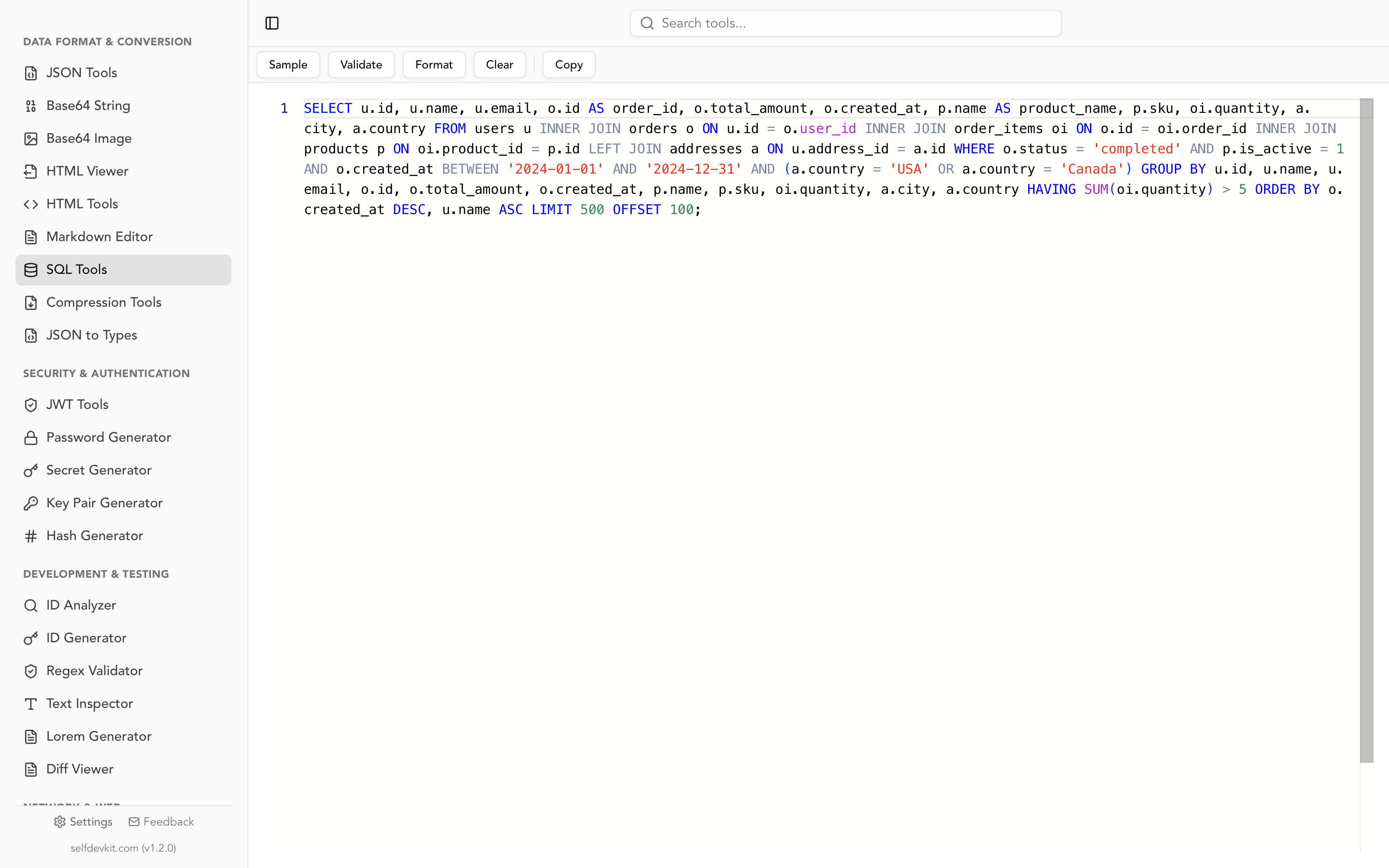
- Accepted as valid:
OVERwithPARTITION BY/ORDER BY,ROWS/RANGE/GROUPSframes, the namedWINDOWclause,IGNORE NULLS, andQUALIFY. - Flagged as invalid even though some databases accept it:
FILTER (WHERE ...)on a window aggregate, and theEXCLUDEframe clause. If you use these on PostgreSQL or SQLite, treat the warning as a parser limitation and not as a real error. - Accepted, although PostgreSQL, MySQL, SQL Server, and SQLite all reject them: both
WHERE rn = 1andWHERE ROW_NUMBER() OVER (...) = 1. Those queries are grammatically fine. They fail on query semantics, which no syntax checker evaluates. Only the database will catch them.
Formatting works on all of them, including the ones flagged invalid. The formatter breaks each OVER clause onto its own indented block:
SELECT
    customer,
    order_date,
    amount,
    ROW_NUMBER() OVER (
        PARTITION BY customer
        ORDER BY
            amount DESC,
            order_date
    ) AS rn
FROM
    orders
One quirk: the frame clause stays on the same line as the last ORDER BY column (id ROWS BETWEEN 2 PRECEDING AND CURRENT ROW). It reads fine, but it's worth knowing when you scan for frames during review. For more on how SQL formatters tokenize and where they break, see how SQL formatters work. For reading long machine-generated queries, see the SQL query formatter guide.
A short checklist for window function queries
Before you trust a window function result, check these things:
- Is there an
ORDER BYinsideOVERwith possible ties? Add a unique tiebreaker column, orROW_NUMBERandROWSframes become nondeterministic. - Did you leave out the frame on
SUM,AVG, orLAST_VALUE? You gotRANGE ... CURRENT ROWwith peers. Make sure that's what you meant. - Do the first rows of a moving average have a full window? Count the rows in the frame.
- Are you filtering on a window result? Wrap it in a CTE, or use
QUALIFYwhere your engine supports it. - Does the feature exist on your database?
GROUPS,FILTER,IGNORE NULLS, and intervalRANGEare the usual portability failures.
Paste the query into a formatter first, check each OVER clause against the list, then run it.
Download SelfDevKit to format and validate SQL offline, along with 50+ other developer tools that keep your data on your machine. See the full feature list or pricing.