What is crontab guru?
Crontab guru is a web-based cron schedule expression editor, most commonly the crontab.guru tool built by Cronitor. You type a cron expression, and it instantly tells you whether the syntax is valid, translates it into plain English, and shows the next times the job will run. It is the fastest way to check what a cron string like
0 */4 * * 1-5actually means.
Every developer who touches a server eventually meets cron. And every one of them eventually pastes a mysterious five-field string into crontab guru to find out what it does. The tool became the reference point for cron because it answers the one question you always have: "when will this actually run?" This guide explains what crontab guru is, how its editor works, and how to read any cron expression yourself without a tool. It also covers the clones, the privacy tradeoffs, and an offline alternative for when you would rather not open a browser tab.
Table of contents
- What is crontab guru
- How the crontab guru editor works
- How to read a cron expression like crontab guru
- Common cron expressions people look up
- Crontab guru clones and the privacy question
- An offline crontab guru alternative
- Where cron expressions show up beyond Linux
- Frequently asked questions
What is crontab guru
Crontab guru is an interactive editor for cron schedule expressions, available at crontab.guru and built by the monitoring company Cronitor. You enter a cron string in a single input field and the page instantly interprets it, showing a plain-English description and a list of upcoming run times. There is no signup, no configuration, and the parsing happens in your browser.
The name has become a small piece of developer shorthand. When someone says "check it in crontab guru," they mean "paste the expression somewhere that will explain it." The original tool is popular enough that dozens of clones now use the same name, which is why "crontab guru" shows up as a search term far more often than the generic "cron editor."
What crontab guru does not do is manage your actual crontab file. It is a read-and-explain tool, not a scheduler. You still write the expression into your server's crontab with crontab -e, deploy it in a Kubernetes manifest, or drop it into a CI pipeline. Crontab guru just helps you get the five fields right before you commit them.
How the crontab guru editor works
The crontab guru editor works by parsing your input against the standard cron specification in real time and rendering three pieces of feedback: a validity check, a human-readable translation, and the next scheduled run times. Everything updates as you type, so you get instant confirmation without pressing a button.
Here is what each piece tells you:
- Validation. If a field is out of range or the structure is malformed, the tool flags the expression as invalid. Cron is unforgiving about field count and value ranges, so this catches typos immediately.
- Translation. The tool converts
0 9 * * 1-5into something like "At 09:00 on every day-of-week from Monday through Friday." This is the feature people actually come for. Reading cron in your head is a skill; the translation removes the guesswork. - Next runs. It lists the exact upcoming timestamps the schedule produces. This is the fastest way to catch an off-by-one error. If you meant "every weekday" but the next runs include a Saturday, you know your expression is wrong before it ships.
The catch is scope. Crontab guru interprets one expression at a time in a browser. It does not build expressions from a visual picker, it does not store a library of your schedules, and it needs a loaded web page to work. For a quick sanity check it is perfect. For anything more involved, you often want a proper builder.
How to read a cron expression like crontab guru
To read a cron expression yourself, split it into its five space-separated fields and interpret them left to right: minute, hour, day of month, month, day of week. Once you internalize the field order, most expressions become readable without any tool at all.
A standard cron expression looks like this:
┌───────────── minute (0-59)
│ ┌───────────── hour (0-23)
│ │ ┌───────────── day of month (1-31)
│ │ │ ┌───────────── month (1-12 or JAN-DEC)
│ │ │ │ ┌───────────── day of week (0-6, Sunday = 0 or 7)
│ │ │ │ │
* * * * *
Each field accepts four operators, and this small set covers almost everything crontab guru will ever translate for you:
| Operator | Name | Example | Meaning |
|---|---|---|---|
* |
Every value | * * * * * |
Every minute |
, |
List | 0 8,12,18 * * * |
At 8 AM, 12 PM, and 6 PM |
- |
Range | 0 9-17 * * * |
Every hour from 9 AM to 5 PM |
/ |
Step | */15 * * * * |
Every 15 minutes |
Now walk through 0 */4 * * 1-5 field by field. Minute is 0, so it fires at the top of the hour. Hour is */4, meaning every fourth hour: 0, 4, 8, 12, 16, 20. Day of month is * and month is *, so no date restriction. Day of week is 1-5, Monday through Friday. Read together: "at minute 0 of every fourth hour, Monday through Friday." That is exactly what crontab guru would have told you, and you did it in your head.
The one field that trips people up is day of week. Sunday is 0, and most cron implementations also accept 7 for Sunday, as documented in the crontab(5) man page. You can use three-letter names too, so 0 9 * * MON and 0 9 * * 1 are equivalent. When both day of month and day of week are restricted, standard cron treats them as an OR, not an AND, which is a classic source of "why did my job run on the wrong day" confusion.
Common cron expressions people look up
The expressions people paste into crontab guru most often are a small, predictable set. Rather than deriving each one from scratch, keep this reference nearby and modify the closest match. These are the patterns worth memorizing:
| Expression | Schedule | Typical use |
|---|---|---|
* * * * * |
Every minute | Health checks, queue workers |
*/5 * * * * |
Every 5 minutes | Metrics, cache refresh |
*/15 * * * * |
Every 15 minutes | Polling, sync jobs |
0 * * * * |
Top of every hour | Log rotation, summaries |
0 9 * * * |
Daily at 9:00 AM | Morning notifications |
0 9 * * 1-5 |
Weekdays at 9:00 AM | Business-day reports |
30 2 * * * |
Daily at 2:30 AM | Backups during off-peak hours |
0 0 * * 0 |
Sunday at midnight | Weekly cleanup |
0 0 1 * * |
First of the month | Monthly billing |
0 0 1 1 * |
January 1 at midnight | Annual tasks |
Most cron implementations also support nickname shortcuts that replace the five fields entirely. They read better and are harder to get wrong:
| Shortcut | Equivalent | Meaning |
|---|---|---|
@hourly |
0 * * * * |
Top of every hour |
@daily |
0 0 * * * |
Every day at midnight |
@weekly |
0 0 * * 0 |
Every Sunday at midnight |
@monthly |
0 0 1 * * |
First day of the month |
@yearly |
0 0 1 1 * |
January 1 at midnight |
@reboot |
N/A | Once at system startup |
If you want a deeper walk through building and debugging these, our crontab generator guide covers the full syntax, shortcut strings, and why cron jobs fail silently.
Crontab guru clones and the privacy question
The original crontab.guru runs entirely in your browser, so the expression you type never reaches a server. That matters, because cron commands are not just schedules. A real crontab line looks like this:
0 3 * * * /opt/deploy/sync-prod.sh --host db.internal.company.com --key $BACKUP_KEY
That single line leaks your directory layout, an internal database hostname, and the shape of your deployment. The original tool keeps that local. Many of the clones that rank for "crontab guru" do not. Some send your input to a backend to render the translation, and you have no visibility into whether it is logged, cached, or analyzed.
The lesson is simple. Before pasting any cron command that includes a real path, hostname, or flag into an online editor, check whether the tool processes it client-side. If you cannot tell, strip the command down to just the schedule fields, or use a tool that runs offline by design. This is the same principle we cover in why offline developer tools matter: the safest way to keep infrastructure details private is to never transmit them in the first place.
An offline crontab guru alternative
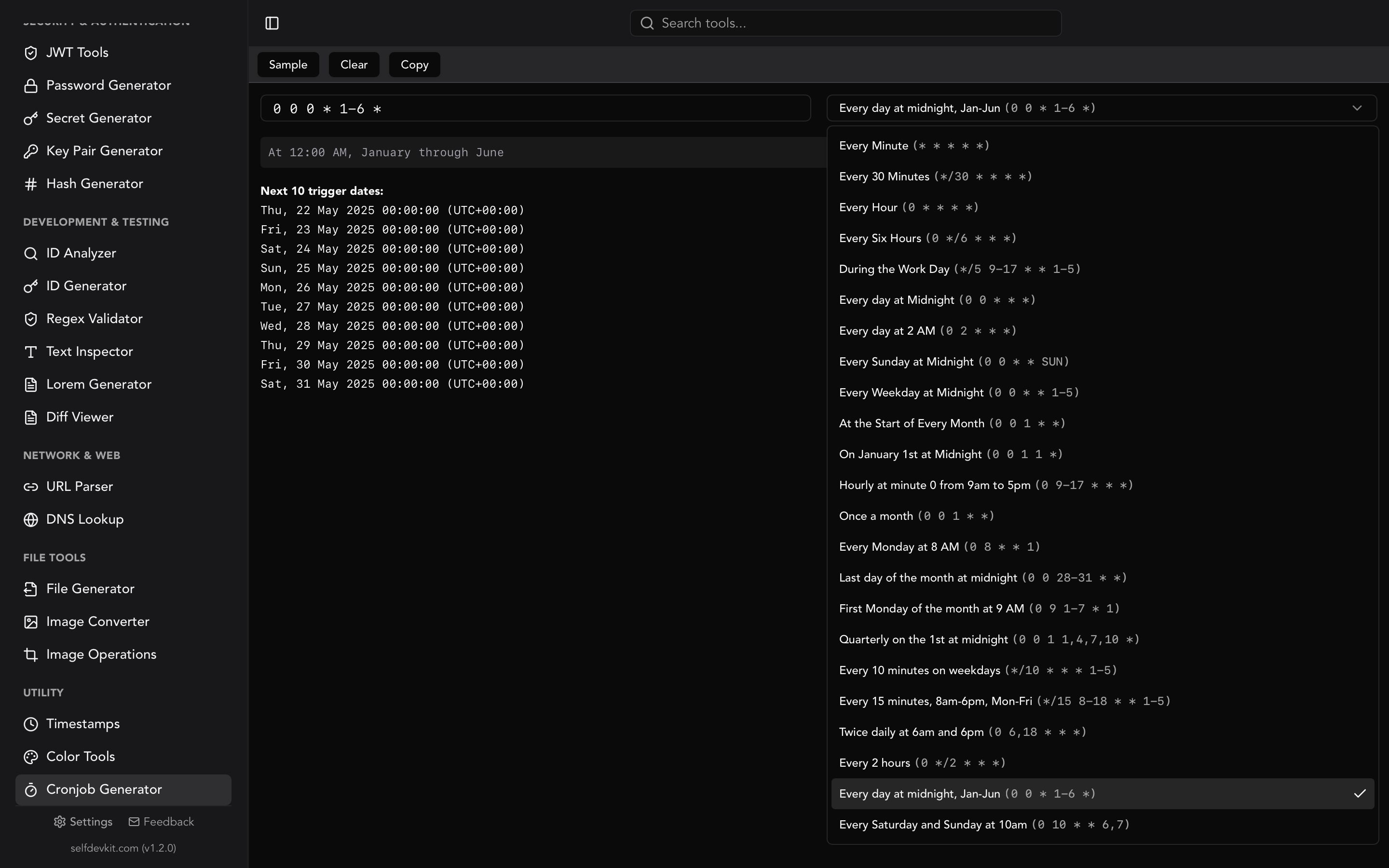
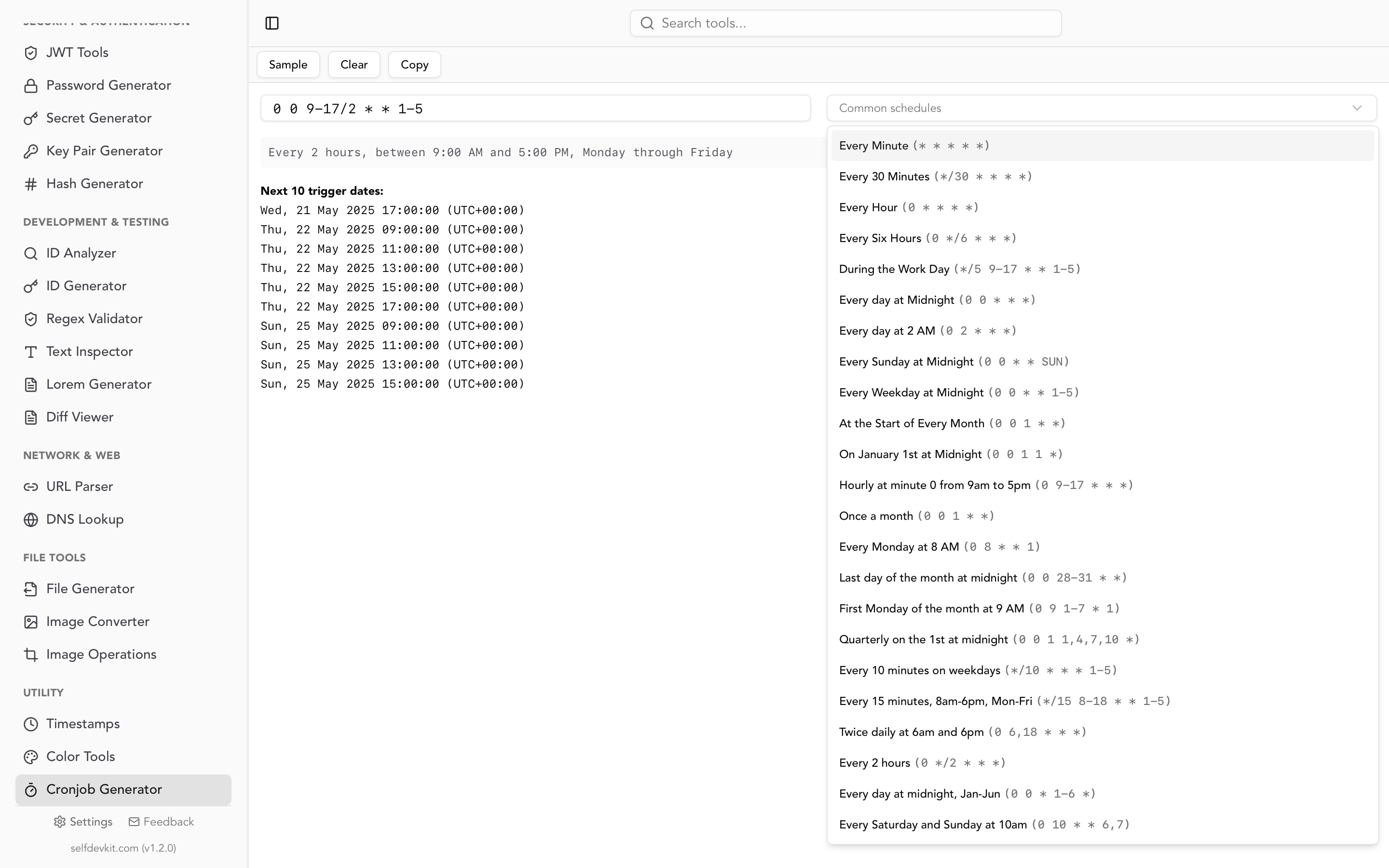
An offline crontab guru alternative is a desktop cron editor that validates expressions, translates them to plain English, and previews next run times without a browser or network connection. SelfDevKit's Cronjob Generator does exactly that, and it goes a step further than a read-only editor by letting you build expressions visually.
You get the three things crontab guru is known for, plus a builder:
- Instant validation and translation. Type or paste an expression and see whether it is valid and what it means in plain English.
- Next run preview. The tool lists upcoming execution timestamps so you can confirm the schedule matches your intent before deploying.
- Visual builder. Pick minutes, hours, days, and months from controls instead of memorizing which number is Sunday. Start from a preset and adjust.
- Fully offline. Every calculation happens on your machine. No expression, no path, and no hostname ever leaves your laptop.
Because it is part of a single desktop app, you are not juggling a browser tab against your terminal. And when your cron command needs a timestamp calculation or a regex to match a filename, the Unix timestamp converter and regex validator are one click away in the same window. It ships with 50+ developer tools, all offline and all private.
Where cron expressions show up beyond Linux
Cron expressions are not limited to the Linux crontab file. The same five-field syntax that crontab guru interprets also drives Kubernetes CronJobs, GitHub Actions scheduled workflows, and cloud schedulers. Learning to read cron once pays off across your whole stack.
A Kubernetes CronJob uses standard cron in its schedule field:
apiVersion: batch/v1
kind: CronJob
metadata:
  name: nightly-backup
spec:
  schedule: "30 2 * * *"
GitHub Actions uses it under the cron key, and it always runs in UTC:
on:
  schedule:
    - cron: '0 6 * * 1'  # Every Monday at 6:00 AM UTC
Timezone is the recurring gotcha across all of these. Most managed schedulers, including GitHub Actions and default Kubernetes clusters, run cron in UTC. If you built an expression thinking in your local time, the job fires at the wrong hour. This is the same confusion that causes off-by-hours bugs with Unix timestamps. When in doubt, verify the next runs in an editor and confirm they land where you expect. Cron itself has been reliably running schedules since the 1970s; the mistakes are almost always in the expression or the timezone, not the daemon.
Frequently asked questions
Is crontab guru free and safe to use?
Yes. The original crontab.guru is free, requires no signup, and parses expressions entirely in your browser, so the schedule you type does not reach a server. Be more cautious with the many similarly named clones, since some may process input server-side. If your cron command contains real paths or hostnames, prefer a tool you know runs client-side or offline.
What is the difference between crontab guru and a crontab generator?
Crontab guru is primarily a read-and-explain editor: you give it an expression and it tells you what the expression means and when it runs. A crontab generator, like SelfDevKit's Cronjob Generator, builds the expression for you from a visual picker and also validates and previews it. In practice the two overlap, and good tools do both.
How do I check the next run times for a cron expression?
Paste the expression into any cron editor that lists upcoming executions. Crontab guru shows the next runs inline, and SelfDevKit's cronjob generator previews a list of upcoming timestamps offline. Comparing the previewed runs against what you intended is the quickest way to catch an off-by-one field error before you deploy.
Can I run a cron job more often than once a minute?
Standard cron has a one-minute minimum granularity, so the smallest interval a normal expression can express is * * * * *. For sub-minute scheduling, developers usually chain a job with sleep, use a systemd timer with OnUnitActiveSec, or reach for a dedicated scheduler. The crontab generator guide linked above covers the common every-30-seconds workaround.
Try it yourself
Crontab guru is great for a quick check in the browser. But if you build cron schedules often, or your commands contain infrastructure details you would rather not paste online, a native tool is faster and more private. SelfDevKit's Cronjob Generator validates, translates, previews, and builds cron expressions entirely offline.
Download SelfDevKit to get an offline crontab editor plus 50+ other developer tools in one private desktop app.