Your daily workflow involves handling sensitive data constantly - API keys, JWT tokens, database credentials, encryption secrets, and proprietary code. Yet most developers routinely paste this information into random websites without a second thought. In an era of constant data breaches and growing privacy regulations, offline-first developer tools aren't just convenient - they're essential.
According to the 2024 Verizon Data Breach Investigations Report, 68% of breaches involve a non-malicious human element, meaning people making errors or falling prey to social engineering attacks. Every time you paste a production JWT into an online decoder, you're adding to that risk surface. The question isn't whether to prioritize privacy - it's whether you can afford not to.
This guide explores why offline-first developer tools matter more than ever, and how switching to local processing can protect your data while actually making you more productive.
Table of contents
- The hidden cost of "free" online tools
- The three pillars of offline-first
- Real-world scenarios
- What to look for in offline tools
- Making the switch
- Conclusion
The hidden cost of "free" online tools
When you use a free online JSON formatter or JWT decoder, you're making an implicit trade: your data for convenience. Most developers don't think twice about this exchange, but consider what actually happens when you paste a JWT token into an online decoder:
- Your token is transmitted over the internet - Even with HTTPS, your data passes through multiple network hops
- It likely passes through multiple servers - CDNs, load balancers, application servers
- It may be logged, cached, or stored - Server access logs, error logs, caching layers, database backups
- Third-party scripts may capture it - Analytics, advertising, A/B testing tools embedded in the page
- You have no control over what happens next - Data retention policies can change, servers can be compromised
Even if the tool provider has good intentions, their infrastructure could be misconfigured, their servers could be compromised in future, a disgruntled employee could access logs, or a policy change could monetize that data later. You're trusting strangers with your production credentials.
Consider the types of data developers routinely paste into online tools:
- JWT tokens containing user IDs, permissions, and session data
- API keys for services like AWS, Stripe, Twilio, and hundreds of others
- Database connection strings with credentials embedded
- Private keys for encryption, signing, or SSH access
- Production configs with internal URLs and service endpoints
- Customer data in JSON or XML formats during debugging
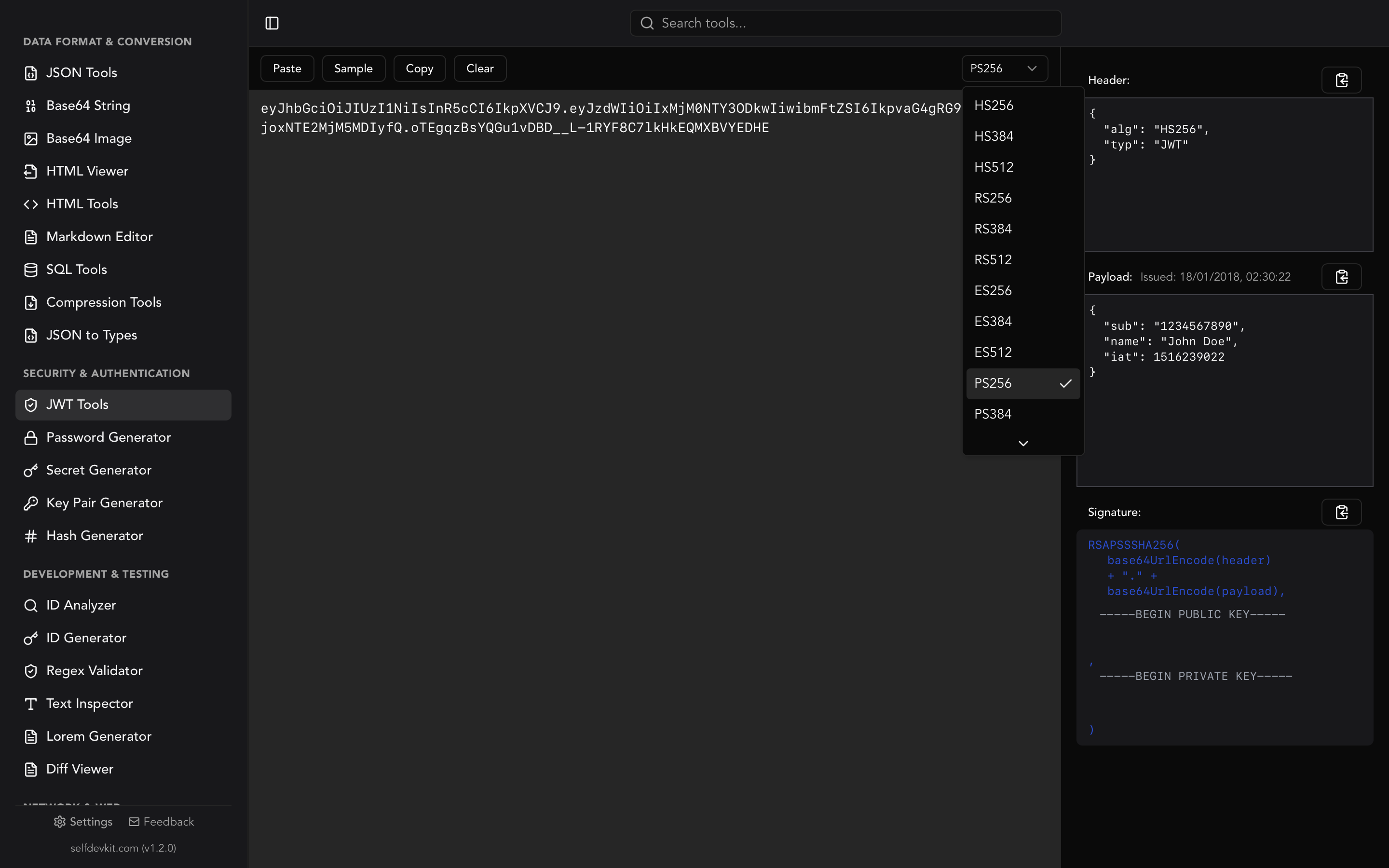
With SelfDevKit's JWT Tools, you can decode and verify tokens without any network request. Your authentication secrets stay on your machine, exactly where they belong.
The three pillars of offline-first
Offline-first development tools are built on three fundamental principles that online alternatives simply cannot match: privacy, speed, and reliability.
Privacy: Your data never leaves your machine
When you process data in a truly offline tool, there's no network request to intercept, no server log to breach, no third-party script to capture your input. Your data exists only in your local memory for the duration of the operation.
This isn't just theoretical security - it's practical, verifiable privacy. When you generate a password with SelfDevKit's Password Generator, the cryptographic random number generation happens entirely on your CPU. When you create API keys with the Secret Generator, those secrets never exist anywhere except your local memory and clipboard.
For enterprises and contractors, this matters even more:
- Compliance requirements - GDPR, HIPAA, SOC 2, and other frameworks restrict how sensitive data can be processed and transmitted
- Client confidentiality - Working with client data often prohibits sending it to third-party services
- Air-gapped environments - Some secure facilities don't allow internet access at all
- Audit trails - "We processed production credentials through a random website" doesn't look great in security reviews
The Key Pair Generator creates RSA key pairs locally, and the Hash Generator computes MD5, SHA, BLAKE, and 15+ other algorithms without any external calls. Your cryptographic operations stay private by design.
Speed: Instant processing without network latency
Network latency adds up more than most developers realize. A "fast" API response of 100ms doesn't sound like much until you calculate the cumulative cost:
| Online Tool Operation | Time (typical) |
|---|---|
| Format JSON | 100-300ms |
| Decode JWT | 100-200ms |
| Generate UUID | 100-200ms |
| Encode Base64 | 100-200ms |
| Test regex | 100-300ms |
With local tools, these same operations complete in single-digit milliseconds - often under 5ms. The difference is immediately noticeable. Tools feel instant rather than merely responsive.
Consider a typical debugging session where you might:
- Format a JSON API response
- Decode a JWT from the headers
- Base64 decode an embedded payload
- Generate a new UUID for testing
- Check a timestamp conversion
With online tools, you've added 500-1500ms of waiting. With local tools like SelfDevKit's JSON Tools and Base64 String Tools, you've added essentially zero wait time.
Over a full workday with dozens of these operations, the time savings become hours per week. More importantly, you stay in flow state instead of waiting for network round trips.
Reliability: Works anywhere, anytime
Your ability to work shouldn't depend on infrastructure you don't control. Internet connections fail at the worst possible times:
- Airplane WiFi that barely loads email, let alone web apps
- Coffee shop networks that drop randomly or block certain ports
- VPN connections that timeout during active sessions
- Hotel internet that requires constant re-authentication
- Building network outages during critical debugging sessions
- ISP issues that happen right when you need to ship
Online tools also introduce dependency on external services:
- Service outages - Even major services have downtime
- Rate limiting - Free tiers often restrict usage during peak times
- Deprecation - Tools shut down, change APIs, or go behind paywalls
- Geographic restrictions - Some services block certain regions
Offline-first tools like SelfDevKit's Regex Validator and Hash Generator work identically whether you're connected to fiber or sitting in a Faraday cage. Same features, same speed, same reliability - every time.
Real-world scenarios
Let's walk through specific situations where offline tools provide tangible benefits.
Debugging production JWT tokens
You're investigating an authentication issue at 2 AM. Users are reporting intermittent login failures. You grab a JWT from the logs and need to decode it immediately.
Online approach: Paste the production JWT into jwt.io or similar. That token - containing user IDs, permissions, and session metadata - now exists on someone else's server. If that token hasn't expired, you've potentially exposed an active session.
Offline approach: Paste the token into SelfDevKit's JWT Tools. Instantly see the decoded header and payload, check expiration status, and verify the signature with your secret. The token never leaves your machine.
Formatting sensitive API responses
You're debugging an issue with a payment processor integration. The response contains customer PII, transaction details, and internal account identifiers.
Online approach: Paste the minified JSON into an online formatter. That customer data is now in someone's server logs, potentially violating your privacy policy and regulatory requirements.
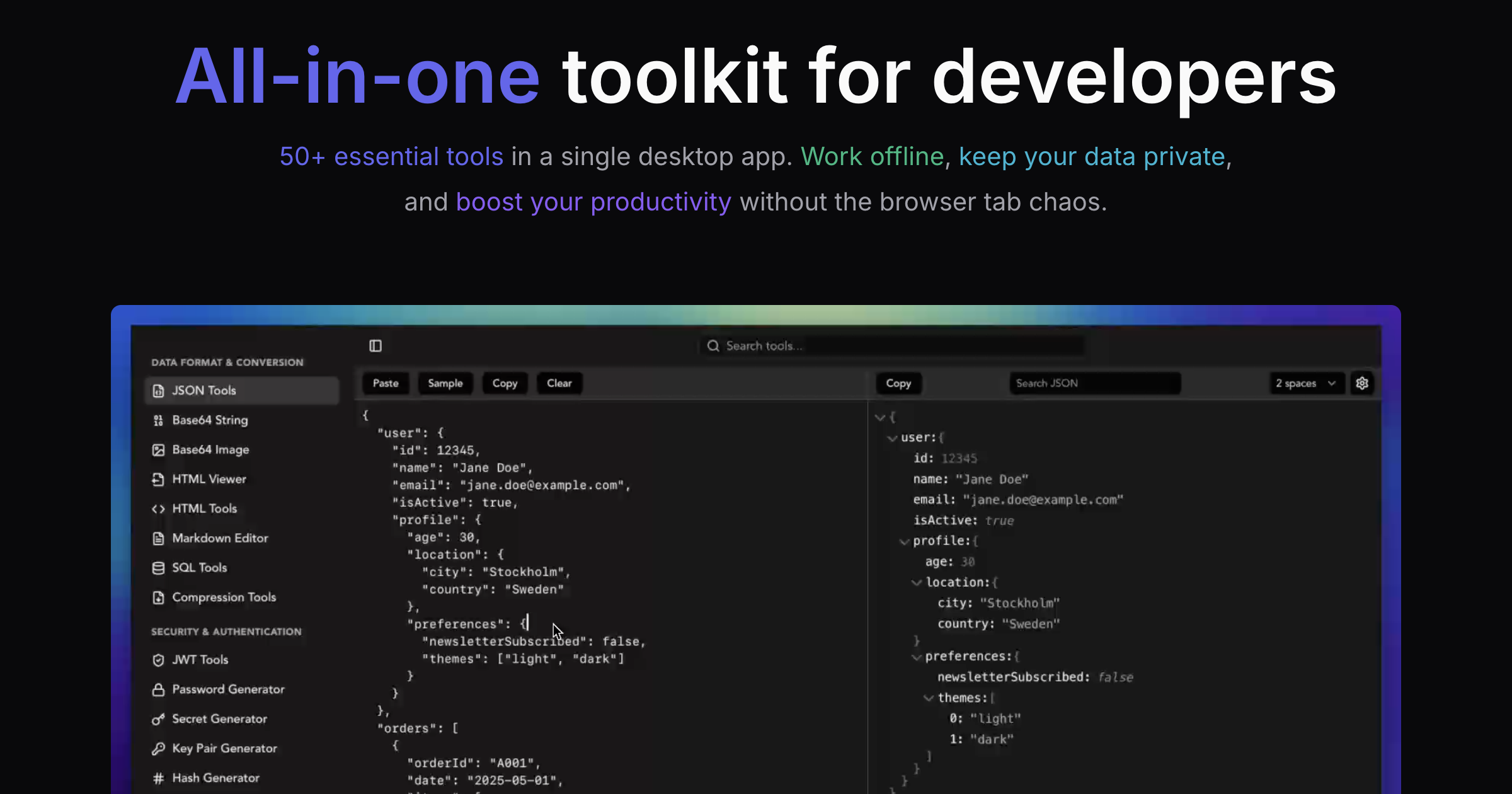
Offline approach: Use the JSON Tools to format, validate, and explore the response. Search for specific fields, switch between tree and raw views, and keep all customer data completely local.
Generating secure credentials
You need to create new API keys for a production service, generate a strong password for a shared account, or create an encryption key for a new feature.
Online approach: Use an online generator that may or may not use cryptographically secure randomness, while definitely logging your generated credentials in their analytics.
Offline approach: Generate credentials with the Secret Generator using local cryptographic APIs. Create API keys, JWT secrets, webhook signing keys, and encryption keys that have never existed anywhere except your machine.
Working in restricted environments
You're contracting for a financial institution or government agency. Their security policy prohibits sending any work data to external services. The office network blocks most external sites anyway.
Online approach: Not an option. You're stuck with command-line tools or nothing.
Offline approach: SelfDevKit works exactly the same on an air-gapped machine. Format JSON, decode tokens, generate IDs, test regex patterns - all without any network dependency.
Comparing code changes
You need to review changes between two versions of a configuration file. The file contains database credentials and internal service URLs.
Online approach: Paste both versions into an online diff tool, exposing your infrastructure details.
Offline approach: Use the Diff Viewer to compare files side-by-side locally. See additions, deletions, and modifications without any data leaving your machine.
What to look for in offline tools
Not all "offline-capable" tools are created equal. Here's what separates truly private tools from those with misleading marketing.
Native desktop apps vs "offline" web apps
Some web applications claim to work offline using Service Workers and local storage. While this can work for simple cases, there are critical differences:
True native apps (like SelfDevKit):
- No network stack involved at all
- Data processed in native code, not JavaScript
- No browser APIs that might leak data
- No risk of Service Worker bugs exposing data
- Work on air-gapped machines without browser installation
"Offline" web apps:
- May still make network requests for analytics, error reporting, or feature flags
- Browser storage can be accessed by other scripts
- Updates require network connection
- May not work without initial online setup
- Browser vulnerabilities can expose local data
No telemetry or analytics
Many developer tools include telemetry that reports usage patterns, error logs, and feature usage back to the vendor. Even "anonymized" telemetry can leak sensitive information:
- Error logs might include snippets of your input data
- Timing data can reveal what you're working on
- Feature usage patterns can indicate project types
SelfDevKit includes zero telemetry. We don't collect analytics on what you process, don't phone home for feature flags, and don't include any tracking scripts. The app works identically online and offline because there's simply nothing to report.
Local-only processing verification
How can you verify a tool actually processes data locally? Some indicators:
- Network monitor shows no requests during tool usage
- Works on air-gapped machines without any setup
- Instant response times (network requests have noticeable latency)
- Vendor transparency about architecture and data handling
The SelfDevKit approach
SelfDevKit is built with privacy as a core architectural principle:
- Rust-powered backend - Native code running on your machine, not in a browser sandbox
- Zero network calls - The app makes no HTTP requests for any tool functionality
- No telemetry - No analytics, no error reporting, no usage tracking
- Local storage only - Preferences stored in local config files, nothing synced
- Open about architecture - We're transparent about how the app works
Making the switch
Transitioning from online tools to offline alternatives is straightforward. Here's how to build new habits.
Step 1: Install and configure
Download SelfDevKit for your platform (macOS, Windows, or Linux). Installation takes under two minutes. Keep it in your dock or taskbar for quick access.
Step 2: Replace tools one by one
Start with the tools you use most frequently:
- JSON formatting - Next time you need to format JSON, use JSON Tools instead of a browser tab
- JWT decoding - Decode tokens with JWT Tools instead of jwt.io
- Base64 encoding - Use Base64 String Tools for text and Base64 Image Tools for images
- ID generation - Generate UUIDs and other IDs with the ID Generator
- Regex testing - Test patterns in the Regex Validator
Step 3: Learn the keyboard shortcuts
SelfDevKit is built for keyboard-driven workflows:
Cmd+K/Ctrl+K- Quick search to find any tool instantlyCmd+Enter/Ctrl+Enter- Execute the primary actionCmd+Shift+C/Ctrl+Shift+C- Copy output to clipboard
Within a few days, reaching for SelfDevKit will become automatic.
Step 4: Explore the full toolkit
Beyond the essentials, discover tools for specific needs:
- Timestamps for Unix/ISO conversions
- URL Parser for dissecting complex URLs
- Color Tools for format conversions
- Compression Tools for GZIP and Brotli
- Image Converter for format transformations
Browse the complete list on our features page.
Conclusion
In an industry that increasingly moves toward cloud-everything, offline-first tools represent a return to fundamentals: your data, your machine, your control. The convenience of online tools doesn't have to come at the cost of your privacy and security.
The benefits are clear:
- Privacy - Sensitive data never leaves your machine
- Speed - Milliseconds instead of hundreds of milliseconds
- Reliability - Works anywhere, without internet dependency
- Compliance - Meet security requirements without compromise
The cost of switching is minimal - installation takes two minutes, and the tools work exactly like what you're used to. The cost of not switching accumulates every time you paste a secret into a website you don't control.
Ready to take control of your developer tools? Download SelfDevKit and experience the difference that truly local processing makes. For a hands-on walkthrough of every feature, check out our Getting Started Guide.
Your data belongs on your machine. Keep it there.