JSON has become the universal language of data exchange. With 95% of APIs using JSON to transfer data between client and server, developers spend countless hours reading, debugging, and manipulating JSON structures. Yet most still rely on scattered online tools that expose sensitive data to unknown servers. This guide covers everything you need to know about JSON formatting, viewing, and validation, plus how to do it all privately.
Whether you're debugging an API response at 2 AM, validating a configuration file, or trying to make sense of a deeply nested data structure, the right JSON tools can save hours of frustration. Let's explore how JSON formatters, viewers, and validators work, and why choosing the right tool matters more than you might think.
Table of contents
- What is JSON and why formatting matters
- JSON formatter: Transform minified JSON instantly
- JSON viewer: Explore large JSON with tree view
- JSON validator: Find syntax errors fast
- JSON beautifier vs minifier: When to use each
- Convert JSON to TypeScript and other languages
- Online vs offline JSON tools: Privacy matters
- Getting started with SelfDevKit JSON tools
What is JSON and why formatting matters
JSON (JavaScript Object Notation) is a lightweight data interchange format that's easy for humans to read and write, and easy for machines to parse and generate. Created by Douglas Crockford in the early 2000s, JSON has become the de facto standard for API responses, configuration files, and data storage.
A simple JSON object looks like this:
{
  "name": "Jane Developer",
  "role": "Senior Engineer",
  "skills": ["JavaScript", "Python", "Rust"]
}
The problem arises when JSON comes from APIs or production systems. To save bandwidth, most APIs return minified JSON with all whitespace removed:
{
  "name": "Jane Developer",
  "role": "Senior Engineer",
  "skills": ["JavaScript", "Python", "Rust"],
  "projects": [
    { "id": 1, "name": "API Gateway", "status": "active" },
    { "id": 2, "name": "Auth Service", "status": "completed" }
  ]
}
This single line is nearly impossible to read and debug. Now imagine dealing with API responses that are hundreds or thousands of lines when formatted. Without proper tools, you're left squinting at an unbroken wall of text, trying to find that one misplaced value.
This is where JSON formatters, viewers, and validators become essential parts of your development toolkit.
JSON formatter: Transform minified JSON instantly
A JSON formatter (also called a JSON beautifier or JSON pretty printer) takes compressed JSON and transforms it into a readable, properly indented structure. The process is straightforward but incredibly valuable for daily development work.
How JSON formatting works
JSON formatters parse your input, validate the structure, and output it with consistent indentation. Most formatters let you choose your preferred indentation style:
- 2 spaces (common in JavaScript/TypeScript projects)
- 4 spaces (Python convention, also popular in Java)
- Tabs (preferred by some developers for accessibility)
Before and after formatting
Minified input:
{
  "user": {
    "id": "usr_123",
    "email": "jane@example.com",
    "metadata": {
      "created": "2024-01-15",
      "plan": "pro",
      "features": ["api_access", "webhooks", "custom_domains"]
    }
  }
}
Formatted output (2 spaces):
{
  "user": {
    "id": "usr_123",
    "email": "jane@example.com",
    "metadata": {
      "created": "2024-01-15",
      "plan": "pro",
      "features": ["api_access", "webhooks", "custom_domains"]
    }
  }
}
The difference is dramatic. What was an unreadable single line becomes a clear hierarchical structure where you can immediately see the data organization.
When to use a JSON formatter
- Debugging API responses: When an endpoint returns unexpected data
- Reading log files: Production logs often contain minified JSON
- Code reviews: Making JSON configuration changes readable
- Documentation: Presenting JSON examples in readable format
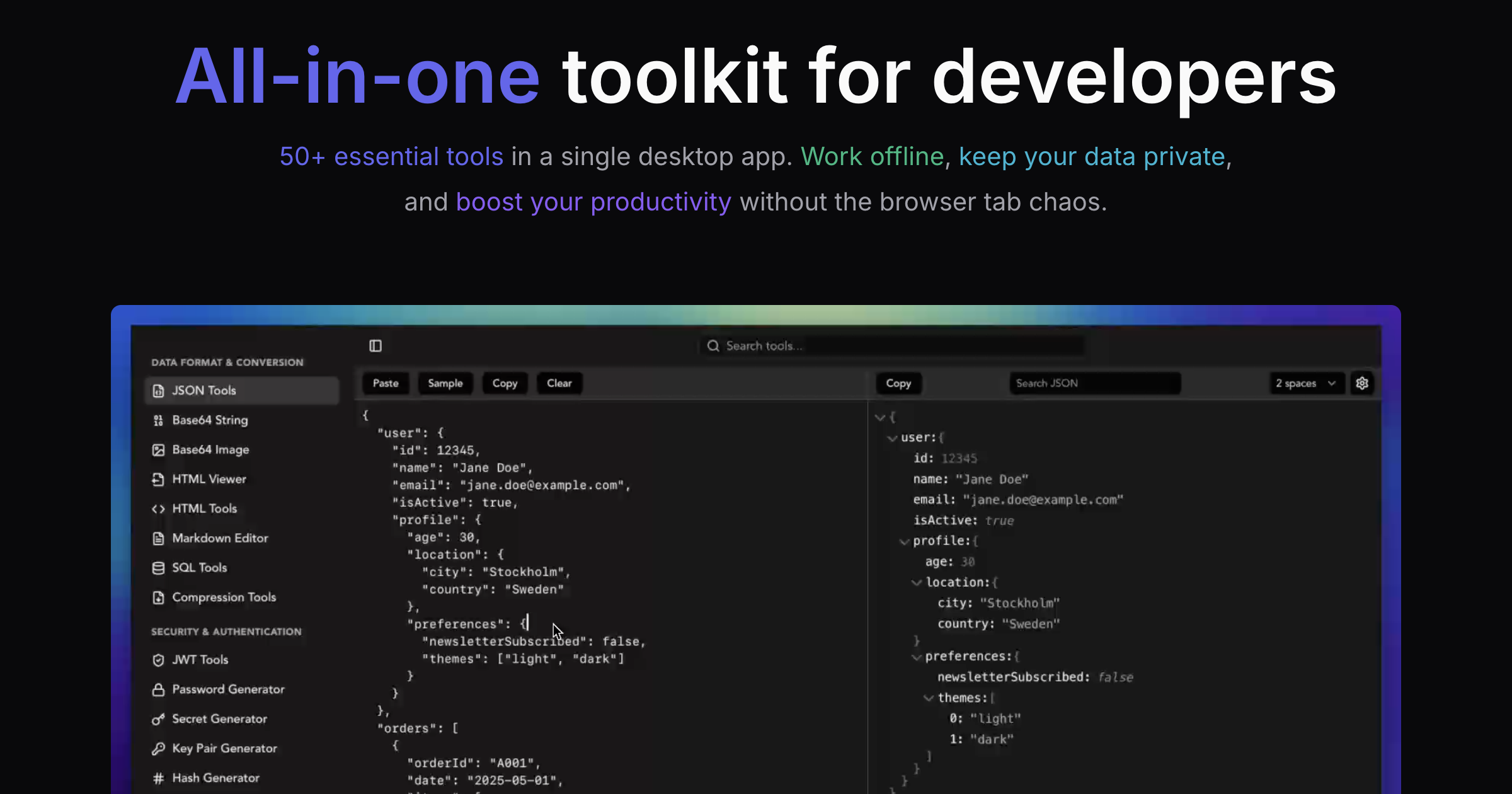
SelfDevKit's JSON Tools provide instant formatting with syntax highlighting, making it easy to transform any minified JSON into readable structure with a single click. The tool also supports Escaped and Unescaped display modes for handling JSON strings that contain escape sequences.
JSON viewer: Explore large JSON with tree view
While formatting helps with readability, large JSON structures need more than just indentation. A JSON viewer with tree view lets you navigate complex nested data interactively.
Tree view vs raw text
Raw formatted JSON works fine for small structures, but consider a typical API response with hundreds of nested objects. Scrolling through thousands of lines to find a specific field is tedious and error-prone.
Tree view presents JSON as an expandable hierarchy:
▼ user
  ├─ id: "usr_123"
  ├─ email: "jane@example.com"
  ▼ metadata
    ├─ created: "2024-01-15"
    ├─ plan: "pro"
    ▼ features (3 items)
      ├─ [0]: "api_access"
      ├─ [1]: "webhooks"
      └─ [2]: "custom_domains"
You can collapse sections you're not interested in and expand only the parts you need to inspect.
Key features of a good JSON viewer
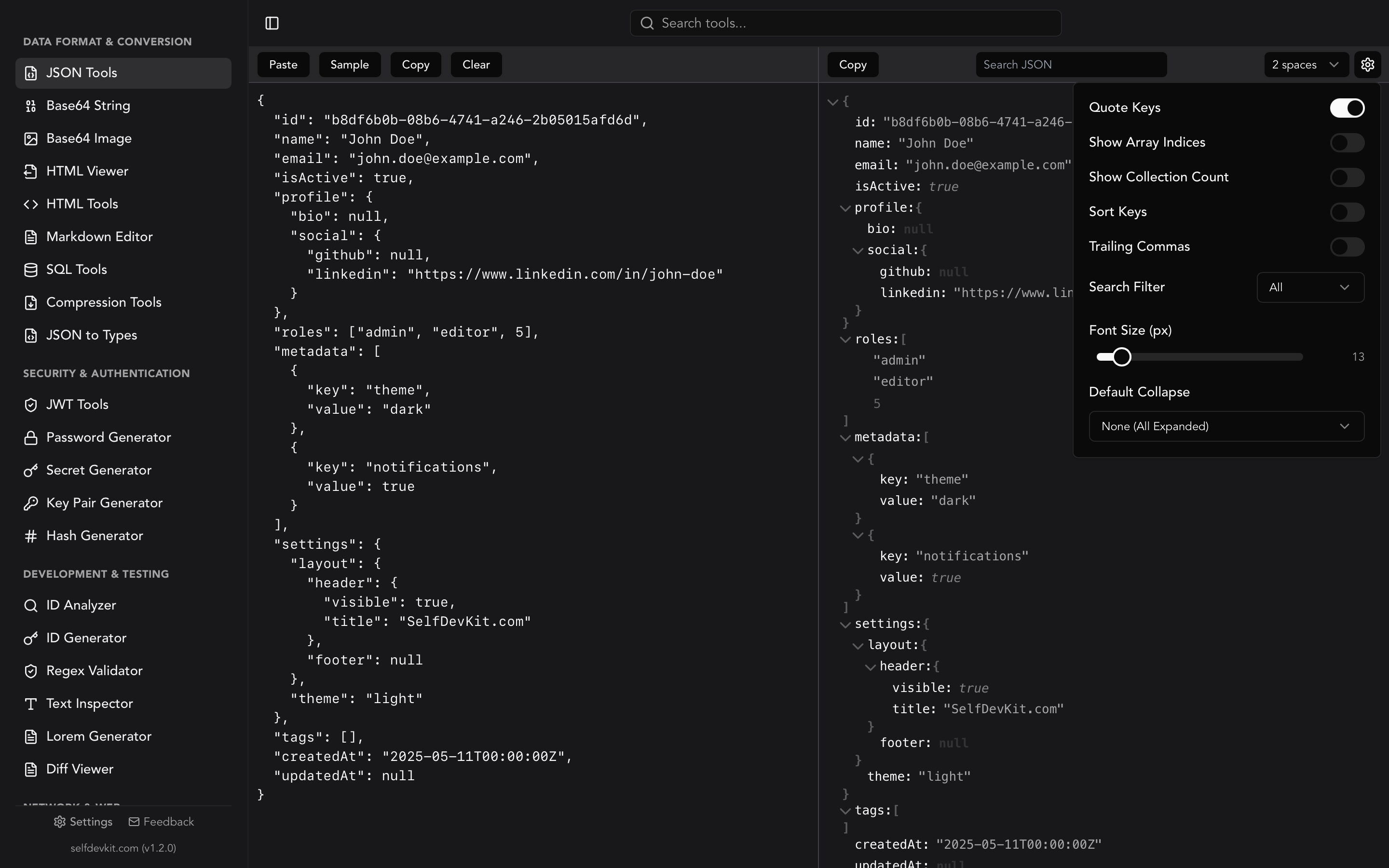
Collapsible nodes: Click to expand or collapse any object or array. SelfDevKit lets you set default collapse behavior: expand all, collapse all, collapse only arrays, or collapse only objects.
Search and filter: Find specific keys or values instantly. Filter your search by keys only, values only, or both. When dealing with responses containing hundreds of fields, search is faster than scrolling.
Syntax highlighting: Different colors for keys, strings, numbers, booleans, and null values. Your eyes can quickly distinguish data types.
Customizable display: Show or hide array indices, collection counts, and key quotes. Sort keys alphabetically for easier comparison. Adjust font size for comfortable reading.
Copy formatted output: One-click copying of the formatted JSON with your chosen indentation settings.
Real-world JSON viewer use cases
Exploring new APIs: When integrating with a third-party API, tree view helps you understand the response structure without reading documentation.
Debugging nested data: Finding why a specific value is wrong becomes much easier when you can navigate directly to it.
Comparing structures: Collapse identical sections and focus on the differences.
The JSON Tools in SelfDevKit offer a dual-pane interface with your input on one side and an interactive tree view on the other. The tree view supports collapsing, searching, and customizable display settings.
JSON validator: Find syntax errors fast
JSON has strict syntax rules. A single misplaced character can make an entire file unparseable. A JSON validator checks your input against JSON specification and reports exactly where errors occur.
Common JSON syntax errors
Trailing commas: JavaScript allows them, JSON doesn't.
{
  "name": "Jane",
  "role": "Engineer" // Error: trailing comma
}
Single quotes: JSON requires double quotes for strings.
{
  "name": "Jane" // Error: single quotes not allowed
}
Unquoted keys: JavaScript object keys can be unquoted, JSON keys cannot.
{
  "name": "Jane" // Error: unquoted key
}
Comments: JSON doesn't support comments (though some parsers accept them).
{
  "name": "Jane" // This is a comment - Error!
}
Missing quotes around strings: All string values must be quoted.
{
  "status": active  // Error: should be "active"
}
Clear error messages
Good JSON validators don't just say "invalid JSON." They tell you what's wrong:
Unexpected token 'a' at position 42
or
Expected ',' or '}' after property value
These descriptive messages help you quickly locate and fix the issue without scanning the entire file.
Validation workflow
- Paste or type your JSON
- Validator immediately parses and checks syntax
- Errors highlighted inline with line numbers
- Fix the error
- Re-validate automatically
The best validators work in real-time, highlighting errors as you type rather than requiring a manual validation step.
JSON beautifier vs minifier: When to use each
These terms are often confused, but they serve opposite purposes.
JSON beautifier
A JSON beautifier (another name for formatter) adds whitespace to make JSON readable:
- Adds line breaks after each property
- Indents nested structures
- Aligns brackets and braces
- Increases file size (typically 30-50% larger)
Use beautifier for:
- Development and debugging
- Configuration files humans will edit
- Documentation and examples
- Code reviews
- Log analysis
JSON minifier
A JSON minifier removes all unnecessary whitespace:
- Removes all line breaks
- Removes all indentation
- Strips spaces after colons and commas
- Produces smallest possible valid JSON
Use minifier for:
- API responses (bandwidth savings)
- Storing JSON in databases
- Transmitting over networks
- Production builds
- Anywhere file size matters
Most JSON tools focus on beautifying since that's the primary developer need. For minification, you can use JSON.stringify(data) without the indent parameter, or use build tools that automatically minify JSON in production.
Size comparison example
Consider a moderately complex JSON object:
| Format | Size |
|---|---|
| Beautified (2 spaces) | 1,247 bytes |
| Beautified (4 spaces) | 1,489 bytes |
| Minified | 891 bytes |
That's a 29% reduction from 2-space formatting and 40% from 4-space formatting. For a single request it's trivial, but for an API handling millions of requests, the bandwidth savings add up.
Convert JSON to TypeScript and other languages
Modern development often requires type definitions for JSON data. Instead of manually writing interfaces, you can generate them automatically from JSON samples.
JSON to TypeScript
Given this JSON:
{
  "id": "usr_123",
  "email": "jane@example.com",
  "active": true,
  "loginCount": 42
}
A JSON to TypeScript converter generates:
interface User {
  id: string;
  email: string;
  active: boolean;
  loginCount: number;
}
This works with nested objects, arrays, and complex structures. The generated types provide autocomplete, type checking, and documentation in your IDE.
Support for multiple languages
Beyond TypeScript, you might need types for:
- TypeScript Zod: Generates Zod schemas for runtime validation
- Rust: Generates structs with serde attributes
- Python: Creates dataclasses with type hints
- Go: Produces struct definitions with json tags
- Ruby: Generates class definitions
SelfDevKit's JSON to Types tool supports all these languages with customizable options for each. For TypeScript, you can choose between interfaces and types, enable readonly properties, or prefer unions over enums. For Rust, configure derive macros and field visibility.
When to use JSON to types conversion
- Starting a new integration: Generate types from API documentation examples
- Updating existing types: When an API response changes
- Prototyping: Quickly create type-safe code from sample data
- Documentation: Include accurate type definitions in your docs
Online vs offline JSON tools: Privacy matters
Here's something most developers don't consider: what happens to the JSON you paste into online formatters?
What's in your JSON
Think about the data you regularly format and validate:
- API responses containing user data, emails, IDs
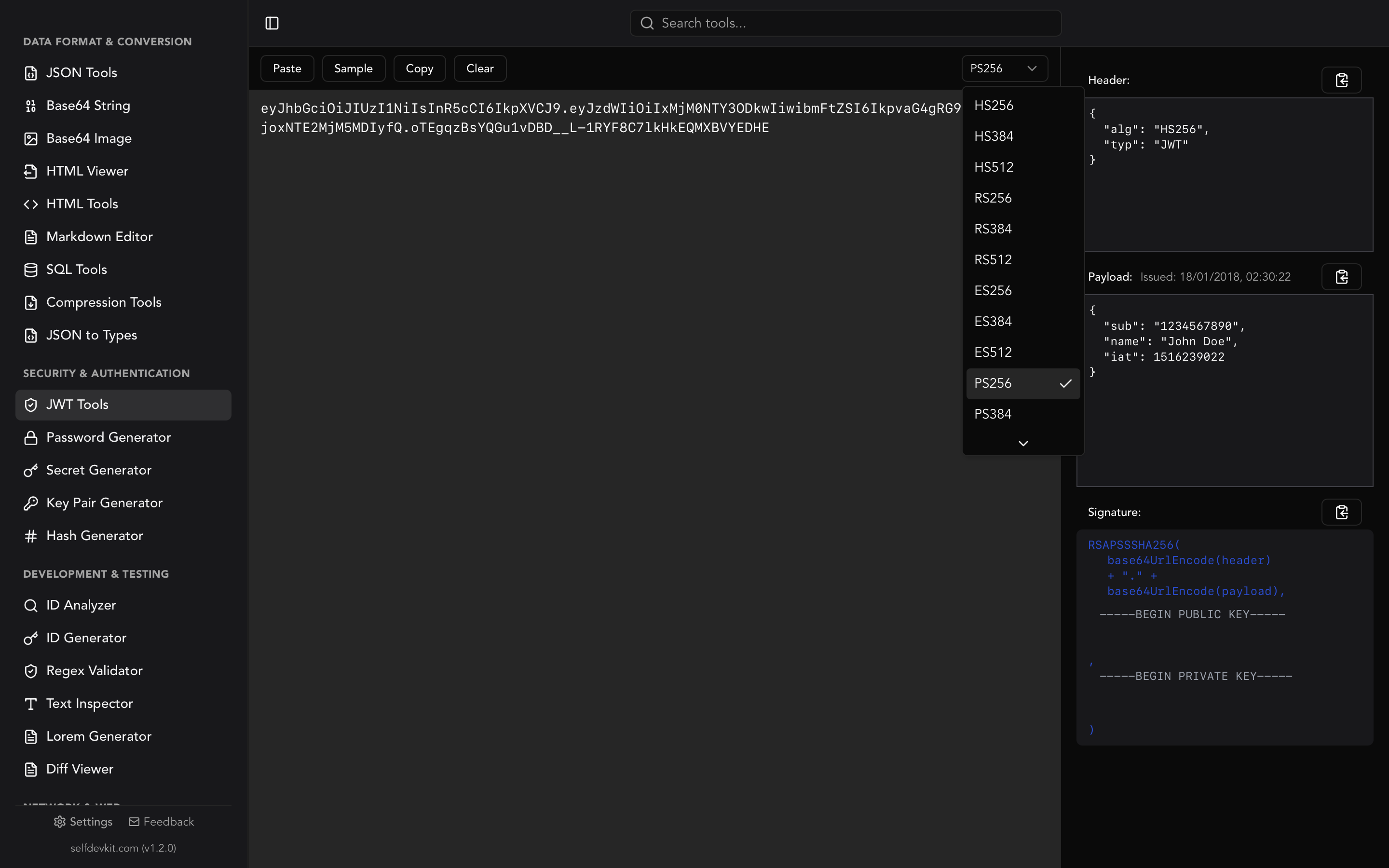
- JWT tokens with authentication claims
- Configuration files with API keys and secrets
- Database exports with customer information
- Debug logs with internal system details
What happens when you use online tools
When you paste JSON into a web-based formatter:
- Your data travels over the internet to their servers
- It may be logged for debugging or analytics
- Third-party scripts on the page can access it
- It might be cached or stored temporarily
- You have no visibility into their data handling practices
Even well-intentioned services can have security incidents. Their server logs get breached. Their analytics provider captures sensitive fields. A misconfigured cache exposes your data.
The offline alternative
Offline JSON tools process everything locally:
- Zero network requests for formatting operations
- Data stays in memory only during processing
- No logs or analytics capturing your input
- Works on air-gapped machines with no internet
- Same speed and features without the privacy tradeoff
For a detailed look at why this matters, read our guide on why offline-first developer tools are essential.
Corporate and compliance considerations
Many organizations have policies against using external services for processing company data:
- GDPR compliance: Processing EU citizen data through US services raises legal questions
- HIPAA requirements: Healthcare data cannot be sent to arbitrary web services
- SOC 2 compliance: Requires controls over data handling
- Client contracts: May prohibit sending client data to third parties
Offline tools eliminate these concerns entirely. Your data never leaves your controlled environment.
Getting started with SelfDevKit JSON tools
SelfDevKit combines all the JSON capabilities discussed above into a single desktop application that runs completely offline.
JSON Tools features
The JSON Tools in SelfDevKit provide:
- Instant formatting with customizable indentation
- Interactive tree view with search and navigation
- Real-time validation with line-level error reporting
- Minification for production use
- Dual-pane interface showing formatted text and tree view simultaneously
- Syntax highlighting for easy visual parsing
JSON to Types
The JSON to Types tool generates type definitions for:
- TypeScript interfaces
- Rust structs
- Python dataclasses
- Go structs
- Ruby classes
Paste any JSON, select your target language, and get production-ready type definitions instantly.
Why SelfDevKit
- 50+ developer tools in one app, not just JSON
- 100% offline: No internet required, no data transmitted
- Native performance: Built with Rust for instant response
- Cross-platform: macOS, Windows, and Linux
- One-time purchase: No subscriptions, free updates forever
Get started
Ready to work with JSON more efficiently while keeping your data private?
- Download SelfDevKit for your platform
- Open JSON Tools from the sidebar
- Paste your JSON and start formatting
For a complete walkthrough of all features, check out our Getting Started Guide.
Your data deserves better than random websites. Format, view, and validate JSON locally with tools that respect your privacy.