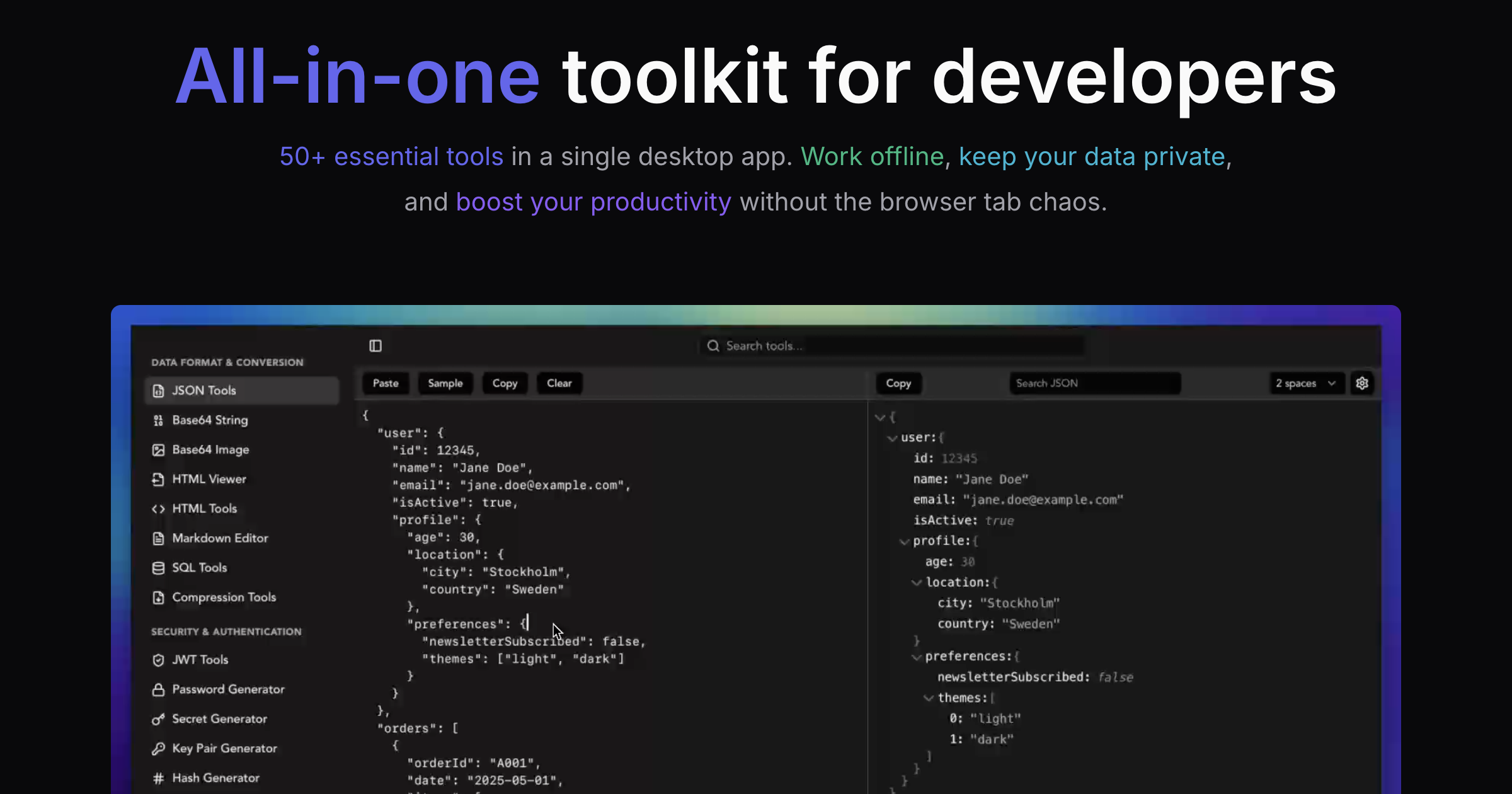
Stop juggling browser tabs, worrying about data privacy, and waiting for slow online tools. SelfDevKit puts 50+ essential developer utilities in one fast, offline desktop app - here's how to get started.
Every developer knows the frustration: you need to decode a JWT, format some JSON, generate a UUID, and test a regex pattern. That's four browser tabs minimum, each from a different website with ads, tracking scripts, and the nagging question of whether your sensitive data is being logged somewhere. According to recent studies, developers waste an average of 2.5 hours per week struggling with poorly formatted JSON alone.
SelfDevKit eliminates this chaos entirely. One app, 50+ tools, zero internet required. Your data never leaves your machine, and every operation completes in milliseconds instead of waiting for network round trips.
This guide will take you from installation to productivity in minutes.
Table of contents
- Installation
- Quick tour: The interface
- Essential tools walkthrough
- All 27 tools by category
- Keyboard shortcuts
- Why offline matters
- Next steps
Installation
Getting SelfDevKit running takes less than two minutes. Visit our download page to grab the installer for your platform.
macOS
- Download the
.dmgfile for your Mac (Intel or Apple Silicon) - Open the downloaded
.dmgfile - Drag SelfDevKit into your Applications folder
- Launch SelfDevKit from Applications or Spotlight
Windows
- Download the EXE installer (recommended) or MSI installer
- Run the installer and follow the prompts
- Launch SelfDevKit from the Start menu or desktop shortcut
Which installer? The EXE installer is best for individual users with a simple graphical interface. The MSI installer is designed for IT administrators who need automated deployments and group policy management.
Linux
SelfDevKit supports all major Linux distributions with three package options:
- AppImage (Recommended) - Works on any distribution. Just make it executable and run:
chmod +x SelfDevKit.AppImage ./SelfDevKit.AppImage - DEB Package - For Debian, Ubuntu, and derivatives
- RPM Package - For Red Hat, Fedora, and derivatives
Quick tour: The interface
When you first open SelfDevKit, you'll see a clean, focused interface designed for speed:
Left sidebar: All tools organized by category. Click any tool to open it, or use Cmd+K to search.
Main area: The active tool with input/output panels. Most tools follow a consistent pattern - paste your data on the left, see results on the right.
Theme toggle: Switch between light and dark modes via the settings. Your preference persists across sessions.
Tool categories in the sidebar include:
- Data Format - JSON, HTML, Markdown, SQL, and more
- Security - JWT, passwords, secrets, encryption keys
- Development - IDs, regex, text analysis, diffs
- Network - URL parsing, DNS lookup
- File - File generation, image conversion
- Utility - Timestamps, colors, cron expressions
Everything loads instantly because nothing requires a network connection. The entire tool suite runs locally on your machine.
Essential tools walkthrough
Let's explore the tools you'll likely use most often with practical examples.
JSON Tools
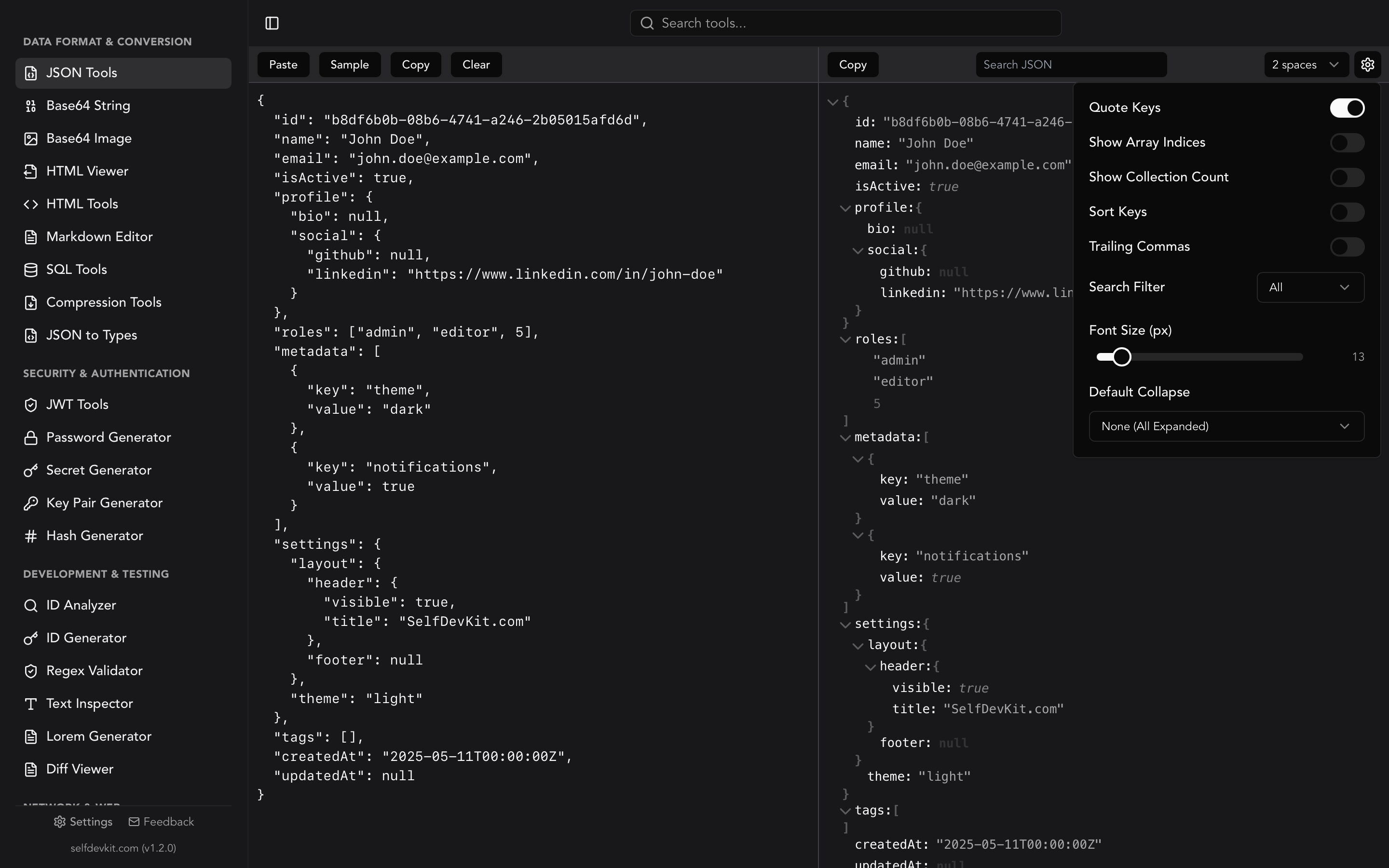
The JSON Tools are probably what you'll reach for most frequently. Working with APIs means working with JSON constantly.
What it does:
- Format minified JSON into readable, indented structure
- Validate JSON and highlight syntax errors with line numbers
- Search and filter large JSON documents
- Switch between raw text and interactive tree view
- Minify JSON for production use
Try it: Paste this minified JSON and hit Format:
{
  "user": {
    "name": "Jane",
    "roles": ["admin", "editor"],
    "settings": { "theme": "dark", "notifications": true }
  }
}
The dual-pane view shows your formatted JSON on one side and an expandable tree structure on the other. Click any node in the tree to highlight it in the raw view - incredibly useful for navigating complex API responses.
You can also convert JSON to TypeScript, Rust, Python, Go, or Ruby types using the JSON to Types tool.
JWT Tools
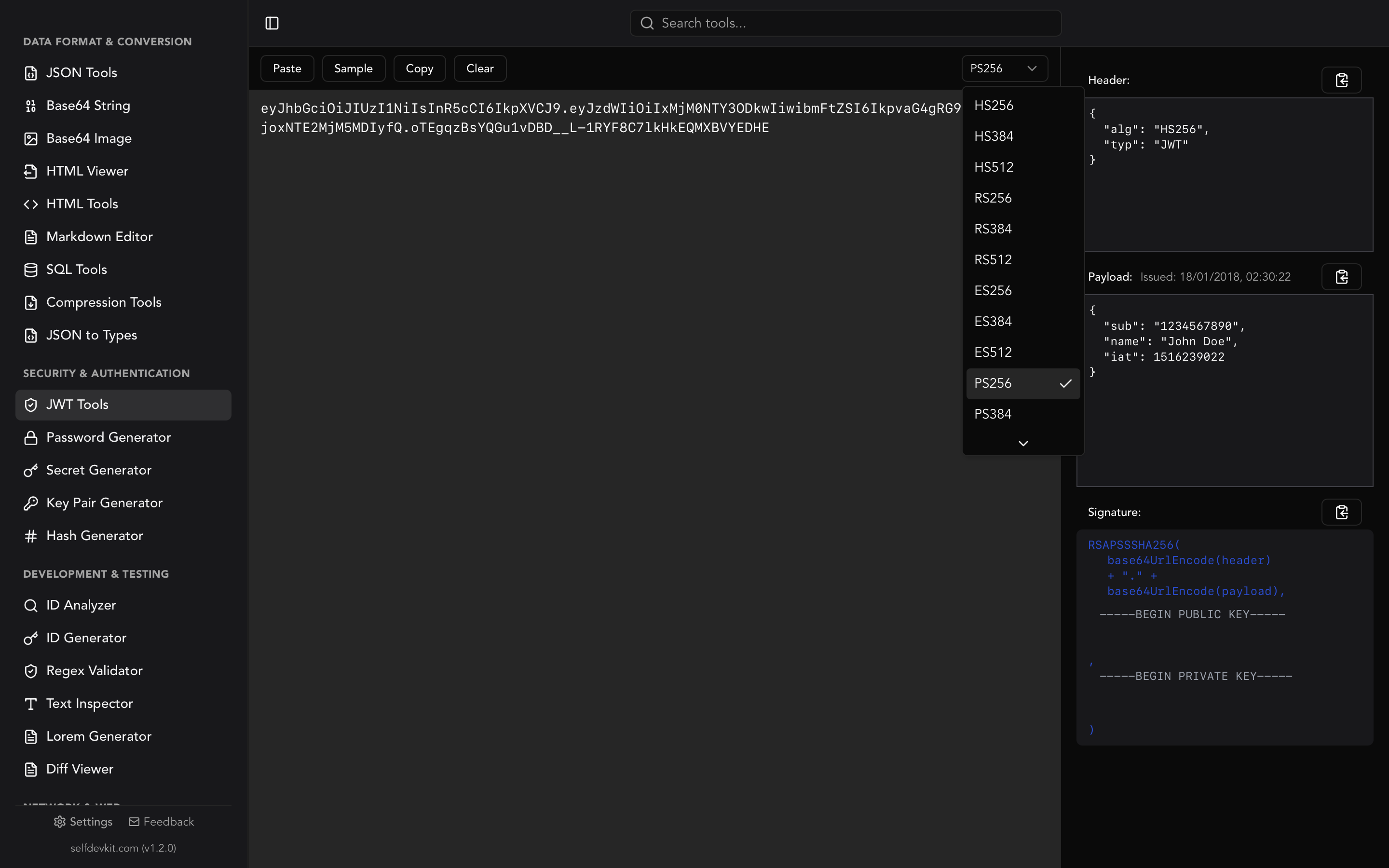
If you work with authentication, the JWT Tools become indispensable. No more copying tokens to random websites.
What it does:
- Decode any JWT instantly to see header, payload, and signature
- Verify signatures with your secret or public key
- Check expiration status at a glance
- Support for HS256, RS256, ES256, and other algorithms
- Sign new tokens for testing
Try it: Paste any JWT from your application. You'll immediately see:
- The decoded header (algorithm, token type)
- The full payload with all claims
- Whether the token is expired
- Signature verification status (if you provide the secret)
This is especially valuable when debugging auth issues - no more wondering if the token is malformed or simply expired.
Base64 Tools
Encoding and decoding Base64 is a daily task for many developers. SelfDevKit provides dedicated tools for both text strings and images.
Base64 String Tools:
- Encode any text to Base64
- Decode Base64 back to readable text
- Handle URL-safe Base64 variants
- Copy results with one click
Base64 Image Tools:
- Convert images to Base64 data URIs
- Decode Base64 strings back to viewable images
- Preview images before and after conversion
- See image dimensions and file size
Perfect for embedding images in CSS, handling API payloads with binary data, or debugging encoded strings in logs.
ID Generator
The ID Generator supports every identifier format you'll encounter in modern development:
Supported formats:
- UUID v4 - Random, universally unique identifiers
- UUID v7 - Time-ordered UUIDs (great for database primary keys)
- ULID - Lexicographically sortable unique identifiers
- KSUID - K-Sortable Unique IDentifiers with embedded timestamps
- Nano ID - Compact, URL-friendly unique strings
- GUID - Microsoft-style identifiers
Generate single IDs or batch generate dozens at once. Each format includes a brief explanation of when to use it.
Need to analyze an existing ID? The ID Analyzer decodes UUIDs, ULIDs, KSUIDs, MongoDB ObjectIDs, and even Stripe IDs to show you the embedded timestamp and other metadata.
Regex Validator
Testing regular expressions in production code is painful. The Regex Validator provides a safe sandbox.
Features:
- Real-time pattern matching as you type
- Visual highlighting of all matches in your test string
- Capture group extraction and display
- Flag toggles (global, case-insensitive, multiline)
- Built-in cheat sheet for common patterns
Paste your regex, paste your test data, and immediately see what matches. Adjust your pattern and watch the highlights update in real-time. No more console.log debugging loops.
Password Generator
Security matters. The Password Generator creates cryptographically secure passwords with full customization:
Options:
- Adjustable length (8-128 characters)
- Toggle uppercase, lowercase, numbers, symbols
- Exclude ambiguous characters (0, O, l, 1)
- Real-time strength analysis
- Entropy calculation
Generate passwords for new accounts, API keys, or anywhere you need secure random strings. The strength indicator helps you balance security with usability requirements.
For more specialized secrets, check out the Secret Generator which creates API keys, JWT secrets, webhook secrets, encryption keys, and database passwords in various formats.
All 27 tools by category
Beyond the essentials above, SelfDevKit includes a comprehensive toolkit covering every common developer need.
Data Format & Conversion
- JSON Tools - Format, validate, minify, and explore JSON with tree view
- JSON to Types - Convert JSON to TypeScript, Rust, Python, Go, or Ruby types
- HTML Tools - Format, minify, encode entities, validate, and preview HTML
- HTML Viewer - Live HTML preview as you type
- Markdown Editor - Edit with live preview and GitHub Flavored Markdown support
- SQL Tools - Format and validate SQL queries with syntax highlighting
- Base64 String Tools - Encode and decode text strings
- Base64 Image Tools - Convert images to/from Base64 data URIs
- Compression Tools - Compress and decompress with GZIP or Brotli
Security & Authentication
- JWT Tools - Decode, verify, and sign JSON Web Tokens
- Password Generator - Create secure passwords with strength analysis
- Secret Generator - Generate API keys, JWT secrets, encryption keys
- Key Pair Generator - Create RSA key pairs with customizable key size
- Hash Generator - Generate MD5, SHA, BLAKE, CRC, and 15+ other hash algorithms
Development & Testing
- ID Generator - Create UUID, ULID, KSUID, Nano ID, and more
- ID Analyzer - Decode and inspect any ID format
- Regex Validator - Test patterns with real-time matching
- Text Inspector - Analyze text statistics, encoding, and formatting
- Lorem Generator - Generate customizable placeholder text
- Diff Viewer - Compare text and code side-by-side
Network & Web
- URL Parser - Parse, inspect, and edit URL components
- DNS Lookup - Query DNS records locally
File & Image
- File Generator - Create test files of any type (PDF, Word, CSV, images)
- Image Converter - Convert between PNG, JPG, WebP, GIF, TIFF, SVG
- Image Operations - Crop, rotate, resize images in any format
Utility
- Timestamps - Convert Unix timestamps, ISO 8601, and timezone conversions
- Color Tools - Convert HEX, RGB, HSL, CMYK with contrast checker
- Cronjob Generator - Build and understand cron expressions
Keyboard shortcuts
SelfDevKit is built for keyboard-driven workflows. Master these shortcuts to move even faster:
| Shortcut (Mac / Windows & Linux) | Action |
|---|---|
Cmd+K / Ctrl+K |
Open quick search - find any tool instantly |
Cmd+1 through Cmd+9 / Ctrl+1-9 |
Jump to tools 1-9 in sidebar |
Cmd+Enter / Ctrl+Enter |
Execute the primary action (format, encode, generate, etc.) |
Cmd+Shift+C / Ctrl+Shift+C |
Copy output to clipboard |
Cmd+V / Ctrl+V |
Paste from clipboard into input |
Cmd+Shift+V / Ctrl+Shift+V |
Paste and immediately process |
Cmd+L / Ctrl+L |
Clear all inputs and outputs |
Cmd+, / Ctrl+, |
Open settings |
Pro tip: The quick search (Cmd+K on Mac, Ctrl+K on Windows/Linux) is your best friend. Type a few letters of any tool name and hit Enter. You'll never need to scroll the sidebar.
Why offline matters
SelfDevKit runs entirely on your machine. Here's why that matters:
Privacy: When you paste a JWT token, API key, or sensitive JSON into an online tool, you're trusting that website with your data. SelfDevKit processes everything locally - your secrets never touch a server.
Speed: Network latency adds up. Even a fast 50ms round trip becomes noticeable when you're making dozens of requests throughout the day. Local processing completes in single-digit milliseconds.
Reliability: No internet? No problem. Airplane WiFi acting up? Coffee shop network dropping? SelfDevKit works identically whether you're connected or not.
No tracking: We don't collect analytics on what you process, don't show ads, and don't sell your data. The app works the same way whether you're online or offline because there's simply nothing to phone home about.
For a deeper dive into the benefits of offline-first developer tools, read our post on why offline matters.
Next steps
You're now ready to boost your productivity with SelfDevKit. Here are some suggestions:
-
Explore the tools - Click through the sidebar and try each tool with sample data. Every tool has a "Sample" button to load example input.
-
Learn the shortcuts - Spend five minutes memorizing
Cmd+KandCmd+Enter. These two shortcuts alone will save you hours. -
Replace your browser tabs - Next time you reach for an online JSON formatter or Base64 encoder, use SelfDevKit instead. The habit builds quickly.
-
Browse all features - See the complete list of tools with detailed descriptions on our features page.
Haven't downloaded yet? Get SelfDevKit now - it takes less than two minutes to install.
Have questions or feature requests? Reach out at support@selfdevkit.com. We read every email and use your feedback to prioritize new features.
Happy coding!