
A LEFT JOIN in SQL returns every row from the left table, plus the matching rows from the right table. When a left row has no match, it still appears once, and every right-table column in that row is NULL. LEFT OUTER JOIN is the same thing; OUTER is optional in every major database.
That one sentence is the whole definition. The bugs live in what it implies. A filter in the wrong clause quietly turns your left join SQL query into an inner join. A COUNT(*) reports one order for a customer who has none. A second join doubles a revenue total. Each of those is covered below with the exact rows it returns.
Every result in this post was produced by running the query on PostgreSQL 18 and SQLite, and both engines returned identical rows for every query that both support. MySQL 8.4 returned the same rows wherever it supports the syntax, and the SQL Server notes were checked on SQL Server 2022 and against Microsoft's reference.
The sample tables
The examples use four small tables. They are deliberately imperfect, because clean demo data hides every interesting LEFT JOIN behavior.
CREATE TABLE customers (id INTEGER PRIMARY KEY, name TEXT, country TEXT);
CREATE TABLE orders    (id INTEGER PRIMARY KEY, customer_id INTEGER, total NUMERIC, status TEXT);
CREATE TABLE payments  (id INTEGER PRIMARY KEY, order_id INTEGER, amount NUMERIC);
CREATE TABLE shipments (id INTEGER PRIMARY KEY, order_id INTEGER, carrier TEXT);

INSERT INTO customers VALUES (1, 'Ada', 'UK'), (2, 'Linus', 'FI'), (3, 'Grace', NULL);
INSERT INTO orders VALUES (10, 1, 120, 'paid'), (11, 1, 80, 'refunded'),
                          (12, 2, 50, NULL), (13, NULL, 30, 'paid');
INSERT INTO payments VALUES (100, 10, 60), (101, 10, 60), (102, 12, 50);
INSERT INTO shipments VALUES (200, 10, 'DHL');
Three facts matter. Grace has never ordered. Linus's only order has a NULL status. Order 13 belongs to nobody.
LEFT JOIN SQL syntax and what it returns
The syntax is FROM left_table LEFT JOIN right_table ON condition. The table written first is the one whose rows are all kept.
SELECT c.name, o.id AS order_id, o.total
FROM customers c
LEFT JOIN orders o ON o.customer_id = c.id
ORDER BY c.id, o.id;
| name | order_id | total |
|---|---|---|
| Ada | 10 | 120 |
| Ada | 11 | 80 |
| Linus | 12 | 50 |
| Grace | NULL | NULL |
Swap LEFT JOIN for INNER JOIN and Grace's row disappears: three rows instead of four. That is the entire difference between the two.
Notice that Ada appears twice. A LEFT JOIN guarantees each left row appears at least once, not exactly once. The rule is: a left row appears once per matching right row, or once with NULLs if nothing matches. Keep that in mind; it is the root of the fan-out problem further down.
Order 13 is missing too. It has no customer, and it sits in the right table, so nothing preserves it. To keep orphan orders instead, put orders on the left: FROM orders o LEFT JOIN customers c ON c.id = o.customer_id returns all four orders, with NULL as the name for order 13. customers RIGHT JOIN orders returns the same rows, so any RIGHT JOIN can be rewritten as a LEFT JOIN by swapping the table order.
ON vs WHERE in a LEFT JOIN
A condition in ON decides which right-table rows match. A condition in WHERE filters the joined result afterward, and that includes the rows the LEFT JOIN padded with NULLs. Microsoft's FROM clause reference puts it precisely: predicates in ON "are applied to the table before the join, whereas the WHERE clause is semantically applied to the result of the join."
For an inner join the placement makes no difference. For a LEFT JOIN it changes the answer, in both directions. Here are the four combinations, all starting from customers c LEFT JOIN orders o ON o.customer_id = c.id:
| Extra condition | Where it goes | Rows returned |
|---|---|---|
o.status = 'paid' (right table) |
WHERE |
Ada 10 |
o.status = 'paid' (right table) |
ON |
Ada 10, Linus NULL, Grace NULL |
c.country = 'UK' (left table) |
WHERE |
Ada 10, Ada 11 |
c.country = 'UK' (left table) |
ON |
Ada 10, Ada 11, Linus NULL, Grace NULL |
Row one is the classic bug. The intent was "every customer, with their paid orders if any." Grace's padded row has o.status = NULL, and NULL = 'paid' is not true, so WHERE throws her out. Linus goes too, since his only order fails the test. The LEFT JOIN is now an inner join wearing a disguise.
Row four is the mirror bug. Putting a left-table filter in ON does not filter the left table at all. The LEFT JOIN keeps every left row by definition; the condition only controls whether those rows find a match. Linus and Grace survive with NULLs instead of being removed.
The rule that falls out of this:
- Conditions on the right table go in
ON. - Conditions on the left table go in
WHERE.
The planner agrees it is an inner join
You don't have to take the bug on faith. Ask PostgreSQL for the plan:
EXPLAIN (COSTS OFF)
SELECT c.name, o.id
FROM customers c
LEFT JOIN orders o ON o.customer_id = c.id
WHERE o.status = 'paid';
Hash Join
  Hash Cond: (c.id = o.customer_id)
  ->  Seq Scan on customers c
  ->  Hash
        ->  Seq Scan on orders o
              Filter: (status = 'paid'::text)
Hash Join, not Hash Left Join. The optimizer noticed that WHERE o.status = 'paid' can never be true on a NULL-padded row, so it legally rewrote the outer join as an inner one. Move the condition into ON and the plan says Hash Left Join again. SQLite does the same thing: its EXPLAIN QUERY PLAN for the WHERE version scans orders first and drops the LEFT-JOIN marker it shows on the correct query.
That gives you a quick review check. If a query is written as a LEFT JOIN but the plan shows a plain join, a WHERE clause is almost certainly cancelling it.
The tempting fix that means something else
A common patch is WHERE o.status = 'paid' OR o.id IS NULL. It returns Ada 10 and Grace NULL. Linus is still missing. He had an order, so he got a real joined row; that row failed the status test, and he was never NULL-padded. The OR o.id IS NULL version answers "customers with paid orders, or with no orders at all," which is a different question. If you want every customer, put the filter in ON.
Finding rows with no match: the LEFT JOIN IS NULL anti-join
To find left rows with no match, LEFT JOIN and keep only the rows where a right-table column that cannot otherwise be NULL is NULL. This pattern is called an anti-join, and the MySQL manual documents it directly.
SELECT c.name
FROM customers c
LEFT JOIN orders o ON o.customer_id = c.id
WHERE o.customer_id IS NULL;
-- Grace
Here the WHERE placement is correct, because NULL-padding is exactly what you are testing for.
The column you test matters. It must be the join column or a NOT NULL column such as the primary key. Test a nullable column and real matches leak in:
SELECT c.name, o.id AS order_id
FROM customers c
LEFT JOIN orders o ON o.customer_id = c.id
WHERE o.status IS NULL;
-- Linus 12   <- he has an order; its status just happens to be NULL
-- Grace NULL
The equivalent NOT EXISTS form avoids the column question entirely and reads closer to the intent:
SELECT c.name
FROM customers c
WHERE NOT EXISTS (SELECT 1 FROM orders o WHERE o.customer_id = c.id);
-- Grace
Avoid NOT IN for this. WHERE c.id NOT IN (SELECT customer_id FROM orders) returns zero rows on both engines, because order 13's NULL customer_id makes every NOT IN comparison unknown. The SQL cheat sheet covers that trap and its relatives.
On PostgreSQL 18 with these tiny tables, testing the join column (o.customer_id IS NULL) and the NOT EXISTS form both produced a Hash Right Anti Join plan. Testing the primary key o.id IS NULL returned the same row but was planned as an ordinary right join plus a filter. Plans depend on table sizes and statistics, so on real data check EXPLAIN for whichever form you pick.
Counting and summing after a LEFT JOIN
Aggregates over a LEFT JOIN go wrong in three specific ways. All three show up in reports that look plausible.
COUNT(*) counts the NULL row
SELECT c.name, COUNT(*) AS count_star, COUNT(o.id) AS count_orders
FROM customers c
LEFT JOIN orders o ON o.customer_id = c.id
GROUP BY c.id, c.name;
| name | count_star | count_orders |
|---|---|---|
| Ada | 2 | 2 |
| Linus | 1 | 1 |
| Grace | 1 | 0 |
COUNT(*) counts rows, and Grace has one row: the padded one. COUNT(o.id) counts non-NULL values, so it reports zero. When counting matches from a LEFT JOIN, count a right-table column that is never NULL in real data.
SUM returns NULL, not zero
SUM(o.total) for Grace is NULL, because there are no values to add. That breaks arithmetic downstream (NULL + 5 is NULL) and shows up as a blank cell in dashboards. Wrap it: COALESCE(SUM(o.total), 0) returns 0.
Chained joins multiply rows (fan-out)
Join a second one-to-many table and the first table's rows repeat once per match in the second. Aggregates then count them repeatedly.
SELECT c.name, SUM(o.total) AS order_total, SUM(p.amount) AS paid
FROM customers c
LEFT JOIN orders o   ON o.customer_id = c.id
LEFT JOIN payments p ON p.order_id = o.id
GROUP BY c.id, c.name;
| name | order_total | paid |
|---|---|---|
| Ada | 320 | 120 |
| Linus | 50 | 50 |
| Grace | NULL | NULL |
Ada's orders total 200, not 320. Order 10 has two payments, so its row appears twice before grouping, and its 120 is added twice. Nothing errors. The number is just wrong.
The fix is to aggregate each child table to one row per key before joining:
SELECT c.name, o.order_total, p.paid
FROM customers c
LEFT JOIN (
    SELECT customer_id, SUM(total) AS order_total
    FROM orders GROUP BY customer_id
) o ON o.customer_id = c.id
LEFT JOIN (
    SELECT o2.customer_id, SUM(p.amount) AS paid
    FROM payments p JOIN orders o2 ON o2.id = p.order_id
    GROUP BY o2.customer_id
) p ON p.customer_id = c.id;
-- Ada 200 120 | Linus 50 50 | Grace NULL NULL
Each subquery returns at most one row per customer, so nothing multiplies. The same shape reads more cleanly as named CTEs. A fast smell test for fan-out: compare COUNT(o.id) with COUNT(DISTINCT o.id). If they differ, some order rows are duplicated. (Don't use COUNT(*) here: Grace's single padded row would make it differ even though nothing is duplicated.)
LEFT JOIN with multiple tables
When you chain a LEFT JOIN with a later INNER JOIN, the inner join can silently remove the rows the LEFT JOIN preserved. Joins evaluate left to right, so the inner join sees the NULL-padded rows and rejects them.
SELECT c.name, o.id AS order_id, s.carrier
FROM customers c
LEFT JOIN orders o ON o.customer_id = c.id
JOIN shipments s   ON s.order_id = o.id;
-- Ada 10 DHL      (Linus and Grace are gone)
Grace's padded o.id is NULL, so s.order_id = o.id fails, and the inner join drops her. Two correct versions exist, and they answer different questions:
-- 1. Every customer, every order, carrier if shipped
SELECT c.name, o.id AS order_id, s.carrier
FROM customers c
LEFT JOIN orders o    ON o.customer_id = c.id
LEFT JOIN shipments s ON s.order_id = o.id;
-- Ada 10 DHL | Ada 11 NULL | Linus 12 NULL | Grace NULL NULL

-- 2. Every customer, plus only their SHIPPED orders
SELECT c.name, o.id AS order_id, s.carrier
FROM customers c
LEFT JOIN (orders o JOIN shipments s ON s.order_id = o.id)
       ON o.customer_id = c.id;
-- Ada 10 DHL | Linus NULL NULL | Grace NULL NULL
The parenthesized form joins orders to shipments first, then left-joins that combined set. Both PostgreSQL and SQLite accept it, and so does SQL Server, whose grammar allows a parenthesized <joined_table>. The rule of thumb: once a chain contains a LEFT JOIN, every later join that touches the right side must also be a LEFT JOIN, or be nested deliberately like version 2.
Top-N per row: LEFT JOIN LATERAL and OUTER APPLY
To attach only the latest or largest matching row to each left row, use a lateral join with a limit. A lateral subquery can reference the outer row; LEFT JOIN LATERAL ... ON TRUE keeps left rows whose subquery returns nothing.
SELECT c.name, x.id AS biggest_order
FROM customers c
LEFT JOIN LATERAL (
    SELECT id FROM orders o
    WHERE o.customer_id = c.id
    ORDER BY total DESC
    LIMIT 1
) x ON TRUE;
-- Ada 10 | Linus 12 | Grace NULL
This runs on PostgreSQL and on MySQL "as of MySQL 8.0.14". SQL Server spells it OUTER APPLY, with TOP 1 instead of LIMIT 1. SQLite has no lateral join; the same query is a syntax error there, so use a window function such as ROW_NUMBER() instead (see the SQL window functions guide).
LEFT JOIN differences across MySQL, PostgreSQL, SQL Server, and SQLite
The core LEFT JOIN ... ON behaves identically everywhere. The edges differ:
| Behavior | PostgreSQL | MySQL | SQL Server | SQLite |
|---|---|---|---|---|
LEFT JOIN without ON |
Syntax error | Not allowed; grammar requires ON or USING |
Not allowed; grammar requires ON |
Runs as a cross join (3 × 4 = 12 rows) |
USING (col) |
Yes | Yes | No | Yes |
| Lateral top-N | LEFT JOIN LATERAL |
LEFT JOIN LATERAL (8.0.14+) |
OUTER APPLY |
Not supported |
RIGHT JOIN / FULL JOIN |
Both | RIGHT only |
Both | Both since 3.39.0 |
| Legacy outer-join syntax | None | None | *= / =* discontinued in SQL Server 2012 |
None |
Oracle-style (+) |
No | No | No | No (Oracle-only, and Oracle recommends OUTER JOIN syntax over it) |
The SQLite row deserves attention. Forget the ON clause and PostgreSQL, MySQL, and SQL Server all stop you with a syntax error. SQLite returns every customer paired with every order. On three customers that is twelve obviously wrong rows. On production tables it is customers × orders rows, which can be enormous.
Checking a LEFT JOIN query before you run it
Formatting a LEFT JOIN query puts each join and its ON condition on its own line, which is where most of the bugs above become visible. A misplaced WHERE, an INNER JOIN after a LEFT JOIN, a missing ON: all are easy to miss in a one-line query pulled from a log and obvious once it's laid out.
SelfDevKit's SQL tools format and validate SQL offline. Here is the correct ON-filter query after formatting:
SELECT
    c.name,
    o.id AS order_id
FROM
    customers c
    LEFT JOIN orders o ON o.customer_id = c.id
    AND o.status = 'paid'
WHERE
    c.country = 'UK'
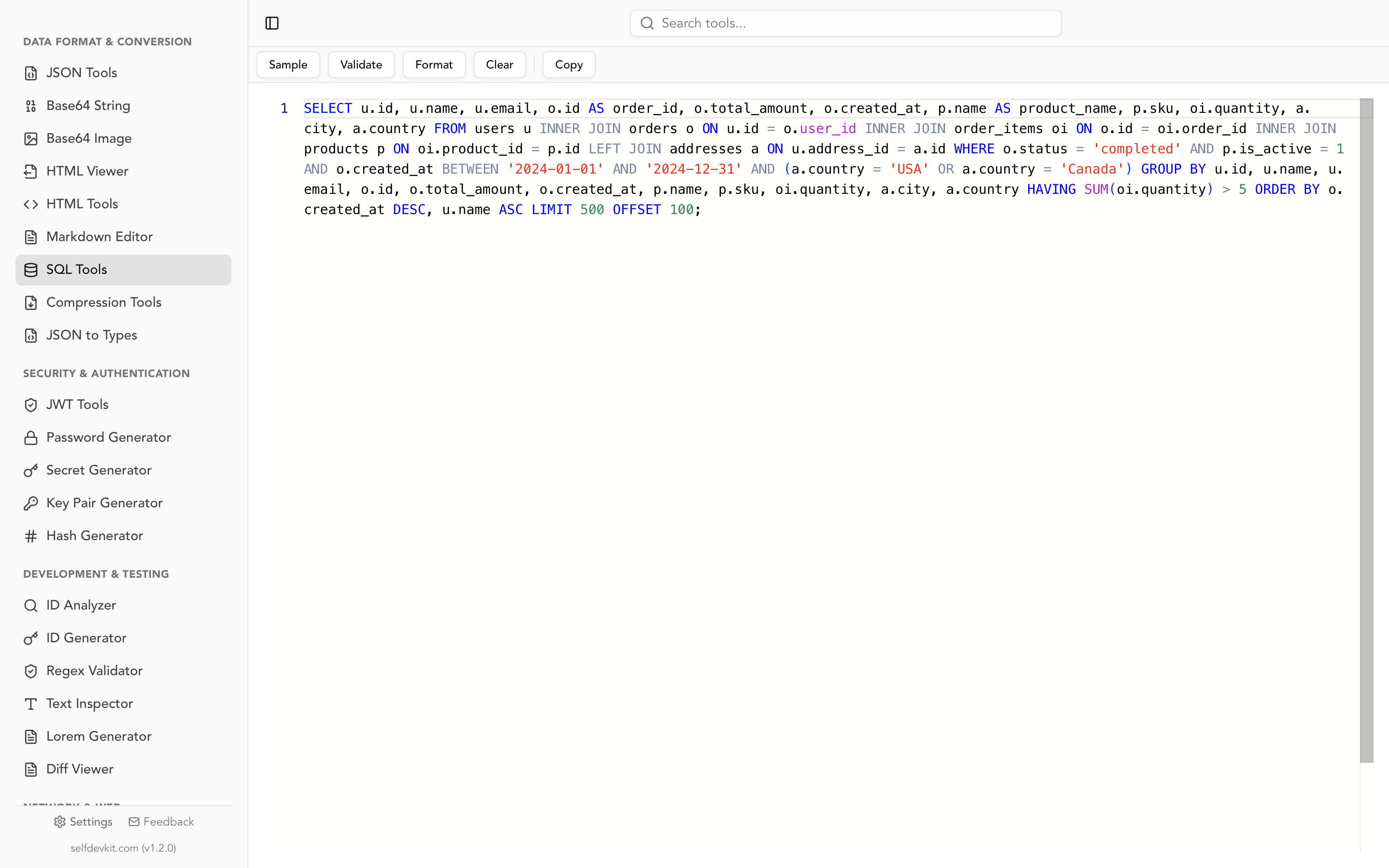
Read that output carefully. The formatter puts the second ON condition, AND o.status = 'paid', on its own line at the same indent as the join, so at a glance it looks like a separate clause. It still belongs to ON: it sits between FROM and WHERE.
Know what the validator does and does not catch. It checks syntax, not meaning: every trap in this post is valid SQL and passes. It also marks LEFT JOIN orders o with no ON clause as valid, the same way SQLite runs it, so the missing-ON mistake is yours to spot in the formatted output. It does reject the legacy *= and (+) outer-join operators, which is a useful signal when you inherit an old query.
A real LEFT JOIN query carries your table names, your schema, and often a customer email or ID in the WHERE clause. A formatter that runs locally keeps all of that on your machine; the online SQL formatter guide covers the tradeoff with web-based tools.
Before you ship a LEFT JOIN, check four things:
- Right-table filters are in
ON, left-table filters are inWHERE. IfEXPLAINshows a plain join, look for aWHEREthat cancels the LEFT. - Anti-joins test the join column or a
NOT NULLcolumn, or useNOT EXISTS. NeverNOT INover a nullable column. - Counts use
COUNT(right_column), sums are wrapped inCOALESCE, and a second one-to-many join is pre-aggregated. - Nothing after the LEFT JOIN is an inner join on the right side, unless it is nested on purpose.
Download SelfDevKit to format and validate SQL on your own machine, alongside 50+ other developer tools that work offline. See the full feature list or pricing.