To convert AVI to MP4, first find out which codec is inside the AVI, because that decides everything. AVI is a Microsoft container first specified in 1992, and the files still sitting in old download folders and camcorder archives usually hold codecs from the same era: Xvid, DivX, DV, Motion JPEG, Cinepak. Some of those can be copied into an MP4 wrapper losslessly in a fraction of a second. Others can't go into MP4 at all and have to be re-encoded.
There's also a trap in the middle. An Xvid AVI remuxes into MP4 without a single error, and the result plays fine in VLC. Open the same file in a browser and you get sound over a blank video.
Everything below was tested in November 2026 with ffmpeg 8.1.3 on a 2-core Linux machine, using synthetic AVIs in each legacy codec plus a real DivX 5 clip from the FFmpeg sample archive. Browser playback was checked in headless Chromium 153. Your timings will differ. The behavior shouldn't.
How to convert AVI to MP4 (quick methods)
For most AVIs, the safe default is a re-encode to H.264 and AAC: ffmpeg -i input.avi -c:v libx264 -crf 20 -pix_fmt yuv420p -c:a aac -movflags +faststart output.mp4. It works for every codec in this guide and produces a file that plays in browsers, phones, and TVs.
| Method | Command or action | Re-encodes? | When to use it |
|---|---|---|---|
| ffmpeg remux | ffmpeg -fflags +genpts -i in.avi -c copy -movflags +faststart out.mp4 |
No | The AVI already holds H.264 video |
| ffmpeg re-encode | ffmpeg -i in.avi -c:v libx264 -crf 20 -pix_fmt yuv420p -c:a aac -movflags +faststart out.mp4 |
Yes | Xvid, DivX, DV, MJPEG, Cinepak, or anything headed for the web |
| HandBrake | Open the file, pick a "Fast 1080p30" style preset, Start | Yes | You want a GUI with deinterlacing built in |
| VLC | Media > Convert / Save, profile "Video - H.264 + MP3 (MP4)" | Yes | VLC is already installed |
| SelfDevKit | Video Converter, output MP4 | Yes | Short clips, converted locally without uploading |
Renaming clip.avi to clip.mp4 does nothing useful. AVI uses RIFF chunks, MP4 uses ISO boxes, and the two layouts are unrelated. Players that sniff the content will still treat it as AVI, and strict ones will refuse it.
Check which codec is inside the AVI
Run ffprobe on the file before choosing a command. The video codec_name tells you whether a remux is possible and whether the result will play anywhere outside a desktop player:
ffprobe -v error -show_entries stream=codec_type,codec_name,codec_tag_string,pix_fmt -of compact input.avi
An old movie download typically reports codec_name=mpeg4|codec_tag_string=XVID with mp3 audio. A MiniDV transfer reports dvvideo with pcm_s16le. Here is what happened when each one went through ffmpeg -i in.avi -c copy out.mp4:
| Video codec (ffprobe name, FourCC) | Typical source | Remux into MP4 | Plays in Chromium after remux |
|---|---|---|---|
h264 (H264, X264) |
Later rips, some cameras | Works (files with B-frames print the same "pts has no value" warning) | Yes |
mpeg4 (XVID, DX50, DIVX) |
Xvid and DivX 4/5 downloads | Works, with "pts has no value" warnings | No video, audio only |
msmpeg4v3 (MP43, DIV3) |
DivX 3 era files | Fails: "Could not find tag for codec msmpeg4v3" | n/a |
mjpeg (MJPG) |
Webcams, older digital cameras | Works | No video, audio only |
dvvideo (dvsd) |
MiniDV camcorders | Fails: "Could not find tag for codec dvvideo" | n/a |
cinepak (cvid) |
1990s CD-ROM video | Fails: "Could not find tag for codec cinepak" | n/a |
Audio matters too. MP3 and AAC copy into MP4 and play. PCM copies as ipcm, a recent addition to the MP4 spec; Chrome 156 played it in a recheck, but older players and editors may not recognize it, and uncompressed audio keeps the file large. AC3 copies, but the Xvid plus AC3 remux was rejected outright by Chromium with DEMUXER_ERROR_NO_SUPPORTED_STREAMS, since neither stream was playable. When the audio is anything other than MP3 or AAC, re-encode it with -c:a aac -b:a 160k; it's fast and nearly free in quality terms.
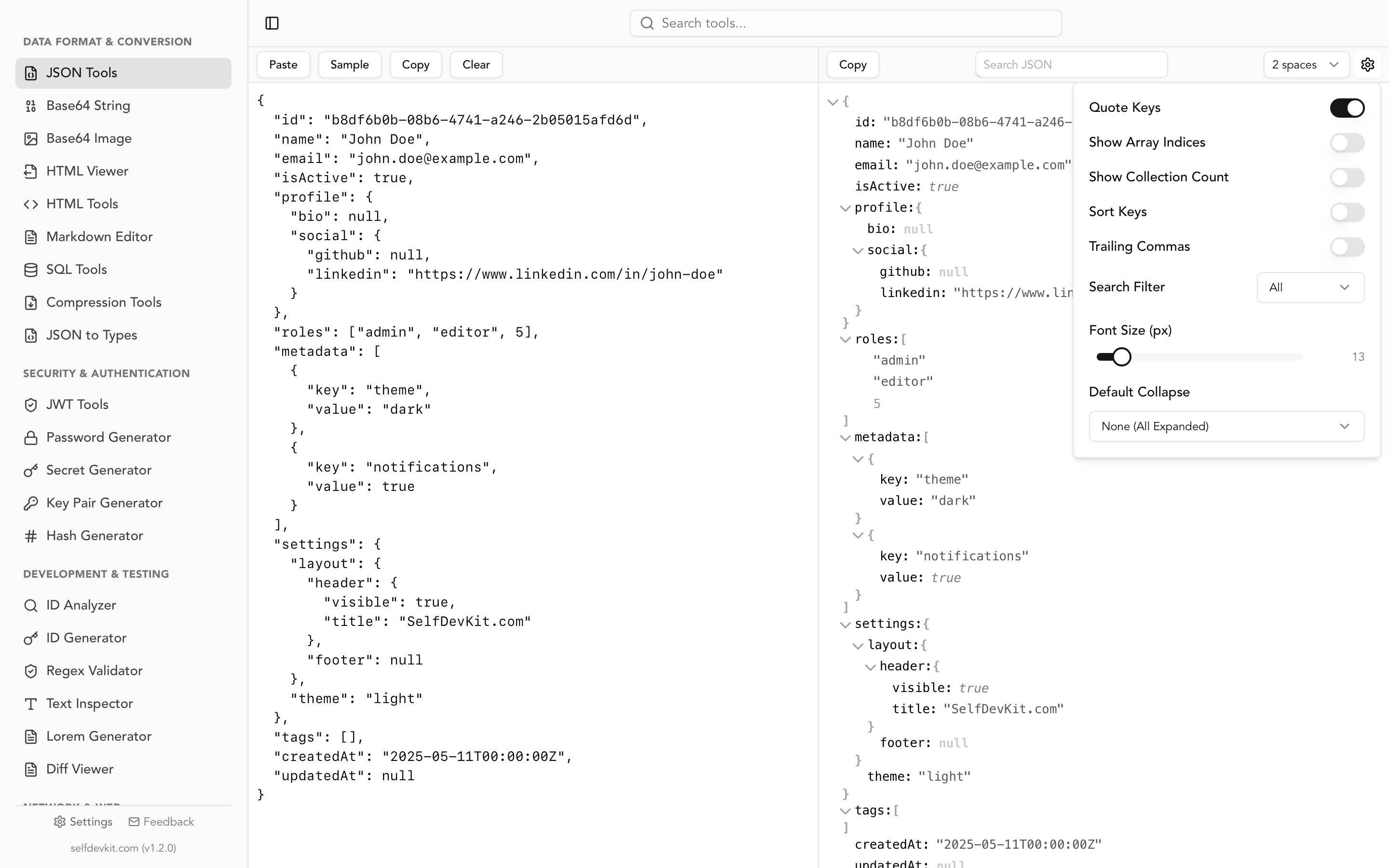
If you'd rather read ffprobe's output as structured data, add -of json and paste it into a JSON viewer. That's handy when you're checking a folder of files and want to compare them.
Why a lossless Xvid remux plays as a black video
An Xvid or DivX AVI remuxes cleanly into MP4 because MPEG-4 Part 2 video is a legal MP4 codec; ffmpeg tags it mp4v. Legal isn't the same as supported. Browsers decode H.264, VP9, AV1, and sometimes HEVC. MPEG-4 Part 2 isn't on that list: MDN's codec guide lists MP4V-ES as unsupported in Chrome, Edge, Safari, and Opera, with Firefox playing it only inside 3GP files.
The test result was unambiguous. In Chromium 153, the remuxed Xvid MP4 loaded, play() succeeded, and the clock advanced while the MP3 track played. videoWidth was 0 and the decoded frame count stayed at 0. Motion JPEG behaved the same way. The H.264 re-encode of the same file played with frames from the first second.
So the lossless remux is fine for archiving or watching in VLC, mpv, or a media server that transcodes on the fly. For anything that ends up in a <video> tag, a CMS upload, a chat app preview, or a phone, re-encode the video. The MP3 audio can stay as it is:
ffmpeg -i input.avi -c:v libx264 -crf 20 -preset slow -pix_fmt yuv420p \
  -c:a copy -movflags +faststart output.mp4
Re-encoding an already lossy Xvid stream costs a little quality. The numbers below show how little.
The "pts has no value" warning and AVI timestamps
AVI stores no presentation timestamps, only a frame sequence and a fixed frame rate. MP4 expects every frame to carry a decode time and, when B-frames are involved, a separate presentation time. Remux an Xvid file with B-frames and ffmpeg 8.1.3 prints:
[mp4 @ 0x55f593c93c00] pts has no value
Adding -fflags +genpts before -i tells ffmpeg to generate the missing timestamps. With it, the warning disappears and the MP4 gets proper reordering offsets (presentation times like 2048, 3072, 2560 against decode times 0, 2048, 2560). Without it, ffmpeg writes presentation equal to decode time for every frame. Both versions decoded to identical frames in ffmpeg, checked frame by frame with framemd5. The genpts version is still the one to keep, because other players and editors trust the container's timestamps instead of fixing them up.
Two other AVI quirks show up in the same files.
Placeholder frames. Video for Windows had no concept of B-frame reordering, so Xvid and DivX pad the stream with tiny "not coded" frames. In the synthetic Xvid test file, every third packet was 6 bytes; in the DivX 5 sample they were 10 bytes. They're harmless and carry over in a remux.
Packed B-frames. Some DivX encoders stored a P-frame and a B-frame together in one AVI chunk. The FFmpeg bitstream filter docs describe these as "not valid MPEG-4" and warn they can cause problems when copied into MP4. If you're remuxing rather than re-encoding and ffmpeg mentions packed B-frames, add -bsf:v mpeg4_unpack_bframes. A re-encode doesn't need it, since the decoder handles packed streams.
Truncated AVIs still convert
A recording cut off by a full disk or a dead battery usually lacks the idx1 index at the end of the file. ffmpeg doesn't need it. A 10-second MJPEG AVI chopped to its first 2 MB still remuxed and re-encoded, giving 2.72 seconds of video with just two decoder warnings ("overread" and "EOI missing") for the cut-off last frame. Convert what's there; the missing part was never written.
Camcorder AVIs: DV, interlacing, and color format
DV is the format MiniDV camcorders wrote over FireWire, and it can't go into MP4 without a re-encode. That re-encode has two problems that a plain "convert to H.264" command doesn't solve.
The video is interlaced. DV camcorders recorded 59.94 fields per second (NTSC) or 50 (PAL), pairs of half-pictures woven into one frame. An encoder that treats those frames as progressive bakes the comb pattern into the output, and the output is flagged field_order=progressive, so no player will try to fix it. That's exactly what a basic libx264 -crf 23 command produced in testing.
NTSC DV uses 4:1:1 chroma. ffprobe shows pix_fmt=yuv411p. x264 can't encode 4:1:1, so it picks the closest format it supports, 4:2:2, and the output profile becomes High 4:2:2. Chromium's software decoder played that file, but 4:2:2 H.264 is a professional profile that many phones, TVs, and streaming sticks may not decode, so don't count on it outside a desktop player. (PAL DV is often 4:2:0 already; if ffprobe reports yuv420p, it doesn't hit this.)
The fix handles both with one filter chain:
ffmpeg -i tape.avi -vf "bwdif,format=yuv420p" \
  -c:v libx264 -crf 20 -preset slow \
  -c:a aac -b:a 192k -movflags +faststart tape.mp4
bwdif is FFmpeg's motion-adaptive deinterlacer. By default it outputs one frame per field, so 29.97 fps NTSC footage becomes 59.94 fps with smooth motion. Use bwdif=mode=send_frame to keep the original frame rate and a smaller file.
DV also uses non-square pixels. ffprobe reported a sample aspect ratio of 8:9 for the NTSC test file, and it survived the conversion untouched, so players will display it at the right shape. If an editor or upload target ignores pixel aspect ratio and shows everyone looking slightly stretched, scale to square pixels: -vf "bwdif,scale=640:480,setsar=1,format=yuv420p".
Size is the other DV reality. The 10-second test clip was 37.9 MB, which works out to roughly 13 GB per hour of tape. That's a lot to upload anywhere, and family recordings are exactly the kind of footage you might not want on someone else's server anyway.
Cinepak and other 1990s codecs
Cinepak, Indeo, and similar CD-ROM era codecs can't be remuxed, and ffmpeg decodes most of them to RGB. Re-encoding RGB input with a bare -c:v libx264 makes x264 keep the full color resolution, producing High 4:4:4 Predictive H.264. That's another profile that desktop Chromium plays but most devices don't.
The -pix_fmt yuv420p in the default command at the top of this guide prevents it. Keep it in every AVI conversion command and you never have to think about which source triggered which profile.
How much quality does re-encoding cost?
Re-encoding a DivX AVI to H.264 at CRF 23 cost very little in testing and made the file smaller. The source was the 32-second DivX 5 sample (624×350, 557 kb/s video, 112 kb/s MP3), and quality was measured as the median per-frame SSIM against the decoded original, where 1.0 means identical:
| Method | Time | Size | Median SSIM |
|---|---|---|---|
Remux (-fflags +genpts -c copy) |
0.03 s | 2.71 MB | 1.000 (bit-identical) |
| H.264 CRF 23, preset fast, AAC 128k | 3.2 s | 1.56 MB | 0.992 |
| H.264 CRF 20, preset slow, AAC 160k | 6.1 s | 2.07 MB | 0.994 |
On this clip, even the higher-quality H.264 encode came out smaller than the original. That won't hold for every file, since sizes depend on content and even on the encoder's thread count, but on this sample the re-encode took seconds and the SSIM loss was under 1%. Check a short clip of your own files before converting a whole archive.
Batch convert a folder of AVI files
A folder of old AVIs usually mixes codecs, so one fixed command is either too slow (re-encoding files that could be remuxed) or wrong (remuxing files browsers can't play). This script probes each file and picks the right path: it remuxes H.264, re-encodes everything else to 4:2:0 H.264, deinterlaces when the first frame is flagged interlaced, and copies MP3 or AAC audio while converting the rest to AAC.
#!/usr/bin/env bash
# Convert every .avi in the current folder to .mp4.
shopt -s nullglob
for f in *.avi; do
  out="${f%.avi}.mp4"
  [ -e "$out" ] && { echo "skip: $out exists"; continue; }
  vcodec=$(ffprobe -v error -select_streams v:0 \
    -show_entries stream=codec_name -of csv=p=0 "$f")
  acodec=$(ffprobe -v error -select_streams a:0 \
    -show_entries stream=codec_name -of csv=p=0 "$f")
  field=$(ffprobe -v error -select_streams v:0 -read_intervals %+#1 \
    -show_entries frame=interlaced_frame -of csv=p=0 "$f")
  case "$acodec" in
    aac|mp3|"") aopt=(-c:a copy) ;;
    *)          aopt=(-c:a aac -b:a 160k) ;;
  esac
  if [ "$vcodec" = h264 ]; then
    vopt=(-c:v copy)
  else
    vf="format=yuv420p"
    [ "$field" = 1 ] && vf="bwdif,$vf"
    vopt=(-c:v libx264 -preset slow -crf 20 -vf "$vf")
  fi
  echo "$f: $vcodec/$acodec -> ${vopt[1]} ${aopt[1]}"
  ffmpeg -nostdin -v error -fflags +genpts -i "$f" \
    "${vopt[@]}" "${aopt[@]}" -movflags +faststart "$out"
done
Run on the test folder, it printed:
cinepak.avi: cinepak/ -> libx264 copy
divx3.avi: msmpeg4v3/mp3 -> libx264 copy
dv43.avi: dvvideo/pcm_s16le -> libx264 aac
h264_mp2s.avi: h264/mp2 -> copy aac
mjpeg_pcm.avi: mjpeg/pcm_s16le -> libx264 aac
my clip.avi: h264/mp2 -> copy aac
xvid_mp3.avi: mpeg4/mp3 -> libx264 copy
Every output came out as High profile 4:2:0 H.264, filenames with spaces included, and the interlaced DV file was the only one that got bwdif. A second run skips files that already have an MP4 next to them. -nostdin matters in loops: without it, ffmpeg can swallow keystrokes meant for the shell.
One limit: checking a single frame for interlacing trusts the stream's flags. A capture card that wrote interlaced video without marking it will slip through. If motion in the output shows comb lines, rerun that file with bwdif forced on.
Converting AVI to MP4 in SelfDevKit
SelfDevKit's Video Converter converts an AVI to MP4 on your own machine: open the tool, select the AVI, choose MP4, and click convert. It also accepts MP4, MOV, WebM, and MKV input and writes MP4, MOV, AVI, or WebM. The converted file lands in the app's local data folder, where you can open it in your default player or reveal it in your file manager.
Under the hood it runs FFmpeg with a fixed re-encode: H.264 at preset fast and CRF 23, AAC at 128 kbps, and +faststart. That's the middle row of the quality table above, and for AVI it covers the cases a remux can't. Xvid, DivX 3, MJPEG, and Cinepak all came out as browser-playable MP4s in testing. Here is where it falls short:
- No deinterlacing. DV and other interlaced footage keeps its comb lines. Use the
bwdifcommand for camcorder tapes. - No forced 4:2:0. There's no
-pix_fmt yuv420p, so NTSC DV comes out as High 4:2:2 and Cinepak as High 4:4:4 Predictive. Motion JPEG stored as 4:2:2, which many cameras write, also becomes High 4:2:2. These played in Chromium; some phones and TVs may not play them. - Always re-encodes. An AVI that already holds H.264 is better served by the lossless remux.
- Built for clips, not tapes. The file is loaded into memory before conversion, so an Xvid episode is fine and a 13 GB DV tape is not.
- FFmpeg downloads on first use if the app can't find it. After that, conversions run offline and the video never leaves your computer.
For a folder of old Xvid and DivX clips that need to play in a browser or a chat app, that's a one-click job per file. The same app also includes the JSON viewer for reading ffprobe output and a Diff Viewer for comparing a file's streams before and after conversion, alongside the rest of the toolkit.
The container-specific traps for other formats are covered in the guides to MOV to MP4 (iPhone HDR, ProRes, GPS metadata), MKV to MP4 (subtitles and multiple audio tracks), and WebM to MP4 (browser recordings). If you're wondering why converting locally matters at all, the case for offline tools covers it.
Download SelfDevKit to convert AVI clips without uploading them anywhere. For camcorder tapes and mixed folders, run the ffprobe check and the batch script above first.