What is a Hash Function?
A hash function takes input data of any size and produces a fixed-size output called a hash, digest, or checksum. Hash functions are one-way (irreversible), deterministic (same input always produces same output), and designed so that small input changes produce completely different outputs. They're used for file integrity verification, password storage, digital signatures, and data deduplication.
Every developer uses hash functions, whether explicitly or through libraries and frameworks. When you verify a downloaded file's checksum, store a password securely, or validate a webhook signature, you're using hashing. Understanding which hash generator algorithm to use and when directly impacts the security and reliability of your applications.
This guide covers hash functions from fundamentals through practical implementation, helping you choose the right algorithm for each use case.
Table of contents
- How hash functions work
- Hash vs encryption
- Common hash algorithms
- Choosing the right algorithm
- Hashing for file integrity
- Hashing for passwords
- Hashing in APIs and webhooks
- Frequently asked questions
- Implementation considerations
- In summary
How hash functions work
A hash function transforms input data into a fixed-size output with several critical properties:
- Deterministic - The same input always produces the same output
- Fixed output size - Regardless of input size, output length is constant
- One-way - Cannot reverse a hash to recover the original input
- Avalanche effect - Small input changes produce completely different outputs
- Collision resistant - Computationally infeasible to find two inputs with the same hash
Here's the avalanche effect in action:
Input: "Hello"
SHA256: 185f8db32271fe25f561a6fc938b2e264306ec304eda518007d1764826381969

Input: "Hello!"
SHA256: 33bcea5bbdd86bfd289a7b23f8b4dc6f0e78a9c6d6a9b2b9b6f8d3b0c9a8b7a6
Adding one character completely changes the hash. This property makes hashing useful for detecting even tiny modifications to data, which is essential for file integrity verification and webhook validation.
Hash vs encryption
Many developers confuse hashing with encryption. They serve fundamentally different purposes:
| Aspect | Hashing | Encryption |
|---|---|---|
| Direction | One-way (cannot reverse) | Two-way (can decrypt) |
| Purpose | Verify integrity | Protect confidentiality |
| Key required | No | Yes |
| Output size | Fixed | Variable (similar to input) |
Use hashing when you need to:
- Verify data hasn't been modified
- Store passwords securely (with proper algorithms)
- Generate unique identifiers
- Create digital signatures
Use encryption when you need to:
- Protect sensitive data that must be recovered
- Send private messages
- Store confidential information with authorized access
The Secret Generator creates encryption keys and API secrets, while the Hash Generator computes hash digests. These are complementary tools for different security needs.
Common hash algorithms
MD5 (Message Digest 5)
- Output: 128 bits (32 hex characters)
- Speed: Very fast
- Security: Broken - vulnerable to collision attacks
- Example:
5d41402abc4b2a76b9719d911017c592
MD5 was designed in 1991 and is now cryptographically broken. Researchers have demonstrated practical collision attacks where different files produce identical MD5 hashes. However, it remains useful for non-security purposes like cache keys and data corruption detection.
Use for: Quick checksums, cache keys, legacy system compatibility Avoid for: Security purposes, password hashing, digital signatures
SHA-1 (Secure Hash Algorithm 1)
- Output: 160 bits (40 hex characters)
- Speed: Fast
- Security: Deprecated - collision attacks demonstrated
- Example:
aaf4c61ddcc5e8a2dabede0f3b482cd9aea9434d
SHA-1 was widely used until researchers demonstrated collision attacks in 2017. Major browsers and certificate authorities have deprecated it. Like MD5, it's acceptable for non-security checksums but not for new security applications.
SHA-256 (SHA-2 family)
- Output: 256 bits (64 hex characters)
- Speed: Moderate
- Security: Strong - no known practical vulnerabilities
- Example:
2cf24dba5fb0a30e26e83b2ac5b9e29e1b161e5c1fa7425e73043362938b9824
SHA-256 is part of the SHA-2 family and the current industry standard for most cryptographic applications. It's used in Bitcoin, TLS certificates, JWT tokens, and code signing. Unless you have specific requirements, SHA-256 is the default choice for security-sensitive hashing.
SHA-512
- Output: 512 bits (128 hex characters)
- Speed: Similar to SHA-256 on 64-bit systems (often faster)
- Security: Strong
SHA-512 provides a larger output and can actually be faster than SHA-256 on 64-bit processors due to its internal design. Use it when you need extra security margin or larger hash outputs.
BLAKE2
- Output: Variable (up to 512 bits)
- Speed: Very fast - faster than MD5 while being secure
- Security: Strong
BLAKE2 offers security comparable to SHA-3 with speed faster than MD5. It's widely used in modern applications and forms the basis of the Argon2 password hashing algorithm. The Argon2 standard recommends BLAKE2 for its security and performance.
BLAKE3
- Output: Variable (default 256 bits)
- Speed: Extremely fast - parallelizable across CPU cores
- Security: Strong
BLAKE3 is the newest major hash function, offering unprecedented speed through parallelization. It can utilize multiple CPU cores for hashing large files, making it ideal for file integrity verification at scale.
Choosing the right algorithm
| Use Case | Recommended | Acceptable | Avoid |
|---|---|---|---|
| File integrity | SHA-256, BLAKE3 | SHA-512, SHA-3 | MD5, SHA-1 |
| Digital signatures | SHA-256, SHA-512 | SHA-3 | MD5, SHA-1 |
| Password storage | Argon2, bcrypt | scrypt, PBKDF2 | SHA-*, MD5 |
| Checksums (non-security) | BLAKE3, xxHash | MD5, CRC32 | - |
| Webhook signatures | HMAC-SHA256 | HMAC-SHA512 | HMAC-MD5 |
| Cache keys | BLAKE3, xxHash | MD5 | - |
For JSON data integrity in APIs, combine hashing with proper JSON formatting to ensure consistent hash inputs regardless of whitespace.
Hashing for file integrity
File hash verification ensures downloaded files match what the author intended, detecting corruption or tampering.
Verifying downloads
Software releases typically include SHA-256 checksums:
nginx-1.24.0.tar.gz
SHA256: 2cf24dba5fb0a30e26e83b2ac5b9e29e1b161e5c1fa7425e73043362938b9824
Verify on different platforms:
# macOS / Linux
shasum -a 256 nginx-1.24.0.tar.gz

# Windows PowerShell
Get-FileHash nginx-1.24.0.tar.gz -Algorithm SHA256
Compare the output with the published hash. A match confirms the file is authentic and uncorrupted.
Creating checksums for your files
# SHA-256 (recommended)
shasum -a 256 release.zip > release.zip.sha256

# Generate multiple algorithms at once
shasum -a 256 *.zip > checksums.txt
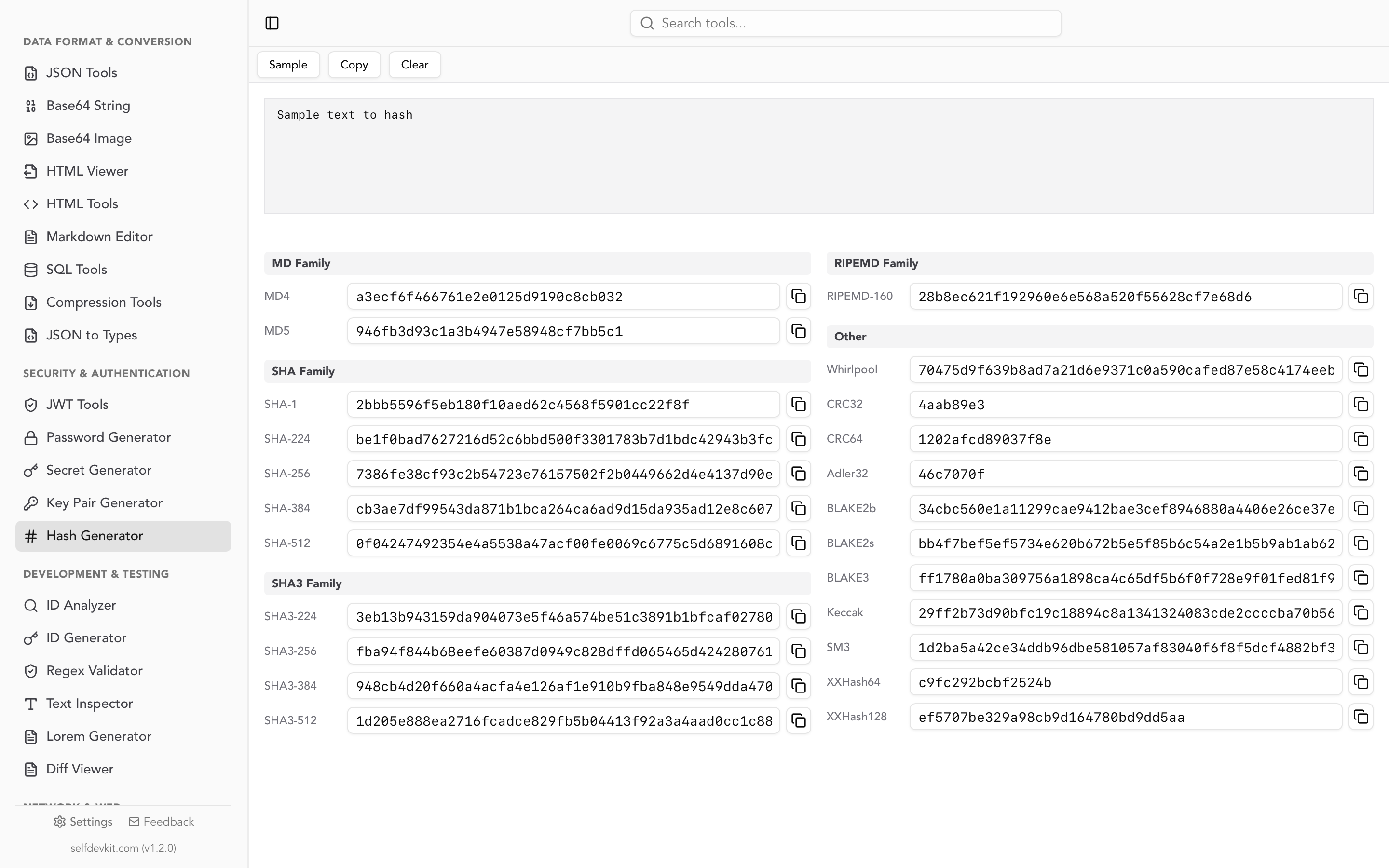
For quick file hashing without command line, use SelfDevKit's Hash Generator. Upload a file or paste text to instantly see hashes in 15+ algorithms including SHA-256, SHA-512, MD5, and BLAKE.
Hashing for passwords
Never store passwords in plain text or with simple hashes like SHA-256. Modern GPUs can compute billions of SHA-256 hashes per second, making brute-force attacks trivial.
Why SHA-256 isn't enough
Password: "password123"
SHA-256: ef92b778bafe771e89245b89ecbc08a44a4e166c06659911881f383d4473e94f
An attacker with a stolen database can:
- Precompute hashes for millions of common passwords (rainbow tables)
- Compare against your database
- Crack simple passwords in seconds
Use password-specific algorithms
Password hashing algorithms are intentionally slow and include:
- Salt - Random data added to each password before hashing
- Work factor - Configurable computational cost
- Memory hardness - Requires significant RAM (defeats GPU attacks)
Recommended algorithms (in order of preference):
- Argon2id - Winner of the Password Hashing Competition, recommended by OWASP
- bcrypt - Battle-tested, widely supported
- scrypt - Memory-hard, good for high-security needs
- PBKDF2 - Acceptable when others aren't available
Example using bcrypt (Node.js):
const bcrypt = require('bcrypt');
const saltRounds = 12;

// Hash a password
const hash = await bcrypt.hash('userPassword', saltRounds);

// Verify a password
const isValid = await bcrypt.compare('userPassword', hash);
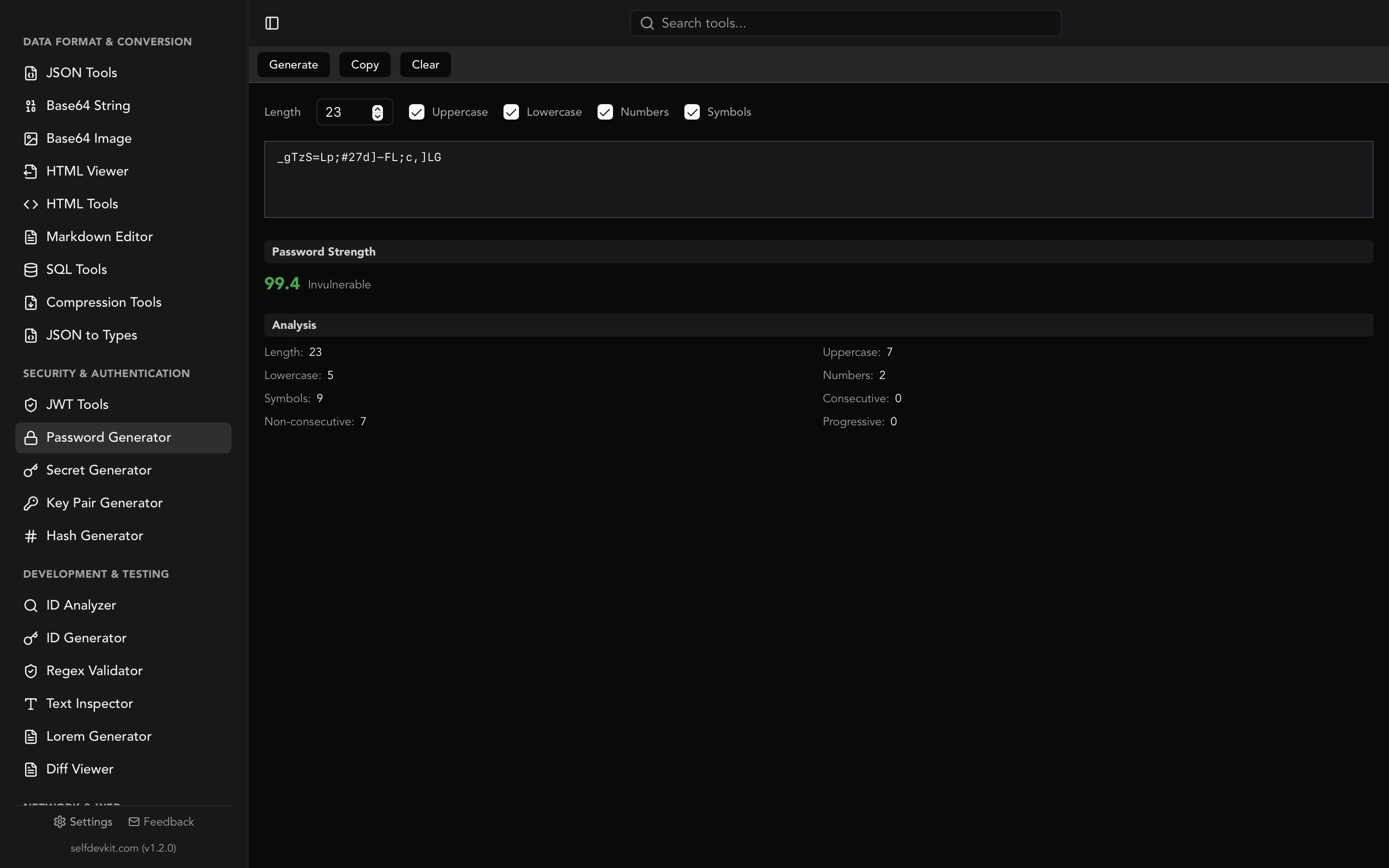
For generating strong passwords in the first place, see our Secure Password Generator Guide and the Password Generator tool.
Hashing in APIs and webhooks
Hash functions secure API communications through HMAC (Hash-based Message Authentication Code), which combines a hash function with a secret key.
HMAC signatures
const crypto = require('crypto');

const secret = 'your_webhook_secret';
const payload = JSON.stringify(requestBody);
const signature = crypto
  .createHmac('sha256', secret)
  .update(payload)
  .digest('hex');
Webhook verification
Services like Stripe, GitHub, and Slack sign webhook payloads. Verify incoming webhooks:
function verifyWebhook(payload, signature, secret) {
  const expectedSignature = crypto
    .createHmac('sha256', secret)
    .update(payload)
    .digest('hex');

  // Use timing-safe comparison to prevent timing attacks
  return crypto.timingSafeEqual(
    Buffer.from(signature),
    Buffer.from(expectedSignature)
  );
}
For generating webhook secrets and API keys, use the Secret Generator. It creates cryptographically secure secrets suitable for HMAC keys.
Request signing
Many APIs (AWS, Azure) require request signing:
const stringToSign = `${method}\n${path}\n${timestamp}\n${bodyHash}`;
const signature = crypto
  .createHmac('sha256', secretKey)
  .update(stringToSign)
  .digest('hex');
When debugging signed requests, the JSON Tools help ensure consistent payload formatting, and Base64 Tools handle encoded signatures.
Frequently asked questions
Can I reverse a hash to get the original data?
No. Hash functions are mathematically one-way. You cannot compute the input from the output. However, attackers can use rainbow tables (precomputed hash dictionaries) or brute force to find inputs that produce a known hash, which is why password hashing requires specialized algorithms.
Which hash algorithm should I use for checksums?
For file integrity verification, use SHA-256 or BLAKE3. Both are secure and widely supported. BLAKE3 is faster for large files. Avoid MD5 and SHA-1 for any security-sensitive verification.
Is MD5 completely useless now?
No, but its uses are limited. MD5 is fine for non-security purposes like cache keys, data deduplication, and detecting accidental corruption. Never use it for password hashing, security verification, or anything an attacker might try to exploit.
Why do password hashing algorithms need to be slow?
Fast hashes let attackers try billions of password guesses per second. Slow algorithms like Argon2 and bcrypt intentionally take 100ms+ per hash, making brute-force attacks impractical. The slowdown is imperceptible to legitimate users but catastrophic for attackers.
Implementation considerations
When implementing hashing in your applications, consider these practical factors:
Algorithm selection: Default to SHA-256 for general security purposes. Use BLAKE3 for performance-critical file hashing. Use Argon2id for passwords. Document your algorithm choices so future maintainers understand the security model.
Library selection: Use standard library implementations rather than custom code. In Node.js, use the built-in crypto module. In Python, use hashlib for general hashing and argon2-cffi for passwords. Cryptographic code is notoriously difficult to implement correctly.
Salt management: For HMAC and password hashing, store salts alongside hashes. Never reuse salts across different values. The Secret Generator can create random salts of appropriate length.
Timing attacks: When comparing hashes (especially for authentication), use constant-time comparison functions like crypto.timingSafeEqual() in Node.js. Regular string comparison can leak information through timing differences.
Offline tools: When hashing sensitive data during development or debugging, use offline tools like the Hash Generator. Online hash generators may log your input data. Read Why Offline-First Developer Tools Matter for more on this.
In summary
Hash functions are fundamental security primitives with specific use cases:
| Need | Solution |
|---|---|
| File integrity | SHA-256 or BLAKE3 |
| Digital signatures | SHA-256 or SHA-512 |
| Password storage | Argon2id, bcrypt |
| Webhook validation | HMAC-SHA256 |
| Cache keys | BLAKE3 or xxHash |
| Legacy compatibility | MD5 (non-security only) |
Key principles:
- One-way - Hashing cannot be reversed
- Use modern algorithms - Avoid MD5/SHA-1 for security
- Passwords need special handling - Use Argon2 or bcrypt, not raw hashes
- HMAC for authentication - Combine hashing with a secret key
- Verify file integrity - Always check checksums for downloaded software
For quick hash computation during development, SelfDevKit's Hash Generator provides 15+ algorithms in one tool, running entirely offline for security-sensitive data.
Ready to generate hashes offline?
SelfDevKit includes a comprehensive hash generator supporting MD5, SHA-256, SHA-512, BLAKE2, BLAKE3, and 10+ other algorithms. All computation happens locally on your machine - your data never leaves your device.
Download SelfDevKit — available for macOS, Windows, and Linux.
Or explore the full toolkit at selfdevkit.com/features to see all available tools including the Secret Generator for API keys, JWT decoder for tokens, and Password Generator for secure credentials.