To convert MP3 to OGG, decode the MP3 and re-encode the audio with the Vorbis encoder inside an Ogg container. With ffmpeg, the command that works everywhere is:
ffmpeg -i input.mp3 -vn -c:a libvorbis -q:a 5 output.ogg
The -vn flag matters more than it looks. Without it, ffmpeg turns an MP3's embedded album art into a Theora video stream, and some game engines and audio libraries can't open the result. Games, mods, and web apps, the usual reasons to want OGG, are exactly where that breaks.
Everything below was tested with ffmpeg 9.0.2 (the cover art and tag results are identical in 8.1.3) on a public-domain Musopen recording of Mozart's Figaro overture (4:01, stereo), encoded to tagged MP3s with a 1000×1000 JPEG cover. Decoding was checked with stb_vorbis and Godot 4.5; tags were read with mutagen 1.48.1. One recording, so treat the numbers as worked examples.
How to convert MP3 to OGG
You can convert MP3 to OGG with ffmpeg, Audacity, a desktop converter, or an online tool. All of them decode the MP3 and encode Vorbis. They differ in whether you control the quality, the cover art, and where your file goes.
ffmpeg (Windows, macOS, Linux). Install it from ffmpeg.org or with sudo apt install ffmpeg or winget install Gyan.FFmpeg, then run the command above. On macOS, use brew install ffmpeg-full: Homebrew's standard ffmpeg formula is built without libvorbis, so the command stops with "Encoder not found". ffmpeg-full is keg-only, so run it as $(brew --prefix ffmpeg-full)/bin/ffmpeg or add that folder to your PATH. Each flag:
| Flag | What it does |
|---|---|
-vn |
Drops the cover art stream so the file holds audio only |
-c:a libvorbis |
Uses the reference Vorbis encoder (ffmpeg's built-in vorbis encoder is marked experimental) |
-q:a 5 |
Variable bitrate quality, on a scale from -1 to 10 |
-ac 1 |
Optional: downmix to mono (see the Minecraft section) |
Audacity. Import the MP3, choose File > Export Audio, pick "Ogg Vorbis Files", and set the quality slider. It exports audio only, so the cover art problem doesn't arise.
Online converters work for a one-off, but your file sits on someone else's server until the service deletes it. For unreleased game music or client audio, a local tool is the better default; the case for offline tools explains why.
What's inside an .ogg file: Vorbis or Opus
An .ogg file is a container, and the audio inside is usually Vorbis but can also be Opus or FLAC. When a game, engine, or mod loader asks for "OGG", it usually means Ogg Vorbis, and a decoder built only for Vorbis will not load an Opus stream, whatever the extension says.
ffmpeg will happily write Opus into a file named .ogg:
ffmpeg -i input.mp3 -vn -c:a libopus -b:a 128k output.ogg
The result has the right extension and the wrong codec. ffmpeg also resampled the test file to 48 kHz, the rate Ogg Opus timestamps are counted in. RFC 7845 recommends the .opus extension for these files precisely so tools can tell them apart, but nothing enforces it.
| Ogg Vorbis | Ogg Opus | |
|---|---|---|
| Typical extension | .ogg |
.opus (often mislabeled .ogg) |
| Sample rate | Keeps the source rate (44.1 kHz here) | 48 kHz (ffmpeg resampled it) |
| stb_vorbis (used by raylib) | Decodes | Fails |
Godot 4.5 AudioStreamOggVorbis |
Loads | "Ogg Vorbis decoding failed" |
| Safari | Since 18.4 | Since 18.4 |
To check what's actually inside a file:
ffprobe -v error -show_entries stream=index,codec_name,codec_type -of compact input.ogg
If you see codec_name=opus, re-encode with libvorbis. If you see more than one stream, read the next section.
Opus is the better codec at low bitrates; it's just not what "OGG" means in most asset pipelines. For the web, Safari only gained Ogg support (both codecs) in Safari 18.4 on macOS Sequoia 15.4, iOS 18.4, iPadOS 18.4, and visionOS 2.4, so keep an MP3 or AAC fallback for older systems.
Cover art becomes a Theora video stream
When an MP3 has embedded album art and you convert it without -vn, ffmpeg encodes the picture as a Theora video stream and places it first in the Ogg file. The audio moves to stream index 1. This is ffmpeg's normal stream selection: the Ogg muxer's default video codec is Theora, and the cover is a video stream as far as ffmpeg is concerned.
Here is what ffmpeg -i input.mp3 output.ogg printed for the test file:
Stream #0:1 -> #0:0 (mjpeg (native) -> theora (libtheora))
Stream #0:0 -> #0:1 (mp3 (mp3float) -> vorbis (libvorbis))
The Theora stream only added about 21 KB, so the file size gives no hint that anything is off. The decoders tell a different story:
| Same audio, packaged as | stb_vorbis | Godot 4.5 |
|---|---|---|
Vorbis only (-vn) |
Decodes all 10,628,100 samples | Loads, 241.0 s |
Theora cover + Vorbis (no -vn) |
Fails, returns -1 | Loads, 241.0 s |
Opus in .ogg |
Fails | Fails |
Vorbis + cover as a METADATA_BLOCK_PICTURE tag |
Decodes | Loads |
stb_vorbis is the single-file decoder that raylib bundles, and it's a common pick in custom engines because it has no dependencies. It expects the first logical stream in the file to be Vorbis. Godot's importer is more forgiving: its Ogg loader skips logical streams that don't start with a Vorbis header, so it loaded the file and reported the correct length. You can't rely on every consumer being that forgiving, so strip the cover for game assets.
The BtbN Linux builds and gyan.dev's Windows "essentials" build both include libtheora, so this is what you get with them. A build without libtheora fails the conversion with an encoder selection error instead, which is at least loud.
If you're converting music for a player and want to keep the cover, the correct place for it is a METADATA_BLOCK_PICTURE Vorbis comment, which the tag script further down writes.
Which Vorbis quality setting to use
For MP3 to OGG, use -q:a 4 to -q:a 6 when the source is 192 to 320 kbps, and stay at -q:a 4 or -q:a 5 when the source is 128 kbps. Going higher than the source deserves costs bytes without bringing back what the MP3 already threw away.
Without -q:a, ffmpeg's libvorbis wrapper defaults to quality 3, a nominal 112 kbps. Sizes for the 4:01 test track, encoded from the 320 kbps MP3:
| Setting | Nominal bitrate | Measured average | File size |
|---|---|---|---|
| Source 320 kbps MP3 | 320 kbps | 9.72 MB | |
-q:a 2 |
~96 kbps | 84 kbps | 2.54 MB |
No -q:a (default) |
112 kbps | 103 kbps | 3.09 MB |
-q:a 4 |
~128 kbps | 118 kbps | 3.57 MB |
-q:a 6 |
~192 kbps | 168 kbps | 5.07 MB |
-q:a 4, mono (-ac 1) |
70 kbps | 2.11 MB |
Vorbis quality is variable bitrate, so a dense rock mix will land higher than this orchestral recording. Only the nominal targets are fixed.
To see how much the extra lossy step costs, each OGG was decoded and subtracted from the original lossless master (a null test). The number is the level of the leftover difference; lower is closer to the original. The music itself sits at -20.0 dB RMS.
| Encoded from | -q:a 2 |
-q:a 4 |
-q:a 6 |
|---|---|---|---|
| Original lossless WAV | -36.3 dB | -41.2 dB | -44.7 dB |
| 320 kbps MP3 (itself -56.7 dB) | -36.2 dB | -41.1 dB | -44.4 dB |
| 128 kbps MP3 (itself -41.5 dB) | -35.2 dB | -38.4 dB | -39.9 dB |
Two things stand out. From a 320 kbps MP3, every Vorbis setting lands within 0.3 dB of encoding the lossless original, so a high-bitrate MP3 is a perfectly good source. From a 128 kbps MP3, even -q:a 6 ends up further from the original than the 128 kbps MP3 already was, and it's 36% bigger than -q:a 4 for 1.5 dB.
A null test measures how far the waveform moved, not what you can hear. Vorbis reshapes stereo and noise in ways that leave a bigger residual than MP3 without necessarily sounding worse, so compare within a row, not Vorbis against MP3. The WAV to MP3 and M4A to MP3 guides apply the same method to MP3.
If you still have the WAV or FLAC master, encode from that instead.
Looping audio: check the MP3 for a LAME header first
An MP3 to OGG conversion preserves the exact sample count only when the MP3 carries a LAME/Xing header that tells the decoder how much silence to trim. Without that header, the encoder's padding gets decoded as audio and baked permanently into the OGG, and a seamless loop gets a gap.
The test: a 1-second tone (44,100 samples) encoded to MP3 with and without the header (-write_xing 0), then converted to OGG.
| Path | Samples in the OGG | Extra silence |
|---|---|---|
| WAV → OGG directly | 44,100 | none |
| MP3 with LAME header → OGG | 44,100 | none |
| MP3 without header → OGG | 46,080 | 1,105 at the start, 875 at the end |
That's 45 ms of silence per pass, right where a music loop should wrap around (Godot reported 1.0449 s instead of 1.0 s). Vorbis is gapless, but it faithfully keeps whatever silence it's given.
Check an MP3 before converting:
ffprobe -v debug input.mp3 2>&1 | grep -E '\] pad '
A file with the header prints something like [mp3 @ 0x...] pad 576 1404 (encoder delay and end padding). No output means no header. For a LAME-encoded MP3 without the header, trim the 1,105 samples of delay (576 from the encoder, 529 from the decoder) and cut at the loop's real length:
ffmpeg -i loop.mp3 -vn \
  -af "atrim=start_sample=1105:end_sample=45205,asetpts=N/SR/TB" \
  -c:a libvorbis -q:a 5 loop.ogg
Here end_sample is 1,105 plus the intended length (44,100). For MP3s from other encoders the delay differs, so line the waveform up against the original in an audio editor. One more trap when you verify: ffmpeg's own decoder reported 43,972 samples for the correct 1-second OGG, 128 short, while stb_vorbis and Godot both decoded 44,100. Count samples with the decoder your engine uses.
MP3 to OGG for Minecraft and other mono sound effects
For Minecraft Java Edition resource packs, convert MP3 to .ogg with Vorbis audio (not Opus) and downmix sound effects to mono. Per the sounds.json documentation, a mono file "can be played locationally" and gets quieter with distance, while a stereo file plays at the same volume wherever the player stands. That suits music and ambience, not footsteps.
# Positional sound effect: mono, audio only
ffmpeg -i step.mp3 -vn -ac 1 -c:a libvorbis -q:a 4 step.ogg

# Music disc or ambience: keep stereo
ffmpeg -i track.mp3 -vn -c:a libvorbis -q:a 5 track.ogg
Put the files under assets/<namespace>/sounds/ and reference them in sounds.json without the .ogg extension. Renaming an .mp3 to .ogg does not work; the bytes are still MP3. Mono also cuts the file by about 40% (2.11 MB versus 3.57 MB at -q:a 4 for the test track), which matters when a pack ships hundreds of sounds.
The same advice holds outside Minecraft. By default, OpenAL spatializes mono sources and plays multi-channel ones unspatialized; other engines handle stereo 3D sounds in different ways, so mono is the predictable choice for point sources.
ID3 tags to Vorbis comments
MP3 stores tags as ID3 frames and Ogg Vorbis stores them as free-form KEY=value Vorbis comments, so a conversion translates each tag. ffmpeg handles the common ones and gets several others wrong:
| ID3 frame in the MP3 | ffmpeg writes | Better |
|---|---|---|
| TIT2, TALB, TCON, TDRC | title, album, genre, date | Fine (field names are case-insensitive) |
| TPE1 with two artists | ARTIST=Artist A only |
One ARTIST field per artist |
| TPE2 | ALBUMARTIST |
Fine |
TRCK 3/12 |
TRACKNUMBER=3/12 |
TRACKNUMBER=3 plus TRACKTOTAL=12 |
TPOS 1/2 |
DISCNUMBER=1/2 |
DISCNUMBER=1 plus DISCTOTAL=2 |
| COMM | DESCRIPTION |
Fine; it's Xiph's field name |
| USLT (lyrics) | lyrics-eng |
LYRICS |
| TBPM | TBPM |
BPM |
| TSRC | TSRC |
ISRC |
| TXXX:REPLAYGAIN_* | REPLAYGAIN_* |
Copied, but measured on the MP3; rescan |
| APIC (cover) | Theora stream, or gone with -vn |
METADATA_BLOCK_PICTURE |
The second artist isn't lost during writing. ffmpeg's ID3 reader only returns the first value of a multi-value ID3v2.4 frame, so it never sees it. The Vorbis comment spec explicitly allows and encourages repeated fields for this.
This Python script (mutagen) fixes the table above after an ffmpeg conversion, using the original MP3 as the source of truth:
# fix_ogg_tags.py  usage: python fix_ogg_tags.py input.mp3 output.ogg
import base64, sys
from mutagen.id3 import ID3
from mutagen.oggvorbis import OggVorbis
from mutagen.flac import Picture

mp3_path, ogg_path = sys.argv[1], sys.argv[2]
id3 = ID3(mp3_path)
ogg = OggVorbis(ogg_path)

# ffmpeg writes some ID3 frames under raw or non-standard names
for old, new in [("TBPM", "BPM"), ("TSRC", "ISRC"), ("lyrics-eng", "LYRICS")]:
    if old in ogg:
        ogg[new] = ogg.pop(old)

# Split "3/12" into TRACKNUMBER + TRACKTOTAL (same for discs)
for num, total in [("TRACKNUMBER", "TRACKTOTAL"), ("DISCNUMBER", "DISCTOTAL")]:
    if num in ogg and "/" in ogg[num][0]:
        n, t = ogg[num][0].split("/", 1)
        ogg[num], ogg[total] = [n], [t]

# Restore every artist (ffmpeg keeps only the first value)
if "TPE1" in id3:
    ogg["ARTIST"] = list(id3["TPE1"].text)

# Copy embedded art as METADATA_BLOCK_PICTURE instead of a Theora stream
blocks = []
for apic in id3.getall("APIC"):
    pic = Picture()
    pic.type, pic.mime, pic.desc, pic.data = apic.type, apic.mime, apic.desc, apic.data
    blocks.append(base64.b64encode(pic.write()).decode("ascii"))
if blocks:
    ogg["METADATA_BLOCK_PICTURE"] = blocks

ogg.save()
Run it on a file converted with -vn. The test output had both artists, split totals, and the original 76 KB JPEG as front cover, and still decoded in stb_vorbis and Godot. The cover is stored base64-encoded, a third larger than the JPEG (the file grew 108 KB), so skip it for game assets.
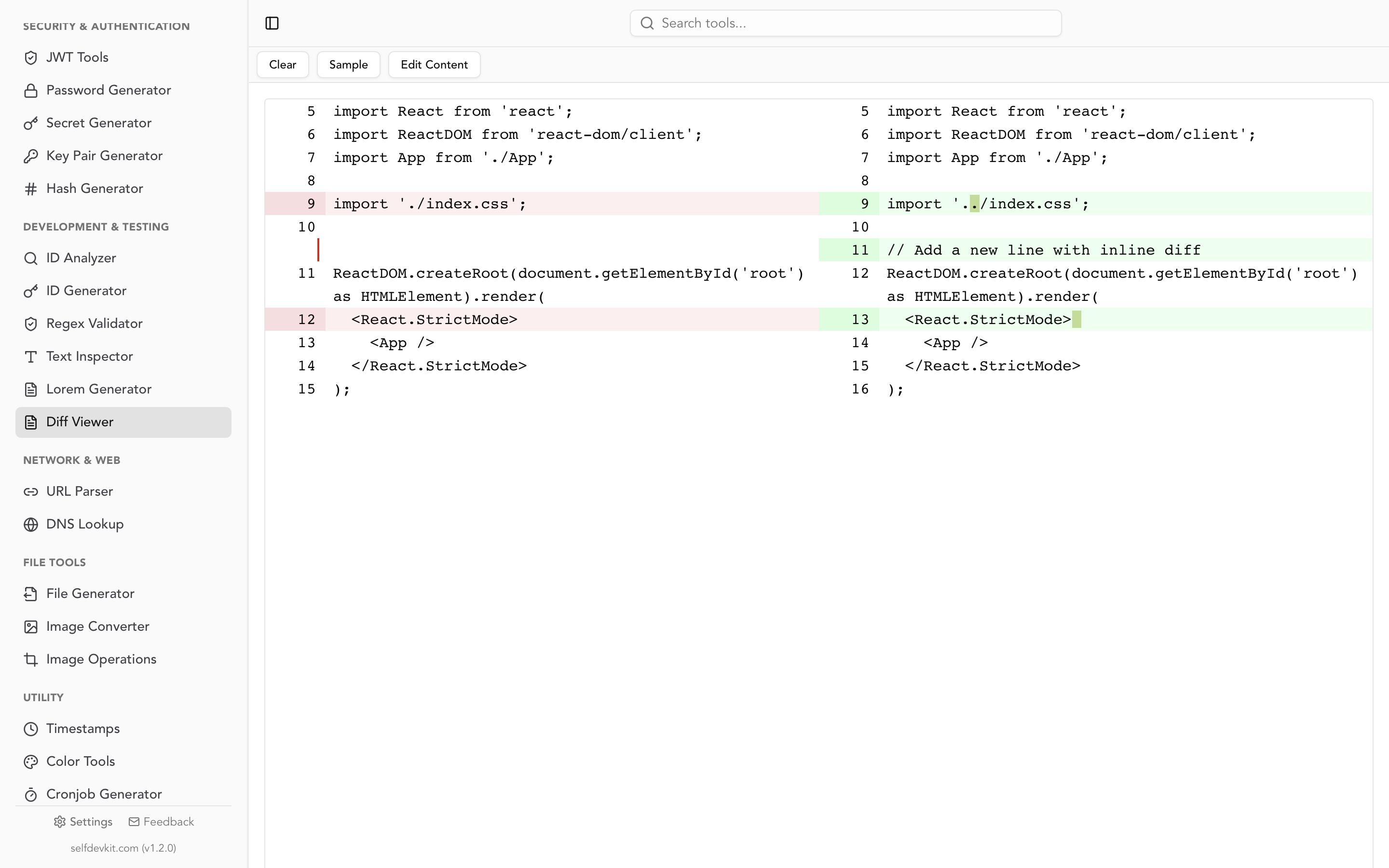
To confirm what changed, dump the tags from both files with ffprobe -v error -show_entries format_tags:stream_tags -of json and compare the two JSON outputs in a diff viewer; the JSON tools can pretty-print each dump first so the diff lines up.
OGG to MP3: ffmpeg drops every tag by default
To convert OGG to MP3 and keep the tags, add -map_metadata 0:s:a:0. ffmpeg treats Vorbis comments as stream metadata, while the default mapping copies only file-level metadata, so a plain conversion produces an MP3 with nothing but an encoder tag.
# Tags lost: the MP3 only gets TSSE (encoder)
ffmpeg -i input.ogg -c:a libmp3lame -q:a 2 output.mp3

# Tags kept
ffmpeg -i input.ogg -map_metadata 0:s:a:0 -c:a libmp3lame -q:a 2 output.mp3
Both ffmpeg 8.1.3 and 9.0.2 behaved this way. With the flag, the test file's title, album, artist, track, disc, BPM, ISRC, and ReplayGain values came through as proper ID3 frames. Comments and lyrics still landed in TXXX frames rather than COMM and USLT, the same issue the FLAC to MP3 guide covers along with a fix. A METADATA_BLOCK_PICTURE cover does carry over, re-encoded as a PNG.
Batch convert MP3 to OGG
To convert a folder, loop over the files and keep -vn in the command:
for f in *.mp3; do
  ffmpeg -nostdin -n -i "$f" -vn -c:a libvorbis -q:a 5 "${f%.mp3}.ogg"
done
In PowerShell:
Get-ChildItem *.mp3 | ForEach-Object {
  ffmpeg -nostdin -n -i $_.FullName -vn -c:a libvorbis -q:a 5 ($_.BaseName + ".ogg")
}
-n skips existing files, so a rerun after an interruption picks up the rest (delete the half-written file first). Add -ac 1 for sound effect folders.
MP3 to OGG in SelfDevKit
SelfDevKit's Audio Converter runs FFmpeg locally, so the conversion works offline and the audio never leaves your machine. For OGG it encodes Ogg Vorbis with libvorbis, never Opus, so the output is the format engines expect. Here's exactly what it does:
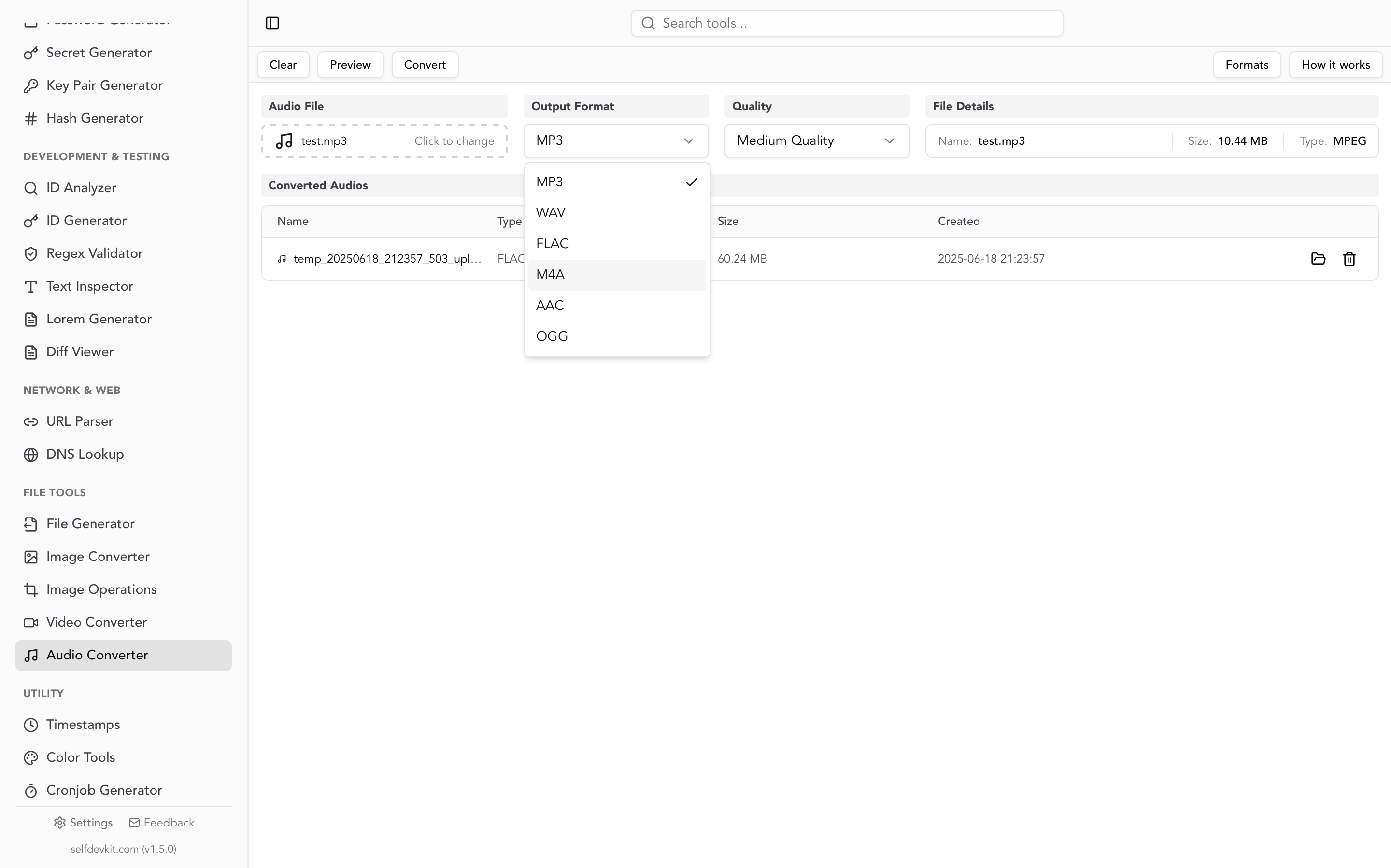
- Quality: High is
-q:a 6, Medium (the default) is-q:a 4, Low is-q:a 2. From the table above, Medium suits most MP3 sources and High suits 256 to 320 kbps ones. - Cover art: the app doesn't pass
-vn, so an MP3 with embedded art comes out with a Theora stream in front of the audio (or the conversion fails, on an FFmpeg build without libtheora). For game assets, convert the MP3 to WAV in the app first (WAV holds audio only, so the cover is dropped), then convert that WAV to OGG. The app writes 16-bit PCM WAV, which adds no audible loss; the test file's null result was identical to the direct route. Basic tags survive, though album artist and disc number don't. - Reverse direction: choosing MP3 as the output works, but uses ffmpeg's default mapping, so OGG tags don't carry over. Use the
-map_metadatacommand above when tags matter. - No mono option or trimming. For Minecraft sound effects or fixing loop padding, use the ffmpeg commands above.
- One file at a time. For whole folders, the batch loop is faster.
- FFmpeg must be available. The Audio Converter uses the FFmpeg that SelfDevKit's Video Converter downloads on first use, or an
ffmpegon your PATH. If it falls back to Homebrew's standardffmpegon a Mac, OGG output fails because that build has no libvorbis, so let the Video Converter download its copy first.
The same tool converts between WAV, MP3, FLAC, M4A, AAC, and OGG.
Download SelfDevKit for Windows, macOS, or Linux to convert audio on your own machine, alongside 50+ developer tools that also run offline.