To convert PST to EST, add 3 hours. 9:00 AM in Los Angeles is 12:00 PM in New York, and 10:00 PM Pacific is 1:00 AM Eastern on the next day. The same 3-hour rule covers summer, when the two zones are actually called PDT (UTC-7) and EDT (UTC-4), because both coasts move their clocks together.
Almost together, anyway. Eastern Time changes its clocks three hours before Pacific Time does, so for three hours on each switch night the gap is 4 hours or 2 hours. And in code, the string "PST" causes more bugs than the arithmetic does.
PST to EST conversion chart
This chart works all year. Use it for PST to EST in winter and for PDT to EDT in summer. As of late October 2026, both coasts are still on daylight time until November 1.
| Pacific Time (PT) | Eastern Time (ET) |
|---|---|
| 12:00 AM (midnight) | 3:00 AM |
| 1:00 AM | 4:00 AM |
| 2:00 AM | 5:00 AM |
| 3:00 AM | 6:00 AM |
| 4:00 AM | 7:00 AM |
| 5:00 AM | 8:00 AM |
| 6:00 AM | 9:00 AM |
| 7:00 AM | 10:00 AM |
| 8:00 AM | 11:00 AM |
| 9:00 AM | 12:00 PM (noon) |
| 10:00 AM | 1:00 PM |
| 11:00 AM | 2:00 PM |
| 12:00 PM (noon) | 3:00 PM |
| 1:00 PM | 4:00 PM |
| 2:00 PM | 5:00 PM |
| 3:00 PM | 6:00 PM |
| 4:00 PM | 7:00 PM |
| 5:00 PM | 8:00 PM |
| 6:00 PM | 9:00 PM |
| 7:00 PM | 10:00 PM |
| 8:00 PM | 11:00 PM |
| 9:00 PM | 12:00 AM, next day |
| 10:00 PM | 1:00 AM, next day |
| 11:00 PM | 2:00 AM, next day |
Going the other way, EST to PST, subtract 3 hours. Anything before 3:00 AM Eastern lands on the previous day in Pacific Time.
Two facts make cross-coast scheduling easier. A 9-to-5 workday in New York overlaps a 9-to-5 workday in Los Angeles for only five hours: 12:00 PM to 5:00 PM Eastern, which is 9:00 AM to 2:00 PM Pacific. And a 9:00 AM Eastern standup is 6:00 AM for anyone on the West Coast.
When PST to EST is not 3 hours
The Pacific-Eastern gap is 4 hours for three hours in March and 2 hours for three hours in November. US daylight saving time starts and ends at 2:00 AM local time (NIST explains the rule), and 2:00 AM arrives in New York three hours before it arrives in Los Angeles.
Here are the exact windows, taken from zdump -v for America/Los_Angeles and America/New_York with tzdata 2026e:
| Window (UTC) | Pacific clock | Eastern clock | Gap |
|---|---|---|---|
| 2026-03-08 07:00 to 10:00 | 11:00 PM to 2:00 AM PST | 3:00 AM to 6:00 AM EDT | 4 hours |
| 2026-11-01 06:00 to 09:00 | 11:00 PM to 2:00 AM PDT | 1:00 AM to 4:00 AM EST | 2 hours |
| 2027-03-14 07:00 to 10:00 | 11:00 PM to 2:00 AM PST | 3:00 AM to 6:00 AM EDT | 4 hours |
| 2027-11-07 06:00 to 09:00 | 11:00 PM to 2:00 AM PDT | 1:00 AM to 4:00 AM EST | 2 hours |
Each window starts the evening before the switch in Pacific Time. Here is what that looks like with real values, all produced by Python's zoneinfo:
Sat 2026-03-07 23:30 PST  ->  Sun 03:30 EDT   (+4 h)
Sat 2026-10-31 23:30 PDT  ->  Sun 01:30 EST   (+2 h)
Sun 2026-11-01 01:30 PDT  ->  Sun 03:30 EST   (+2 h, first 1:30 AM)
Sun 2026-11-01 01:30 PST  ->  Sun 04:30 EST   (+3 h, second 1:30 AM)
The first line is where hand arithmetic breaks. Adding 3 hours to 11:30 PM on March 7 gives 2:30 AM on March 8, a time that never happened in New York because the clocks jumped from 2:00 straight to 3:00. The last two lines show the November problem. 1:30 AM happens twice in Los Angeles that night, so "1:30 AM Pacific on November 1" has two valid Eastern answers. If you are given that time without an offset, you have to ask which one was meant, or default to one on purpose. Python picks the first occurrence unless you set fold=1, and Java's ZonedDateTime.of also picks the earlier offset. Go's time.Date documentation only promises a result that is valid in one of the two offsets, not which one.
These windows matter to people who run things overnight. A batch job that a West Coast team schedules for 11:30 PM Pacific to land "at 2:30 AM Eastern" lands at 3:30 AM Eastern once a year and at 1:30 AM Eastern once a year. The crontab guide covers CRON_TZ, and the UTC to EST guide shows the same drift from a UTC server's point of view.
Why "PST" in a log line is often an hour off
PST means UTC-8, and the US West Coast only uses it from November to March. People write "PST" year-round to mean "Pacific Time," but parsers take the abbreviation literally. A summer timestamp written as 9:00 AM PST is read as 17:00 UTC when the writer meant 16:00 UTC (9:00 AM PDT).
That is fine if the label came from software that actually knew the offset. It is wrong when a person typed it, or when a template hardcodes PST next to a local time. Here is how different runtimes treated the same inputs on Ubuntu 24.04 with tzdata 2026e. Versions: Python 3.12, Node.js 24.18 (ICU 78.3), GNU coreutils 9.4, Temurin JDK 21.0.13, Go 1.25.3, and PostgreSQL 18.6 running in PGlite.
Parsing the string 2026-07-15 09:00:00 PST (what the writer probably meant: 16:00 UTC)
| Runtime | Result (UTC) | What it assumed |
|---|---|---|
Node.js new Date() |
17:00 | Fixed UTC-8 |
GNU date -d |
17:00 | Fixed UTC-8 |
PostgreSQL ::timestamptz |
17:00 | Fixed UTC-8 |
Java SimpleDateFormat |
17:00 | Fixed UTC-8 |
Java DateTimeFormatter with z |
16:00 | America/Los_Angeles, so PDT in July |
Go time.Parse, host in Los Angeles |
17:00 | Fixed UTC-8 |
Go time.Parse, host in UTC |
09:00 | Unknown abbreviation, offset set to zero |
Go time.Parse, host in Manila |
01:00 | Philippine time, UTC+8 |
Five runtimes apply a fixed UTC-8, Java's modern formatter guesses the writer's intent, and Go's answer depends on which machine runs the code. The time.Parse documentation says this outright: when it sees an abbreviation it does not recognize in the local zone, it records a fabricated location with a zero offset.
Using PST as a zone name (converting 14:00 UTC on July 15; the correct Pacific answer is 7:00 AM PDT)
| Runtime | "PST" as a time zone |
|---|---|
Python ZoneInfo("PST") |
ZoneInfoNotFoundError |
Go time.LoadLocation("PST") |
unknown time zone PST |
Java ZoneId.of("PST") |
ZoneRulesException |
Java ZoneId.of("PST", ZoneId.SHORT_IDS) |
America/Los_Angeles, 7:00 AM PDT |
Java TimeZone.getTimeZone("PST") |
Los Angeles rules, UTC-7 in July |
Node.js Intl with timeZone: 'PST' |
Resolves to America/Los_Angeles, 7:00 AM PDT |
PostgreSQL AT TIME ZONE 'PST' |
Fixed UTC-8 |
GNU TZ=PST date |
14:00, labeled "PST", offset +0000 |
The last row is the dangerous one. glibc does not reject an unknown TZ value. It treats PST as the name of a zone with no offset rule and prints UTC with a "PST" label, so the output looks correct at a glance. TZ=US/Pacific also silently prints UTC (with an empty label) on Ubuntu 24.04, where the legacy US/* names moved to the separate tzdata-legacy package. Node.js hides both problems because it ships its own time zone data, which makes the bug appear only in the shell script or container that runs next to it.
The fix is the same in every runtime: write America/Los_Angeles and America/New_York, never PST or EST. The UTC to EST post linked above has the matching table for EST, which is a fixed UTC-5 zone with no daylight time at all.
PST also means Philippine Standard Time
PST is also the official abbreviation for Philippine Standard Time, UTC+8, sixteen hours ahead of Pacific Standard Time. The Philippines' Republic Act No. 10535 is literally titled "The Philippine Standard Time (PST) Act of 2013," and the IANA time zone database labels Asia/Manila as PST too:
$ TZ=Asia/Manila date -d '2026-07-15T14:00:00Z' '+%F %T %Z'
2026-07-15 22:00:00 PST
Software does not tell the two apart. In Java, formatting a Manila time with the z pattern produces PST, and parsing that string back with the same formatter reads it as Los Angeles time:
original:  2026-07-15 22:00:00 PST (Asia/Manila)  = 2026-07-15T14:00:00Z
reparsed:  2026-07-15 22:00 America/Los_Angeles   = 2026-07-16T05:00:00Z
That is a 15-hour error from one round trip through a string. The Go table above shows the opposite version: on a server whose local zone is Manila, a Pacific timestamp labeled PST is read as Philippine time.
If your logs, users, or support team span California and the Philippines, which is common in customer support and outsourcing, never let a three-letter abbreviation cross a system boundary. Store UTC with an explicit offset, like 2026-07-15T14:00:00Z, and attach an IANA zone name when you need local rules. The UTC to CST post shows the same failure with China Standard Time, which shares its abbreviation with US Central Time.
Where Pacific Time applies, and what changes on November 1, 2026
Pacific Time covers California, Washington, most of Oregon and Nevada, and the northern Idaho panhandle. Baja California in Mexico follows the same schedule (America/Tijuana switched on March 8 and switches on November 1 in 2026). All of these alternate between PST and PDT.
British Columbia no longer does. The province's March 2, 2026 announcement made the March 8 spring-forward its last clock change. On November 1, 2026, Vancouver stays at UTC-7, which the province still calls "Pacific time." From then on, in winter, Vancouver is one hour ahead of Seattle and only two hours behind New York. Alberta, the Northwest Territories and Manitoba made similar moves later in 2026; the CST to EST guide covers what that does to Central and Eastern conversions.
Your software only knows this if its time zone data is new enough. The change arrived in tzdata 2026b. A system with older data will move Vancouver back to UTC-8 on November 1 and be an hour wrong all winter. The labels don't agree yet either. For 17:00 UTC on December 1, 2026, all of these give the correct 10:00 AM, but:
| Runtime (data version) | Vancouver, 2026-12-01 17:00 UTC |
|---|---|
Python zoneinfo (system tzdata 2026e) |
10:00 MST -0700 |
GNU date (system tzdata 2026e) |
10:00 MST -0700 |
| Java 21.0.13 (bundled tzdb 2026e) | 10:00-07:00 |
| Node.js 24.18 (bundled ICU, tz 2026b) | 10:00 AM PDT |
tzdata uses MST for now and notes the abbreviation may change. Node's ICU still prints PDT in December. If you parse these abbreviations back into times, see the previous section. If you hardcode "Pacific = UTC-8 in winter," Vancouver is now the counterexample.
Arizona is the older source of confusion. Most of the state stays on Mountain Standard Time (UTC-7) all year, so in summer Phoenix shows the same clock as Los Angeles and in winter it shows Denver's. Phoenix is 3 hours behind New York in summer and 2 hours behind in winter. The Navajo Nation in northeastern Arizona does observe daylight time, and the Hopi Reservation inside it does not. In code, America/Phoenix handles the state correctly. Don't model it as "Pacific in summer."
How to convert PST to EST in code
To convert Pacific Time to Eastern Time in code, attach America/Los_Angeles to the local time, then convert the instant to America/New_York. Never add 3 hours to a naive datetime: in Python, datetime(2026, 3, 7, 23, 30) + timedelta(hours=3) returns 2:30 AM on March 8, the Eastern time that didn't exist.
Python 3.9+
from datetime import datetime
from zoneinfo import ZoneInfo

pt = datetime(2026, 3, 7, 23, 30, tzinfo=ZoneInfo("America/Los_Angeles"))
et = pt.astimezone(ZoneInfo("America/New_York"))
print(et.strftime("%Y-%m-%d %H:%M %Z"))
# 2026-03-08 03:30 EDT
For the repeated 1:30 AM in November, datetime(2026, 11, 1, 1, 30, fold=1, tzinfo=...) selects the second occurrence (PST), which converts to 4:30 AM EST instead of 3:30 AM.
JavaScript with Temporal
Temporal.ZonedDateTime.from('2026-03-07T23:30[America/Los_Angeles]')
  .withTimeZone('America/New_York')
  .toString();
// '2026-03-08T03:30:00-04:00[America/New_York]'
Date can display an instant in any zone through toLocaleString(..., { timeZone }), but it can't read a wall-clock time in a named zone. Temporal can. It ships in Firefox 139+, Chrome 144+ and Node.js 26; Node.js 24 still needs the --harmony-temporal flag, which is how the output above was produced. Elsewhere, use the @js-temporal/polyfill or Luxon.
Java 8+
ZonedDateTime pt = ZonedDateTime.of(
    LocalDateTime.of(2026, 3, 7, 23, 30), ZoneId.of("America/Los_Angeles"));
System.out.println(pt.withZoneSameInstant(ZoneId.of("America/New_York")));
// 2026-03-08T03:30-04:00[America/New_York]
If legacy code passes short IDs like "PST", ZoneId.SHORT_IDS maps PST to America/Los_Angeles. That works for Pacific Time and is wrong for every Manila timestamp.
Shell (GNU date)
TZ=America/New_York date -d 'TZ="America/Los_Angeles" 2026-03-07 23:30' '+%F %T %Z'
# 2026-03-08 03:30:00 EDT
The TZ="..." prefix inside the date string sets the input zone, and the TZ= environment variable sets the output zone.
PostgreSQL
SELECT TIMESTAMP '2026-03-07 23:30' AT TIME ZONE 'America/Los_Angeles'
                                    AT TIME ZONE 'America/New_York';
-- 2026-03-08 03:30:00
The first AT TIME ZONE says "this wall time is Pacific" and returns a timestamptz. The second renders that instant as Eastern wall time. AT TIME ZONE 'PST' would apply a fixed UTC-8 all year.
Checking Pacific and Eastern times without a browser tab
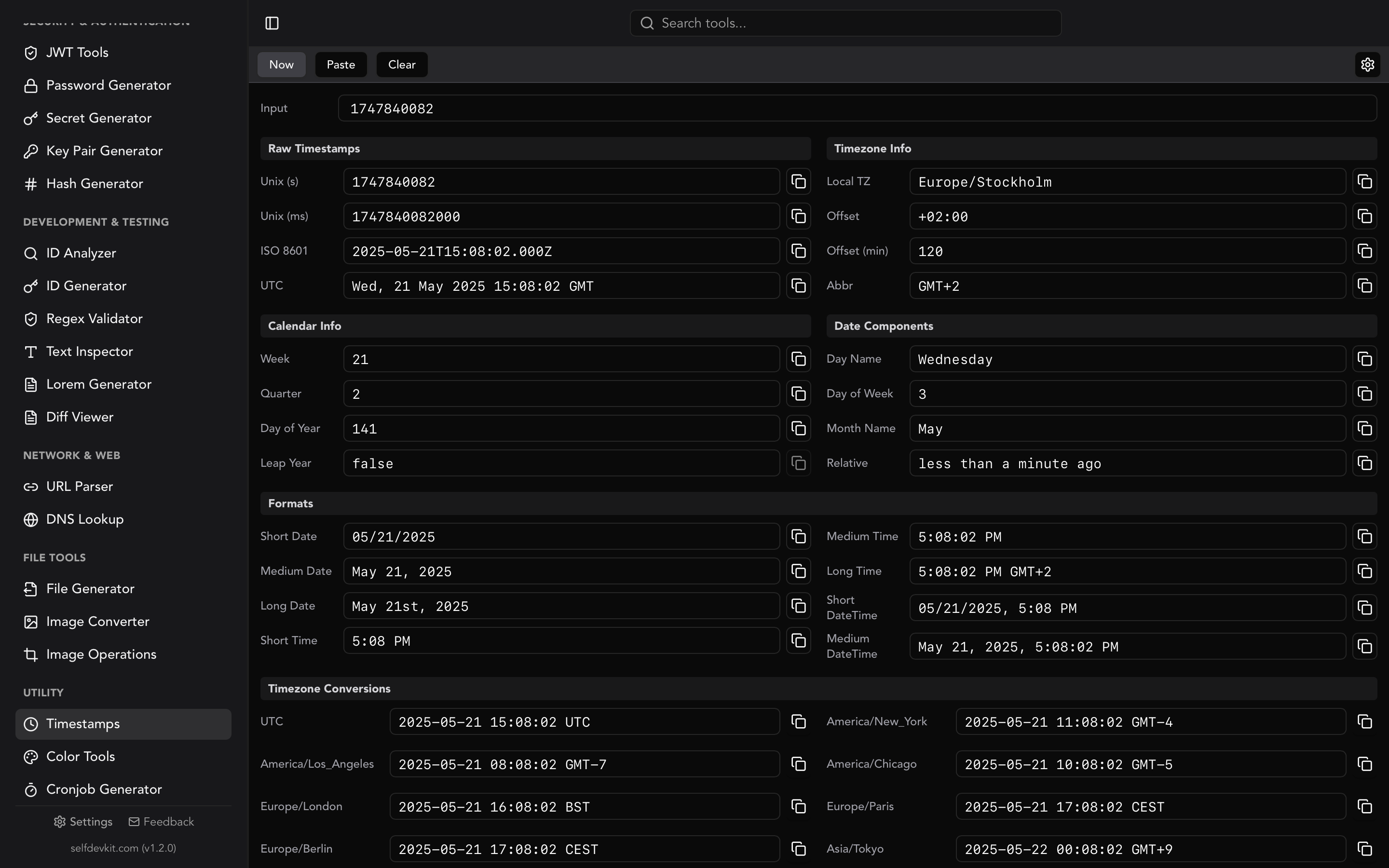
If you are reading a log or an alert and want both coast times for one instant, you don't need a script. SelfDevKit's timestamp converter takes a Unix timestamp or an ISO 8601 string and lists the result in UTC, your local zone, and a set of common zones that includes both America/Los_Angeles and America/New_York. Each row uses the offset in effect on that date, so a value from inside the March or November window shows the 4-hour or 2-hour gap rather than a rule of thumb. Depending on your system locale the labels read PDT/EDT or GMT-7/GMT-4.
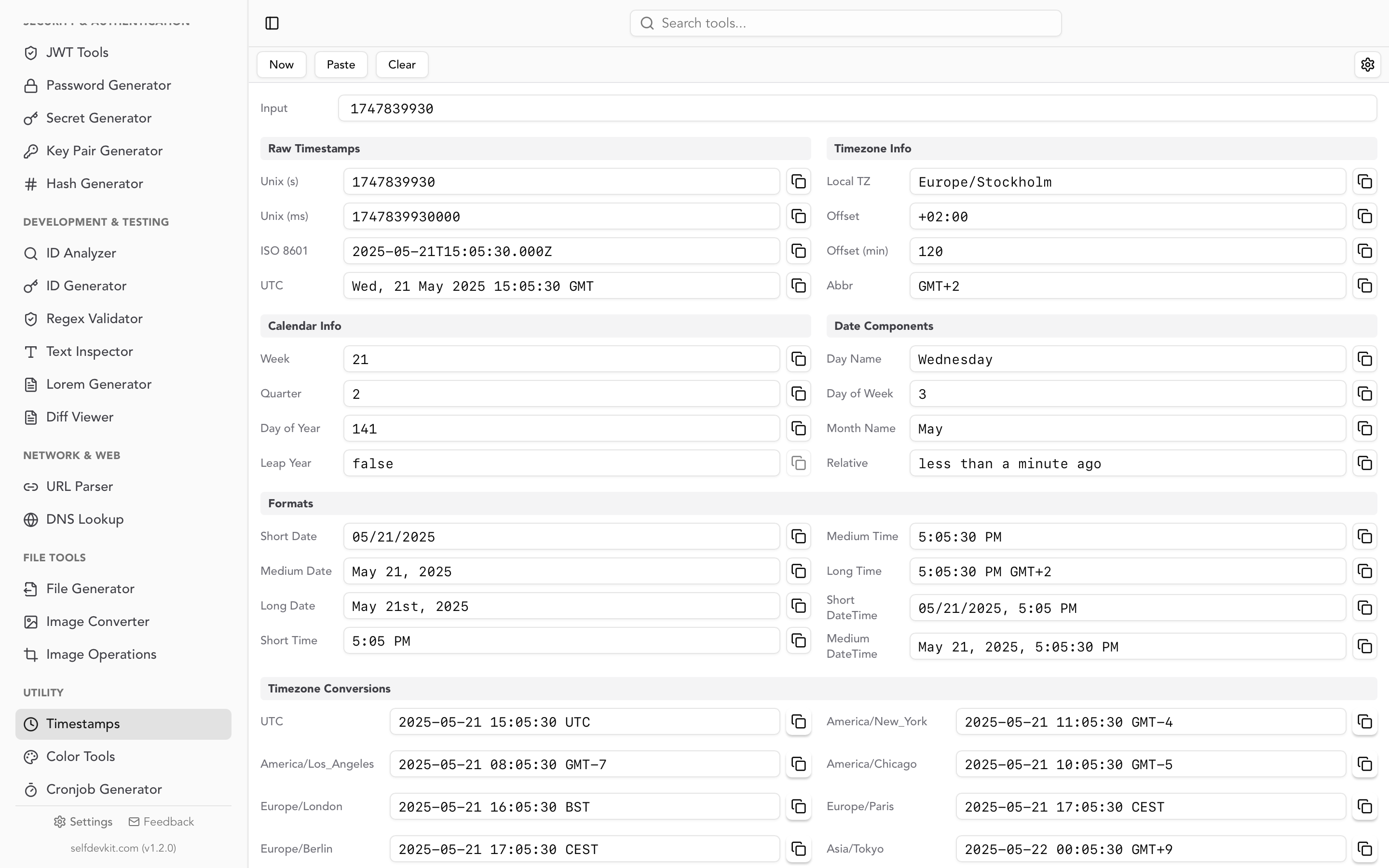
Include the offset when you paste. 2026-07-15T16:00:00Z or 2026-07-15T09:00:00-07:00 is an exact instant; a bare 2026-07-15T09:00:00 is read as your own local time. If the log stores epoch integers, the Unix timestamp converter guide covers seconds versus milliseconds, and the date to timestamp guide explains how each language resolves times that happen twice.
Everything runs on your machine, so the log lines you paste stay out of third-party converter sites along with the hostnames, user IDs, and request IDs around them.
Quick answers
Is EST 3 hours ahead of PST?
Yes. Eastern Time is 3 hours ahead of Pacific Time for the whole year except two three-hour windows: 4 hours ahead early on the second Sunday of March, and 2 hours ahead early on the first Sunday of November.
What is 12 PM PST in EST?
12:00 PM Pacific is 3:00 PM Eastern. In summer that is 12:00 PM PDT to 3:00 PM EDT; the clock times are the same.
Should I write PT or PST?
Write PT and ET for times meant for people, because they're correct in any season. In data, use an ISO 8601 offset or an IANA zone name. US daylight time could also change: the House passed the Sunshine Protection Act (H.R. 139) 308 to 117 on July 14, 2026, but as of late October 2026 the Senate has only referred it to committee, so clocks still fall back on November 1. Code that uses IANA zone names will follow any change once tzdata is updated. Code that hardcodes -08:00 will not.
Try it yourself
SelfDevKit bundles the timestamp converter, a cron job generator, and 50+ other developer tools in one offline desktop app.
Download SelfDevKit to see Pacific, Eastern, and UTC times side by side without sending your logs anywhere.