To convert UTC to EST, subtract 5 hours. That rule only holds from early November to mid-March, though. The rest of the year the US East Coast is on Eastern Daylight Time (EDT), which is UTC-4, so you subtract 4 hours instead. 14:00 UTC is 9:00 AM in January and 10:00 AM in July.
Most wrong conversions come from that one-hour difference. In code there is a second trap: the time zone literally named EST never switches to daylight time.
UTC to EST conversion chart
Here is every UTC hour converted to Eastern Time. Use the EST column between the first Sunday of November and the second Sunday of March. Use the EDT column for the rest of the year. As of late September 2026, New York is on EDT.
| UTC | EST (UTC-5), winter | EDT (UTC-4), summer |
|---|---|---|
| 00:00 | 7:00 PM, previous day | 8:00 PM, previous day |
| 01:00 | 8:00 PM, previous day | 9:00 PM, previous day |
| 02:00 | 9:00 PM, previous day | 10:00 PM, previous day |
| 03:00 | 10:00 PM, previous day | 11:00 PM, previous day |
| 04:00 | 11:00 PM, previous day | 12:00 AM (midnight) |
| 05:00 | 12:00 AM (midnight) | 1:00 AM |
| 06:00 | 1:00 AM | 2:00 AM |
| 07:00 | 2:00 AM | 3:00 AM |
| 08:00 | 3:00 AM | 4:00 AM |
| 09:00 | 4:00 AM | 5:00 AM |
| 10:00 | 5:00 AM | 6:00 AM |
| 11:00 | 6:00 AM | 7:00 AM |
| 12:00 | 7:00 AM | 8:00 AM |
| 13:00 | 8:00 AM | 9:00 AM |
| 14:00 | 9:00 AM | 10:00 AM |
| 15:00 | 10:00 AM | 11:00 AM |
| 16:00 | 11:00 AM | 12:00 PM (noon) |
| 17:00 | 12:00 PM (noon) | 1:00 PM |
| 18:00 | 1:00 PM | 2:00 PM |
| 19:00 | 2:00 PM | 3:00 PM |
| 20:00 | 3:00 PM | 4:00 PM |
| 21:00 | 4:00 PM | 5:00 PM |
| 22:00 | 5:00 PM | 6:00 PM |
| 23:00 | 6:00 PM | 7:00 PM |
Watch the first rows. Anything from 00:00 to 04:59 UTC falls on the previous calendar day in Eastern Time (00:00 to 03:59 during EDT). A deploy logged at 2026-09-29T02:15:00Z happened on the evening of September 28 in New York. If an incident report and a log file disagree about the date, this is usually why.
When Eastern Time switches between EST and EDT
US daylight saving time starts at 2:00 AM local time on the second Sunday of March and ends at 2:00 AM local time on the first Sunday of November. The Energy Policy Act of 2005 set this rule, and it took effect in 2007. In UTC, the switches happen at fixed times of day:
| Transition | Local wall clock | Exact UTC instant | Offset after |
|---|---|---|---|
| EDT starts, 2026 | Mar 8, 2:00 AM EST jumps to 3:00 AM EDT | 2026-03-08 07:00 UTC | UTC-4 |
| EST returns, 2026 | Nov 1, 2:00 AM EDT falls back to 1:00 AM EST | 2026-11-01 06:00 UTC | UTC-5 |
| EDT starts, 2027 | Mar 14, 2:00 AM EST jumps to 3:00 AM EDT | 2027-03-14 07:00 UTC | UTC-4 |
| EST returns, 2027 | Nov 7, 2:00 AM EDT falls back to 1:00 AM EST | 2027-11-07 06:00 UTC | UTC-5 |
These instants come from zdump -v America/New_York with tzdata 2026c.
Converting UTC to Eastern is always safe, because every UTC instant maps to exactly one Eastern wall-clock time. The reverse is where things break. On November 1, 2026, the Eastern clock reads 1:30 AM twice:
2026-11-01 05:30 UTC  ->  01:30 EDT
2026-11-01 06:30 UTC  ->  01:30 EST
So if someone hands you "1:30 AM Eastern on November 1" and asks for UTC, there are two correct answers. Keep the UTC value as the source of truth and convert to Eastern only when a human needs to read it. The date to Unix timestamp guide goes into how each language resolves that ambiguity.
Why the "EST" time zone gives the wrong answer in code
In the IANA time zone database, EST is fixed at UTC-5 with no daylight saving (since tzdata 2024b it is an alias for America/Panama), so code that uses it is off by one hour from March to November. People say "EST" to mean "whatever time it is in New York." Your runtime takes it literally.
Here is 2026-07-15T14:00:00Z converted with several zone names on Ubuntu 24.04 with tzdata 2026c (Python 3.12, Node.js 24, GNU coreutils). The correct answer is 10:00 AM EDT.
| Zone name | Python zoneinfo |
Node.js Intl |
GNU date |
Correct in July? |
|---|---|---|---|---|
America/New_York |
10:00 EDT | 10:00 AM EDT | 10:00 EDT | Yes |
EST |
09:00 EST | 9:00 AM EST | 09:00 EST | No, 1 hour early |
EST5EDT |
10:00 EDT | 10:00 AM EDT | 10:00 EDT | Yes, but a legacy name |
US/Eastern |
ZoneInfoNotFoundError |
10:00 AM EDT | 14:00, offset +0000 | Depends on the OS |
The US/Eastern row is the nasty one. Starting with Ubuntu 23.10, and so in the 24.04 LTS, the legacy US/* names were moved out of the tzdata package into tzdata-legacy. If that package isn't installed, glibc doesn't fail on an unknown TZ value. It quietly uses UTC. Your script prints a time, the time looks plausible, and it is 4 or 5 hours off. Python at least raises an error. Node.js bundles its own ICU time zone data, so it keeps working, which hides the problem on your laptop until the same config runs in a slim container.
The rule is simple: always write America/New_York. It is the canonical IANA name for US Eastern Time, it handles both EST and EDT, and it exists on every system that ships time zone data at all.
How to convert UTC to Eastern Time in code
To convert UTC to Eastern Time programmatically, attach UTC to the input explicitly, then convert to the America/New_York zone and let the time zone database choose EST or EDT.
Python 3.9+
from datetime import datetime, timezone
from zoneinfo import ZoneInfo

utc = datetime(2026, 7, 15, 14, 0, tzinfo=timezone.utc)
eastern = utc.astimezone(ZoneInfo("America/New_York"))
print(eastern.strftime("%Y-%m-%d %H:%M %Z %z"))
# 2026-07-15 10:00 EDT -0400
The same code with a January date prints 09:00 EST -0500. You never pick the offset yourself.
JavaScript (browser or Node.js)
const d = new Date('2026-07-15T14:00:00Z');
d.toLocaleString('en-US', { timeZone: 'America/New_York', timeZoneName: 'short' });
// '7/15/2026, 10:00:00 AM EDT'
The Z matters. new Date('2026-07-15T14:00:00') without it is parsed as local time. Run with TZ=America/New_York and you get 2026-07-15T18:00:00.000Z back, because the string was treated as 2:00 PM in New York rather than 2:00 PM UTC. MDN documents this: date-time strings without an offset are local time.
Shell (GNU date on Linux)
TZ=America/New_York date -d '2026-07-15T14:00:00Z' '+%F %T %Z'
# 2026-07-15 10:00:00 EDT
The TZ= prefix sets the output zone and the Z in the input pins the source to UTC. macOS ships BSD date, which uses -j -f instead of -d. Installing coreutils gives you gdate with the syntax above.
PostgreSQL
SELECT TIMESTAMP '2026-07-15 14:00:00' AT TIME ZONE 'UTC' AT TIME ZONE 'America/New_York';
-- 2026-07-15 10:00:00
Two AT TIME ZONE clauses are needed when the column is a plain timestamp. The first one says "this value is UTC" and the second one renders it in Eastern. If the column is already timestamptz, you only need the second. Avoid AT TIME ZONE 'EST' here too, because PostgreSQL reads it as the fixed UTC-5 abbreviation.
Scheduled jobs drift an hour against Eastern Time twice a year
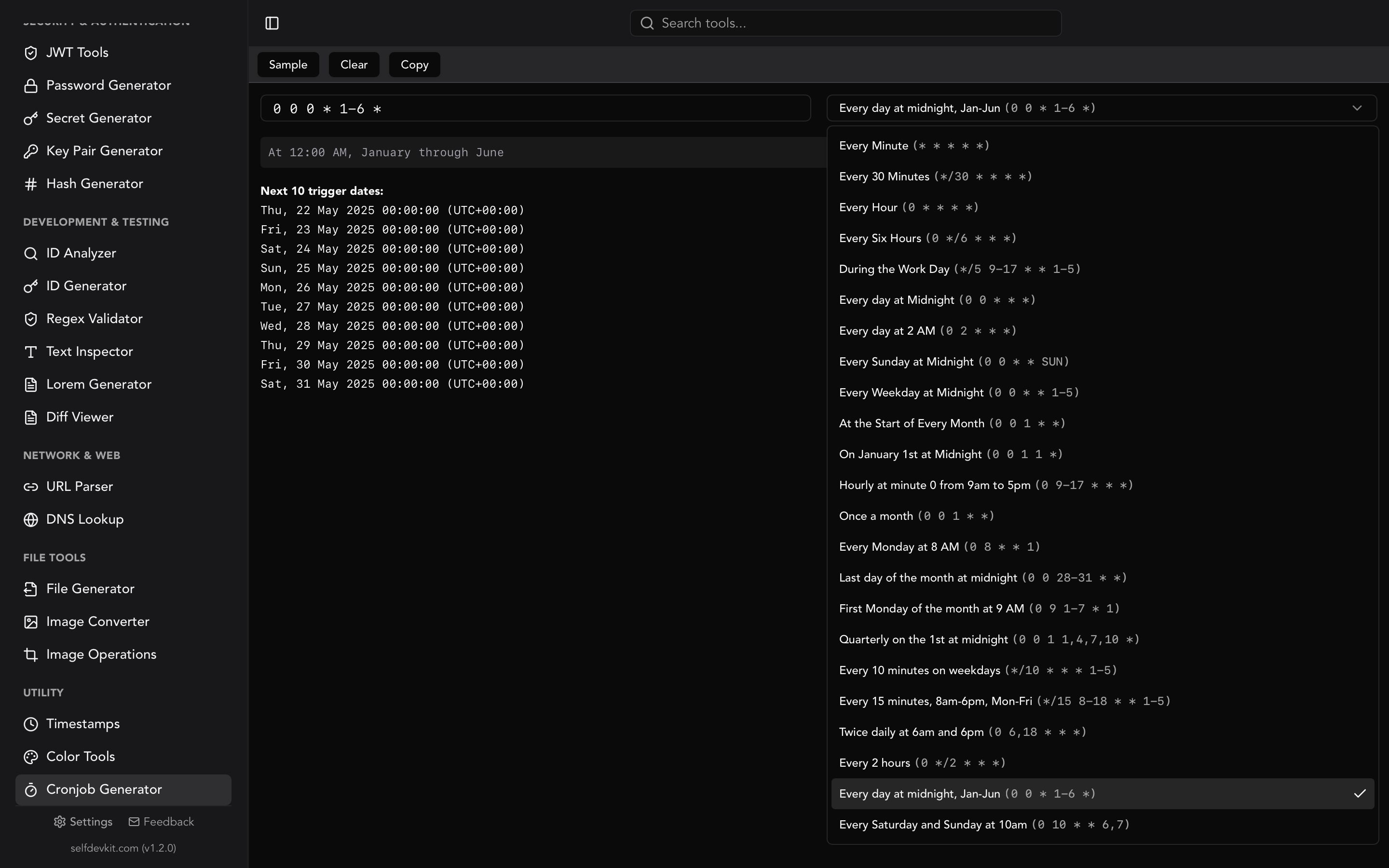
A cron job on a UTC server runs at the same UTC time all year, so its Eastern time moves by an hour each March and November. 0 14 * * * fires at 9:00 AM EST in winter and 10:00 AM EDT in summer. If the job is meant to run "before the New York market opens" or "at 9 AM for the East Coast team," it is wrong for about eight months of the year.
You have two options:
- Schedule in the business time zone. Kubernetes CronJobs accept
timeZone: "America/New_York", and cronie supports aCRON_TZ=America/New_Yorkline in the crontab. Be careful with jobs set between 1:00 and 3:00 AM, since those local times are skipped once a year and repeated once a year. - Stay in UTC and accept the drift. This fits jobs that serve a global audience, like backups and cache warming.
The crontab guide covers the syntax, and SelfDevKit's cron job generator builds and explains expressions offline.
One more reason not to hardcode -5 or -4: the rules can change. On July 14, 2026 the US House passed the Sunshine Protection Act (H.R. 139) by 308 to 117. The House version would make daylight time permanent, with an option for states that currently skip DST to keep their standard time. As of late September 2026 it sits with the Senate and is not law. If it is enacted, the November switch back to UTC-5 would stop, and only code that uses America/New_York with up-to-date tzdata will follow the change automatically.
Converting UTC log timestamps without pasting them online
For a one-off conversion, a local tool is faster than writing a script. It is also safer than pasting production log lines into a website along with the request IDs and hostnames around them.
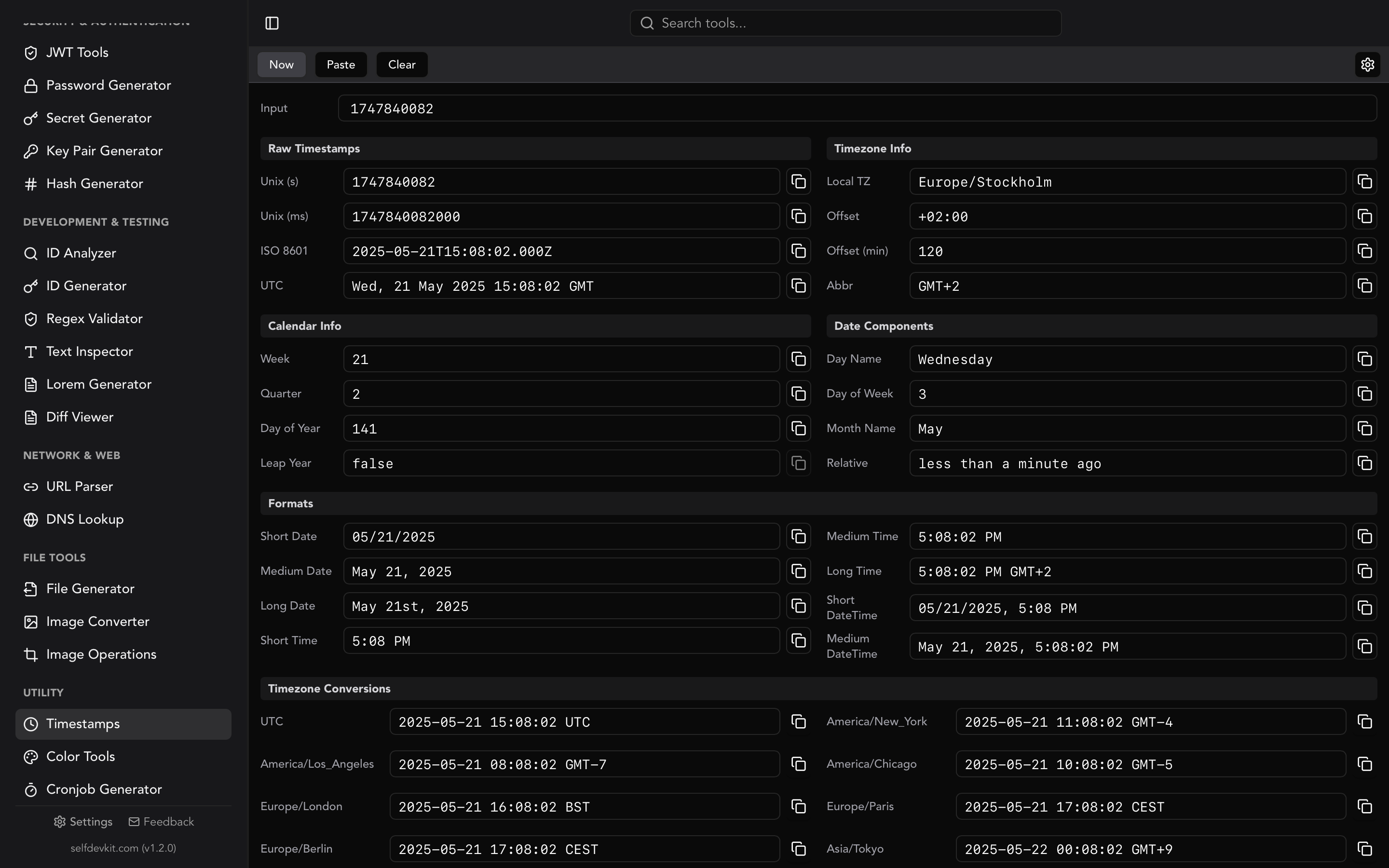
SelfDevKit's timestamp converter runs entirely on your machine. Paste a Unix timestamp (seconds or milliseconds) or an ISO 8601 string and it shows the result in UTC, your local zone, and a list of common zones that includes America/New_York. The New York row shows the offset that applied on that date, so you can tell EDT from EST without checking a calendar. Depending on your system locale it is labeled EDT/EST or GMT-4/GMT-5.
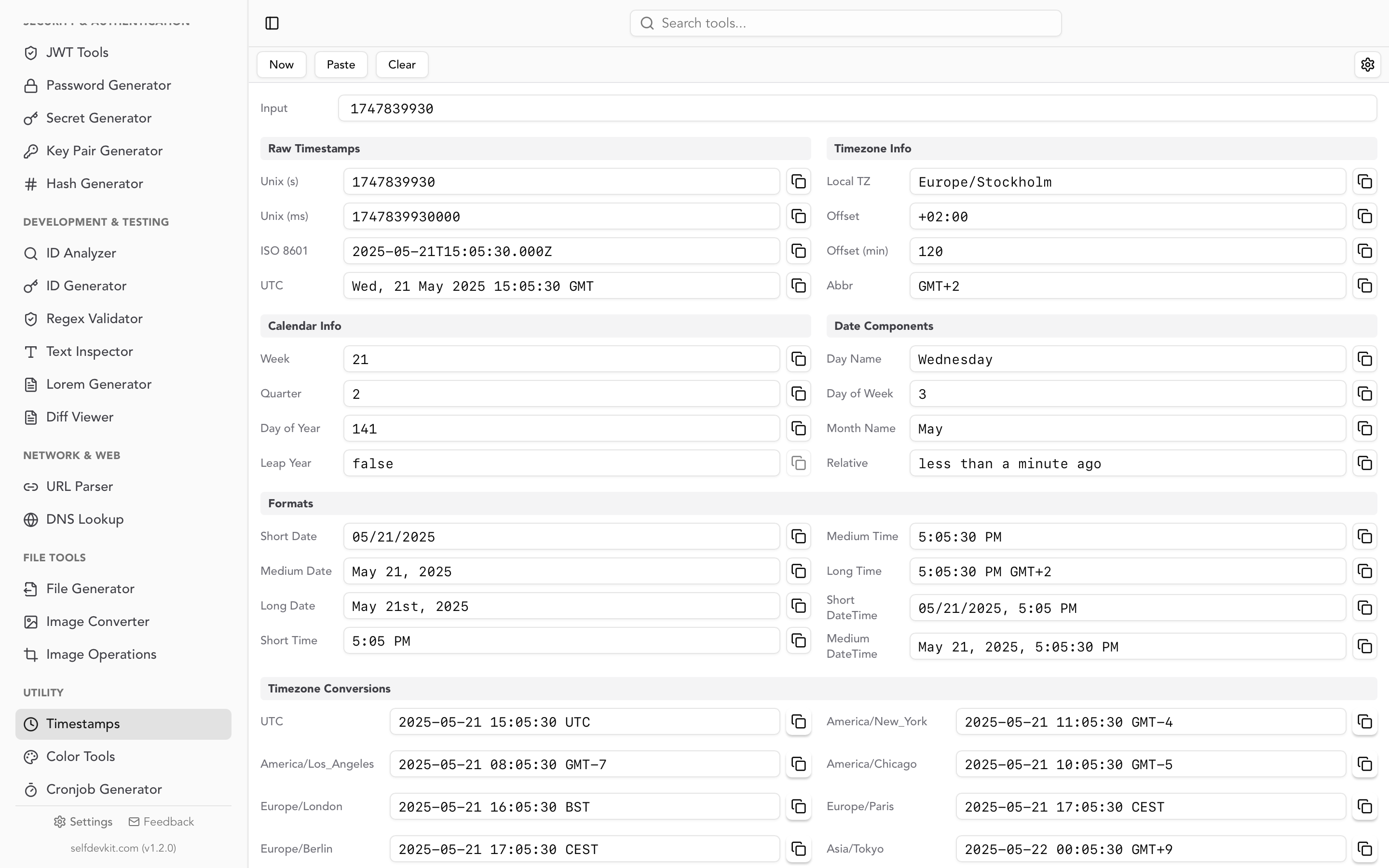
The advice from the JavaScript section applies here too: include the Z when you paste. 2026-07-15T14:00:00Z is an exact instant. Leave it off and the value is read as your own local time, which is only the same thing if you already live in UTC.
If the log stores epoch integers, the Unix timestamp converter guide explains seconds versus milliseconds. Convert Unix timestamp shows how to do the conversion inside SQL, jq, and log platforms.
Quick answers
Is EST UTC-5 or UTC-4?
EST is always UTC-5. When people say "Eastern Time" in summer, they actually mean EDT, which is UTC-4. The neutral label "ET" covers both, and that is what most US schedules and broadcasts mean.
What is 12:00 UTC in EST?
12:00 UTC is 7:00 AM EST in winter and 8:00 AM EDT in summer.
How do I convert EST to UTC?
Add 5 hours to EST, or 4 hours to EDT. For the repeated hour on the November switch night, you also need to know whether the time was before or after the clocks fell back, because 1:30 AM happens twice.
Try it yourself
SelfDevKit puts the timestamp converter, cron generator, JSON tools, and 50+ other developer utilities in one offline desktop app. Your log data stays on your machine.
Download SelfDevKit to convert UTC to Eastern Time and other zones without opening a browser tab.