
To convert RGB to CMYK, divide each channel by 255, set black to K = 1 - max(R, G, B), then compute each ink as C = (1 - R - K) / (1 - K), and the same for M with green and Y with blue. Multiply by 100 for percentages. rgb(59, 130, 246) becomes cmyk(76%, 47%, 0%, 4%).
That formula is what nearly every online RGB to CMYK converter runs, and it is exact in its own terms: you can reverse it and land within a rounding error of where you started. What it cannot do is tell you what a printing press will put on paper. To measure how far apart those two things are, the tests below run the same colors through the formula and through a real press profile (Coated FOGRA39, a widely used European profile for coated offset paper) and compare the predicted printed results. Some colors came out fine. A mid grey missed by a margin anyone would see.
This post covers the formula, hex to CMYK and CMYK to RGB, tested code in JavaScript and Python, and the point where you need an ICC profile instead.
The RGB to CMYK formula, step by step
The RGB to CMYK formula pulls out the darkest shared component as black (K), then expresses the remaining color as cyan, magenta, and yellow relative to what is left. Here it is with #3B82F6, blue-500 in Tailwind CSS v3:
- Normalize.
R' = 59/255 = 0.231,G' = 130/255 = 0.510,B' = 246/255 = 0.965. - Black.
K = 1 - max(0.231, 0.510, 0.965) = 0.035. - Cyan.
C = (1 - 0.231 - 0.035) / (1 - 0.035) = 0.761. - Magenta.
M = (1 - 0.510 - 0.035) / 0.965 = 0.472. - Yellow.
Y = (1 - 0.965 - 0.035) / 0.965 = 0. - Round to percent.
cmyk(76%, 47%, 0%, 4%).
One edge case breaks naive implementations. For pure black, K = 1 and every ink formula divides by zero. Special-case it as 0, 0, 0, 100.
The intuition: RGB is additive light, starting from black and adding red, green, and blue. CMYK is subtractive ink on white paper, where cyan absorbs red, magenta absorbs green, and yellow absorbs blue. So cyan is essentially "the absence of red," and K replaces the grey part that all three inks would otherwise have to build together.
Hex to CMYK and CMYK to RGB
Hex to CMYK is the same conversion with one extra step: a hex code is just RGB written in base 16, so parse #RRGGBB into three bytes and run the formula. #FF6600 is rgb(255, 102, 0), which gives cmyk(0%, 60%, 100%, 0%). If the parsing part is what trips you up (shorthand #F60, eight-digit alpha, stray # characters), the hex to RGB color guide covers those cases.
CMYK to RGB runs the formula backwards:
R = 255 × (1 - C) × (1 - K)
G = 255 × (1 - M) × (1 - K)
B = 255 × (1 - Y) × (1 - K)
This is also the conversion the W3C wrote into CSS Color Module Level 5 for device-cmyk(). The spec expresses it as red = 1 - min(1, cyan * (1 - black) + black), which is algebraically the same thing with a clamp. The spec only uses it as a fallback: if a stylesheet supplies a CMYK ICC profile, "the computed value of the device-cmyk() function must be the Lab value of the CMYK color." In practice neither path matters yet, because MDN reports that no browser supports device-cmyk() at all.
The round trip is not lossless
Whole-number CMYK percentages are coarser than 8-bit RGB, so a round trip through them usually moves the color slightly. Running all 16,777,216 RGB colors through the JavaScript functions below (RGB to whole-percent CMYK and back) gives:
| Measurement | Result |
|---|---|
| Colors that return exactly | 2,136,545 (12.73%) |
| Colors that shift | 87.27% |
| Largest error on any channel | 2 (out of 255) |
| Distinct integer CMYK values produced | 2,463,617 |
#3B82F6 comes back as #3B82F5. Nobody can see a difference of 1 in the blue channel, but a test that asserts cmykToRgb(rgbToCmyk(x)) === x will fail for most inputs. Compare with a tolerance of 2, or keep the CMYK values as floats until the last step.
RGB to CMYK in JavaScript and Python
Both snippets below were run as shown, and the comments are their real output.
function rgbToCmyk(r, g, b) {
  const [rp, gp, bp] = [r / 255, g / 255, b / 255];
  const k = 1 - Math.max(rp, gp, bp);
  if (k === 1) return { c: 0, m: 0, y: 0, k: 100 }; // pure black: avoid 0/0
  const pct = (v) => Math.round(v * 100);
  return {
    c: pct((1 - rp - k) / (1 - k)),
    m: pct((1 - gp - k) / (1 - k)),
    y: pct((1 - bp - k) / (1 - k)),
    k: pct(k),
  };
}

function hexToCmyk(hex) {
  const h = hex.replace(/^#/, '');
  const full = h.length === 3 ? [...h].map((ch) => ch + ch).join('') : h;
  if (!/^[0-9a-f]{6}$/i.test(full)) throw new Error(`Not a hex color: ${hex}`);
  const n = parseInt(full, 16);
  return rgbToCmyk((n >> 16) & 255, (n >> 8) & 255, n & 255);
}

function cmykToRgb(c, m, y, k) {
  const ch = (v) => Math.round(255 * (1 - v / 100) * (1 - k / 100));
  return { r: ch(c), g: ch(m), b: ch(y) };
}

rgbToCmyk(59, 130, 246); // { c: 76, m: 47, y: 0, k: 4 }
hexToCmyk('#f60');       // { c: 0, m: 60, y: 100, k: 0 }
cmykToRgb(76, 47, 0, 4); // { r: 59, g: 130, b: 245 }
def rgb_to_cmyk(r, g, b):
    rp, gp, bp = r / 255, g / 255, b / 255
    k = 1 - max(rp, gp, bp)
    if k == 1:
        return (0, 0, 0, 100)
    c, m, y = ((1 - x - k) / (1 - k) for x in (rp, gp, bp))
    return tuple(round(v * 100) for v in (c, m, y, k))

def cmyk_to_rgb(c, m, y, k):
    return tuple(round(255 * (1 - v / 100) * (1 - k / 100)) for v in (c, m, y))

rgb_to_cmyk(0, 166, 81)        # (100, 0, 51, 35)
cmyk_to_rgb(100, 0, 51, 35)    # (0, 166, 81)
If you already depend on the color npm package, Color('#3b82f6').cmyk().round().object() gives the same { c: 76, m: 47, y: 0, k: 4 }. Note that color 5.0.0 converts to CMYK but will not parse a cmyk(...) string; use Color.cmyk(76, 47, 0, 4) to go the other way.
What the formula doesn't know about printing
The naive RGB to CMYK formula assumes perfect inks on perfect paper. Real ink spreads into the paper (dot gain), real cyan is contaminated with a bit of magenta, and the press has a limit on how much total ink the sheet can hold. An ICC profile is a measured description of all that for one specific press, ink set, and paper. Conversion software uses it to pick the CMYK values that will actually reproduce your color.
To see the gap, the colors below were converted two ways using LittleCMS 2.19 (through Pillow 13) and the Coated FOGRA39 profile with the relative colorimetric intent. The profile then predicted what each set of CMYK numbers would look like printed, and ΔE2000, a standard color-difference metric, measured the distance from the original sRGB color. These are profile predictions, not measurements of real prints. As a rough guide, a ΔE around 1 is hard to see even side by side, and differences above 5 are obvious.
| Screen color | Formula CMYK | ΔE printed | FOGRA39 CMYK | ΔE printed |
|---|---|---|---|---|
#808080 grey |
0, 0, 0, 50 | 10.1 | 49, 40, 40, 22 | 1.5 |
#00A651 green |
100, 0, 51, 35 | 26.9 | 82, 1, 91, 0 | 0.0 |
#8B4513 brown |
0, 50, 86, 45 | 11.0 | 29, 76, 100, 35 | 4.4 |
#1DA1F2 sky blue |
88, 33, 0, 5 | 11.5 | 72, 27, 0, 0 | 4.0 |
#000000 black |
0, 0, 0, 100 | 10.7 | 91, 79, 62, 98 | 6.4 |
#FF6600 orange |
0, 60, 100, 0 | 6.9 | 0, 71, 100, 0 | 3.6 |
#F5F5DC beige |
0, 0, 10, 4 | 4.1 | 5, 2, 20, 0 | 0.7 |
#E31837 red |
0, 89, 76, 11 | 3.1 | 1, 100, 80, 0 | 0.5 |
#FFD700 gold |
0, 16, 100, 0 | 1.3 | 0, 14, 96, 0 | 0.6 |
Three patterns stand out.
Greys print too dark. The formula turns every neutral into black ink only, so #808080 becomes K 50%. Dot gain makes a 50% tint print noticeably darker than 50%, and the result misses by 10 ΔE. The profile builds the same grey from all four inks at much lower coverage.
Black is not just K. 0, 0, 0, 100 prints as a dark charcoal, not the black on your screen. The profile asks for 91, 79, 62, 98, a "rich black" with 330% total ink, which is the coverage limit of this profile. Rich black is right for large dark areas and wrong for small body text, where any misregistration between the four plates leaves colored fringes. Printers typically want text in K only, so even the "correct" conversion needs a human decision.
Mid-dark colors drift most. #00A651 is comfortably inside the printable range; the profile reproduces it exactly. The formula's 100, 0, 51, 35 misses by 26.9 because it has no idea how much darker real ink gets when you stack cyan, yellow, and 35% black.
Some screen colors have no CMYK equivalent
Even a perfect conversion cannot print colors outside the press's gamut. Pure #00FF00 comes out of FOGRA39 as 66, 0, 100, 0, which looks like #66B338 when shown back on screen: an 18.3 ΔE miss that no CMYK value fixes. Pure blue (#0000FF) misses by 15.7, and #FF0000 prints closer to #E42325. The formula never warns you about this. It produces confident numbers for colors that cannot exist on paper.
Same RGB, same press, different CMYK
The profile is not a neutral fact either. ISO Coated v2 (ECI) targets the same FOGRA39 printing condition, and in this test both profiles mapped the same CMYK values to almost identical Lab colors. Yet they separate colors differently:
| Screen color | Coated FOGRA39 | ISO Coated v2 (ECI) |
|---|---|---|
#000000 |
91, 79, 62, 98 | 95, 95, 45, 95 |
#0000FF |
95, 76, 0, 0 | 92, 100, 0, 0 |
#FF0000 |
0, 99, 100, 0 | 0, 90, 100, 0 |
#808080 |
49, 40, 40, 22 | 47, 38, 38, 24 |
Choices like how much grey to move into black ink, and how to compress out-of-gamut colors, are baked into each profile. So when someone asks "what is the CMYK of our brand blue," the honest answer is "for which press?"
Converting with an ICC profile in code
To convert RGB to CMYK for actual print output, run the color through a color management engine with the printer's ICC profile. In Python, Pillow wraps LittleCMS:
from PIL import Image, ImageCms

srgb = ImageCms.createProfile("sRGB")
press = ImageCms.getOpenProfile("CoatedFOGRA39.icc")

to_press = ImageCms.buildTransform(
    srgb, press, "RGB", "CMYK",
    renderingIntent=ImageCms.Intent.RELATIVE_COLORIMETRIC,
)

def rgb_to_press_cmyk(r, g, b):
    px = ImageCms.applyTransform(Image.new("RGB", (1, 1), (r, g, b)), to_press)
    return tuple(round(v * 100 / 255) for v in px.getpixel((0, 0)))

rgb_to_press_cmyk(128, 128, 128)  # (49, 40, 40, 22)
rgb_to_press_cmyk(0, 0, 0)        # (91, 79, 62, 98)

# Whole images: convert once, save as a CMYK TIFF
img = Image.new("RGB", (64, 64), (0, 166, 81))
ImageCms.applyTransform(img, to_press).save("out-cmyk.tif")
Three practical notes:
- Get the profile from the printer. FOGRA39 is common in Europe and GRACoL/SWOP profiles in the US, but the printer knows what they actually run. The ECI downloads page lists PSO Coated v3 (FOGRA51) as its current coated offset profile and keeps ISO Coated v2 in an archive of older profiles, so ask before assuming FOGRA39.
- Pick a rendering intent. Relative colorimetric keeps in-gamut colors exact and clips the rest, which suits logos and UI colors. Perceptual compresses the whole range to keep relationships between colors, which suits photos. In the test above, perceptual turned
#FF0000into0, 96, 94, 0instead of0, 99, 100, 0. - Convert once, at the end. Keep artwork in RGB and convert to CMYK when exporting for a specific job. Every RGB to CMYK conversion throws away gamut you cannot get back.
When the formula is the right tool
The naive RGB to CMYK formula is fine whenever the numbers are a label rather than a print instruction:
- Filling in the CMYK row of a brand spec sheet as a starting point, clearly marked as unproofed
- Building a design token file or color picker that shows CMYK alongside HEX and HSL
- Rough checks: "is this color mostly cyan?" or "does this grey have a color cast?"
- Implementing the
device-cmyk()fallback from the CSS spec
It is the wrong tool for anything going to a press: packaging, print ads, business cards from a commercial printer, or a brand color that must match across offset and digital print. For those, convert with the printer's profile or ask them to do it. If the brand color has to be exact everywhere, it probably should be a spot color (such as a Pantone ink) rather than a CMYK mix at all.
Converting RGB to CMYK in SelfDevKit
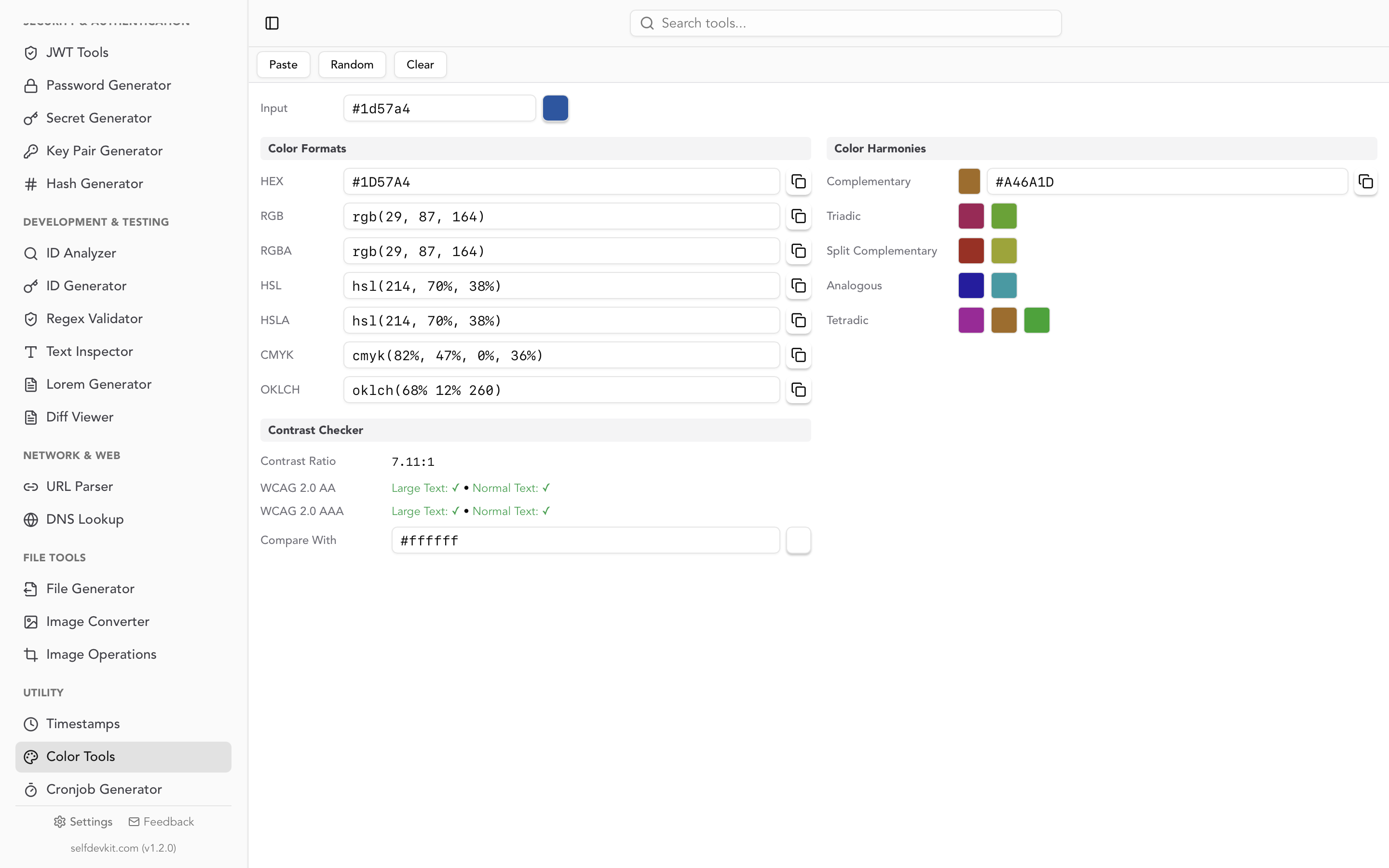
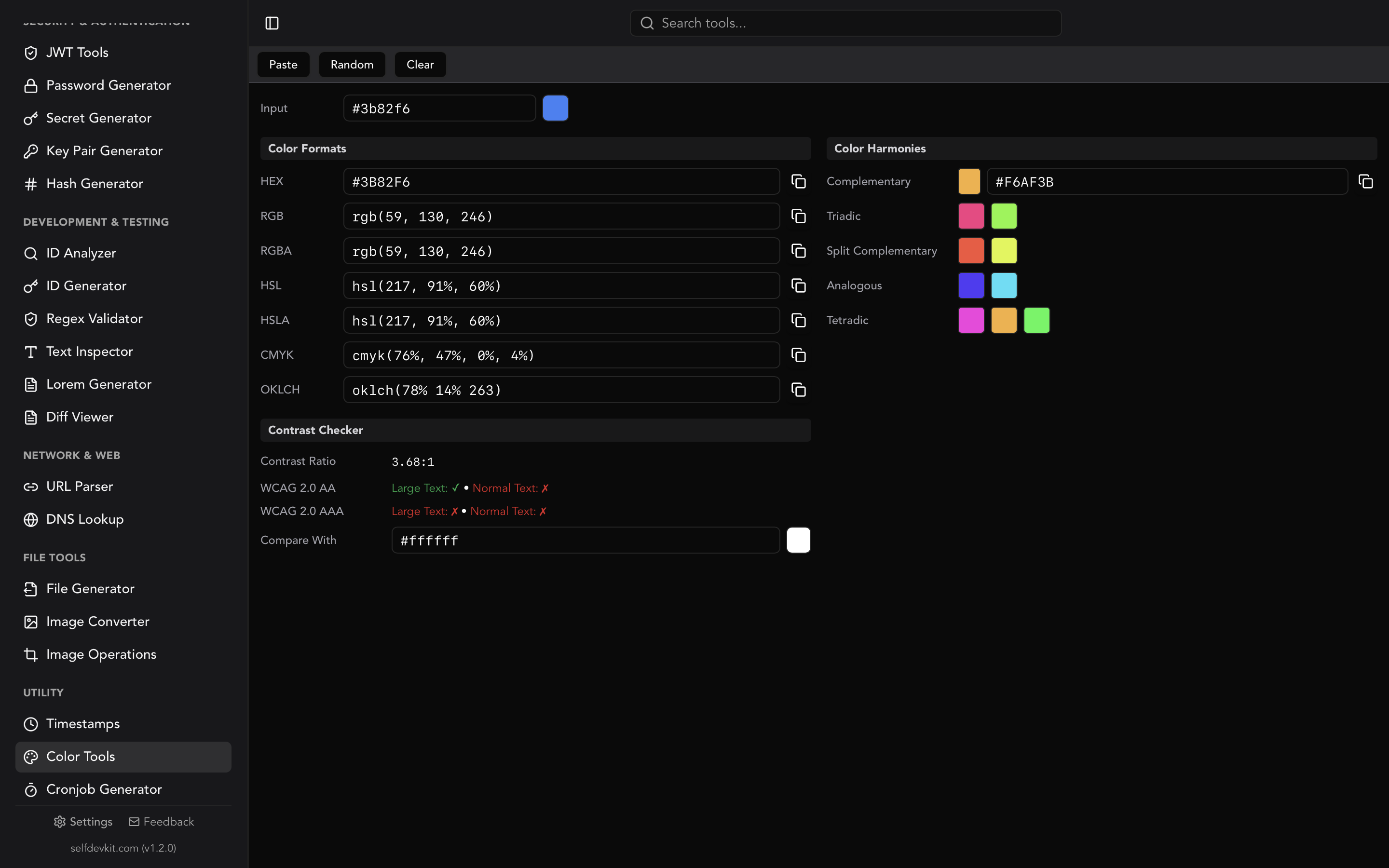
SelfDevKit's Color Tools show the CMYK value of any color you paste in, alongside HEX, RGB, HSL, and OKLCH. Paste #3b82f6, rgb(59 130 246), or hsl(217, 91%, 60%) and you get cmyk(76%, 47%, 0%, 4%), ready to copy. The same panel generates color harmonies and checks WCAG contrast, so a palette review happens in one place.
To be clear about what it is: the CMYK shown is the formula conversion described above, rounded to whole percents. It is the right value for specs, tokens, and quick checks, not a substitute for a press profile. It also converts in one direction. It does not accept CMYK input, so for CMYK to RGB use the three-line formula or the code above.
It runs offline, which matters more than it sounds for color work. An unreleased brand palette or a client's identity system under NDA is exactly the kind of thing you should not be pasting into random web converters. More on that in why offline matters.
Common questions
Is RGB to CMYK conversion accurate?
The formula is mathematically consistent but not accurate for printing, because it ignores ink, paper, and press behavior. In the FOGRA39 test above, the profile predicted that formula values would miss the original color by up to 26.9 ΔE, while profile-based values stayed under 2 for five of the nine colors in the table.
What is the CMYK value of black?
The formula says 0, 0, 0, 100. For large areas a printer will usually want a rich black like 91, 79, 62, 98 (FOGRA39) or a simpler mix such as 60, 40, 40, 100 if their guidelines specify one. For small text, use K only.
Try it yourself
For the everyday case, a CMYK value for a spec sheet or a quick look at how a color breaks down into inks, SelfDevKit gives you the conversion next to every other format, offline, with 50+ other developer tools in the same app. If you are new, the getting started guide is a short tour.
Download SelfDevKit and keep your color work on your own machine.