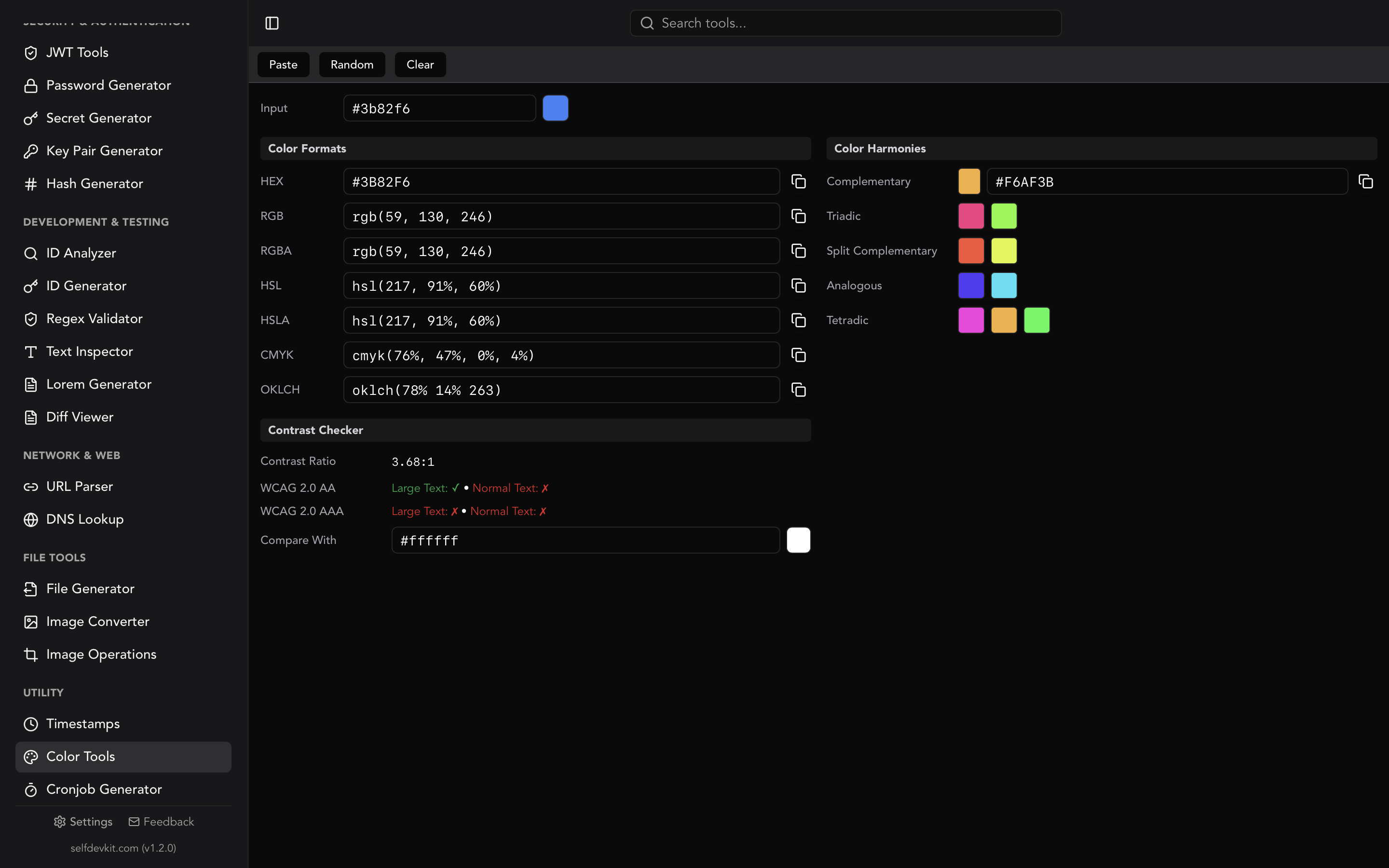
How do you convert a hex to RGB color value?
Strip the leading
#, split the six remaining digits into three pairs, and read each pair as a base-16 number between00andFF. Each pair becomes one decimal channel from 0 to 255:#394DFEis39→ 57 red,4D→ 77 green,FE→ 254 blue, orrgb(57 77 254).
That is the whole operation, and it is why every hex to RGB color converter on the internet is about four lines of code behind the input box. The math is trivial.
What is not trivial is everything around the math. Shorthand codes expand by a rule most people guess wrong. Alpha appears in three incompatible places depending on whether you are writing CSS, Android XML, or Swift. And the moment you paste a hex string that came from a designer's clipboard instead of a spec sheet, your parser meets whitespace, uppercase, a missing hash, and occasionally a five-digit typo.
This guide covers the conversion itself, then the parts that actually cause bugs.
Table of contents
- How to convert hex to RGB color values by hand
- Why you are converting in the first place
- Shorthand hex: why #39F is not #3090F0
- Alpha: the byte, the decimal, and the percentage
- Hex to RGB in code
- The ordering trap: #RRGGBBAA vs #AARRGGBB
- You might not need to convert at all
- Converting back: RGB to hex
- Where conversions go wrong
- Converting hex to RGB color values offline
- Frequently asked questions
How to convert hex to RGB color values by hand
A six-digit hex color is three bytes written in base 16, one byte per channel, in red-green-blue order. Each byte covers 00 through FF, which is 0 through 255 in decimal, giving 256 levels per channel and 16,777,216 total colors.
To convert a single pair, multiply the first digit by 16 and add the second, where A through F count as 10 through 15.
Take #1E90FF, the color CSS calls dodgerblue:
| Pair | First digit | Second digit | Math | Decimal |
|---|---|---|---|---|
1E |
1 | E (14) | (1 × 16) + 14 | 30 |
90 |
9 | 0 | (9 × 16) + 0 | 144 |
FF |
F (15) | F (15) | (15 × 16) + 15 | 255 |
Result: rgb(30 144 255).
Two shortcuts worth memorizing. A pair of identical digits lands on a predictable value because FF is 255, CC is 204, 99 is 153, 66 is 102, 33 is 51, and 00 is 0. And any hex code where all three pairs are equal is a pure grey, which is why #808080 reads as rgb(128 128 128) and nothing else.
If you would rather look a value up than calculate it, the companion hex to RGB chart has the CSS named colors, the grey ramp, and the full base-16 lookup table.
Hex to RGB is lossless in both directions. Both notations describe the same three 8-bit integers in the sRGB color space, so a round trip through #RRGGBB and back always returns the original values. That is not true of every conversion, which matters later.
Why you are converting in the first place
Developers rarely convert hex to RGB color values for the fun of it. There are four real reasons, and knowing which one you are in tells you what output format you actually need.
You need transparency on a color you only have in hex. This is the most common case by a wide margin. Your design tokens ship as hex, but you need a 12% overlay for a hover state. rgb(57 77 254 / 0.12) gets you there.
You need to do arithmetic on channels. Lightening, darkening, blending, or interpolating a color requires integers. You cannot add 20 to 4D without decoding it first. Once you are in RGB you can tween between two colors in a single loop.
You are crossing a platform boundary. Canvas 2D, WebGL, OpenCV, Pillow, and most native mobile APIs want numbers, not strings. A hex code is a serialization format; RGB is the working format.
You are checking contrast. WCAG relative luminance is computed from linearized RGB channels, so any accessibility check starts by decoding hex. If contrast is your goal, see the deeper treatment in our hex color picker guide.
The reason matters because it determines whether you need an alpha channel, whether you need floats or integers, and whether you need the values clamped. A converter that only ever emits rgb(r, g, b) strings solves exactly one of these four problems.
Shorthand hex: why #39F is not #3090F0
Three-digit hex expands by duplicating each digit, not by padding it with a zero. #39F becomes #3399FF, which is rgb(51 153 255). It does not become #3090F0, or anything else involving a zero.
The MDN reference for hex colors states the rule plainly: "If there is only one number, it is duplicated: 1 means 11."
The reason is range preservation. If shorthand padded with zeros, #FFF would expand to #F0F0F0, which is 240 per channel, and pure white would become unreachable in shorthand. Duplication maps the single digit F to FF, so #FFF is exactly rgb(255 255 255) and #000 is exactly rgb(0 0 0). The 16 possible values per digit map evenly across the full 0-255 range in steps of 17.
That step of 17 is why shorthand can only express 4,096 of the 16.7 million available colors. Every shorthand-expressible color has both digits equal in each pair. This is also a fast sanity check: if a six-digit code has three matching pairs, like #3399FF or #CC2200, it has an exact shorthand form. If it does not, any shorthand you write for it is an approximation and your designer will notice.
Four-digit shorthand follows the same rule with alpha appended, so #39FC expands to #3399FFCC, which is rgb(51 153 255 / 0.8).
Alpha: the byte, the decimal, and the percentage
Alpha is where hex to RGB color conversion actually breaks, because the same opacity is written three different ways depending on the syntax.
In hex, alpha is a byte from 00 to FF. In the CSS rgb() function, alpha is a decimal from 0 to 1 or a percentage. Converting between them means dividing by 255, which almost never lands on a round number.
The classic surprise: #80 is not 50% opacity. It is 128 / 255, or 50.196%. If you want a mathematically exact half, hex cannot give it to you, because 127.5 is not a byte.
Here is the reference table. Every value is round(percentage × 255) in hex, with the exact decimal alpha it produces:
| Opacity | Byte | Hex | Exact CSS alpha |
|---|---|---|---|
| 100% | 255 | FF |
1.0 |
| 90% | 230 | E6 |
0.902 |
| 80% | 204 | CC |
0.8 |
| 75% | 191 | BF |
0.749 |
| 70% | 179 | B3 |
0.702 |
| 60% | 153 | 99 |
0.6 |
| 50% | 128 | 80 |
0.502 |
| 40% | 102 | 66 |
0.4 |
| 30% | 77 | 4D |
0.302 |
| 25% | 64 | 40 |
0.251 |
| 20% | 51 | 33 |
0.2 |
| 10% | 26 | 1A |
0.102 |
| 5% | 13 | 0D |
0.051 |
| 0% | 0 | 00 |
0.0 |
Notice that 80%, 60%, 40%, and 20% land exactly, because 204, 153, 102, and 51 are all clean multiples of 51. The others drift by a fraction of a percent. For a drop shadow nobody will ever see the difference. For a design system where a token is compared against a snapshot test, that rounding is exactly the kind of thing that produces a failing diff at 4 PM on a Friday.
The practical advice: pick one source of truth. If your tokens live in hex, generate the CSS alpha from the hex. If they live in CSS, generate the hex from the CSS. Converting in both directions on different parts of the same codebase is how two shades of "the same" overlay end up shipping.
Hex to RGB in code
Every language does the same two things: normalize the string, then parse base 16. The differences are in how strict you are about garbage input.
JavaScript
This version handles 3, 4, 6, and 8 digit input, an optional #, surrounding whitespace, and any casing. It returns null rather than throwing, which is usually what you want when parsing values that came from user input or a config file.
function hexToRgb(hex) {
  let h = String(hex).trim().replace(/^#/, '');
  if (!/^[0-9a-fA-F]+$/.test(h) || ![3, 4, 6, 8].includes(h.length)) {
    return null;
  }
  if (h.length <= 4) {
    h = h.split('').map((c) => c + c).join('');
  }
  const n = parseInt(h, 16);
  const hasAlpha = h.length === 8;
  return {
    r: (n >>> (hasAlpha ? 24 : 16)) & 255,
    g: (n >>> (hasAlpha ? 16 : 8)) & 255,
    b: (n >>> (hasAlpha ? 8 : 0)) & 255,
    a: hasAlpha ? Math.round((n & 255) / 255 * 1000) / 1000 : 1,
  };
}

hexToRgb('#394DFE');    // { r: 57, g: 77, b: 254, a: 1 }
hexToRgb('#39f');       // { r: 51, g: 153, b: 255, a: 1 }
hexToRgb('#394dfe80');  // { r: 57, g: 77, b: 254, a: 0.502 }
hexToRgb('394DFE');     // { r: 57, g: 77, b: 254, a: 1 }
hexToRgb('#12345');     // null
The >>> operator matters. With eight digits, parseInt returns a value above 2^31, and the signed >> operator would flip the sign bit and hand you a negative red channel. Unsigned right shift avoids that.
Two things developers reach for that do not work here. parseInt('#394DFE', 16) returns NaN, because # is not a hex digit, so the strip is mandatory. And parseInt silently accepts trailing junk, so parseInt('39zz', 16) returns 57 rather than failing. That is why the regex test runs before the parse rather than after.
If you want to validate hex codes across a larger config file rather than one at a time, ^#?(?:[0-9a-fA-F]{3,4}|[0-9a-fA-F]{6}|[0-9a-fA-F]{8})$ is the full pattern. Building and testing patterns like that against real input is what a regex validator is for.
Python
def hex_to_rgb(value):
    h = value.strip().lstrip('#')
    if len(h) in (3, 4):
        h = ''.join(c * 2 for c in h)
    if len(h) not in (6, 8):
        raise ValueError(f'invalid hex color: {value!r}')
    r, g, b = (int(h[i:i + 2], 16) for i in (0, 2, 4))
    a = int(h[6:8], 16) / 255 if len(h) == 8 else 1.0
    return r, g, b, round(a, 3)


hex_to_rgb('#394DFE')    # (57, 77, 254, 1.0)
hex_to_rgb('#39f')       # (51, 153, 255, 1.0)
hex_to_rgb('#394dfe80')  # (57, 77, 254, 0.502)
int(h, 16) raises ValueError on non-hex characters, so Python gives you strictness for free where JavaScript does not.
Go
func hexToRGB(s string) (r, g, b uint8, err error) {
	h := strings.TrimPrefix(strings.TrimSpace(s), "#")
	if len(h) == 3 {
		h = string([]byte{h[0], h[0], h[1], h[1], h[2], h[2]})
	}
	if len(h) != 6 {
		return 0, 0, 0, fmt.Errorf("invalid hex color %q", s)
	}
	n, err := strconv.ParseUint(h, 16, 32)
	if err != nil {
		return 0, 0, 0, fmt.Errorf("invalid hex color %q", s)
	}
	return uint8(n >> 16), uint8(n >> 8), uint8(n), nil
}
Shell
For a one-off in a terminal, printf already understands hex literals:
printf '%d %d %d\n' 0x39 0x4D 0xFE
# 57 77 254
Or with Python inline, which handles the splitting for you:
python3 -c "h='394DFE'; print('rgb(%d %d %d)' % tuple(int(h[i:i+2],16) for i in (0,2,4)))"
# rgb(57 77 254)
The ordering trap: #RRGGBBAA vs #AARRGGBB
An eight-digit hex color means two different things depending on where you paste it, and nothing warns you when you get it wrong.
CSS puts alpha last. Per the CSS Color Module Level 4 specification, an eight-digit hex color is #RRGGBBAA, so #394DFE80 is that blue at roughly 50% opacity.
Android puts alpha first. The android.graphics.Color reference documents parseColor as accepting #RRGGBB and #AARRGGBB. Paste the CSS-ordered #394DFE80 into an Android color resource and you get alpha 0x39, which is 22% opacity, applied to rgb(77, 254, 128). A translucent green instead of a semi-transparent blue. The app compiles, the color is valid, and the bug ships.
The same convention split shows up elsewhere. Java's java.awt.Color and .NET's Color.FromArgb both use ARGB packing. Most C and GPU code uses RGBA. Anything driven by a CSS-derived design token is RGBA.
Two habits protect you:
- Never move eight-digit hex strings across platform boundaries. Move six-digit hex plus a separate alpha value, and let each platform assemble its own packed form.
- When you do have to read a packed value, check the first byte against the last. If one of them is
FFand the other is not, theFFis almost certainly the alpha, because fully opaque is the overwhelmingly common case.
Swift adds a third variant. UIColor and SwiftUI's Color take channels as CGFloat values from 0 to 1, not integers, so converting from hex there means dividing each byte by 255 as well as splitting it. 0x39 / 255.0 is 0.2235, not 57.
You might not need to convert at all
Modern CSS can read the channels out of a hex code without you converting anything, which removes the most common reason developers open a converter.
Relative color syntax lets you write rgb(from <color> r g b / <alpha>), where r, g, and b are keywords bound to the decoded channels of the source color:
:root {
  --brand: #394dfe;
}

.overlay {
  /* the brand color at 12% opacity, no manual conversion */
  background: rgb(from var(--brand) r g b / 12%);
}

.brand-tint {
  /* nudge the green channel without touching the token */
  background: rgb(from var(--brand) r calc(g + 40) b);
}
This works with any source color, including named colors and other functions, and MDN's guide to relative colors covers the full set of channel keywords. Relative color syntax reached Baseline in 2024 once Firefox 128 shipped it in July of that year, joining Chrome 119 and Safari 16.4. Current support sits around 87% of global traffic per caniuse, so it is production-ready for most projects but still worth a fallback if you support older enterprise browsers.
The companion tool is color-mix(), which handles blending without any channel math:
.subtle {
  background: color-mix(in srgb, #394dfe 12%, transparent);
}
Where relative color syntax does not help: build-time token generation, native mobile, canvas, image processing, and anywhere you need the actual integers rather than a CSS declaration. For those, you still convert. The modern rgb() syntax reference on MDN is worth a read regardless, since it also confirms that rgba() is now a pure alias for rgb() and that space-separated arguments with a slash before alpha are the preferred form.
Converting back: RGB to hex
Going the other direction is the same operation reversed: convert each channel to base 16 and pad to two digits.
const toHex = (r, g, b) =>
  '#' + [r, g, b].map((c) => c.toString(16).padStart(2, '0')).join('');

toHex(57, 77, 254); // '#394dfe'
The padding is not optional. Without padStart, rgb(5 77 254) produces #54dfe, a five-character string that is silently invalid and will be ignored by CSS rather than throwing an error. This is the single most common bug in hand-rolled RGB to hex code.
Also clamp and round before converting. Channels that arrived from a blending calculation may be floats or may exceed 255, and 256..toString(16) is '100', which shifts every subsequent pair by one character and produces a completely different color.
A caveat on round trips through other formats. Hex and RGB are the same data, so that round trip is exact. Hex to HSL and back is not always exact, because HSL uses floating-point hue, saturation, and lightness that get rounded on the way back to integers. If you store colors as HSL for the convenience of adjusting lightness, expect off-by-one channel drift when you convert to hex for export. Our RGB color picker guide walks through the HSL conversion math if you need the details.
Where conversions go wrong
A short list of the failure modes that show up in real code, ordered by how often they cost someone an afternoon.
Missing # handling. Values from spreadsheets, brand guidelines, and Figma exports arrive both with and without the hash. Strip it before parsing, never after.
Case sensitivity in comparisons. #394DFE and #394dfe are the same color and different strings. Normalize casing before using a hex code as a map key or a snapshot value.
Trailing whitespace and zero-width characters. Hex codes copied out of design documents and PDFs frequently carry a trailing space or a non-breaking space. Trim, and consider stripping anything outside the hex alphabet. When a string that looks correct still fails to parse, a text inspector will show you the whitespace and encoding breakdown of what you actually pasted.
Assuming six digits. Any parser that does hex.substring(1, 3) breaks on shorthand and silently produces wrong colors rather than errors. Normalize length first.
Confusing 0-255 with 0-1. Web APIs use bytes, graphics APIs frequently use normalized floats. Passing 255 where a float was expected clamps to white; passing 1.0 where a byte was expected gives you near-black.
Eight-digit ordering. Covered above, and worth repeating because it is the only one on this list that produces a plausible-looking wrong color rather than an obviously broken one.
Converting hex to RGB color values offline
The color you are converting is often the most confidential thing on your screen. Unreleased brand palettes, an unannounced product's accent color, a client's identity system under NDA. Every one of those goes through a text box on someone else's server when you use a browser-based converter, and analytics on those pages sees the value whether or not the conversion itself runs client-side.
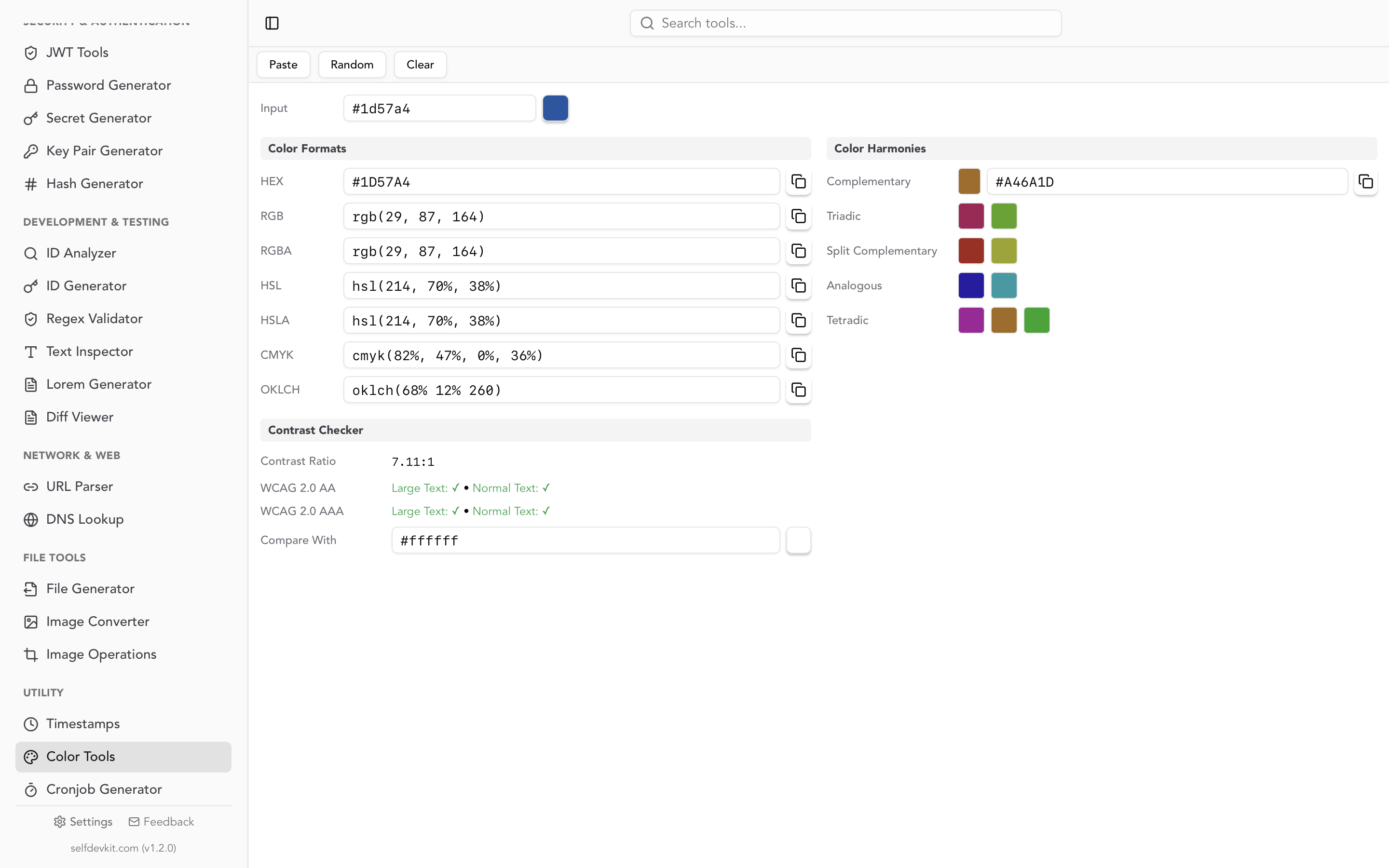
SelfDevKit's color tools convert between HEX, RGB, HSL, CMYK, and OKLCH entirely on your machine. Nothing is transmitted, because the app has no reason to talk to a network at all. It also generates complementary, triadic, analogous, split complementary, and tetradic harmonies from any input color, and checks contrast ratios against WCAG 2.0 AA and AAA thresholds in the same view.
The practical benefit is smaller than the privacy one, honestly: it works on a plane, on a locked-down corporate network, and in the two seconds before a browser tab finishes loading three ad scripts. We wrote more about that tradeoff in why offline matters, and the download page has builds for macOS, Windows, and Linux.
Frequently asked questions
What is the RGB value of a hex color like #FFFFFF?
#FFFFFF is rgb(255 255 255), pure white. Each FF pair is the maximum byte value of 255. Its opposite, #000000, is rgb(0 0 0), pure black.
How do I convert a hex color to rgba with transparency?
Convert the six-digit hex to RGB normally, then append the alpha you want: #394DFE at 20% becomes rgb(57 77 254 / 0.2). If the hex already has eight digits, divide the last pair by 255 to get the alpha decimal. Note that rgba() and rgb() are now equivalent in CSS, and rgb() is the recommended form.
Is hex or RGB better for CSS?
Neither is better; they compile to identical values. Hex is more compact and easier to copy between tools. RGB is required when you need per-channel arithmetic or an alpha value that is not baked into the token. Most teams store hex and convert to RGB at the point of use.
Why does my converted color look different from the design file?
Almost always a color space difference rather than a conversion error. Hex and CSS rgb() are sRGB, while design tools may be working in Display P3 or a CMYK profile for print. The hex to RGB color math is exact; the rendering pipeline is what shifts.
Try it yourself
Hex to RGB is four lines of code, but the conversions you actually run all day involve shorthand, alpha, contrast checks, and a harmony or two, and doing them one browser tab at a time gets old fast.
SelfDevKit handles all of it in one panel, offline, alongside 50+ other developer utilities. If you are new here, the getting started guide is a quick tour.
Download SelfDevKit and convert colors without sending them anywhere.