
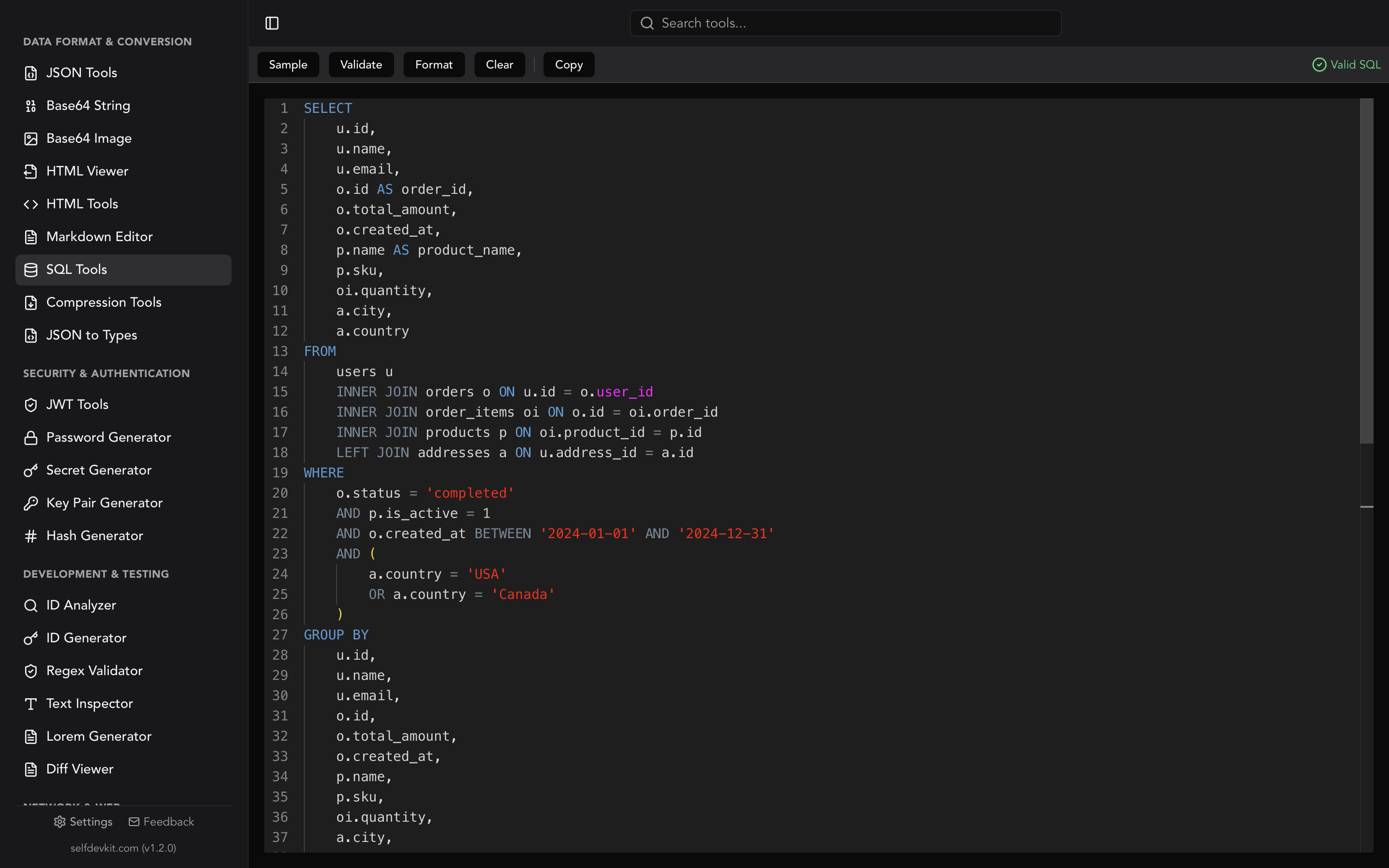
The SQL CASE expression returns a value based on conditions. It checks each WHEN in order, returns the THEN value of the first one that is true, and falls back to ELSE. If there is no ELSE and nothing matches, it returns NULL. It works anywhere a value is allowed: SELECT, WHERE, ORDER BY, GROUP BY, UPDATE ... SET, and inside aggregates.
That last part is where it gets interesting. CASE WHEN is easy to write and easy to get subtly wrong. A WHEN NULL that never fires. A COUNT that counts every row. An UPDATE that sets most of a column to NULL. Each one is valid SQL, and each one is shown below with the rows it actually returns.
Every query here was run on PostgreSQL 18 and SQLite. The MySQL and SQL Server notes were checked on MySQL 8.4 and SQL Server 2022 and against their reference manuals, linked where it matters.
The sample table
One table, six rows, with the kind of mess real data has: a NULL status, a zero-item order, and a total with a fractional part.
CREATE TABLE orders (id INTEGER PRIMARY KEY, customer TEXT, total NUMERIC, status TEXT, items INTEGER);

INSERT INTO orders VALUES
  (1, 'Ada',   120,  'paid',     3),
  (2, 'Ada',    80,  'refunded', 2),
  (3, 'Linus',  10.5,'paid',     1),
  (4, 'Grace',  50,  NULL,       0),
  (5, 'Linus', 300,  'pending',  4),
  (6, 'Grace',   0,  'paid',     0);
To follow along on MySQL or SQL Server, declare total as DECIMAL(10,2). A bare NUMERIC has a scale of zero on both, so 10.5 is stored as 11. SQL Server also needs VARCHAR(20) in place of TEXT, because it cannot compare a TEXT column with =.
SQL CASE syntax: searched and simple
SQL CASE comes in two forms. The searched form evaluates a full boolean condition in each WHEN. The simple form compares one input value against a list of candidates with =.
-- Searched CASE: any condition per WHEN
CASE
  WHEN total >= 100 THEN 'large'
  WHEN total >= 50  THEN 'medium'
  ELSE 'small'
END

-- Simple CASE: one input, equality only
CASE status
  WHEN 'paid'     THEN 'P'
  WHEN 'refunded' THEN 'R'
  ELSE 'other'
END
Use the searched form whenever you need ranges, IS NULL, LIKE, IN, or more than one column. Use the simple form for a clean value-to-label lookup. Both end with END, not END CASE. (END CASE belongs to the procedural statement covered further down.)
Here is the searched version applied to the table:
SELECT id, total,
       CASE WHEN total >= 100 THEN 'large'
            WHEN total >= 50  THEN 'medium'
            ELSE 'small'
       END AS size
FROM orders ORDER BY id;
| id | total | size |
|---|---|---|
| 1 | 120 | large |
| 2 | 80 | medium |
| 3 | 10.5 | small |
| 4 | 50 | medium |
| 5 | 300 | large |
| 6 | 0 | small |
The AS size alias goes after END. Putting it before END is one of the most common syntax errors with CASE.
CASE WHEN with multiple conditions: the first match wins
A CASE expression stops at the first WHEN that is true, so the order of the WHEN clauses is part of the logic. Swap the two branches above and the result changes:
CASE WHEN total >= 50  THEN 'medium'
     WHEN total >= 100 THEN 'large'
     ELSE 'small'
END
| id | total | size |
|---|---|---|
| 1 | 120 | medium |
| 5 | 300 | medium |
No row is ever large now. Any total of 100 or more also satisfies >= 50, so the second branch is dead code. No database warns you about it. When conditions overlap, put the narrowest one first.
Combining conditions inside one WHEN works the way it does in WHERE: WHEN status = 'paid' AND total > 100 THEN .... AND binds tighter than OR, so add parentheses whenever you mix them.
Gaps between ranges fall through to ELSE
Bucketing with BETWEEN and whole numbers leaves holes in continuous data:
CASE WHEN total BETWEEN 0 AND 10   THEN 'low'
     WHEN total BETWEEN 11 AND 100 THEN 'mid'
     ELSE 'high'
END AS band
Order 3, with a total of 10.5, comes back as high. It sits between the two ranges, matches neither, and lands in ELSE next to the 300 order. The fix is half-open ranges that share a boundary, written in ascending order so each WHEN only needs one comparison:
CASE WHEN total < 10  THEN 'low'
     WHEN total < 100 THEN 'mid'
     ELSE 'high'
END AS band
CASE WHEN NULL: why the simple form never matches it
A simple CASE cannot match NULL. CASE status WHEN NULL THEN ... compares status = NULL, which is never true, not even when status is NULL.
SELECT id, status,
       CASE status WHEN 'paid' THEN 'P'
                   WHEN NULL   THEN 'missing'
                   ELSE 'other'
       END AS s
FROM orders ORDER BY id;
| id | status | s |
|---|---|---|
| 1 | paid | P |
| 2 | refunded | other |
| 4 | NULL | other |
| 5 | pending | other |
Order 4 should say missing. It says other on both PostgreSQL and SQLite. Switch to the searched form and test with IS NULL:
CASE WHEN status = 'paid' THEN 'P'
     WHEN status IS NULL  THEN 'missing'
     ELSE 'other'
END
Now order 4 returns missing.
The same three-valued logic catches negative conditions. CASE WHEN status <> 'paid' THEN 'not paid' ELSE 'paid' END labels order 4 as paid, because NULL <> 'paid' is unknown, not true, so the row falls to ELSE. If NULL is possible, give it its own branch before the comparison. The SQL cheat sheet's NULL traps section shows the same behavior in WHERE and NOT IN.
Every branch must return one type
A CASE expression has a single result type, and each database picks it differently. Mixing a number and a string is where this shows up:
SELECT id, CASE WHEN total > 100 THEN 1 ELSE 'n/a' END AS x FROM orders;
| Database | Result |
|---|---|
| PostgreSQL | Error: invalid input syntax for type integer: "n/a" |
| SQLite | Runs. The column holds integers and text side by side |
| MySQL | Runs. Mixed numeric and string results become VARCHAR, per the MySQL flow control docs |
| SQL Server | The result takes the highest-precedence type among the branches (int), so a row that reaches 'n/a' fails with a conversion error |
PostgreSQL's message is confusing the first time: it never says "CASE". The string literal is resolved to integer to match the other branch, then fails to parse. When both branches are typed columns instead of literals, PostgreSQL reports CASE types numeric and text cannot be matched.
Two practical rules. Cast explicitly when branches differ (CAST(total AS TEXT)). And use NULL, not 'n/a' or -1, for "no value" in numeric columns, so the result type stays numeric and aggregates still work.
One more SQL Server rule: at least one branch must be something other than the bare NULL constant. CASE WHEN 1 = 1 THEN NULL ELSE NULL END returns NULL on PostgreSQL and SQLite, but SQL Server raises error 8133.
Conditional aggregation: CASE inside COUNT and SUM
Putting CASE inside an aggregate counts or sums only the rows that match, which lets one query produce several filtered totals side by side. This is also how you pivot rows into columns without a PIVOT keyword.
The trap is COUNT with an ELSE 0:
SELECT COUNT(CASE WHEN status = 'paid' THEN 1 END)        AS right_way,
       COUNT(CASE WHEN status = 'paid' THEN 1 ELSE 0 END) AS wrong_way,
       SUM(CASE WHEN status = 'paid' THEN 1 ELSE 0 END)   AS sum_way
FROM orders;
| right_way | wrong_way | sum_way |
|---|---|---|
| 3 | 6 | 3 |
COUNT(expr) counts non-NULL values. Zero is not NULL, so ELSE 0 makes every row count. Either drop the ELSE (the implicit NULL is what you want) or switch to SUM, where 0 adds nothing.
For money, the choice between ELSE 0 and no ELSE changes the answer for groups with no matching rows:
SELECT customer,
       SUM(CASE WHEN status = 'paid'     THEN total END) AS paid,
       SUM(CASE WHEN status = 'refunded' THEN total END) AS refunded
FROM orders GROUP BY customer ORDER BY customer;
| customer | paid | refunded |
|---|---|---|
| Ada | 120 | 80 |
| Grace | 0 | NULL |
| Linus | 10.5 | NULL |
NULL for Grace and Linus means "no refunded orders". 0 would mean "refunded orders totaling zero". Pick deliberately, or wrap the sum in COALESCE(..., 0) at the reporting layer.
PostgreSQL and SQLite (since 3.30.0) also support the standard FILTER clause, which says the same thing more directly: COUNT(*) FILTER (WHERE status = 'paid') returns 3. MySQL and SQL Server do not support FILTER, so conditional aggregation with CASE is the portable form. The window functions guide uses the same pattern inside OVER (...).
CASE in ORDER BY and GROUP BY
CASE in ORDER BY gives you a custom sort order that alphabetical or numeric sorting cannot:
SELECT id, status FROM orders
ORDER BY CASE status WHEN 'pending'  THEN 1
                     WHEN 'paid'     THEN 2
                     WHEN 'refunded' THEN 3
                     ELSE 4
         END, id;
Pending order 5 comes first, then the three paid orders, then the refund, and the NULL status last because of ELSE 4. Without that ELSE, the NULL row's sort key is NULL, and where it lands depends on the database's NULL ordering.
Keep each branch in an ORDER BY CASE the same type. ORDER BY CASE WHEN id < 3 THEN customer ELSE total END is an error in PostgreSQL (CASE types numeric and text cannot be matched). SQLite runs it and sorts all numbers before all text, which is almost never the order you wanted. To sort by different columns per condition, use one CASE per column:
ORDER BY CASE WHEN id < 3 THEN customer END,
         CASE WHEN id >= 3 THEN total END
Aliases are where databases disagree. With CASE ... END AS size in the select list:
| Query | PostgreSQL | SQLite | MySQL | SQL Server |
|---|---|---|---|---|
ORDER BY size |
Works | Works | Works | Works |
GROUP BY size |
Works | Works | Works | Error |
ORDER BY CASE size WHEN 'large' THEN 1 ELSE 2 END |
Error | Works | Works | Error |
WHERE size = 'large' |
Error | Works | Error | Error |
The errors all say the same thing in different words: column "size" does not exist in PostgreSQL, Unknown column 'size' in 'where clause' in MySQL, and Invalid column name 'size' in SQL Server.
PostgreSQL accepts an output alias only as a bare name in ORDER BY and GROUP BY, not inside an expression. SQL Server's GROUP BY reference is stricter still: a GROUP BY expression "can't contain a column alias that you define in the SELECT list." The portable options are repeating the full CASE in GROUP BY or computing it once in a subquery or CTE and grouping by the column it produces.
CASE in UPDATE: a missing ELSE writes NULL
In an UPDATE, a CASE without ELSE sets every non-matching row to NULL. This query was meant to mark pending orders as paid:
UPDATE orders SET status = CASE WHEN status = 'pending' THEN 'paid' END;
What it actually did to the table:
| id | status before | status after |
|---|---|---|
| 1 | paid | NULL |
| 2 | refunded | NULL |
| 3 | paid | NULL |
| 4 | NULL | NULL |
| 5 | pending | paid |
| 6 | paid | NULL |
There is no WHERE, so the SET runs on all six rows, and five of them hit the implicit ELSE NULL. Both PostgreSQL and SQLite executed it without complaint. Two safe versions:
-- Keep the current value for everything else
UPDATE orders
SET status = CASE WHEN status = 'pending' THEN 'paid' ELSE status END;

-- Better: only touch the rows you mean to change
UPDATE orders SET status = 'paid' WHERE status = 'pending';
CASE earns its place in an UPDATE when different rows need different values in one statement, and then the WHERE should still restrict it to exactly those rows:
UPDATE orders
SET total = CASE id WHEN 1 THEN 125 WHEN 3 THEN 12 END
WHERE id IN (1, 3);
CASE in a WHERE clause costs you the index
You can put CASE in WHERE, but wrapping an indexed column in CASE usually stops the database from using the index. On a 200,000-row test table with an index on status, PostgreSQL planned the two equivalent filters very differently (exact costs and scan types depend on your data):
EXPLAIN SELECT id FROM big WHERE status = 'pending';
-- Index Scan using big_status on big  (cost=0.29..236.44 rows=2133 width=4)

EXPLAIN SELECT id FROM big WHERE CASE WHEN status = 'pending' THEN 1 ELSE 0 END = 1;
-- Seq Scan on big  (cost=0.00..4088.00 rows=1000 width=4)
The second plan scans every row. The row estimate also drops to a flat guess of 1,000, because the planner cannot use column statistics through a CASE. Most CASE-in-WHERE logic rewrites into plain boolean conditions: WHERE (x AND y) OR (NOT x AND z).
There is one job where CASE in WHERE is the right tool. PostgreSQL does not promise to evaluate AND left to right, so WHERE items > 0 AND total / items > 30 can still divide by zero. The PostgreSQL docs recommend CASE to force the order:
SELECT id FROM orders
WHERE CASE WHEN items > 0 THEN total / items > 30 ELSE false END;
That returns orders 1, 2, and 5. SQL Server has no boolean type, so a CASE cannot return a comparison there. Return the number and compare it outside: WHERE CASE WHEN items > 0 THEN total / items ELSE 0 END > 30.
For a plain division, total / NULLIF(items, 0) is shorter and returns NULL for the zero-item rows.
CASE short-circuits, with three exceptions
CASE evaluates its WHEN clauses in order and skips branches it does not need. The PostgreSQL and SQL Server docs both describe it that way. But "skips" has exceptions that turn up as surprising errors.
Constants are folded at planning time. PostgreSQL simplifies constant subexpressions before the query runs. This fails with division by zero even though no row reaches the ELSE:
SELECT CASE WHEN id > 0 THEN 'ok' ELSE CAST(1/0 AS TEXT) END FROM orders;
SQLite runs it without error, but that proves little: SQLite returns NULL for division by zero instead of raising an error.
Aggregates are computed first. Both PostgreSQL and SQL Server document that aggregates inside a CASE are calculated over all rows before the CASE looks at them. This query looks guarded and is not:
SELECT CASE WHEN MIN(items) <= 0 THEN 0
            WHEN MAX(10 / items) >= 100 THEN 1
       END
FROM orders;
PostgreSQL returns division by zero, because MAX(10 / items) runs over the zero-item rows regardless of what MIN says. Microsoft's CASE reference uses almost the same example and says to rely on evaluation order only for scalar expressions. Filter bad rows out with WHERE or FILTER before they reach the aggregate.
SQL Server re-evaluates the simple CASE input. A simple CASE is expanded into a searched CASE, with the input expression repeated in each WHEN. With a non-deterministic input, every repetition gets a new value. CASE ABS(CHECKSUM(NEWID())) % 3 WHEN 0 THEN 'a' WHEN 1 THEN 'b' WHEN 2 THEN 'c' END can return NULL in SQL Server, as Aaron Bertrand shows in Dirty Secrets of the CASE Expression. The equivalent random query over 100,000 rows returned zero NULLs on both PostgreSQL and SQLite, which evaluate the input once. If the input is random, time-based, or a subquery, compute it once in a derived table first.
CASE statement vs CASE expression
The CASE in a query is an expression that returns a value. Stored procedures in MySQL and PostgreSQL's PL/pgSQL also have a procedural CASE statement, which runs blocks of code and ends with END CASE. The two behave differently when nothing matches.
The expression returns NULL. The statement raises an error. The MySQL manual says that with no match and no ELSE, "a Case not found for CASE statement error results." PL/pgSQL does the same:
DO $$
DECLARE s text := 'unknown'; r text;
BEGIN
  CASE s
    WHEN 'paid'    THEN r := 'P';
    WHEN 'pending' THEN r := 'W';
  END CASE;
END $$;
-- ERROR: case not found
So inside a procedure, an ELSE is a requirement, not a style choice. In T-SQL there is no procedural CASE at all; Microsoft states that CASE "can't be used to control the flow of execution." Use IF ... ELSE there.
SQL CASE shorthands and dialect differences
Every database supports standard CASE, and most add shorter functions that compile down to it. They are convenient, but they are where portability breaks.
| Feature | PostgreSQL | MySQL | SQL Server | SQLite |
|---|---|---|---|---|
CASE ... END |
Yes | Yes | Yes | Yes |
| Two-way shorthand | No | IF(cond, a, b) |
IIF(cond, a, b) |
iif(cond, a, b) since 3.32.0; if() since 3.48.0 |
COALESCE(a, b) |
Yes | Yes | Yes | Yes |
NULLIF(a, b) |
Yes | Yes | Yes | Yes |
Aggregate FILTER (WHERE ...) |
Yes | No | No | Since 3.30.0 |
| Mixed-type branches | Error | Becomes VARCHAR |
Highest-precedence type, may fail | Allowed, mixed values |
Procedural CASE with no match |
case not found |
Case not found for CASE statement |
Not available | Not available |
| CASE nesting limit | No CASE-specific limit | No CASE-specific limit | 10 levels (IIF too) |
No CASE-specific limit |
Oracle's DECODE deserves a note if you migrate from it. Unlike a simple CASE, Oracle's documentation says DECODE "considers two nulls to be equivalent." A DECODE(status, NULL, 'missing', ...) that worked in Oracle becomes a CASE that never matches NULL, exactly the trap shown earlier.
Checking a CASE expression before you run it
Format a long CASE so each WHEN sits on its own line; dead branches and missing ELSE clauses become visible at a glance. SelfDevKit's SQL tools format and validate SQL offline. Here is a conditional aggregation query after formatting:
SELECT
    customer,
    COUNT(
        CASE
            WHEN STATUS = 'paid' THEN 1
        END
    ) AS paid_orders,
    SUM(
        CASE
            WHEN STATUS = 'refunded' THEN total
            ELSE 0
        END
    ) AS refunded
FROM
    orders
GROUP BY
    customer
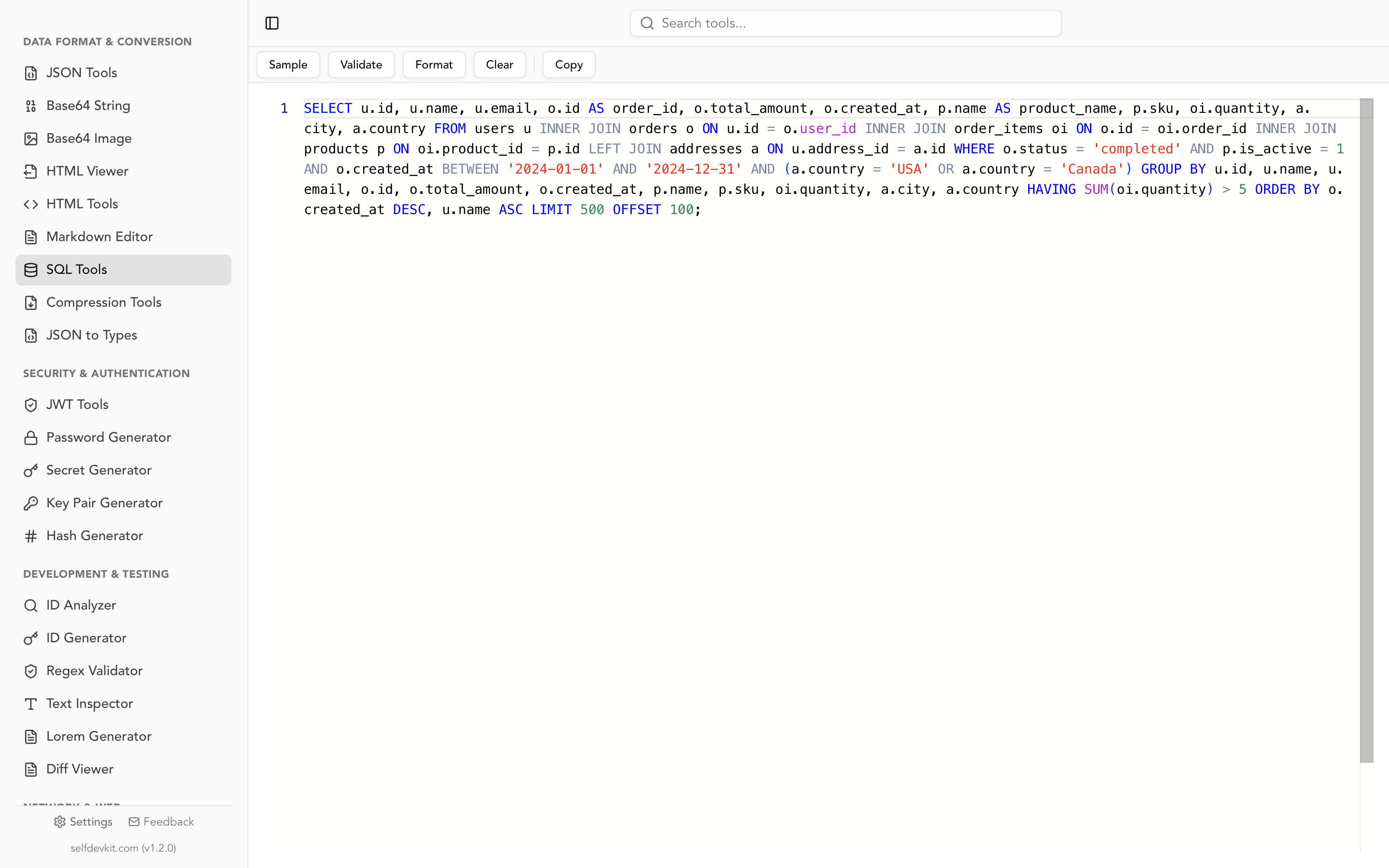
The formatter uppercases status because it is also a SQL keyword. Unquoted column names are case-insensitive in PostgreSQL, MySQL, and SQLite, and in SQL Server under a case-insensitive collation such as the default, so the query still runs.
The validator checks syntax. It flags a CASE with no END (the alias-before-END mistake) and a CASE with no WHEN. It cannot flag meaning: WHEN NULL, mixed-type branches, COUNT(... ELSE 0), and the UPDATE without ELSE are all valid SQL and pass. It also marks COUNT(*) FILTER (WHERE ...) as invalid even though PostgreSQL and SQLite run it, so treat a red badge on a FILTER clause as a parser limit, not a bug in your query.
Queries with CASE tend to carry business rules: pricing tiers, refund logic, customer segments. A formatter that runs on your machine keeps those rules off someone else's server. The online SQL formatter guide covers that tradeoff in more detail.
Before shipping a CASE, run through this list:
- Narrowest
WHENfirst, and ranges written as half-open intervals with no gaps. NULLhas its own branch usingIS NULL, neverWHEN NULLin a simple CASE.- All branches return one type, with
NULLfor "no value". - No
ELSE 0insideCOUNT, and a deliberate choice betweenNULLand0insideSUM. - Every
UPDATE ... SET col = CASEhas anELSE color aWHERElimiting it to the rows it changes.
Download SelfDevKit to format and validate SQL on your own machine, alongside 50+ other developer tools that work offline. See the full feature list or pricing.