How do you convert a Unix timestamp?
To convert a Unix timestamp, first determine its unit (seconds, milliseconds, microseconds, or nanoseconds) from its digit count, then confirm it actually counts from the Unix epoch of 1970-01-01 UTC rather than a different epoch such as Windows FILETIME or Apple's 2001 reference date. Only then apply a conversion function like
to_timestamp()in SQL ordatetime.fromtimestamp()in Python.
The math to convert a Unix timestamp is trivial. Divide, add an offset, format. Every language ships it in the standard library, and it has worked the same way since the 1970s.
So why do so many converted timestamps come out wrong?
Because the hard part was never the arithmetic. The hard part is that you were handed a bare integer with no metadata attached, and that integer carries two pieces of information nobody wrote down: what unit it is measured in, and what moment it counts from. Guess either one wrong and your converter will not throw an error. It will hand you a date that looks completely plausible and is off by decades.
This guide is about those two questions, and about converting timestamps in the place they actually live: inside a SQL query, a log search, or a spreadsheet column. If you want the general background on how epoch time works and how to convert it in six languages, the Unix timestamp converter guide covers that ground. This post picks up where an ambiguous number lands on your desk.
Table of contents
- Why converting a Unix timestamp goes wrong
- Step 1: Identify the unit from the digit count
- Step 2: Confirm it is actually a Unix epoch
- Convert a Unix timestamp inside SQL
- Convert timestamps in log and observability tools
- Timestamps hidden inside IDs
- Converting timestamps without uploading them
- Frequently asked questions
Why converting a Unix timestamp goes wrong
Unix timestamp conversion fails silently because integer time formats have no self-describing metadata. A JSON payload with "created": 1786449600 tells you nothing about scale or reference point, and every conversion function will happily accept the number and return something.
Compare this to a malformed JSON document. Feed a parser a missing brace and it stops immediately with a line number. Feed a timestamp converter a Windows FILETIME value and it returns a date roughly four billion years in the future, or throws a range error, or truncates. There is no equivalent of a syntax error for "this number is measured in a different unit than you assumed."
That is the entire problem in one sentence. Timestamps fail like a wrong unit conversion in physics, not like a parse error.
The failure modes cluster into three shapes:
| Symptom | Almost certain cause |
|---|---|
| Date lands in January 1970 | A seconds value was interpreted as milliseconds |
| Date lands tens of thousands of years in the future | A milliseconds value was interpreted as seconds |
| Date is plausible but off by a consistent number of years | The number counts from a non-Unix epoch |
| Every row is correct except a handful | Mixed units in the same column |
The third row is the dangerous one, because nothing looks broken. Nobody files a bug for a date that renders as 1995 when it should be 2026. It just quietly poisons your analytics.
Step 1: Identify the unit from the digit count
Identify a Unix timestamp's unit by counting its digits. For any moment in the current era, a seconds value has 10 digits, milliseconds has 13, microseconds has 16, and nanoseconds has 19.
Here is the same instant, 2026-08-11 12:00:00 UTC, in all four units:
| Unit | Value | Digits | Where you see it |
|---|---|---|---|
| Seconds | 1786449600 |
10 | POSIX time(), JWT exp/iat, Postgres EXTRACT(EPOCH ...), Prometheus |
| Milliseconds | 1786449600000 |
13 | JavaScript Date.now(), Java, Kafka, Elasticsearch, ULID, UUIDv7 |
| Microseconds | 1786449600000000 |
16 | Python time_ns()/1000, ClickHouse DateTime64(6), MySQL fractional seconds |
| Nanoseconds | 1786449600000000000 |
19 | Go time.UnixNano(), InfluxDB, OpenTelemetry spans |
The digit-count heuristic holds for roughly the next 250 years for seconds values, so it is safe in practice. But treat it as a hypothesis, not a proof. Verify by converting and sanity-checking the result against what you know about the data. A created_at for a user record should not predate your company.
What the wrong guess actually produces
Concrete numbers make this easier to recognize in the wild. Take the milliseconds value 1786449600000 and feed it to a converter expecting seconds:
from datetime import datetime, timezone
datetime.fromtimestamp(1786449600000, timezone.utc)
# ValueError: year 58580 is out of range
Python raises. JavaScript does not:
new Date(1786449600).toISOString()
// '1970-01-21T16:14:09.600Z'   <- seconds value read as milliseconds
Twenty-one days after the epoch. That is the classic "all my dates are in January 1970" bug, and it is the single most common timestamp conversion mistake. If you see mid-January 1970 anywhere in a UI, someone passed seconds to something expecting milliseconds.
Mixed units in one column
The nastiest version of this problem is a column that contains both. It happens when an ingestion pipeline changes, or when two services write to the same table with different conventions. A quick way to find it in SQL:
SELECT
  CASE
    WHEN ts < 100000000000 THEN 'seconds'
    WHEN ts < 100000000000000 THEN 'milliseconds'
    ELSE 'micro or nano'
  END AS unit_guess,
  COUNT(*)
FROM events
GROUP BY 1;
If that returns more than one row, you have a normalization job to write before you have a conversion problem. Running this check against a staging copy first is wise, and a SQL formatter helps when the CASE expression grows into something less readable.
Step 2: Confirm it is actually a Unix epoch
Not every integer timestamp counts from 1970. Several widely used systems measure time from a different reference date, and their values are numerically close enough to a Unix timestamp that converters accept them without complaint.
This is the step almost every online converter skips, and it is where "the date is plausible but wrong" bugs come from.
| Format | Epoch | Unit | Same instant as above | Convert to Unix seconds |
|---|---|---|---|---|
| Unix time | 1970-01-01 | seconds | 1786449600 |
(identity) |
| Windows FILETIME | 1601-01-01 | 100 ns | 134309232000000000 |
ft / 10000000 - 11644473600 |
.NET DateTime.Ticks |
0001-01-01 | 100 ns | 639220464000000000 |
ticks / 10000000 - 62135596800 |
| Apple Cocoa / Core Data | 2001-01-01 | seconds | 808142400 |
cocoa + 978307200 |
| PostgreSQL internal | 2000-01-01 | microseconds | 839764800000000 |
v / 1000000 + 946684800 |
| GPS time | 1980-01-06 | seconds | 1470484818 |
gps + 315964800 - 18 |
| Excel serial (1900 system) | 1899-12-30 | days | 46245.5 |
(serial - 25569) * 86400 |
| KSUID | 2014-05-13 | seconds | 386449600 |
ksuid + 1400000000 |
A few of these deserve a closer look.
Windows FILETIME is defined by Microsoft as "a 64-bit value representing the number of 100-nanosecond intervals since January 1, 1601 (UTC)," per the FILETIME structure documentation. You will meet it in registry exports, Active Directory attributes such as lastLogonTimestamp, .evtx event logs, and NTFS file metadata. At 18 digits it is easy to spot: it is too long to be milliseconds and too short to be nanoseconds. Feed it to a seconds converter and you get a year in the billions, which at least fails loudly.
Apple's Cocoa epoch fails quietly, and that makes it worse. Core Data, NSDate, and many iOS and macOS plists store seconds since 2001-01-01. Our example value is 808142400. Convert that as if it were Unix time:
datetime.fromtimestamp(808142400, timezone.utc)
# 1995-08-11 12:00:00+00:00
August 11, 1995. Same month, same day, same clock time, wrong by 31 years, and completely believable if you are not paying attention. Nine-digit values in data extracted from an Apple platform deserve suspicion.
GPS time is off by two amounts at once. It counts from 1980-01-06 and, because it is a continuous timescale that ignores leap seconds, it currently runs 18 seconds ahead of UTC. That offset has been 18 since the last leap second on 2017-01-01, and the IERS announced no leap second for mid-2026, so 18 remains correct. Convert 1470484818 as plain Unix seconds and you get 2016-08-06T12:00:18Z: ten years off, with a suspicious 18 seconds hanging off the end. Those stray 18 seconds are the tell.
Excel serial dates are days, not seconds, and they are usually fractional. If you export a spreadsheet to CSV and find a column of numbers around 46,000 with decimals, you are looking at Excel serial dates, not timestamps. The 25569 constant in the conversion formula already accounts for Excel's deliberate 1900 leap year bug for any date after February 1900.
Convert a Unix timestamp inside SQL
Every SQL engine can convert a Unix timestamp natively, but the function names, default units, and timezone behavior differ enough that copying a query between databases will silently change your results.
| Database | Seconds to timestamp | Milliseconds to timestamp | Notes |
|---|---|---|---|
| PostgreSQL | to_timestamp(1786449600) |
to_timestamp(ms / 1000.0) |
Returns timestamptz, rendered in the session TimeZone |
| MySQL | FROM_UNIXTIME(1786449600) |
FROM_UNIXTIME(ms / 1000) |
Uses the session time_zone, not UTC |
| SQLite | datetime(1786449600, 'unixepoch') |
datetime(ms / 1000, 'unixepoch') |
Add 'localtime' as a third argument to shift |
| SQL Server | DATEADD(second, 1786449600, '1970-01-01') |
DATEADD(second, ms / 1000, '1970-01-01') |
No built-in epoch function |
| BigQuery | TIMESTAMP_SECONDS(1786449600) |
TIMESTAMP_MILLIS(ms) |
Also TIMESTAMP_MICROS; reverse is UNIX_SECONDS |
| ClickHouse | toDateTime(1786449600) |
toDateTime64(ms / 1000, 3) |
DateTime is second-resolution only |
| Snowflake | TO_TIMESTAMP(1786449600) |
TO_TIMESTAMP(ms) |
Auto-detects the unit, see below |
Verified against SQLite 3.45.1 locally:
sqlite> SELECT datetime(1786449600, 'unixepoch');
2026-08-11 12:00:00
sqlite> SELECT strftime('%Y-%m-%dT%H:%M:%SZ', 1786449600, 'unixepoch');
2026-08-11T12:00:00Z
The full list of BigQuery conversions lives in the GoogleSQL timestamp functions reference, and the pairing is symmetric: TIMESTAMP_SECONDS and UNIX_SECONDS, TIMESTAMP_MILLIS and UNIX_MILLIS, TIMESTAMP_MICROS and UNIX_MICROS.
The Snowflake auto-detection trap
Snowflake is the interesting outlier, and its convenience is a liability on messy data. According to the TO_TIMESTAMP documentation, when given a numeric argument the function infers the unit from the magnitude: "If the integer is less than 31536000000 (the number of milliseconds in a year), then the value is treated as a number of seconds." Larger values are read as milliseconds, then microseconds, then nanoseconds at each successive thousandfold threshold.
The critical detail is in the next sentence of the docs: "If more than one row is evaluated (for example, if the input is the column name of a table that contains more than one row), each value is examined independently."
Per row. Independently.
That means a column containing a mix of seconds and milliseconds will not error. Snowflake will convert each row using whichever unit it guesses for that row, and the mixed-unit bug you were hoping a database would catch is now invisible. Normalize the unit before loading, or cast explicitly with a scale argument.
Postgres and MySQL take the opposite approach and simply trust you, which brings its own footgun around timezone display. FROM_UNIXTIME() renders in the session time zone, so the same query run by two engineers in different offices returns two different strings for the same underlying instant. This is the mirror image of the ambiguity described in the date to Unix timestamp guide, where the conversion runs in the other direction.
Convert timestamps in log and observability tools
Log platforms need their own conversion syntax because you are usually filtering and displaying timestamps in the same query, not extracting them into a script.
CloudWatch Logs Insights provides fromMillis() and toMillis(). Note the unit in the names: Insights works in milliseconds throughout, so a seconds field needs multiplying first.
fields @timestamp, @message
| fields fromMillis(created_at * 1000) as created_readable
| filter toMillis(@timestamp) > 1786449600000
| sort @timestamp desc
Elasticsearch and Kibana default to milliseconds, and this catches people constantly. The date field mapping reference states that dates are "stored as a long number representing milliseconds-since-the-epoch," with a default format of strict_date_optional_time||epoch_millis. If your source emits seconds, you must say so explicitly in the mapping:
{
  "mappings": {
    "properties": {
      "created_at": {
        "type": "date",
        "format": "epoch_second"
      }
    }
  }
}
Skip that and every document lands in January 1970, sorted correctly relative to each other and useless on a time axis.
Splunk converts inside eval using strftime and strptime:
index=app | eval created=strftime(created_at, "%Y-%m-%d %H:%M:%S")
jq handles JSON logs on the command line. todate expects seconds and emits ISO 8601, so milliseconds need dividing and flooring first. Verified with jq 1.7.1:
$ echo '{"ts":1786449600}' | jq '.ts | todate'
"2026-08-11T12:00:00Z"

$ echo '{"ts":1786449600}' | jq '.ts | strftime("%Y-%m-%d %H:%M:%S")'
"2026-08-11 12:00:00"

$ echo '{"ms":1786449600000}' | jq '(.ms / 1000 | floor) | todate'
"2026-08-11T12:00:00Z"
Skip the floor and jq raises a type error, because todate will not accept a float. That is one of the few places in this entire topic where a tool refuses to guess, and it is genuinely helpful.
Excel and Google Sheets need the reverse of the serial date formula. With a Unix seconds value in A1:
=A1/86400 + 25569
Then format the cell as a date. For milliseconds, use =A1/86400000 + 25569. Both produce a UTC-based date, so add or subtract a fraction of a day if you need local time.
Timestamps hidden inside IDs
Many identifier formats embed a creation timestamp in their leading bits, which means you can often recover a created_at from a primary key even when the table has no such column.
MongoDB ObjectId is the most familiar case. Per the ObjectId documentation, the first 4 bytes are the creation time in seconds since the Unix epoch, stored big-endian. That means the first 8 hex characters of any ObjectId are a Unix timestamp:
6a7b0ec0b1c4e2f3a9d0e7c5
^^^^^^^^
0x6a7b0ec0 = 1786449600 = 2026-08-11T12:00:00Z
You can extract it with a one-liner in almost any language:
const oid = '6a7b0ec0b1c4e2f3a9d0e7c5';
new Date(parseInt(oid.slice(0, 8), 16) * 1000).toISOString();
// '2026-08-11T12:00:00.000Z'
Resolution is one second, so documents inserted in the same second share a timestamp prefix and differ only in the random and counter bytes.
Other formats follow the same idea with different units and epochs:
| ID format | Timestamp location | Unit and epoch |
|---|---|---|
| MongoDB ObjectId | First 4 bytes (8 hex chars) | Unix seconds |
| UUIDv7 | First 48 bits | Unix milliseconds |
| ULID | First 48 bits (first 10 Crockford base32 chars) | Unix milliseconds |
| KSUID | First 4 bytes | Seconds since 2014-05-13 |
| Twitter Snowflake | Top 41 bits after sign | Milliseconds since 2010-11-04 |
| Discord Snowflake | Top 42 bits | Milliseconds since 2015-01-01 |
Snowflake IDs are the trickiest, because the format is a convention rather than a standard and every company picked its own epoch and bit layout. The same 64-bit integer decodes to a different date depending on whether you treat it as Twitter's layout (41 timestamp bits, epoch 1288834974657) or Discord's (42 bits, epoch 1420070400000). Guessing wrong here does not give you a plausible date. It gives you a very confidently wrong one.
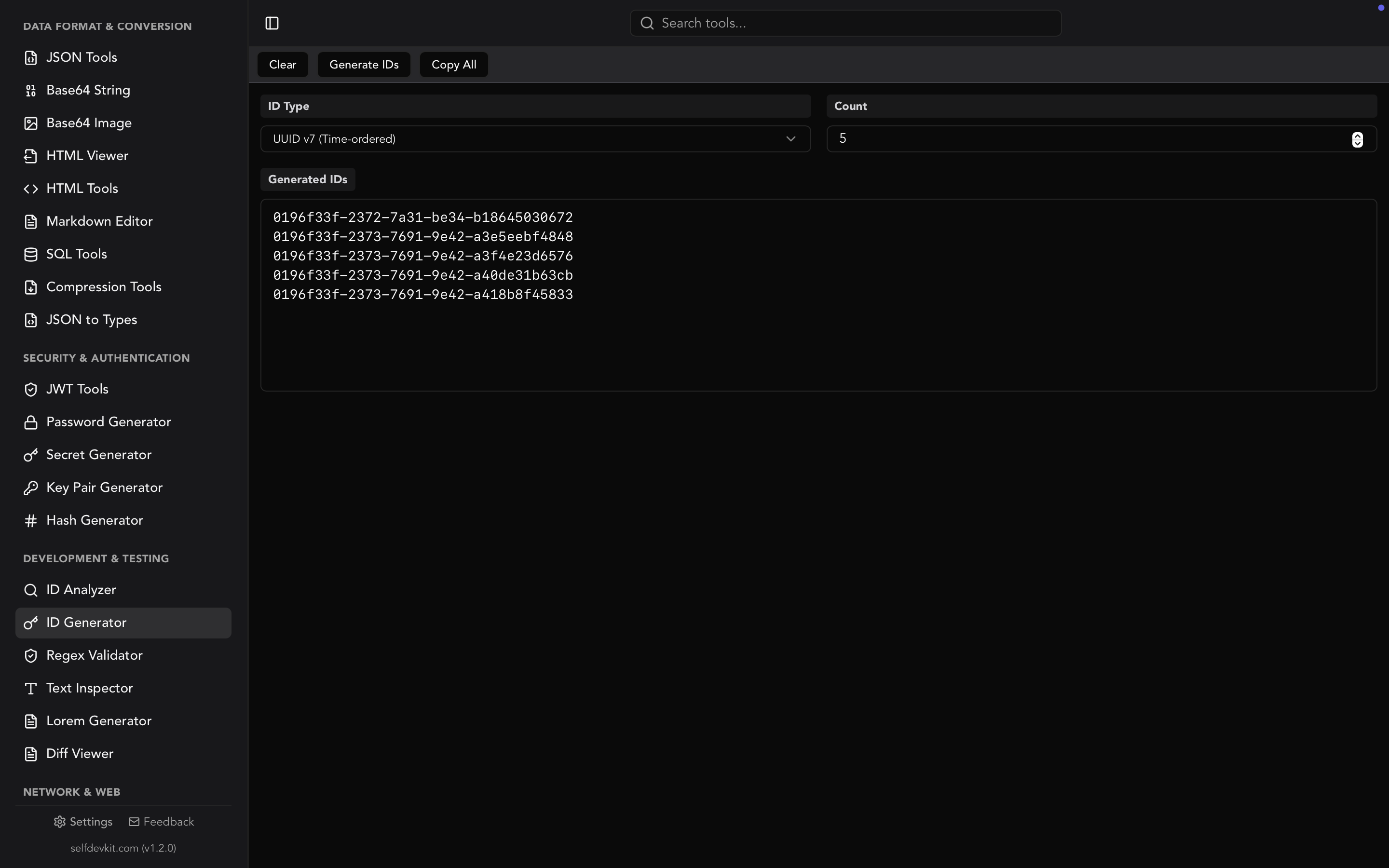
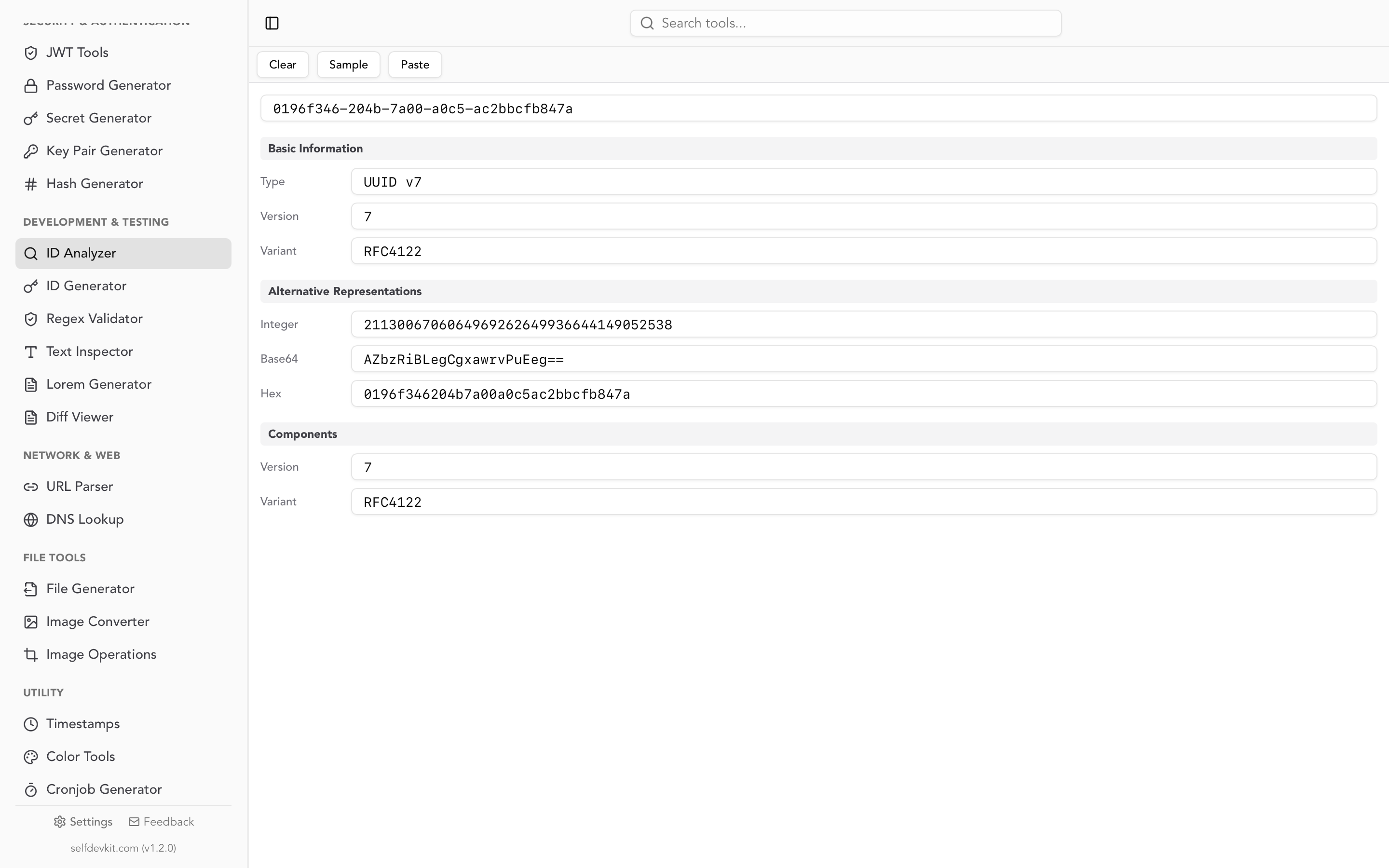
Rather than decoding by hand, SelfDevKit's ID Analyzer identifies the format and extracts the embedded timestamp for UUIDs (including v1, v6, and v7), ULIDs, KSUIDs, and Snowflake IDs, showing the decoded time for each plausible Snowflake variant side by side so you can pick the one that matches your data.
If you are generating these identifiers as well as reading them, the UUID generator guide covers which format to reach for and why time-ordered IDs behave better as database keys.
JWT claims are Unix seconds
One more place bare timestamps hide: JSON Web Tokens. The exp, iat, and nbf claims are all Unix timestamps in seconds, per RFC 7519, which trips up JavaScript developers who reach for Date.now() and accidentally set an expiry 50,000 years out.
// Wrong: milliseconds
{ exp: Date.now() + 3600000 }

// Right: seconds
{ exp: Math.floor(Date.now() / 1000) + 3600 }
A JWT decoder renders those claims as readable dates automatically, which makes "is this token expired or is my clock skewed" a five-second question instead of a debugging session. The decode JWT walkthrough goes deeper on inspecting tokens safely.
Converting timestamps without uploading them
Timestamps look like harmless integers, which is exactly why pasting them into a random web converter feels safe. It usually is not, because of what surrounds them.
The timestamp itself is rarely the sensitive part. The context is. When you paste a log line to convert its timestamp, you are also pasting the request ID, the customer identifier, the internal hostname, and the error message. When you paste a JWT to check its exp, you are pasting a live credential. When you paste an ObjectId to recover a creation date, you are handing over a real primary key from a production database.
There is also the boring operational reason: converters that live in a browser tab do not work on a plane, on a locked-down build machine, or inside an air-gapped environment. Timestamp conversion is exactly the kind of task you need most when you are somewhere inconvenient at an unreasonable hour.
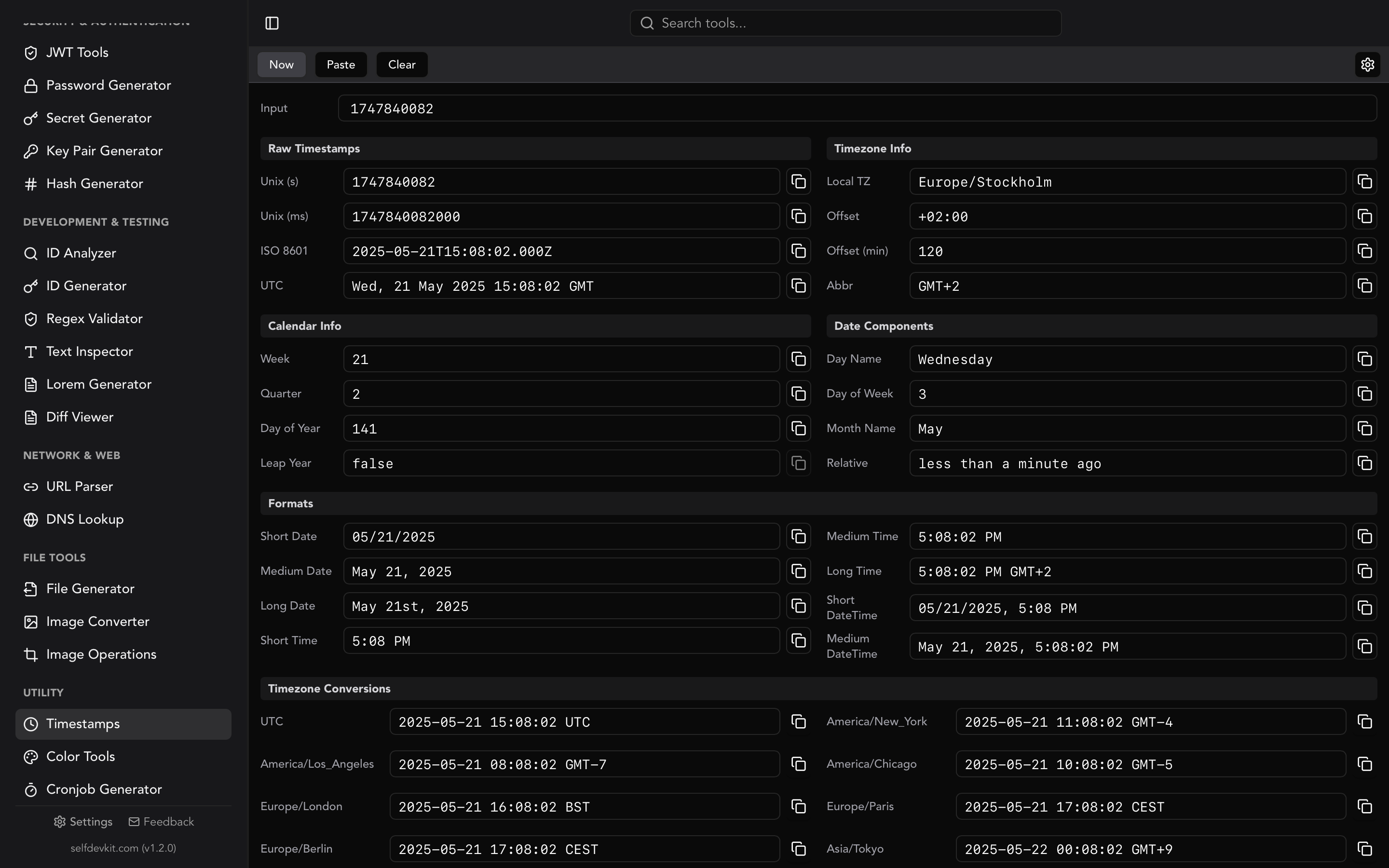
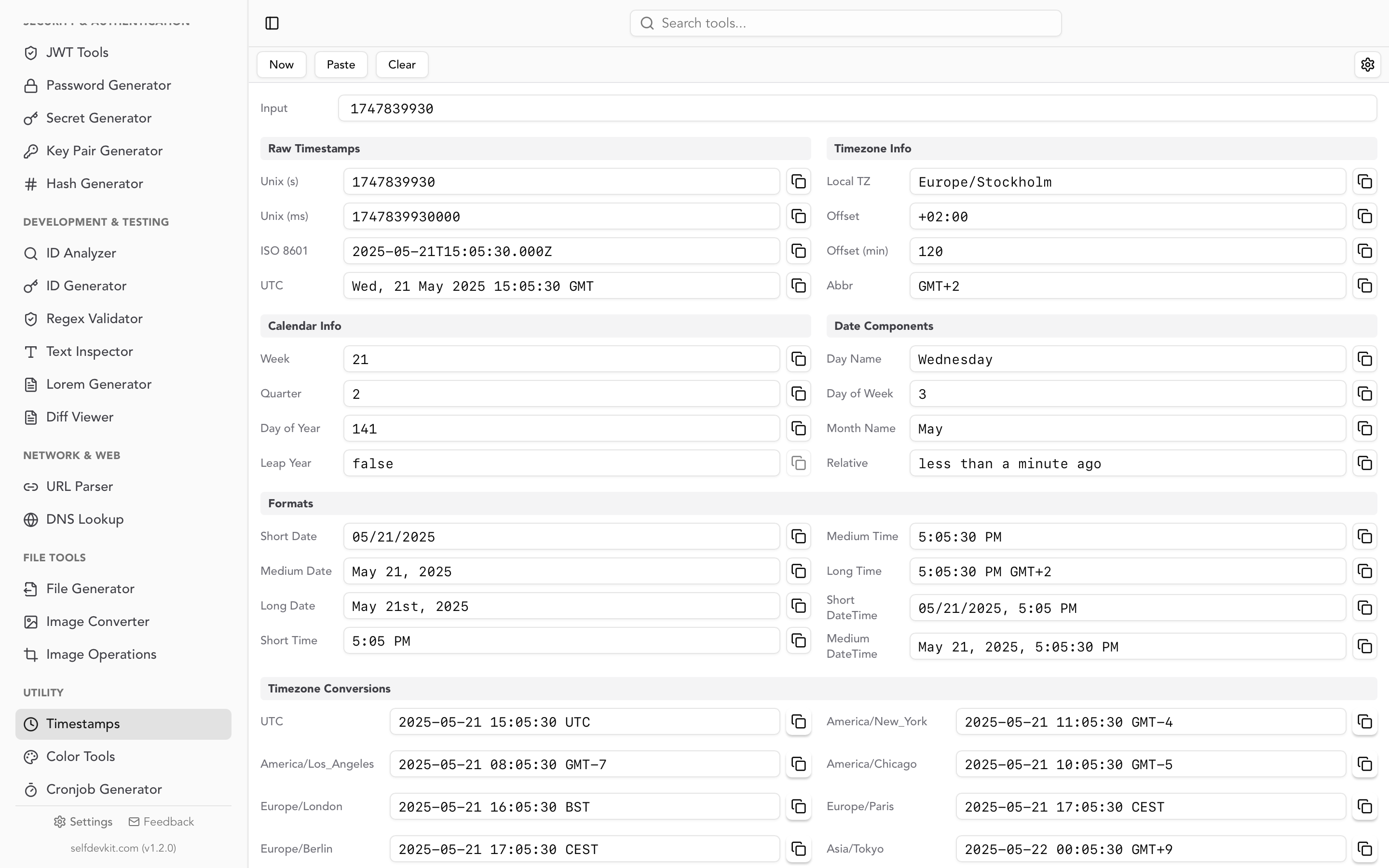
SelfDevKit's timestamp converter runs entirely on your machine. Paste a value in seconds or milliseconds and it detects the unit, then shows ISO 8601, UTC, and your local time simultaneously, along with week number, quarter, day of year, and leap year status for the resulting date. Nothing leaves the device, and there is no network call to wait for.
It sits alongside the other tools you tend to need in the same debugging session: the JSON viewer for the payload the timestamp arrived in, SQL formatting for the query you are about to write against it, and the ID analyzer for the key next to it. Same app, no tabs, no uploads.
Frequently asked questions
How do I know if a timestamp is in seconds or milliseconds?
Count the digits. A current-era Unix timestamp in seconds has 10 digits, milliseconds has 13, microseconds has 16, and nanoseconds has 19. If a converted date lands in January 1970, you passed seconds to something expecting milliseconds; if it lands tens of thousands of years in the future, you did the reverse.
Why does my converted date look right but is off by exactly 31 years?
You are almost certainly converting an Apple Cocoa timestamp as if it were Unix time. Core Data and NSDate count seconds from 2001-01-01, not 1970-01-01. Add 978,307,200 to get the Unix equivalent. A similar offset problem occurs with GPS time (add 315,964,800 and subtract the current 18-second leap offset).
Can I convert a Unix timestamp directly in a SQL query?
Yes, every major engine supports it, but the syntax differs. Use to_timestamp() in PostgreSQL, FROM_UNIXTIME() in MySQL, datetime(value, 'unixepoch') in SQLite, TIMESTAMP_SECONDS() in BigQuery, and DATEADD(second, value, '1970-01-01') in SQL Server. Watch the timezone: MySQL and PostgreSQL both render results in the session time zone, so the same query can print different strings on different machines.
What happens if my column contains both seconds and milliseconds?
Most engines will convert each value using whatever you told them, producing a mix of correct and 1970-era dates. Snowflake is worse in a subtle way: TO_TIMESTAMP infers the unit per row from its magnitude, so mixed data converts without any error at all. Detect the problem with a GROUP BY on a magnitude-based CASE expression before you trust the column.
Try it yourself
Converting a Unix timestamp is a two-second job once you know what you are holding. Identify the unit, confirm the epoch, then convert in whichever system already has the data.
SelfDevKit gives you the Unix timestamp converter and the ID analyzer in the same offline app as the JSON, SQL, and JWT tools you reach for in the same breath, so ambiguous integers stop being a detour.
Download SelfDevKit for 50+ developer tools that run entirely on your machine.