What is an online word counter?
An online word counter is a web-based tool that counts the words, characters, sentences, and paragraphs in text you type or paste into it. It updates in real time as you type and usually reports extra metrics like reading time and keyword density. Because it runs in a browser, your text is either processed locally in JavaScript or sent to the tool's server for analysis.
Type a paragraph, watch a number tick up. That is the promise of a word counter online, and it is why millions of people search for one every month. Students checking essay length. Bloggers hitting a target. Developers verifying that a commit message, meta description, or API field fits inside a limit.
The tools all look the same. A big text box, a live counter, maybe a grammar upsell. What almost none of them tell you is where your text actually goes when you hit paste, or what extra numbers a developer really needs.
This guide covers how online word counters work under the hood, an honest comparison of the popular ones, the metrics worth caring about, and the one question none of them answer: what happens to your text after you close the tab. If you want the deep dive on counting algorithms and code examples, the companion developer guide to word counters has those. This post is about the online experience specifically, and when to skip it.
Table of contents
- How an online word counter works
- The best online word counters compared
- What a good word counter online should measure
- The privacy problem with online word counters
- Online vs offline word counter: which should you use?
- Word and character limits worth checking
- Frequently asked questions
- Try it yourself
How an online word counter works
An online word counter listens for changes to a text box and recounts the content every time you type. Most modern tools do this entirely in your browser with JavaScript, splitting the text on whitespace and counting the resulting tokens. Some tools, especially those bundled with grammar checkers, send your text to a server for deeper analysis.
The counting logic itself is simple. Trim the text, split it on any run of whitespace, and count the pieces. In JavaScript that is one expression:
const words = text.trim() ? text.trim().split(/\s+/).length : 0;
const characters = text.length;
const charactersNoSpaces = text.replace(/\s/g, '').length;
Character counting is where surprises hide. The string "café" reads as four characters, but text.length in JavaScript counts UTF-16 code units, so an emoji like "👍" returns 2 instead of 1. Accurate counters use the Intl.Segmenter API or grapheme-aware libraries so that a family emoji counts as one visible character, not seven.
The real difference between two online counters is not the arithmetic. It is what they do with the text: whether they keep it in your browser, ship it to a server, save drafts, or feed it into a grammar model. That distinction is invisible in the interface, which is exactly why it matters.
The best online word counters compared
The most popular online word counters are wordcounter.net, wordcounter.io, Grammarly, QuillBot, and Semrush. They all deliver a live word and character count. They differ in the extra features they bundle and, more importantly, in how much of your text leaves your machine.
| Tool | Live count | Reading time | Grammar/AI features | Developer metrics | Text processing |
|---|---|---|---|---|---|
| wordcounter.net | Yes | Yes | Spell/grammar via integration | No | Auto-saves drafts in browser |
| wordcounter.io | Yes | Yes | Spelling and grammar | No | Server-assisted |
| Grammarly | Yes | No | Full grammar/AI rewrite | No | Sends text to servers |
| QuillBot | Yes | No | Paraphrasing/AI | No | Sends text to servers |
| Semrush | Yes | No | SEO-focused | No | Server-assisted |
Two patterns stand out. First, every tool on the list targets writers, students, and marketers. None report byte sizes across encodings, encoding detection, or text composition, the numbers a developer actually reaches for when validating a database field or a network payload. Second, most of them treat the word counter as a funnel into a paid grammar or AI product, which means your text is a feature input, not just a thing being measured.
That is the gap. A word counter online is trivial to build. What is missing is one that respects a developer's need for accurate byte-level metrics and does not treat pasted text as training data.
What a good word counter online should measure
A good online word counter reports more than a single number. Beyond words and characters, developers benefit from character counts with and without spaces, sentence and paragraph counts, byte size across encodings, and reading and speaking time. These extra metrics turn a toy into a tool.
Here is what actually earns a place on the readout:
- Words and characters, with and without spaces. The baseline. Character-without-spaces matters for tight limits like meta descriptions and tweet fields.
- Sentences and paragraphs. Useful for readability checks and for splitting long documentation into digestible sections.
- Byte size across UTF-8, UTF-16, and UTF-32. A
VARCHAR(255)column counts bytes, not characters. One emoji can be four UTF-8 bytes and quietly blow a limit that looked fine. - Reading and speaking time. Reading time is usually estimated at around 200 words per minute and speaking time at roughly 130 words per minute, figures backed by decades of words-per-minute research.
- Encoding detection and text composition. Is the text pure ASCII? Does it contain control characters? These flags catch copy-paste gremlins before they reach production.
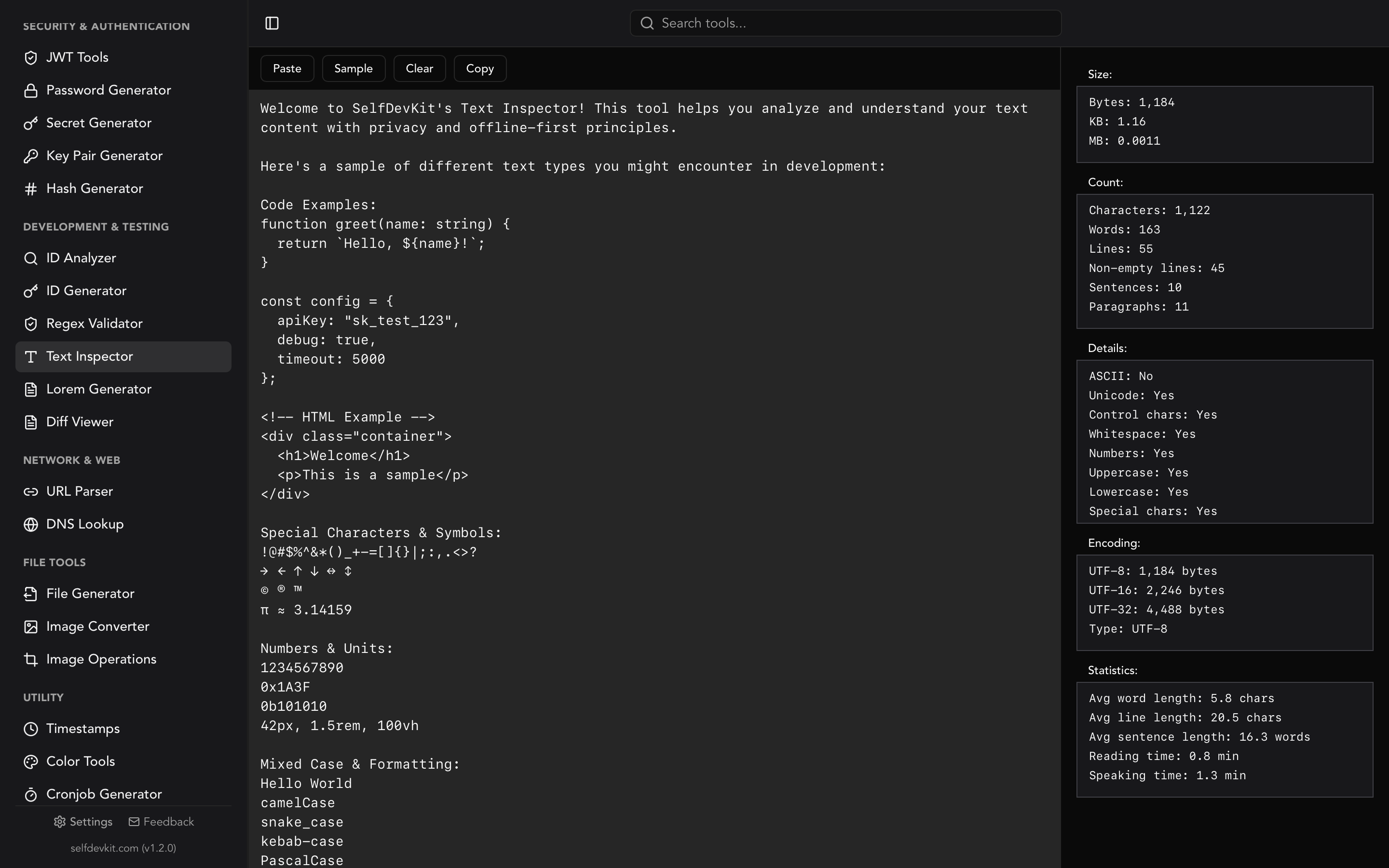
SelfDevKit's Text Inspector reports all of these locally. Paste text and you get word, character, line, sentence, and paragraph counts alongside UTF-8, UTF-16, and UTF-32 byte sizes, encoding details, average word and sentence length, and reading and speaking time.
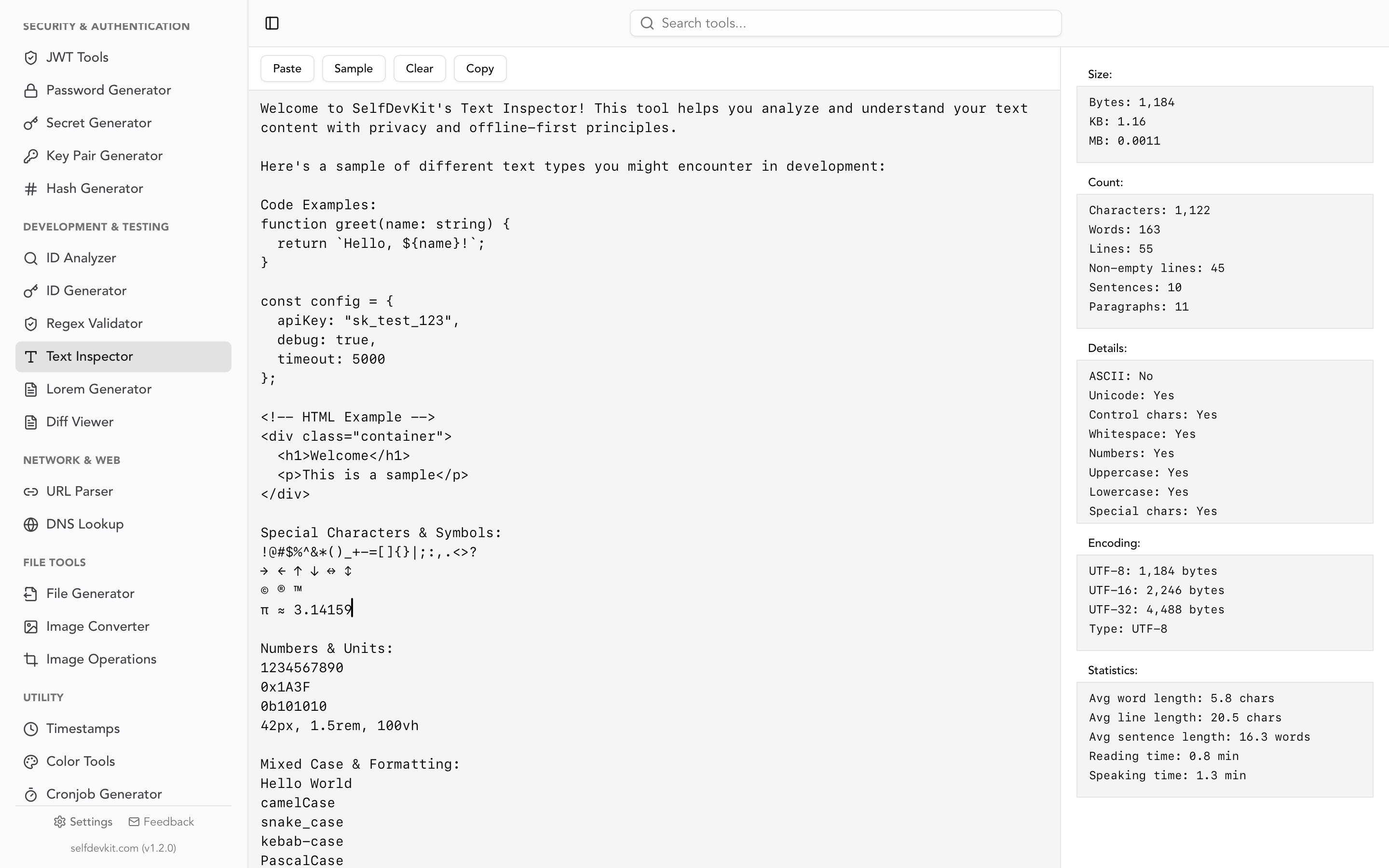
If you want the full breakdown of what counts as a "word" and how hyphens, URLs, CamelCase, and CJK text change the answer, the word counter developer guide walks through every edge case with code in four languages.
The privacy problem with online word counters
Every time you paste into a word counter online, that text can leave your machine. Tools that run entirely in the browser keep it local. Tools bundled with grammar checkers, paraphrasers, or SEO analyzers typically send it to a server, and their terms of service often reserve the right to use submitted content to improve their models.
Read that again. The text you paste to count is, for some tools, an input to an AI product.
For a grocery list this is meaningless. For the kind of text developers paste, it is not:
- Internal documentation describing proprietary architecture or infrastructure.
- API specifications with endpoint names and authentication flows.
- Commit messages and changelogs referencing internal tickets, project names, and unreleased features.
- Client contracts or legal text with confidential terms.
- Support transcripts containing customer data.
A README alone can leak your stack, your team size, and your release cadence to anyone who cares to reconstruct it. If you work in healthcare, finance, or government, pasting even a paragraph into an unknown third party can turn a two-second word count into a compliance incident.
The safe move is a tool that never makes a network request. SelfDevKit runs on your desktop and processes text with native Rust code. Nothing is uploaded, nothing is logged, nothing is retained. This is the same offline-first principle behind every tool in the app, from text comparison to JSON formatting.
Online vs offline word counter: which should you use?
Use an online word counter for quick, non-sensitive text when you have a browser open and nothing to install. Use an offline word counter when the text is confidential, when you count words often enough that speed and workflow matter, or when you need developer metrics that web tools do not provide. The decision comes down to sensitivity, frequency, and depth.
| Factor | Online word counter | Offline / desktop word counter |
|---|---|---|
| Setup | None, open a URL | One-time install |
| Sensitive text | Risky, text may be uploaded | Safe, stays on device |
| Works without internet | No | Yes |
| Developer metrics (bytes, encoding) | Rarely | Yes |
| Speed on large text | Depends on server | Native and instant |
| Distractions | Ads and upsells common | None |
| Best for | Quick, throwaway counts | Frequent use, private or technical text |
There is a middle option that most people miss. A desktop tool gives you the same paste-and-read simplicity as a website, but the processing happens locally. You get the convenience of an online word counter without shipping your text to a stranger's server. For anyone who counts words as part of their daily work, that is the sweet spot.
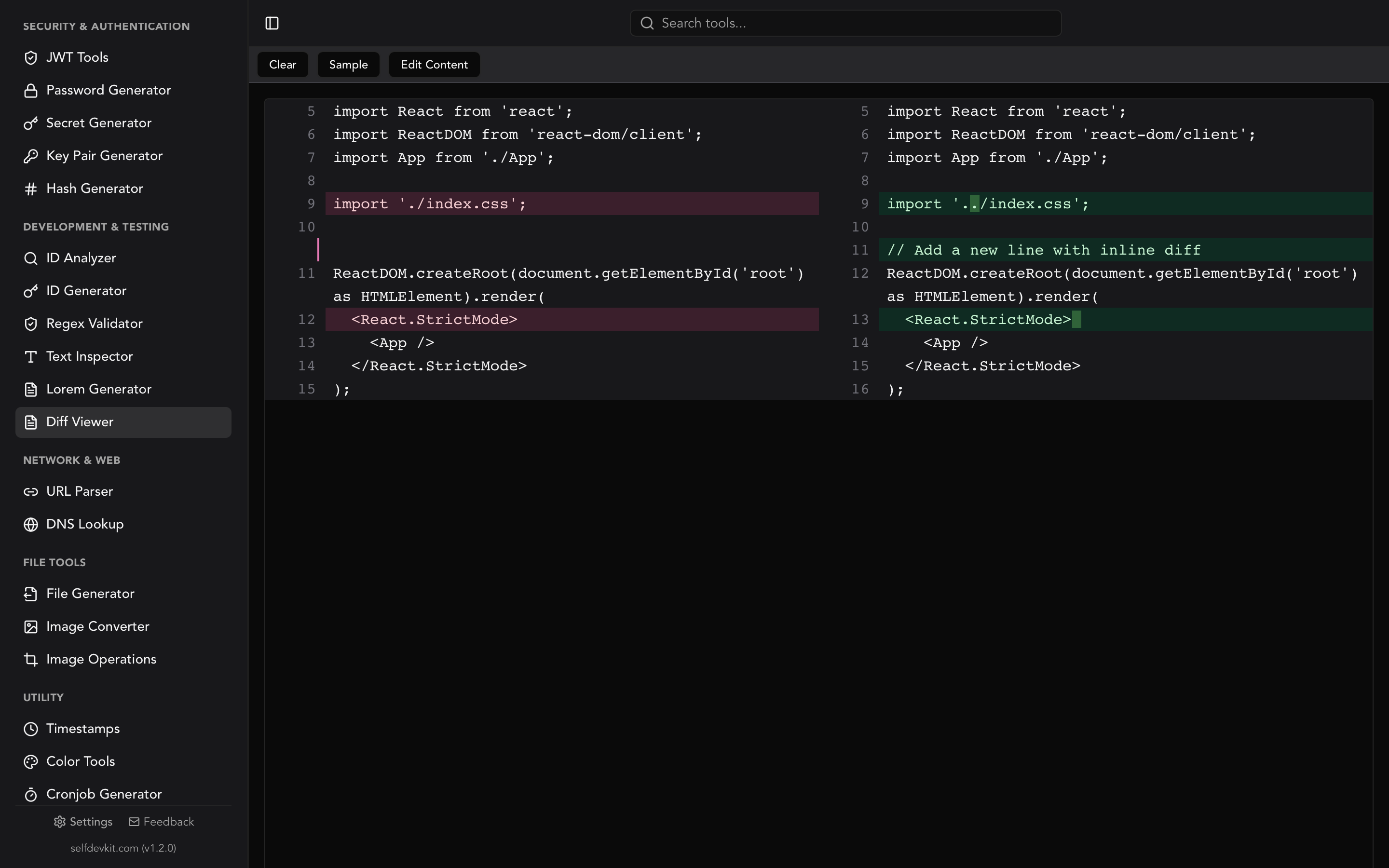
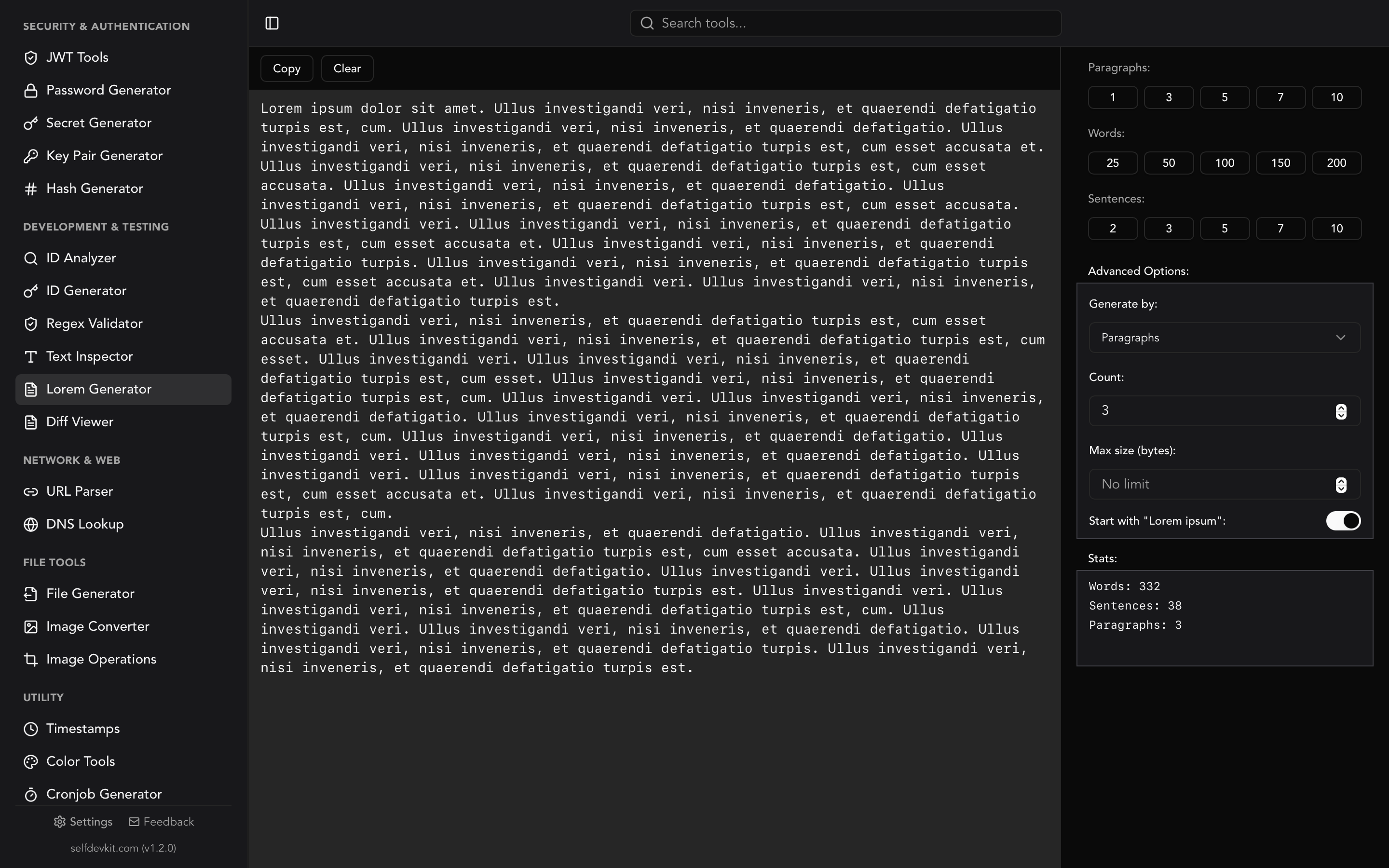
If your workflow also involves comparing two versions of a document, pairing the Text Inspector with SelfDevKit's Diff Viewer shows you both how much text changed and how the composition shifted. Generating placeholder copy to test against a length limit? The Lorem Ipsum generator produces text of a specific size on demand.
Word and character limits worth checking
Most people reach for a word counter online because something has a limit. Knowing the common ones in advance saves a round trip. Here are limits developers and writers bump into constantly.
| Context | Limit | Counted as |
|---|---|---|
| Meta description (SEO) | ~155 chars | Characters |
| Git commit subject | 50 chars (convention) | Characters |
| X (Twitter) post | 280 chars | Characters (URLs = 23) |
| GitHub issue title | 256 chars | Characters |
| npm package description | 255 chars | Characters |
MySQL VARCHAR |
up to 65,535 bytes | Bytes |
| Instagram caption | 2,200 chars | Characters |
| College essay (Common App) | 650 words | Words |
Two of these deserve a warning. X counts every URL as 23 characters regardless of its real length and some emoji as two, so a naive text.length check will disagree with the platform. And any byte-based limit, like a database column or an AWS environment variable, will not match a character count once non-ASCII characters appear. That is precisely why a counter that shows byte size next to character count is worth having. For the extended limits table covering Docker tags, Kubernetes labels, and social platforms, see the word counter guide.
Frequently asked questions
Is an online word counter accurate?
For plain English text, yes. Word counting is simple whitespace splitting, and reputable online counters get it right. Accuracy drifts on edge cases: emoji, hyphenated compounds, URLs, and non-Latin scripts. Character counts especially can differ because some tools count visible characters (graphemes) and others count code units. If exact byte size matters, use a tool that reports UTF-8 bytes directly, like SelfDevKit's Text Inspector.
Are online word counters safe to use with private text?
Not necessarily. Browser-only counters keep your text local, but many popular tools are bundled with grammar or AI features that send text to a server, and their terms may allow using it to improve their products. For confidential documents, contracts, internal docs, or anything under a compliance regime, use an offline word counter that runs entirely on your device.
Do I need internet for a word counter?
For a website, yes. For a desktop word counter like SelfDevKit, no. The counting happens locally in native code, so it works on a plane, behind a firewall, or with the network unplugged. This is one of the practical advantages of an offline-first toolkit.
How is reading time calculated in a word counter?
Reading time divides the word count by an average reading speed, typically 200 words per minute for non-fiction. Speaking time uses a slower rate of about 130 words per minute to reflect a comfortable presentation pace. A 1,000-word article reads in roughly five minutes and speaks in closer to eight.
Try it yourself
A word counter online is perfect for a quick, throwaway count. But if you count words as part of your daily work, or if the text is something you would not want on a stranger's server, a desktop tool gives you the same instant feedback with none of the exposure. Paste into SelfDevKit's Text Inspector and get word count, character count, byte sizes across three encodings, encoding details, and reading time, all processed locally.
Download SelfDevKit to get 50+ developer tools in one app, offline and private.