What is text compare?
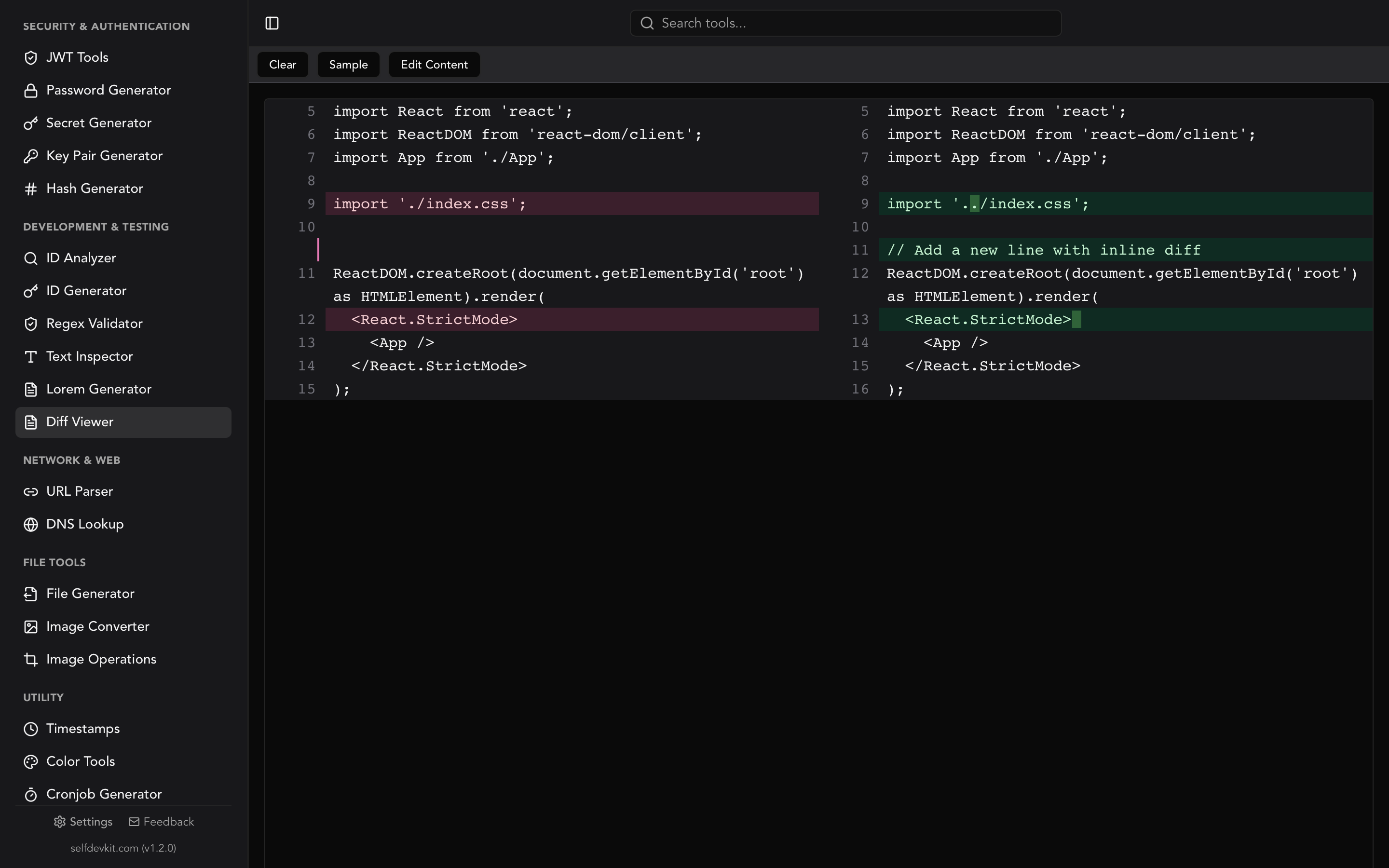
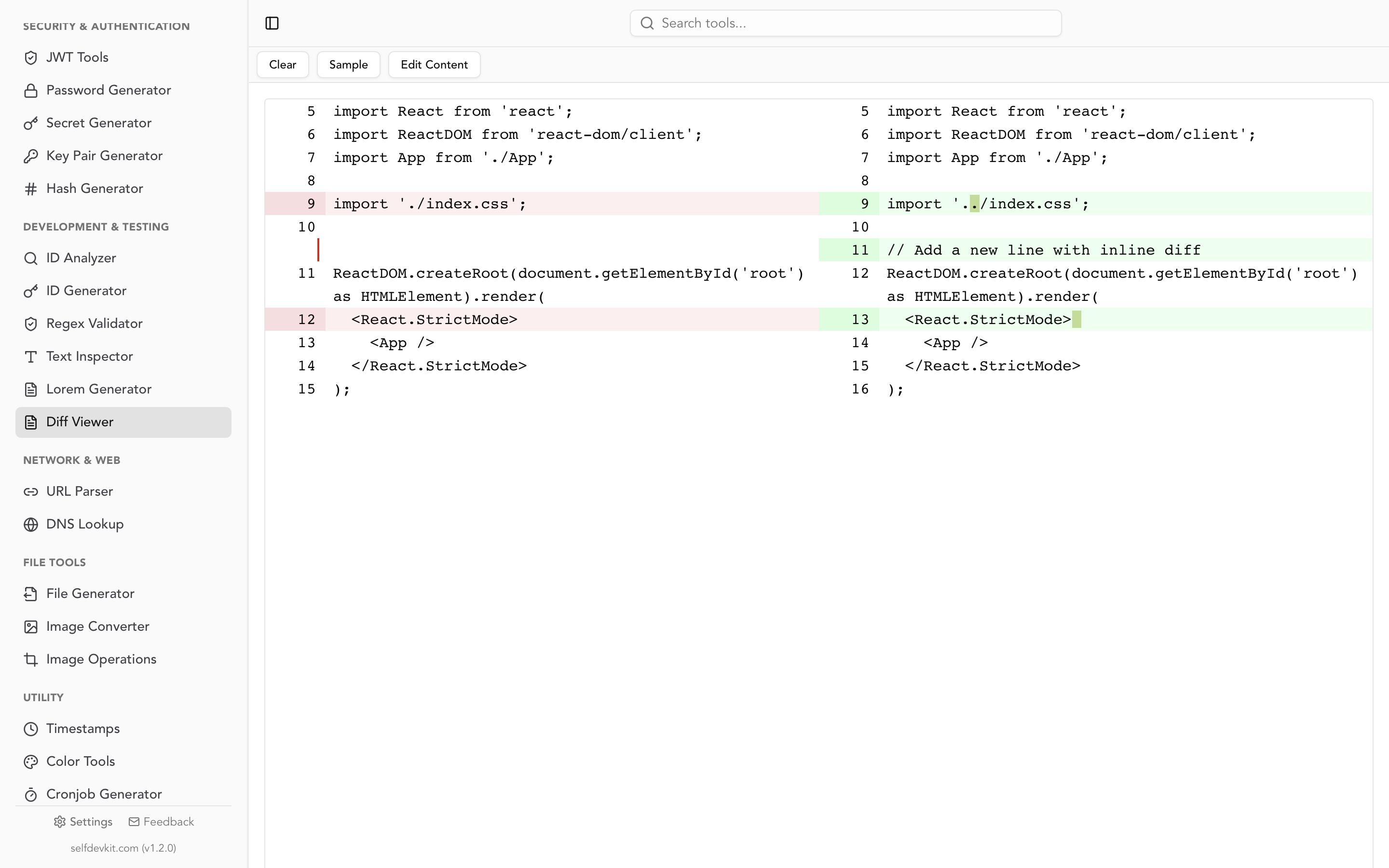
Text compare is the process of analyzing two blocks of text to identify their differences. A text compare tool highlights additions, deletions, and modifications between two versions, making it easy to spot what changed without reading every line manually.
When you need to text compare two documents, config files, API responses, or any two strings of text, you need more than just eyeballing them side by side. Even a single changed character in a 500-line file can take minutes to find manually. Text comparison tools solve this by running diff algorithms that surface every difference instantly.
This guide covers how text comparison actually works, how to do it across different environments (GUI tools, command line, and code), and why where you paste your text matters more than most developers think.
Table of contents
- How text compare tools work under the hood
- Text compare from the command line
- Comparing text programmatically
- Real-world text compare workflows
- The privacy problem with online text compare tools
- Character-level vs. line-level vs. word-level diffing
- Common text compare pitfalls and how to fix them
- Choosing a text compare tool: decision framework
- Frequently Asked Questions
How text compare tools work under the hood
Text comparison tools use diff algorithms to compute the minimum set of changes needed to transform one text into the other. The most widely used is the Myers diff algorithm, published by Eugene W. Myers in 1986, which finds the shortest edit script (fewest insertions and deletions) between two inputs.
The algorithm works by modeling comparison as a graph traversal problem. Matching lines are "free" diagonal moves. Insertions and deletions are horizontal and vertical steps. The goal: minimize the costly steps. Git uses this algorithm as its default diff strategy, which is why git diff output and standalone diff tools produce similar results.
Its time complexity is O(ND), where N is the combined length of both texts and D is the number of differences. When texts are similar (small D), it runs in near-linear time. This is why Git chose Myers as its default diff algorithm.
What the output means
A text compare tool typically produces three types of markers:
| Marker | Meaning | Visual |
|---|---|---|
| Addition | Text present in version B but not A | Green highlight |
| Deletion | Text present in version A but not B | Red highlight |
| Unchanged | Text identical in both versions | No highlight (context) |
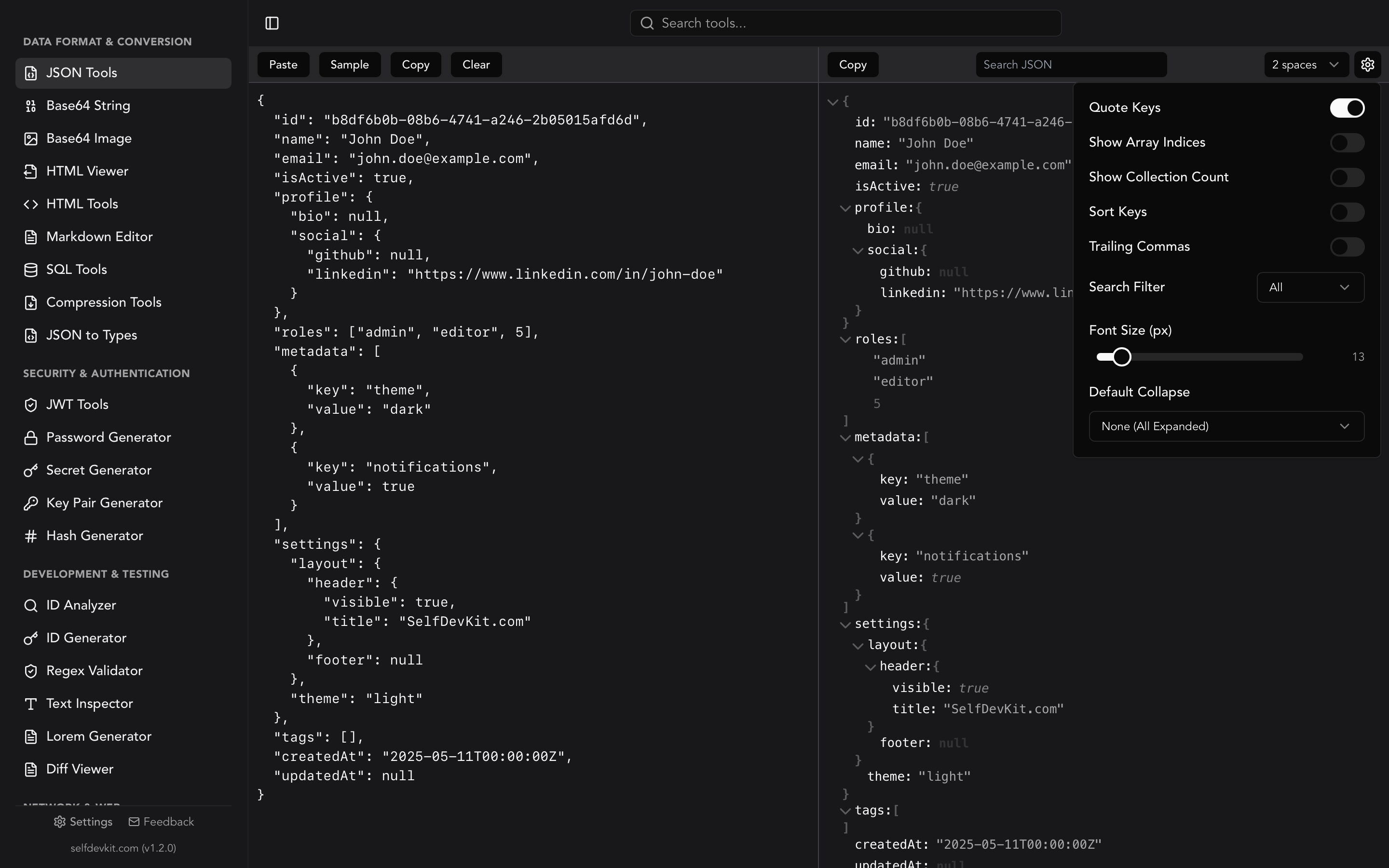
Some tools go further and show modifications: lines that exist in both versions but with different content. These are displayed as a deletion paired with an addition on the same line, with the specific changed characters highlighted.
Text compare from the command line
The diff command is available on every Unix-like system and handles text comparison without any external dependencies. Here are the most useful invocations:
Basic comparison
# Compare two files
diff file1.txt file2.txt

# Unified format (the format Git uses)
diff -u original.txt modified.txt

# Side-by-side output
diff -y --width=120 original.txt modified.txt
Comparing strings directly
You do not always have files. Sometimes you want to compare two command outputs or clipboard contents:
# Compare two command outputs
diff <(curl -s https://api.example.com/v1/config) <(curl -s https://api.example.com/v2/config)

# Compare clipboard with a file (macOS)
pbpaste | diff - expected-output.txt

# Compare two strings inline
diff <(echo "hello world") <(echo "hello World")
Windows equivalents
# PowerShell
Compare-Object (Get-Content file1.txt) (Get-Content file2.txt)

# Or use FC (File Compare)
fc file1.txt file2.txt
Reading the output
Unified diff output looks like this:
--- original.txt
+++ modified.txt
@@ -1,4 +1,4 @@
 server:
-  port: 8080
+  port: 3000
   host: localhost
-  debug: true
+  debug: false
Lines starting with - were removed. Lines starting with + were added. Lines with no prefix are unchanged context. The @@ header tells you which line numbers are affected.
For a deeper dive into reading diff output, see our guide to code diff checking.
Comparing text programmatically
When you need to compare text inside an application or script, every major language has diff libraries available.
Python
import difflib

original = """server:
  port: 8080
  host: localhost
  debug: true"""

modified = """server:
  port: 3000
  host: localhost
  debug: false"""

# Unified diff (same format as git diff)
diff = difflib.unified_diff(
    original.splitlines(keepends=True),
    modified.splitlines(keepends=True),
    fromfile='original.yaml',
    tofile='modified.yaml'
)
print(''.join(diff))

# For a similarity ratio
matcher = difflib.SequenceMatcher(None, original, modified)
print(f"Similarity: {matcher.ratio():.2%}")  # e.g., "Similarity: 82.35%"
Python's difflib is part of the standard library. No pip install needed.
JavaScript / Node.js
// Using the 'diff' package (npm install diff)
import { diffLines, diffWords } from 'diff';

const original = `server:
  port: 8080
  host: localhost`;

const modified = `server:
  port: 3000
  host: localhost`;

// Line-level comparison
const changes = diffLines(original, modified);
changes.forEach(part => {
  const prefix = part.added ? '+' : part.removed ? '-' : ' ';
  process.stdout.write(prefix + part.value);
});

// Word-level comparison (useful for prose)
const wordChanges = diffWords(original, modified);
Go
package main

import (
    "fmt"
    "github.com/sergi/go-diff/diffmatchpatch"
)

func main() {
    dmp := diffmatchpatch.New()
    original := "The quick brown fox"
    modified := "The slow brown cat"

    diffs := dmp.DiffMain(original, modified, false)
    fmt.Println(dmp.DiffPrettyText(diffs))
}
When to use programmatic comparison
Programmatic text compare is essential when:
- Automated testing: Asserting that generated output matches expected output
- CI/CD pipelines: Detecting config drift between environments
- Audit logging: Recording exactly what changed in a document
- Content management: Showing editors what was modified between revisions
Real-world text compare workflows
Text comparison is not just about finding typos. Here are workflows developers use daily where text compare is the core operation.
Comparing API responses across environments
# Save responses from staging and production
curl -s https://staging.api.example.com/users/1 | jq . > staging-response.json
curl -s https://prod.api.example.com/users/1 | jq . > prod-response.json

# Compare them
diff -u staging-response.json prod-response.json
When you spot discrepancies between environments, the next step is often validating the JSON structure itself. SelfDevKit's JSON tools can format both responses identically before comparison, eliminating false positives from whitespace differences.
Config file drift detection
Teams managing infrastructure often need to compare config files across servers or between what is deployed and what is in version control:
# Compare local config with what's deployed
diff -u ./nginx.conf <(ssh prod-server cat /etc/nginx/nginx.conf)
Documentation review
Writers and technical authors use text compare to review what changed between document revisions. Unlike Word's track changes, a plain text diff works with any format: Markdown, reStructuredText, AsciiDoc, or plain text. If you are comparing structured data files, validating the syntax first prevents confusing format errors with actual content changes. Our JSON validation guide covers this workflow in detail.
Database migration verification
Before running a migration, compare the generated SQL with what you expect:
diff <(pg_dump --schema-only current_db) <(pg_dump --schema-only migrated_db)
For formatting SQL before comparison, a SQL formatter ensures consistent indentation so the diff only shows meaningful changes.
Merge conflict resolution
When Git presents a merge conflict, you are essentially doing a three-way text compare: your version, their version, and the common ancestor. Understanding how text compare works makes resolving conflicts faster because you can read the diff markers fluently.
The privacy problem with online text compare tools
Most online text compare tools send your text to a server for processing. This is the critical detail their marketing pages skip.
When you paste text into a browser-based comparison tool, consider what you might be exposing:
- Configuration files with database credentials, API keys, or internal hostnames
- Source code containing proprietary business logic
- API responses with customer PII (names, emails, addresses)
- Infrastructure details like server IPs, internal DNS names, deployment paths
- Legal documents or contracts under NDA
Some tools explicitly state they do not store your data. Others are silent on the matter. Even tools that claim server-side deletion may retain data in logs, CDN caches, or analytics systems.
The safer approach
Run text comparison locally. The diff command works entirely offline. Desktop applications like SelfDevKit's Diff Viewer process everything on your machine without any network requests. Your text never leaves your device.
This is not paranoia. It is compliance. If your organization follows SOC 2, HIPAA, or GDPR requirements, pasting customer data or credentials into third-party web tools likely violates your data handling policies.
Download SelfDevKit to get an offline text compare tool alongside 50+ other developer utilities.
Character-level vs. line-level vs. word-level diffing
Not all text comparison granularities serve the same purpose. Choosing the right one depends on what you are comparing.
Line-level diffing
Best for: source code, configuration files, structured data.
Line-level comparison treats each line as an atomic unit. If any character on a line changes, the entire line is marked as modified. This is what git diff and most code review tools use.
- background-color: #ff6600;
+ background-color: #ff8800;
The whole line shows as changed even though only two characters differ.
Word-level diffing
Best for: prose, documentation, natural language text.
Word-level comparison splits text by whitespace and compares individual words. This produces much more readable diffs for paragraphs of text where line breaks are arbitrary.
The quick [-brown-]{+red+} fox jumped over the lazy dog.
Character-level diffing
Best for: finding exact character differences within a line, debugging encoding issues.
Character-level comparison shows precisely which characters changed. Useful for catching zero-width characters, invisible Unicode differences, or single-character typos in long strings.
This is where SelfDevKit's Text Inspector becomes invaluable. It reveals hidden characters, encoding details, and byte-level content that a standard diff would miss.
Choosing the right granularity
| Use case | Best granularity | Why |
|---|---|---|
| Code review | Line-level | Matches git conventions, easy to comment on |
| Contract editing | Word-level | Shows exact phrasing changes |
| URL debugging | Character-level | Catches encoded vs. unencoded characters |
| JSON comparison | Line-level (after formatting) | Structure matters more than character position |
| CSV data | Line-level | Each row is a logical record |
For JSON specifically, formatting both inputs before comparison is essential. Raw JSON on a single line produces useless diffs. See our JSON comparison guide for techniques specific to structured data.
Common text compare pitfalls and how to fix them
Even experienced developers hit these traps when comparing text. Knowing them saves debugging time.
Whitespace and line ending differences
The most common source of false positives in text comparison is invisible whitespace. Tabs vs. spaces, trailing whitespace, and different line endings (LF vs. CRLF) all register as changes even when the visible content is identical.
# Ignore all whitespace differences
diff -w file1.txt file2.txt

# Ignore only trailing whitespace
diff -Z file1.txt file2.txt

# Ignore line ending style (convert CRLF to LF first)
diff <(tr -d '\r' < file1.txt) <(tr -d '\r' < file2.txt)
On Windows machines, Git often converts line endings automatically via the core.autocrlf setting. This means the same file can appear different across operating systems. If you see every single line marked as changed, line endings are almost certainly the culprit.
Encoding mismatches
Two files can look identical in a text editor but diff as completely different because of encoding. A UTF-8 file with BOM (Byte Order Mark) will not match the same content saved without BOM. Similarly, UTF-8 vs. Latin-1 encoding of accented characters produces different byte sequences for visually identical text.
# Check file encoding
file --mime-encoding document.txt

# Convert encoding before comparing
diff <(iconv -f latin1 -t utf-8 file1.txt) file2.txt
Key ordering in structured data
When comparing JSON or YAML, key order matters to a text compare tool even when it is semantically irrelevant. Two JSON objects with the same keys and values in different order will show as completely different:
// Version A
{"name": "Alice", "age": 30}

// Version B (semantically identical)
{"age": 30, "name": "Alice"}
The solution: normalize before comparing. Format with sorted keys using jq -S or use a dedicated JSON diff tool that understands semantic equivalence rather than treating JSON as plain text.
Large file performance
Comparing two 100MB log files with a naive approach will consume significant memory. For large files, use streaming approaches:
# Compare only specific sections of large files
diff <(sed -n '1000,2000p' large1.log) <(sed -n '1000,2000p' large2.log)

# Hash-based quick check (are they different at all?)
md5sum file1.txt file2.txt
If you work with hashes regularly, SelfDevKit's Hash Generator can quickly verify file integrity before diving into a full comparison.
Timestamps and dynamic content
Comparing API responses or generated files often fails because of timestamps, request IDs, or session tokens embedded in the output. These change on every request and pollute your diff with irrelevant noise.
# Strip timestamps before comparing (ISO 8601 format)
diff <(sed 's/[0-9]\{4\}-[0-9]\{2\}-[0-9]\{2\}T[0-9:\.]*Z/TIMESTAMP/g' file1.json) \
     <(sed 's/[0-9]\{4\}-[0-9]\{2\}-[0-9]\{2\}T[0-9:\.]*Z/TIMESTAMP/g' file2.json)
Choosing a text compare tool: decision framework
Different scenarios call for different tools. Here is a practical decision matrix:
| Scenario | Best tool | Why |
|---|---|---|
| Quick comparison of two snippets | Desktop GUI (SelfDevKit) | Paste, compare, done. No file creation needed. |
| Comparing files in a repo | git diff |
Already integrated with version control |
| Comparing across servers | diff + SSH |
Scriptable, works over network |
| Automated testing | Language library (difflib, jsdiff) | Integrates with test framework assertions |
| Sensitive/proprietary content | Offline tool only | No data leaves your machine |
| Recurring scheduled checks | Shell script + diff |
Can run in cron with email alerts |
For the "quick comparison" use case, the friction of creating files just to run diff on them is enough to push most developers toward a web tool. A desktop app eliminates that friction while keeping your data local. SelfDevKit's Diff Viewer lets you paste two texts and see results instantly, with no file creation and no network requests.
Frequently Asked Questions
How do I compare two texts without an internet connection?
Use the diff command built into macOS and Linux, or install a desktop tool like SelfDevKit that runs entirely offline. On Windows, PowerShell's Compare-Object works without internet. These local tools process your text on your own machine without sending data anywhere.
What is the difference between diff and text compare?
They are the same operation. "Diff" is the technical term originating from the Unix diff command (1974). "Text compare" is the more common search term used by people looking for the same functionality. Both refer to finding differences between two text inputs.
Can I compare more than two texts at once?
Standard diff tools compare exactly two inputs. For three-way comparison (common in merge conflicts), Git provides git merge-tool and git diff3. For comparing multiple files or directories, use diff -r (recursive) or tools like meld that support three-way merging.
How accurate is text compare for plagiarism detection?
Text compare shows literal differences between two specific documents. It is not a plagiarism detector. Plagiarism tools compare one document against a database of millions of sources and detect paraphrasing. A diff tool only tells you what is different between two known inputs. For a similarity percentage between two texts, Python's difflib.SequenceMatcher provides a ratio, but it will not catch rewording.
Try it yourself
If you spend time comparing configs, API responses, code snippets, or documentation revisions, having a fast offline diff tool removes friction from your workflow. No browser tabs, no pasting into third-party servers, no waiting for page loads.
Download SelfDevKit to get a local text compare tool alongside 50+ other developer utilities, all running offline and private.