What does it mean to decode a JWT?
Decoding a JWT means extracting the header and payload from a JSON Web Token by reversing the Base64URL encoding on its first two segments. Decoding reveals the claims inside the token but does not verify the signature. Any developer can decode a JWT without knowing the signing key.
Every developer who works with authentication will eventually need to decode JWT tokens. Maybe the login flow is broken. Maybe a user's permissions look wrong. Maybe you just want to confirm what claims an OAuth provider is actually sending. Whatever the reason, you need to see inside the token.
This guide covers three ways to decode JWT tokens: a desktop GUI tool, command-line one-liners, and programmatic decoding in JavaScript, Python, and Go. It also covers the Base64URL encoding pitfall that trips up most developers the first time they try manual decoding.
Table of contents
- JWT structure in 30 seconds
- How to decode JWT with a desktop tool
- Decode JWT from the command line
- Decode JWT in code
- The Base64URL gotcha
- Decoding vs verifying: know the difference
- What to look for in a decoded JWT
- Why you should decode JWT tokens offline
- Frequently asked questions
JWT structure in 30 seconds
A JSON Web Token is three Base64URL-encoded segments separated by dots. RFC 7519 defines the standard. Here is the structure:
eyJhbGciOiJIUzI1NiIsInR5cCI6IkpXVCJ9.eyJzdWIiOiIxMjM0NTY3ODkwIiwibmFtZSI6IkphbmUgRGV2ZWxvcGVyIiwiaWF0IjoxNzExMjAwMDAwfQ.SflKxwRJSMeKKF2QT4fwpMeJf36POk6yJV_adQssw5c
Split on the dots and you get:
- Header: algorithm and token type (
{"alg": "HS256", "typ": "JWT"}) - Payload: the claims, which is the data you actually care about
- Signature: a cryptographic hash that proves the token was not tampered with
To decode a JWT, you only need to Base64URL-decode the first two segments and parse the resulting JSON. The signature segment is binary data and is not meaningful to decode on its own.
How to decode JWT with a desktop tool
Paste the token into a JWT decoder and the header and payload appear instantly as formatted JSON. SelfDevKit's JWT Tools do exactly this, with one critical difference from online tools: your token never leaves your machine.
Here is the workflow:
- Copy a JWT from your browser's DevTools, a log file, or an API response
- Open JWT Tools in SelfDevKit
- Paste the token into the input field
- The header and payload appear immediately as syntax-highlighted JSON
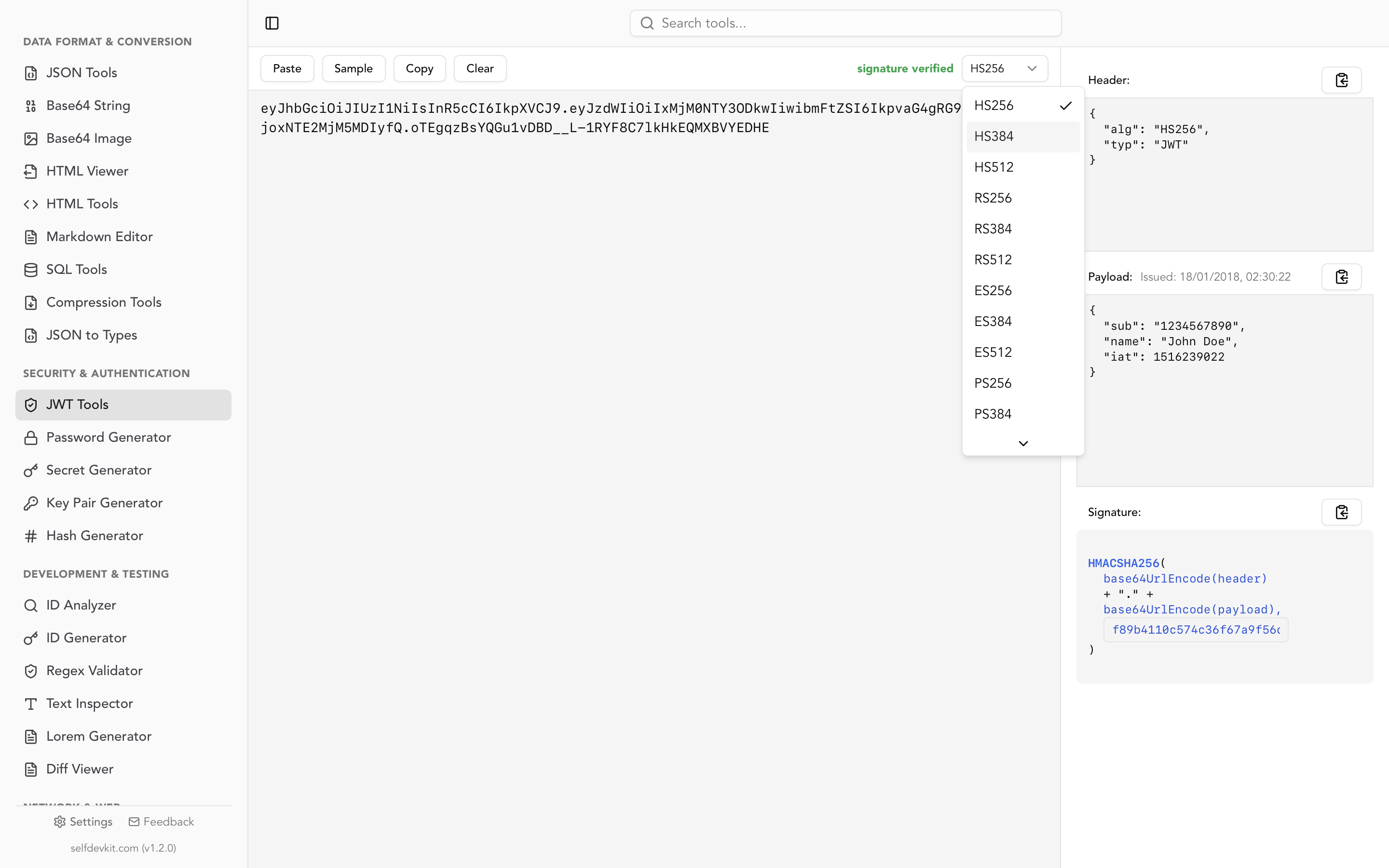
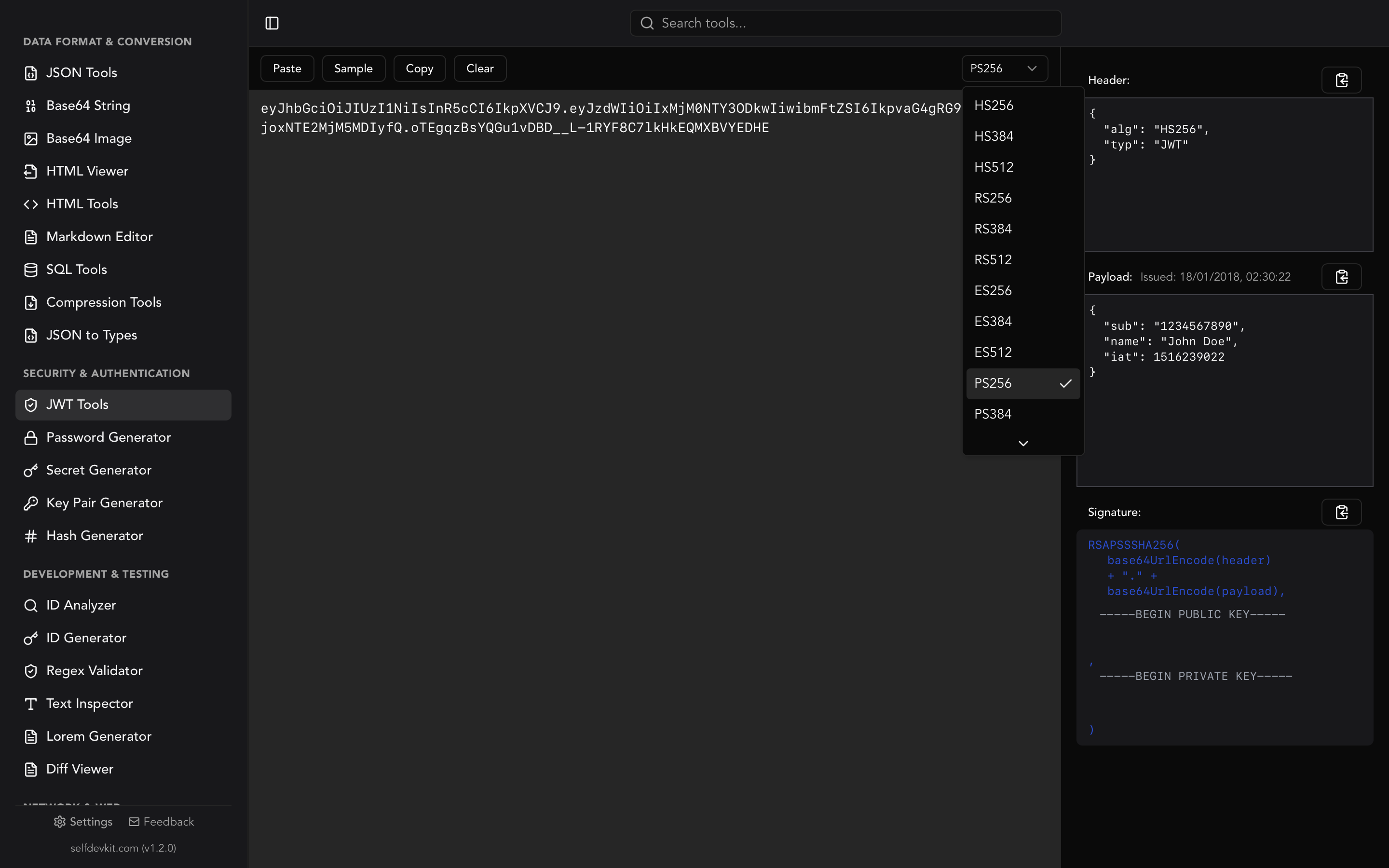
The tool also lets you verify signatures. Enter your HMAC secret or RSA/ECDSA public key and SelfDevKit will tell you whether the signature is valid. It supports all standard algorithms: HS256, HS384, HS512, RS256, RS384, RS512, ES256, ES384, ES512, PS256, PS384, and PS512.
If you need to create test tokens, the same tool lets you build a JWT from scratch by specifying a custom header, payload, and signing key. That is useful when you are testing how your backend handles different claims or edge cases like expired tokens.
Decode JWT from the command line
Sometimes you are SSH'd into a server or deep in a terminal session and don't want to switch context to a GUI. Here are the fastest ways to decode JWT tokens from the command line.
Using jq (recommended)
jq handles JSON parsing and Base64 decoding in a single pipeline:
echo 'eyJhbGciOiJIUzI1NiJ9.eyJzdWIiOiIxMjM0NSIsIm5hbWUiOiJKYW5lIn0.abc123' \
  | jq -R 'split(".") | .[0],.[1] | @base64d | fromjson'
This splits the token on dots, decodes the first two segments, and parses them as JSON. The output is nicely formatted:
{
  "alg": "HS256"
}
{
  "sub": "12345",
  "name": "Jane"
}
If your JWT uses Base64URL characters (- and _ instead of + and /), you need to substitute them first:
echo "$JWT" | jq -R 'split(".") | .[0],.[1]
  | gsub("-";"+") | gsub("_";"/")
  | @base64d | fromjson'
Using bash and base64
A simpler approach if you just need the payload (the second segment):
echo "$JWT" | cut -d. -f2 | base64 --decode 2>/dev/null | jq .
On macOS, base64 --decode works out of the box. On Linux, use base64 -d. Note that this can fail silently on tokens with Base64URL-specific characters. See the Base64URL gotcha section below.
Using Python as a one-liner
Python's standard library handles Base64URL natively, making it the most reliable CLI option:
python3 -c "
import json, base64, sys
token = sys.argv[1].split('.')
for part in token[:2]:
    padded = part + '=' * (-len(part) % 4)
    print(json.dumps(json.loads(base64.urlsafe_b64decode(padded)), indent=2))
" "$JWT"
This handles padding and character substitution automatically, so it works with every valid JWT.
Decode JWT in code
When you need to decode JWT tokens inside an application, use a library. Rolling your own Base64URL + JSON parser invites subtle bugs.
JavaScript / Node.js
The jwt-decode library from Auth0 is the standard choice:
import { jwtDecode } from 'jwt-decode';

const token = 'eyJhbGciOiJIUzI1NiJ9.eyJzdWIiOiIxMjM0NSJ9.abc';
const payload = jwtDecode(token);
console.log(payload);
// { sub: "12345" }
This only decodes the token. It does not verify the signature. For verification in Node.js, use the jsonwebtoken package instead.
If you want to avoid a dependency, you can decode manually:
function decodeJwt(token) {
  const payload = token.split('.')[1];
  const json = atob(payload.replace(/-/g, '+').replace(/_/g, '/'));
  return JSON.parse(json);
}
Python
PyJWT can decode without verification:
import jwt

token = "eyJhbGciOiJIUzI1NiJ9.eyJzdWIiOiIxMjM0NSJ9.abc"
payload = jwt.decode(token, options={"verify_signature": False})
print(payload)
# {'sub': '12345'}
Setting verify_signature to False tells PyJWT to skip signature validation. Use this only when you need to inspect the payload. For production auth checks, always verify.
Go
The golang-jwt/jwt package is the standard:
package main

import (
    "fmt"
    "github.com/golang-jwt/jwt/v5"
)

func main() {
    tokenString := "eyJhbGciOiJIUzI1NiJ9.eyJzdWIiOiIxMjM0NSJ9.abc"

    parser := jwt.NewParser()
    token, _, err := parser.ParseUnverified(tokenString, jwt.MapClaims{})
    if err != nil {
        panic(err)
    }

    claims := token.Claims.(jwt.MapClaims)
    fmt.Println(claims["sub"])
}
ParseUnverified is the Go equivalent of decode-without-verify. The function name itself is a good reminder that you are skipping a critical security step.
The Base64URL gotcha
This is the single most common reason manual JWT decoding fails, and most guides skip over it.
Standard Base64 uses + and / as the 63rd and 64th characters, with = for padding. Base64URL, which JWTs use, replaces these with - and _ and omits the padding entirely. RFC 4648 Section 5 defines the encoding.
Here is what goes wrong:
| Character | Base64 | Base64URL |
|---|---|---|
| 62nd | + |
- |
| 63rd | / |
_ |
| Padding | = |
omitted |
If your JWT payload contains any - or _ characters and you feed it to a standard Base64 decoder without substitution, you will get garbage output or an error. The fix is always the same: replace - with +, replace _ with /, and add = padding until the string length is a multiple of 4.
SelfDevKit's Base64 String Tools can help if you want to experiment with encoding differences. Our Base64 encoding guide covers the full standard in detail. But for JWT decoding specifically, use a dedicated JWT tool or library that handles Base64URL natively. It saves you from this entire class of bugs.
Decoding vs verifying: know the difference
Decoding a JWT and verifying a JWT are two completely different operations with very different security implications.
Decoding extracts the header and payload by reversing the Base64URL encoding. Anyone can do this. No key is needed. The payload of every JWT you have ever received is readable by anyone who has the token string.
Verifying checks the cryptographic signature to confirm the token was issued by a trusted party and has not been modified. This requires the signing key: the HMAC secret for symmetric algorithms, or the public key for RSA/ECDSA.
Never make authorization decisions based on a decoded-but-unverified JWT. An attacker can create a JWT with any claims they want. Without signature verification, you have no way to know if the token is legitimate.
For a deeper look at JWT verification and the algorithms involved, see our JWT decoder and validator guide. If you need to generate a secure signing key, the JWT secret key generator guide covers key length requirements by algorithm.
What to look for in a decoded JWT
Decoding is just the first step. Knowing what to look for in the payload is where the real debugging happens. Here are the claims that matter most, all defined in RFC 7519 Section 4.1:
Expiration and timing claims
{
  "iat": 1711200000,
  "exp": 1711203600,
  "nbf": 1711200000
}
exp(expiration): a Unix timestamp. If this is in the past, the token is expired. This is the first thing to check when authentication fails unexpectedly.iat(issued at): when the token was created. Useful for detecting clock skew between servers.nbf(not before): the token is not valid before this time. Rarely used but can cause confusing "token not yet valid" errors if set.
Converting these timestamps by hand is tedious. SelfDevKit's Timestamps tool converts Unix timestamps to human-readable dates instantly, which is helpful when you are staring at a decoded JWT trying to figure out if 1711203600 is five minutes ago or five hours ago.
Identity and scope claims
{
  "sub": "user_8f3k2j",
  "iss": "https://auth.example.com",
  "aud": "api.example.com",
  "scope": "read:users write:users"
}
sub(subject): who the token represents. Check this when a user sees another user's data.iss(issuer): who created the token. Mismatched issuers are a common source of "invalid token" errors in multi-tenant systems.aud(audience): who the token is intended for. If your API validates the audience claim and it does not match, the token is rejected even if the signature is valid.scopeorpermissions: what the token holder is allowed to do. Missing scopes cause 403 errors that look identical to authentication failures if you do not decode the token first.
Debugging checklist
When authentication or authorization is not working, decode the JWT and check these in order:
- Is
expin the past? The token might be expired. - Does
issmatch what your backend expects? - Does
audmatch your API's expected audience? - Are the required scopes or permissions present?
- Is
nbfset to a future time? - Does the
subclaim identify the correct user?
This ordered checklist resolves most JWT-related bugs within minutes. You do not need to understand the full OAuth 2.0 specification to debug a broken login flow; you just need to read the claims.
Why you should decode JWT tokens offline
Production JWT tokens contain real user data. They contain subject identifiers, email addresses, roles, permissions, and sometimes custom claims with business-specific information. Pasting these tokens into online decoders sends that data to someone else's server.
Online tools may log your input for analytics or debugging. Third-party scripts on the page can capture it. Even if the tool itself is trustworthy, a browser extension or compromised CDN could intercept the data. You simply cannot know.
Offline tools eliminate this risk entirely. SelfDevKit runs on your machine with zero network requests. Your tokens stay in local memory for the duration of the decoding operation and nowhere else.
This matters even more if your organization handles data under GDPR, HIPAA, or SOC 2 requirements. Sending user tokens to third-party web services may violate your compliance obligations. An offline decoder is the simplest way to avoid that conversation with your security team.
For a broader look at why offline developer tools matter, see our guide on privacy-first development.
Frequently asked questions
Can you decode a JWT without the secret key?
Yes. Decoding only reverses the Base64URL encoding on the header and payload, which requires no key at all. The secret key is only needed to verify the signature. This is by design: JWT claims are not encrypted, just encoded. If you need encrypted tokens, look into JWE (JSON Web Encryption) defined in RFC 7516.
Why does my Base64 decoder fail on JWT tokens?
JWTs use Base64URL encoding, not standard Base64. Base64URL replaces + with - and / with _, and omits padding characters. If you use a standard Base64 decoder without converting these characters first, it will produce errors or garbled output. Use a JWT-specific decoder or a Base64 tool that supports the URL-safe variant.
Is it safe to decode JWT tokens in the browser console?
It depends on context. Running atob() in your browser's DevTools keeps the token local and is safe for quick debugging. Pasting tokens into online decoder websites is riskier because you are sending the token to a third-party server. For production tokens, use an offline tool that never makes network requests.
What is the difference between jwt-decode and jsonwebtoken in Node.js?
jwt-decode only decodes the token payload without verifying the signature. It is small (no dependencies) and useful for reading claims on the client side. jsonwebtoken can both sign and verify tokens and is meant for server-side use where signature validation is critical. Use jwt-decode when you just need to read claims; use jsonwebtoken when security depends on the token being authentic.
Try it yourself
SelfDevKit decodes, verifies, and creates JWT tokens entirely on your machine. No network requests, no data leaks, all 12 signing algorithms supported.
Download SelfDevKit to decode JWT tokens offline with 50+ other developer tools included.