
SQL COALESCE returns the first argument that is not NULL. If every argument is NULL, it returns NULL.
COALESCE(value1, value2, ..., valueN)
COALESCE(nickname, name) gives you the nickname when there is one and the full name when there isn't. COALESCE(SUM(total), 0) turns an empty sum into zero. It's part of the SQL standard, so the same call works in PostgreSQL, MySQL, SQL Server, Oracle, and SQLite.
That part takes one line to learn. The rest of this post covers what happens around it: the argument types have to agree, an empty string is not NULL, wrapping a column in COALESCE inside WHERE turns off its index, and AVG(COALESCE(x, 0)) gives a different number from AVG(x).
Every query below was run on PostgreSQL 18 and SQLite, and the results shown are what those engines returned. The MySQL and SQL Server notes were checked on MySQL 8.4 and SQL Server 2022. Oracle behavior comes from its reference manual, linked where it matters.
The sample tables
Customers with gaps in their contact data, and orders with a missing total. Customer 3 has an empty-string nickname, and customer 4 has an empty-string mobile number. Both are there on purpose.
CREATE TABLE customers (
  id            INTEGER PRIMARY KEY,
  name          VARCHAR(50) NOT NULL,
  nickname      VARCHAR(50),
  mobile        VARCHAR(20),
  work_phone    VARCHAR(20),
  discount_pct  INTEGER,
  country       VARCHAR(2)
);

INSERT INTO customers VALUES
  (1, 'Ada Lovelace',    'Ada', '555-0101', NULL,       10,   'UK'),
  (2, 'Grace Hopper',    NULL,  NULL,       '555-0202', NULL, 'US'),
  (3, 'Linus Torvalds',  '',    NULL,       NULL,       0,    NULL),
  (4, 'Edsger Dijkstra', NULL,  '',         '555-0404', NULL, 'NL');

CREATE TABLE orders (
  id          INTEGER PRIMARY KEY,
  customer_id INTEGER NOT NULL,
  total       DECIMAL(10,2),
  shipped_at  DATE
);

INSERT INTO orders VALUES
  (1, 1, 120.00, '2026-10-02'),
  (2, 1,   NULL, NULL),
  (3, 2,  80.00, '2026-10-05'),
  (4, 2,  40.00, NULL);
SQL COALESCE syntax and basic examples
SQL COALESCE checks its arguments from left to right and returns the first one that is not NULL. You can pass two arguments or twenty. The usual pattern is one or more columns followed by a literal default:
SELECT id,
       COALESCE(nickname, name)                  AS display,
       COALESCE(mobile, work_phone, 'no phone')  AS phone
FROM customers
ORDER BY id;
| id | display | phone |
|---|---|---|
| 1 | Ada | 555-0101 |
| 2 | Grace Hopper | 555-0202 |
| 3 | (empty) | no phone |
| 4 | Edsger Dijkstra | (empty) |
Rows 1 and 2 do what you'd expect. Rows 3 and 4 are the first trap, covered in the next section.
The argument count has a floor, and it differs by engine. PostgreSQL and MySQL accept COALESCE(x) with a single argument. SQLite rejects it with wrong number of arguments to function COALESCE(), SQL Server with a syntax error, and Oracle's COALESCE reference says "You must specify at least two expressions." Use at least two and the query runs everywhere.
COALESCE is shorthand for a CASE expression. COALESCE(a, b, c) means:
CASE
  WHEN a IS NOT NULL THEN a
  WHEN b IS NOT NULL THEN b
  ELSE c
END
That equivalence explains most of its behavior, including the type rules and the evaluation order.
Empty strings are not NULL
COALESCE skips NULL and nothing else. An empty string '' is a real value, so COALESCE('', name) returns ''. That's why Linus shows up with a blank display name and Edsger with a blank phone number, even though a fallback was available for both.
Pair it with NULLIF, which turns a specific value into NULL:
SELECT id,
       COALESCE(NULLIF(nickname, ''), name)                 AS display,
       COALESCE(NULLIF(mobile, ''), work_phone, 'no phone') AS phone
FROM customers
ORDER BY id;
| id | display | phone |
|---|---|---|
| 1 | Ada | 555-0101 |
| 2 | Grace Hopper | 555-0202 |
| 3 | Linus Torvalds | no phone |
| 4 | Edsger Dijkstra | 555-0404 |
Use NULLIF(TRIM(col), '') if whitespace-only values should count as missing too.
Oracle is the exception. Its documentation on nulls states that "The database treats a character value with a length of zero as null," so the first query would already work there. Oracle also says this "may not continue to be true in future releases." Write the NULLIF anyway. It's harmless on Oracle and required everywhere else.
Mixing data types: why COALESCE(number, 'text') fails
All COALESCE arguments must convert to one common result type, and engines disagree on how strictly they enforce it. The classic case is showing a word in place of a missing number:
SELECT id, COALESCE(discount_pct, 'none') AS d FROM customers;
| Engine | Result |
|---|---|
| PostgreSQL | Error: invalid input syntax for type integer: "none" |
| SQLite | Runs. Returns integers and strings in the same column: 10, 'none', 0, 'none' |
| MySQL | Runs. The result type is "the aggregated type of the argument types," which here is a string |
| SQL Server | Fails with a conversion error: int has higher data type precedence than varchar, so SQL Server tries to turn 'none' into an integer |
PostgreSQL's error is the honest one. The PostgreSQL docs say "The arguments must all be convertible to a common data type, which will be the type of the result." An untyped literal like 'none' takes the column's type, and 'none' is not an integer.
Two more results from the tests:
COALESCE(discount_pct, '0')is not a string. PostgreSQL returned the integer0, because the quoted literal was converted to the column's type. SQLite returned the string'0'for the NULL rows and integers for the rest.- Dates fail the same way.
COALESCE(shipped_at, 'not shipped')errored on PostgreSQL withinvalid input syntax for type date. SQLite returned the text, because SQLite stores these dates as text anyway.
The fix is the same idea on every engine. Cast the column first, so both arguments are strings:
SELECT id, COALESCE(CAST(discount_pct AS VARCHAR(10)), 'none') AS d
FROM customers;
-- '10', 'none', '0', 'none'
That runs on PostgreSQL, SQLite, and SQL Server. MySQL's CAST doesn't accept VARCHAR and returns a syntax error, so write CAST(discount_pct AS CHAR) there.
Better still, keep the column numeric and put the word in at the presentation layer. A string column of numbers sorts as text: '10' comes before '9'.
Replace NULL with 0 in aggregates: COALESCE(SUM(x)) vs SUM(COALESCE(x))
Use COALESCE(SUM(x), 0) to turn an empty sum into zero. Use SUM(COALESCE(x, 0)) rarely, and never with AVG, because it changes the answer.
Aggregates already skip NULL inputs. They return NULL only when there is nothing to aggregate, such as a customer with no orders:
SELECT c.id, COALESCE(SUM(o.total), 0) AS spent
FROM customers c
LEFT JOIN orders o ON o.customer_id = c.id
GROUP BY c.id
ORDER BY c.id;
-- 1: 120.00   2: 120.00   3: 0   4: 0
Without the COALESCE, customers 3 and 4 get NULL, which turns any arithmetic downstream into NULL as well. The LEFT JOIN guide covers why those rows exist in the first place.
Wrapping the input is a different operation. For SUM it changes almost nothing, because adding zero is the same as skipping; the only difference is that a group whose values are all NULL gets 0 instead of NULL. For AVG and COUNT it changes what you are measuring:
SELECT AVG(discount_pct)              AS avg_raw,
       AVG(COALESCE(discount_pct, 0)) AS avg_zero
FROM customers;
| Query | Result | What it means |
|---|---|---|
AVG(discount_pct) |
5 | Average over the 2 customers with a known discount (10 and 0) |
AVG(COALESCE(discount_pct, 0)) |
2.5 | Average over all 4, treating "unknown" as "no discount" |
AVG(total) on orders |
80 | Average of the 3 known totals |
AVG(COALESCE(total, 0)) on orders |
60 | Divides 240 by 4, as if the missing order were free |
PostgreSQL, SQLite, and MySQL all returned these numbers. SQL Server returned 5 and 2 for the two discount averages, because AVG of an integer column returns an integer there; cast to DECIMAL first if you need the fraction. Neither average is wrong; they answer different questions. Pick the one that matches what NULL means in your data. If NULL means "not recorded yet," replacing it with 0 pulls the average down for no real reason.
COALESCE in a WHERE clause: changed results and lost indexes
Putting COALESCE around a column in WHERE changes which rows match, and on large tables it stops the database from using a plain index on that column.
The row change is often the reason people add it. country <> 'US' skips rows where country is NULL, because comparing NULL to anything gives NULL, not true:
SELECT COUNT(*) FROM customers WHERE country <> 'US';                -- 2
SELECT COUNT(*) FROM customers WHERE COALESCE(country, '') <> 'US';  -- 3
The second query includes Linus, whose country is unknown. That might be what you want. Either way, the two queries are not equivalent, so don't swap one for the other while "cleaning up" SQL.
The index cost shows up in the query plan. On a 100,000-row PostgreSQL table with an index on region (plan output trimmed):
EXPLAIN SELECT id FROM big WHERE region = 'r7';
-- Bitmap Index Scan on big_region  (rows=1970)

EXPLAIN SELECT id FROM big WHERE COALESCE(region, 'none') = 'r7';
-- Seq Scan on big  (rows=500)
--   Filter: (COALESCE(region, 'none') = 'r7')
The index on region stores region, not COALESCE(region, 'none'), so the planner can't use it and reads every row. The row estimate also dropped to 500, a generic guess, against roughly 2,000 real matches. A wrong estimate like that can lead to bad join choices further up the plan. SQLite behaved the same: SEARCH big USING COVERING INDEX for the plain comparison, SCAN big for the wrapped one.
There are two fixes:
- Write the NULL case out.
COALESCE(region, 'none') = 'r7'is justregion = 'r7', because the fallback can never equal'r7'. When you are searching for the fallback itself, writeregion IS NULLinstead. PostgreSQL and SQLite both used the plain index forIS NULL. - Index the expression.
CREATE INDEX big_rc ON big ((COALESCE(region, 'none')));After that, PostgreSQL usedbig_rc, and its row estimate came back close to the real count. The query has to match the indexed expression exactly. In SQLite,IFNULL(region, 'none') = 'r7'still did a fullSCAN, even though it means the same thing as the indexedCOALESCE.
Joining on COALESCE: the sentinel collision
To make NULL match NULL in a join, use a null-safe comparison operator, not COALESCE with a placeholder. The placeholder approach looks reasonable:
... JOIN b ON COALESCE(a.v, '') = COALESCE(b.v, '')
It breaks as soon as the placeholder value also appears in the real data. With one NULL and one '' on each side, that join returned 4 rows instead of 2 on both engines: NULL matched '', and '' matched NULL. The same thing happens with COALESCE(id, 0) when 0 is a valid ID, or COALESCE(d, '1900-01-01') when someone really was born in 1900.
The null-safe operators compare NULL as equal to NULL and nothing else:
| Engine | Null-safe equality |
|---|---|
| PostgreSQL | a.v IS NOT DISTINCT FROM b.v |
| SQLite | IS NOT DISTINCT FROM (3.39.0+), or a.v IS b.v |
| MySQL | a.v <=> b.v |
| SQL Server | IS NOT DISTINCT FROM (SQL Server 2022+) |
Both engines returned exactly 2 rows with IS NOT DISTINCT FROM.
One join pattern where COALESCE is the right tool is merging the key columns after a FULL OUTER JOIN, where either side can be missing:
-- x has keys a, b; y has keys b, c
SELECT COALESCE(x.k, y.k) AS k, x.v AS x_value, y.v AS y_value
FROM x FULL JOIN y ON x.k = y.k;
-- a | 1    | NULL
-- b | 2    | 20
-- c | NULL | 30
Does COALESCE short-circuit?
Yes, at run time. PostgreSQL's docs say "arguments to the right of the first non-null argument are not evaluated," and Oracle's say it "uses short-circuit evaluation." There are exceptions in two directions, though.
Constants can be evaluated early. On PostgreSQL, COALESCE(discount_pct, 1/0) failed with division by zero even for Ada, whose discount is 10. The constant 1/0 was folded while the query was being planned, before any row was read. The PostgreSQL docs warn about this for CASE, and it applies to COALESCE too. An expression that depends on the row behaves as documented: COALESCE(discount_pct, 1/(id - id)) returned 10 for Ada and only errored on Grace, whose discount is NULL.
SQLite doesn't raise errors here at all. 1/0 is NULL in SQLite, and CAST('x2' AS INTEGER) is 0. When a fallback is broken, SQLite silently returns NULL or 0 instead of failing, and that kind of bug is easy to miss.
SQL Server can evaluate an argument twice. Microsoft's COALESCE reference says the expression is rewritten as CASE, so "the input values ... are evaluated multiple times," and for COALESCE((subquery), 1) "the subquery is evaluated twice." Under READ COMMITTED with concurrent writes, the two evaluations can see different data, and Microsoft notes the expression can return NULL. Their suggested fixes are snapshot isolation, ISNULL, or moving the subquery into a derived table.
COALESCE vs ISNULL vs IFNULL vs NVL
COALESCE is the standard, portable version. ISNULL, IFNULL, and NVL are vendor functions that take exactly two arguments, and their return types follow different rules.
| Function | Engines | Arguments | Result type |
|---|---|---|---|
COALESCE(a, b, ...) |
All | 2+ (PostgreSQL and MySQL also accept 1) | Common type of all arguments |
ISNULL(a, b) |
SQL Server | 2 | Type of a |
ISNULL(a) |
MySQL | 1 | 1 or 0: a NULL test, not a replacement |
IFNULL(a, b) |
MySQL, SQLite | 2 | MySQL: the more general type (string, then real, then integer) |
NVL(a, b) |
Oracle | 2 | Type of a when a is character data |
Three of these rows cause real bugs.
MySQL's ISNULL is a different function. It takes one argument and returns 1 or 0, according to the MySQL comparison operators reference. Copy ISNULL(col, 0) from a SQL Server codebase into MySQL and you get an argument-count error.
SQL Server's ISNULL truncates. It returns the type of its first argument, and the ISNULL docs state that the replacement "can be truncated if replacement_value is longer than check_expression." With a VARCHAR(2) country code, ISNULL(country, 'unknown') returns 'un'. COALESCE(country, 'unknown') returns 'unknown', because it takes the longer type.
ISNULL and COALESCE differ in nullability on SQL Server. Microsoft's example: a computed column defined as COALESCE(col1, 0) can't be a primary key, because SQL Server treats the expression as nullable, while ISNULL(col1, 0) can. That is one of the few places where ISNULL is the better choice.
So the default is simple: write COALESCE, and reach for the vendor function only for one of those engine-specific reasons.
COALESCE in UPDATE: partial updates that can't clear a value
SET col = COALESCE(:new_value, col) is a common way to write a "PATCH" update: if the caller didn't send a field, keep the old value.
UPDATE customers
SET nickname = COALESCE($1, nickname),
    mobile   = COALESCE($2, mobile)
WHERE id = $3;
It works until a user wants to clear a field. Passing NULL for nickname means "keep the old one," so Ada's nickname stays 'Ada' no matter what. The statement can't tell "not sent" apart from "set to empty." If clearing matters, send a separate flag per field (CASE WHEN $clear_nickname THEN NULL ELSE COALESCE($1, nickname) END), or build the SET list from only the fields the client actually sent. The UPDATE statement guide covers the related trap where a subquery in SET writes NULL over good data.
Check COALESCE queries before you run them
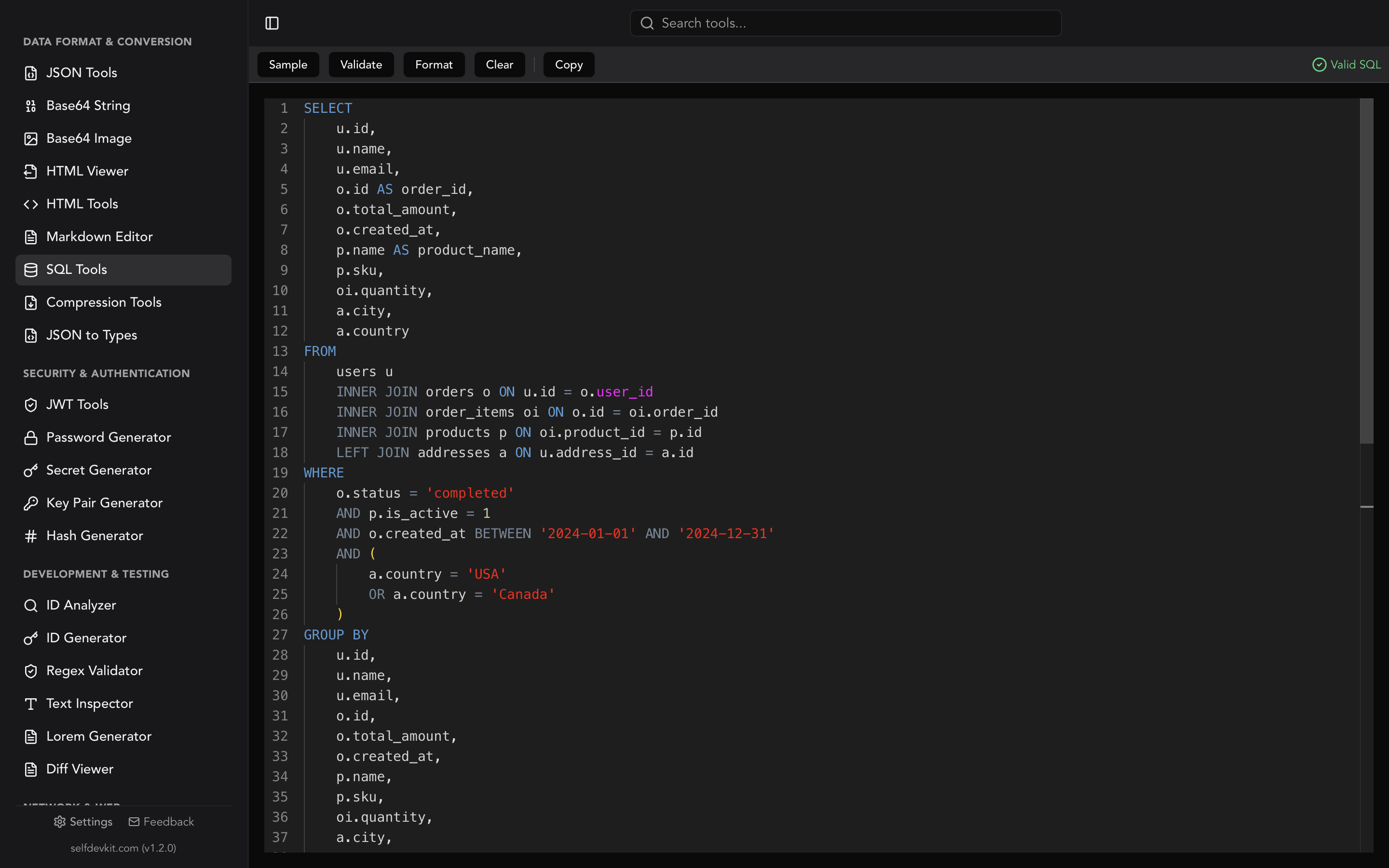
A formatter puts each column of the select list on its own line, so a query with several COALESCE fallbacks reads one column at a time. It won't break a single long call apart, though. SelfDevKit's SQL Tools formats and validates SQL locally, so the table names and customer data in your queries stay on your machine.
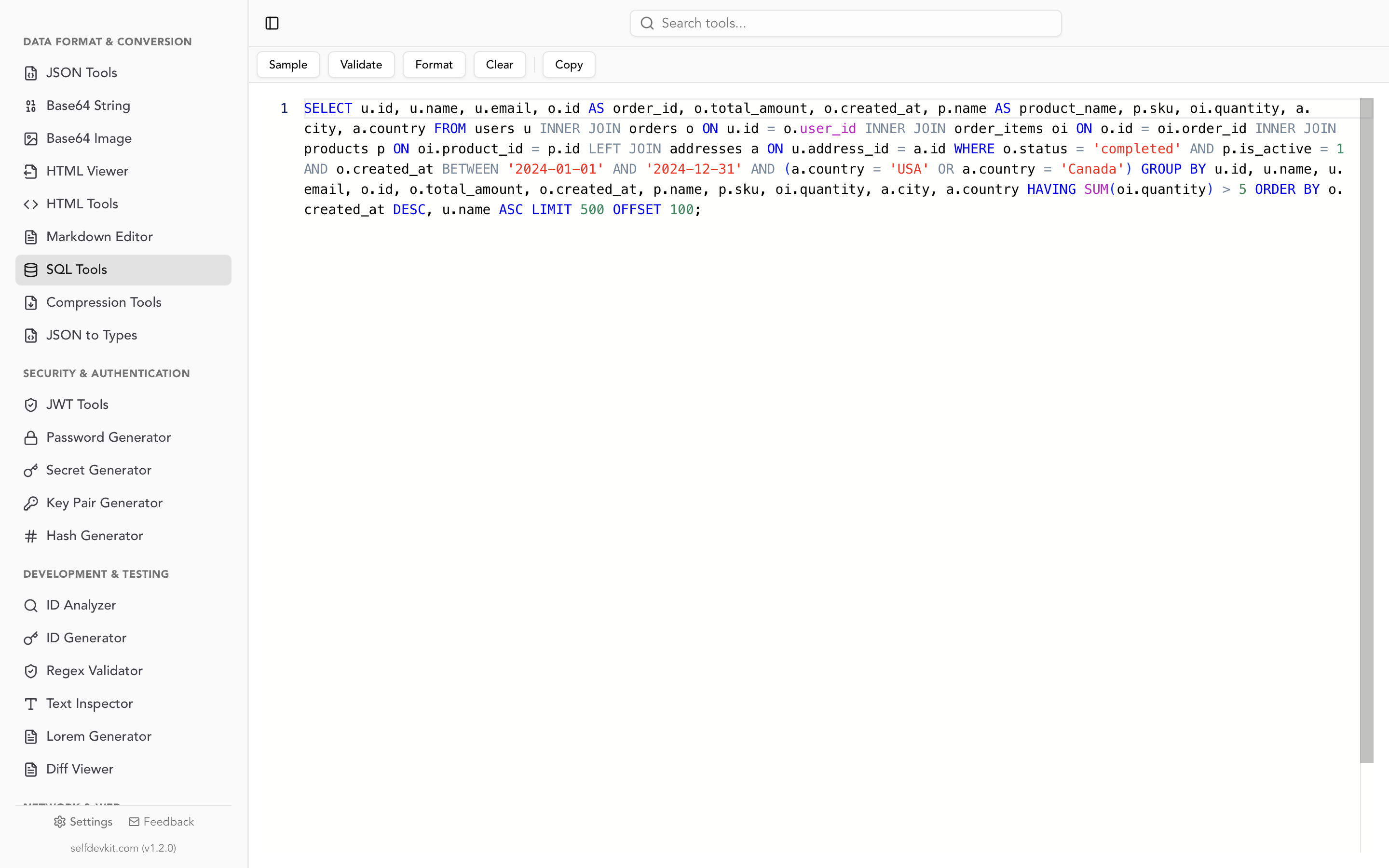
Running this post's queries through the parser and formatter versions the app uses (sqlparser 0.39 and sqlformat 0.3.5) shows a few limits worth knowing:
- Validation is syntax-only and dialect-neutral.
ISNULL(a, b),IFNULL(a, b),NVL(a, b), anddiscount_pct::textall came back valid. The validator won't tell you that two-argumentISNULLfails on MySQL. COALESCE()with no arguments is reported as valid. PostgreSQL rejects it with a syntax error and SQLite with an argument-count error. Treat Valid as "parses," not "runs."- Type errors are invisible to it.
COALESCE(discount_pct, 'none')is valid syntax; the error only appears when PostgreSQL resolves the column type. - Function names keep their case. Keywords like
SELECTandASare uppercased, butcoalesce(sum(o.total), 0)stays lowercase. IS NOT DISTINCT FROMgets split. The formatter treats theFROMas a new clause and puts it on its own line. The query still means the same thing, but it looks broken.
For layout choices and formatter settings, see the SQL formatter guide. The SQL cheat sheet collects the other NULL traps (NOT IN, sort order, CONCAT) in one table.
Quick reference
| Task | Pattern |
|---|---|
| Default for a missing value | COALESCE(col, 'default') |
| Fallback chain | COALESCE(mobile, work_phone, 'no phone') |
Treat '' as missing |
COALESCE(NULLIF(col, ''), 'default') |
| Text default for a number | COALESCE(CAST(n AS VARCHAR(10)), 'none') (CHAR on MySQL) |
| Empty sum as zero | COALESCE(SUM(x), 0) |
| Average of known values only | AVG(x), not AVG(COALESCE(x, 0)) |
| Filter that includes NULL rows | col <> 'x' OR col IS NULL (same rows as COALESCE(col, '') <> 'x', clearer intent) |
| Join where NULL = NULL | IS NOT DISTINCT FROM, or <=> on MySQL |
| Merge keys after FULL JOIN | COALESCE(x.k, y.k) |
| Keep old value on partial update | SET col = COALESCE($1, col) (can't clear to NULL) |
Download SelfDevKit to format and validate SQL offline, alongside 50+ other developer tools. It's a one-time purchase; see pricing for plans.