
The SQL UPDATE statement changes values in rows that already exist. You name the table, list the new values in SET, and choose the rows with WHERE:
UPDATE table_name
SET column1 = value1, column2 = value2
WHERE condition;
Leave out WHERE and every row in the table changes. That much fits on a flashcard.
The interesting part starts when the new values come from another table. A subquery that finds no match writes NULL. A join that finds two matches picks one of them, and the database won't tell you which. Repeat the target table in FROM and you update every row. All three run without an error on PostgreSQL and SQLite.
Every query below was run on PostgreSQL 18 and SQLite, and the row counts and results shown are what those engines returned. The MySQL-specific behavior was checked on MySQL 8.4. SQL Server and Oracle behavior comes from their reference manuals, linked where it matters.
The sample tables
Two tables: a product catalog and a feed of price changes. MS-02 has two price changes on purpose, and product 3 has a NULL status.
CREATE TABLE products (
  id     INTEGER PRIMARY KEY,
  sku    VARCHAR(20) NOT NULL,
  price  DECIMAL(10,2),
  stock  INTEGER NOT NULL,
  status VARCHAR(20)
);

INSERT INTO products VALUES
  (1, 'KB-01',  49.00,  12, 'active'),
  (2, 'MS-02',  19.50,   0, 'active'),
  (3, 'HD-03',  89.00,   4, NULL),
  (4, 'CB-04',   9.99, 150, 'discontinued'),
  (5, 'MN-05', 229.00,   7, 'active');

CREATE TABLE price_changes (
  sku        VARCHAR(20) NOT NULL,
  new_price  DECIMAL(10,2) NOT NULL,
  changed_at DATE NOT NULL
);

INSERT INTO price_changes VALUES
  ('KB-01', 45.00, '2026-10-01'),
  ('MS-02', 17.00, '2026-09-01'),
  ('MS-02', 21.00, '2026-10-15');
Each example starts from this state.
SQL UPDATE statement syntax and basic examples
A basic SQL UPDATE statement sets one or more columns on the rows matched by WHERE, and the database reports how many rows it touched. The right side of each assignment can be a literal, an expression using the row's current values, or a subquery.
-- One column, one row
UPDATE products SET price = 47.00 WHERE id = 1;
-- 1 row

-- Several columns at once, using the current values
UPDATE products
SET price = price * 1.10,
    stock = stock - 1
WHERE stock > 0 AND status = 'active';
-- 2 rows (ids 1 and 5; id 2 has no stock)

-- Every row: valid SQL, rarely what you meant
UPDATE products SET stock = 0;
-- 5 rows
Two smaller forms are worth knowing. SET price = DEFAULT resets a column to its declared default (PostgreSQL, MySQL, and SQL Server accept it; SQLite rejected it with a syntax error). PostgreSQL and SQLite also accept a row assignment, SET (price, stock) = (SELECT 1.00, 2), which is handy when one subquery produces several new values.
What WHERE actually matches
An UPDATE changes only rows where the WHERE condition is true, so any comparison that yields NULL leaves the row alone. That is the same three-valued logic as SELECT, but in an UPDATE it fails silently. Two statements against the sample data:
UPDATE products SET stock = 99 WHERE status = NULL;
-- 0 rows. "= NULL" is never true. Use IS NULL.

UPDATE products SET status = 'archived' WHERE status <> 'discontinued';
-- 3 rows, not 4. Product 3 (status NULL) is skipped.
If product 3 should be included, say so: WHERE status <> 'discontinued' OR status IS NULL, or WHERE status IS DISTINCT FROM 'discontinued' on PostgreSQL, SQLite, and SQL Server 2022 or later (Microsoft reference). MySQL's null-safe equivalent is NOT (status <=> 'discontinued').
The cheapest safety check is to write the WHERE clause as a SELECT first. Run SELECT id, status FROM products WHERE ..., look at the rows, then swap the first line for UPDATE ... SET. The SQL cheat sheet has more of these NULL comparison traps.
SQL UPDATE from another table: JOIN syntax by dialect
To update a table from another table, join the source rows to the target rows and assign from the source columns. Every major database supports this, but the syntax differs more than for any other common statement:
| Database | UPDATE with a join |
|---|---|
| PostgreSQL | UPDATE products AS p SET price = pc.new_price FROM price_changes pc WHERE pc.sku = p.sku |
| SQLite 3.33.0+ | Same as PostgreSQL (UPDATE ... FROM) |
| MySQL / MariaDB | UPDATE products p JOIN price_changes pc ON pc.sku = p.sku SET p.price = pc.new_price |
| SQL Server | UPDATE p SET p.price = pc.new_price FROM products p JOIN price_changes pc ON pc.sku = p.sku |
| Oracle 23ai+ | UPDATE products p SET p.price = pc.new_price FROM price_changes pc WHERE pc.sku = p.sku |
Standard MERGE (PostgreSQL 15+, SQL Server, Oracle; not MySQL or SQLite) |
MERGE INTO products p USING price_changes pc ON (pc.sku = p.sku) WHEN MATCHED THEN UPDATE SET price = pc.new_price |
Details that trip people up:
- PostgreSQL and SQLite put the source in
FROMand the join condition inWHERE. The target table never appears inFROM. SQLite addedUPDATE ... FROMin version 3.33.0, and it needed theASkeyword for the target alias in my runs (UPDATE products pwas a syntax error). - MySQL puts the join before
SET. Its UPDATE reference says multiple-table updates "can use any type of join permitted in SELECT statements, such as LEFT JOIN", but you "cannot use ORDER BY or LIMIT with a multiple-table UPDATE." - SQL Server names the alias after
UPDATEand declares it inFROM. - Oracle only got
UPDATE ... FROMin 23ai, and it can't use ANSI join syntax between the target and the driving table. On older versions, useMERGEor a correlated subquery.
On the sample data, the PostgreSQL form updated 2 rows: KB-01 to 45.00 and MS-02 to... that depends. Hold that thought for two sections.
The self-join trap: listing the target table in FROM
If you repeat the target table in the FROM clause of a PostgreSQL or SQLite UPDATE, you create a second, unrelated copy of it, and every row of the target gets updated. This looks like a reasonable way to write the join:
UPDATE products
SET price = pc.new_price
FROM products p, price_changes pc
WHERE pc.sku = p.sku AND p.sku = 'KB-01';
It updated 5 rows on both PostgreSQL and SQLite. Every product now costs 45.00.
Here is why. products after UPDATE and products p in FROM are two separate references. The WHERE clause constrains p and pc, but nothing ties them back to the row being updated, so each target row cross-joins with the one matching (p, pc) pair and takes its price. The PostgreSQL manual warns about exactly this: "Do not repeat the target table as a from_item unless you intend a self-join."
This is a habit carried over from SQL Server, where UPDATE p ... FROM products p JOIN ... is correct because the alias after UPDATE points at the FROM entry. Moving that query to PostgreSQL by just reordering clauses produces the version above. The fix is to drop products p from FROM and reference the target directly: WHERE pc.sku = products.sku.
When one row matches several source rows
When a joined UPDATE finds more than one source row for a target row, PostgreSQL, SQLite, MySQL, and SQL Server apply one of them without raising an error, and which one is not defined. MS-02 has two price changes, 17.00 (September) and 21.00 (October). The same UPDATE gave different answers depending only on the order the source rows were inserted:
| Insert order of the MS-02 rows | PostgreSQL result | SQLite result | MySQL 8.4 result |
|---|---|---|---|
| 17.00 first, then 21.00 | 17.00 (the old price) | 21.00 | 17.00 |
| 21.00 first, then 17.00 | 21.00 | 21.00 | 21.00 |
No warning either way, and every run reported 2 rows updated. Each target row is updated once, so the count looks normal. SQLite happened to pick the newer price both times, which is luck, not a rule.
All three vendors document this. PostgreSQL: "only one of the join rows will be used to update the target row, but which one will be used is not readily predictable." SQLite: "The output row selected is arbitrary and might change from one release of SQLite to the next, or from one run to the next." SQL Server's UPDATE reference says the results "are undefined" when the FROM clause doesn't give one value per updated column.
MERGE is stricter. PostgreSQL refused the same data with MERGE command cannot affect row a second time, and SQL Server's MERGE reference says it "returns an error" when more than one source row matches a target row it updates. If duplicates in the source would be a bug, that error is a feature.
The real fix is to reduce the source to one row per key before joining. In PostgreSQL:
UPDATE products AS p
SET price = pc.new_price
FROM (
  SELECT DISTINCT ON (sku) sku, new_price
  FROM price_changes
  ORDER BY sku, changed_at DESC
) pc
WHERE pc.sku = p.sku;
-- 2 rows: KB-01 = 45.00, MS-02 = 21.00 (latest), every time
On other databases, use ROW_NUMBER() OVER (PARTITION BY sku ORDER BY changed_at DESC) in a derived table or CTE and keep row 1. The window functions guide covers that pattern, and the CTE guide shows how to put the deduplication step in a WITH clause in front of the UPDATE.
SQL UPDATE with a subquery: the NULL wipe
A correlated subquery in SET runs for every row the UPDATE touches, and when it finds no match it returns NULL, which then gets written to the column. This is the most common way to damage a column with an UPDATE that looks correct:
UPDATE products
SET price = (
  SELECT new_price FROM price_changes pc
  WHERE pc.sku = products.sku AND pc.sku = 'KB-01'
);
Result on both engines: 5 rows updated. KB-01 is 45.00. The other four prices are now NULL.
The subquery only had a value for one product, but the UPDATE had no WHERE, so it ran for all five. If the column is NOT NULL you get an error instead, which is the better outcome. Pointing the same pattern at stock, which is NOT NULL, PostgreSQL reported null value in column "stock" of relation "products" violates not-null constraint and SQLite NOT NULL constraint failed: products.stock, and both left the table untouched.
The second subquery trap depends on the engine. Remove the KB-01 filter so MS-02 matches two rows:
- PostgreSQL stops:
more than one row returned by a subquery used as an expression. Nothing changes. - SQLite runs it, updates 5 rows, and sets
MS-02to 17.00: the first row it found, which is the older price. It also sets the three products with no price change toNULL.
The safe shape fixes both problems. Restrict the UPDATE to rows that have a match, and make the subquery return exactly one row:
UPDATE products
SET price = (
  SELECT new_price FROM price_changes pc
  WHERE pc.sku = products.sku
  ORDER BY changed_at DESC
  LIMIT 1
)
WHERE EXISTS (
  SELECT 1 FROM price_changes pc WHERE pc.sku = products.sku
);
-- 2 rows: KB-01 = 45.00, MS-02 = 21.00. Others untouched.
On SQL Server, swap LIMIT 1 for TOP (1). MySQL has one more restriction: you "cannot update a table and select directly from the same table in a subquery," which fails with ERROR 1093. The MySQL manual suggests rewriting it as a multiple-table update against a derived table.
SET uses the old row values (except in MySQL)
In standard SQL, every expression in SET reads the row as it was before the UPDATE, so assignments don't see each other's results. That makes a column swap a one-liner:
UPDATE products SET price = stock, stock = price WHERE id = 1;
-- PostgreSQL and SQLite: price = 12.00, stock = 49
MySQL is the exception. Its manual says: "Single-table UPDATE assignments are generally evaluated from left to right." So in MySQL, stock = price reads the price that was just set, and both columns end up as 12. For multiple-table updates, MySQL makes "no guarantee that assignments are carried out in any particular order." Swap through a variable or a temporary column there, or use a self-join against a derived copy.
Row counts: matched rows vs changed rows
The row count an UPDATE reports means different things in different databases. PostgreSQL and SQLite count every row that matched WHERE, even when the new value equals the old one:
UPDATE products SET status = 'active' WHERE status = 'active';
-- PostgreSQL: UPDATE 3. SQLite: 3 rows. Nothing actually changed.
The PostgreSQL manual is explicit that the count includes "matched rows whose values did not change." Those rows still get a new row version, which means extra WAL, index work, and any UPDATE triggers firing.
MySQL does the opposite by default. It "notices" a no-op assignment and doesn't perform it, and the C API docs say the affected-rows value "by default is the number of rows actually changed." Connect with CLIENT_FOUND_ROWS and it reports matched rows instead. Application code that treats "0 rows affected" as "row not found" behaves differently depending on that flag.
To skip no-op writes everywhere, put the inequality in WHERE:
UPDATE products
SET status = 'active'
WHERE status IS DISTINCT FROM 'active';
-- 2 rows: only ids 3 (NULL) and 4 (discontinued) are written
Unique columns: why shifting values fails
Updating a unique column so values move into each other's slots can fail even though the end state is valid. A playlist with positions 1, 2, 3 and a UNIQUE constraint on pos:
CREATE TABLE playlist (id INTEGER PRIMARY KEY, pos INTEGER NOT NULL UNIQUE, title VARCHAR(40));
INSERT INTO playlist VALUES (1, 1, 'a'), (2, 2, 'b'), (3, 3, 'c');

UPDATE playlist SET pos = pos + 1;
| Engine | Rows stored in order 1, 2, 3 | Rows stored in order 3, 2, 1 |
|---|---|---|
| PostgreSQL | duplicate key value violates unique constraint "playlist_pos_key" |
Succeeds: 2, 3, 4 |
| SQLite | UNIQUE constraint failed: playlist.pos |
Same error (SQLite keeps these rows in id order regardless of insert order) |
PostgreSQL checks a non-deferrable unique constraint row by row, as its CREATE TABLE reference notes, while the SQL standard checks at the end of the statement. If it moves row 1 to position 2 while row 2 still holds 2, that's a collision; if it happens to visit rows in the opposite order, it works. Same statement, same data, different physical order, different outcome.
Two fixes, both tested:
- PostgreSQL: declare the constraint
UNIQUE (pos) DEFERRABLE INITIALLY IMMEDIATE. Uniqueness is then checked at the end of the statement, andpos = pos + 1succeeded on the order that failed before. The manual warns this can be significantly slower than immediate checking. - Any engine: do it in two passes through values that can't collide.
UPDATE playlist SET pos = -pos;thenUPDATE playlist SET pos = -pos + 1;worked on both engines. Wrap the pair in a transaction.
MySQL lets you control the visiting order directly. Its manual recommends ORDER BY ... DESC for exactly this case: UPDATE playlist SET pos = pos + 1 ORDER BY pos DESC.
See what changed: RETURNING and OUTPUT
RETURNING (PostgreSQL, SQLite 3.35+) and OUTPUT (SQL Server) make the UPDATE return the affected rows, so you don't need a second query to read them back:
UPDATE products
SET price = price * 1.10
WHERE status = 'active'
RETURNING id, old.price AS old_price, new.price AS new_price;
 id | old_price | new_price
----+-----------+-----------
  1 |     49.00 |     53.90
  2 |     19.50 |     21.45
  5 |    229.00 |    251.90
The old. and new. prefixes are new in PostgreSQL 18. Before that, RETURNING on an UPDATE could only return the new values. SQLite rejected old.price with no such column, so on SQLite you get the post-update row only. (SQLite also stored 53.900000000000006, because a DECIMAL column gets NUMERIC affinity and stores fractional values as floating point. Use integer cents if exact money matters there.)
SQL Server has had both sides for years through its pseudo-tables:
UPDATE products
SET price = price * 1.10
OUTPUT deleted.price AS old_price, inserted.price AS new_price
WHERE status = 'active';
Capturing old values this way doubles as a cheap audit trail and an undo script for one-off fixes.
Running an UPDATE safely in production
A safe UPDATE on live data is a short routine: preview the rows, run the change in a transaction, compare the row count to what you expected, then commit. In PostgreSQL syntax:
BEGIN;

SELECT count(*) FROM products WHERE status = 'discontinued';  -- expect 1

UPDATE products SET stock = 0 WHERE status = 'discontinued';  -- reports 1?

-- Count matches: COMMIT.  Count is off: ROLLBACK.
ROLLBACK;
ROLLBACK restores the table completely; after a test UPDATE products SET stock = 0 on all 5 rows, the stock values were back to 12, 0, 4, 150, 7. Use BEGIN TRANSACTION on SQL Server and START TRANSACTION (or BEGIN) on MySQL.
MySQL adds a guard rail for interactive sessions. With --safe-updates (or SET sql_safe_updates = 1), the mysql client makes UPDATE and DELETE "produce an error if they do not specify a key constraint in the WHERE clause, or provide a LIMIT clause, or both."
Batching large updates
Updating millions of rows in one statement holds locks for the whole duration and builds one huge transaction. Break it into batches and repeat until the count hits zero. How you limit a batch depends on the database:
| Database | Batch of 1,000 rows |
|---|---|
| MySQL | UPDATE products SET status = 'archived' WHERE status = 'discontinued' ORDER BY id LIMIT 1000 |
| SQL Server | UPDATE TOP (1000) products SET status = 'archived' WHERE status = 'discontinued' |
| PostgreSQL | No LIMIT on UPDATE. Limit a subquery: WHERE id IN (SELECT id FROM products WHERE ... ORDER BY id LIMIT 1000) |
| SQLite | LIMIT only if built with SQLITE_ENABLE_UPDATE_DELETE_LIMIT; otherwise the subquery form |
Two rules make batching safe. First, the WHERE clause must exclude rows already done, or the loop never ends. Second, SQL Server's TOP picks rows in no particular order; the docs say they "aren't arranged in any order." That's fine when the filter excludes finished rows, and a problem if you expect a specific slice.
Archiving all five sample products in batches of 2 (the subquery form, filtering on status IS DISTINCT FROM 'archived') updated 2, 2, 1, then 0 rows, which is the signal to stop. The PostgreSQL manual shows a variant that selects ctid values in a CTE with FOR UPDATE ... LIMIT and joins on them. It suggests adding SKIP LOCKED if lock contention is a concern, followed by a final pass without SKIP LOCKED or LIMIT so no rows are missed.
Check the UPDATE before you run it
Formatting an UPDATE before running it makes the dangerous parts visible: the SET list, the FROM entries, and whether a WHERE clause is there at all. SelfDevKit's SQL Tools formats and validates SQL locally, so production table names and the values in your WHERE clause never leave your machine. That's a real consideration when the statement you're debugging contains customer IDs or email addresses.
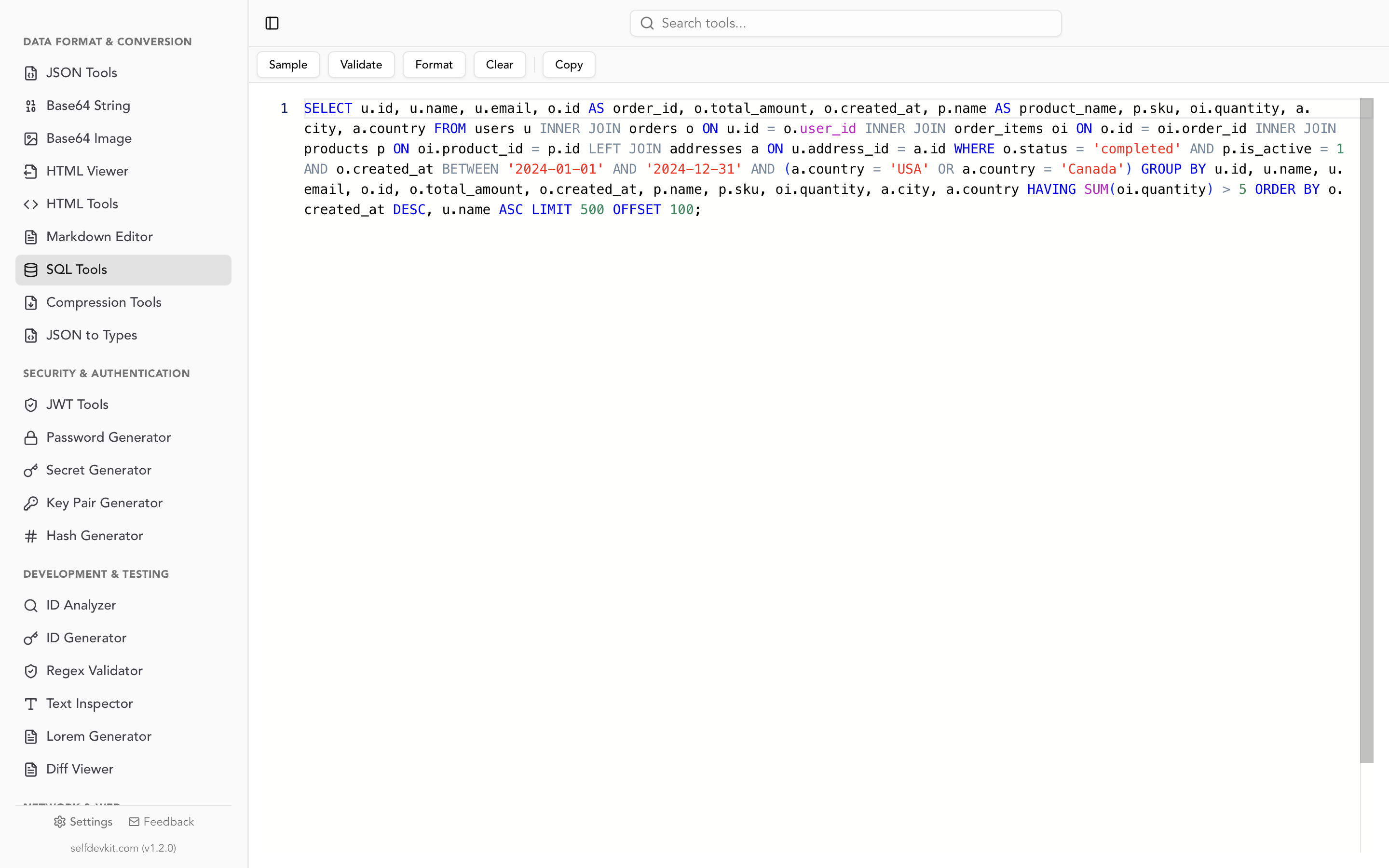
The validator parses your statement with a generic SQL dialect, so keep its limits in mind:
- It checks syntax, not intent.
UPDATE products SET price = 47.00with noWHEREis valid SQL. The row-count check above is still your job. - Some dialect-specific clauses don't parse. Run through the validator, this post's PostgreSQL
UPDATE ... FROM, MySQLJOIN ... SET, SQL ServerUPDATE alias ... FROM,RETURNING, andMERGEexamples all came back valid, but MySQL'sUPDATE ... ORDER BY ... LIMITand SQL Server'sOUTPUTclause were reported as invalid. Treat an Invalid result on vendor-specific syntax as a prompt to check your database's manual, not as proof the statement is wrong.
For more on how the formatter lays out queries, see the SQL formatter guide.
Quick reference
| Task | Pattern |
|---|---|
| Update one row | UPDATE t SET a = 1 WHERE id = 5 |
| Several columns | SET a = 1, b = b + 1 |
| Include NULL rows | WHERE col <> 'x' OR col IS NULL, or IS DISTINCT FROM |
| From another table | FROM (PostgreSQL, SQLite, Oracle 23ai), JOIN ... SET (MySQL), UPDATE alias ... FROM (SQL Server) |
| Source has duplicates | Deduplicate first (DISTINCT ON, ROW_NUMBER), or use MERGE to get an error |
| Subquery in SET | Add WHERE EXISTS (...) and make the subquery return one row |
| Conditional values | SET price = CASE WHEN ... THEN ... ELSE price END (see the SQL CASE guide) |
| See old and new values | RETURNING old.col, new.col (PostgreSQL 18), OUTPUT deleted.col, inserted.col (SQL Server) |
| Big tables | Batches with LIMIT, TOP, or a limited subquery, until 0 rows |
Keep the ELSE price in that CASE row. Without it, every row that matches no WHEN gets NULL, the same wipe as the subquery trap, just with a different cause.
Download SelfDevKit to format and validate your UPDATE statements offline, next to 50+ other developer tools. It's a one-time purchase; see pricing for plans.