Every developer has a moment where they need to format a SQL query right now. Maybe it is a 300-character one-liner pulled from a production log. Maybe a coworker dumped an unreadable query into a pull request. You google "sql formatter online," paste it in, click format, and move on.
That workflow is fine for throwaway queries. But if you are formatting SQL that touches production schemas, customer data, or proprietary business logic, the "paste it into a website" approach has real costs that most developers never think about.
This guide compares the most popular SQL formatter online tools, explains what they do well, where they fall short, and why a local formatter is often the better choice.
How online SQL formatters work
Online SQL formatters parse your query into an abstract syntax tree (AST), then re-serialize it with consistent indentation, keyword casing, and line breaks. The SQL standard (ISO/IEC 9075:2023) defines the language grammar, but every database vendor extends it differently, which is why most formatters let you pick a dialect.
The formatting happens server-side on most tools (CodeBeautify explicitly states this). A few use client-side JavaScript libraries like sql-formatter, which means your SQL stays in the browser. That distinction matters more than most people realize.
Comparing the most popular online SQL formatters
Here is a practical comparison of the tools that actually rank for "sql formatter online." I tested each one with the same complex query containing a CTE, window function, and subquery.
| Tool | Dialects | Client-side? | Customization | Handles CTEs well? |
|---|---|---|---|---|
| DPRiver | 24+ | No | High (many options) | Yes |
| CodeBeautify | 6+ | No (server-side) | Low | Partial |
| Red Gate | Standard SQL | Unknown | Low | Yes |
| Devart | 4+ | No | Medium (profiles) | Yes |
| ExtendsClass | 4 | Yes (JS lib) | Medium | Yes |
| PoorSQL | T-SQL only | Yes (.NET/WASM) | High | Yes |
A few observations worth noting.
DPRiver has the most dialect support and formatting options, but the interface feels dated and the page loads slowly with ads. CodeBeautify is quick and simple but offers almost no customization; you get what you get. Red Gate is clean but exists mainly to funnel users into their paid SQL Prompt product. Devart stands out with predefined formatting profiles (collapsed, extended, right-aligned) so you do not have to configure every setting manually. ExtendsClass runs client-side using the open-source sql-formatter.js library, which is a privacy advantage. PoorSQL is the best option if you work exclusively with T-SQL, and it runs entirely in the browser.
None of these tools offer validation. They will happily "format" syntactically broken SQL by guessing at the structure, which can silently rearrange your query in unexpected ways.
What online formatters get wrong
Online SQL formatters solve the immediate problem: making a messy query readable. But several limitations show up the moment you use them in a real workflow.
No validation
Most online formatters do not validate SQL. ExtendsClass explicitly warns: "This tool does not validate the syntax." That means if you have a typo in a keyword or a mismatched parenthesis, the formatter will still produce output. It just will not be correct output. You will not know until you run the query.
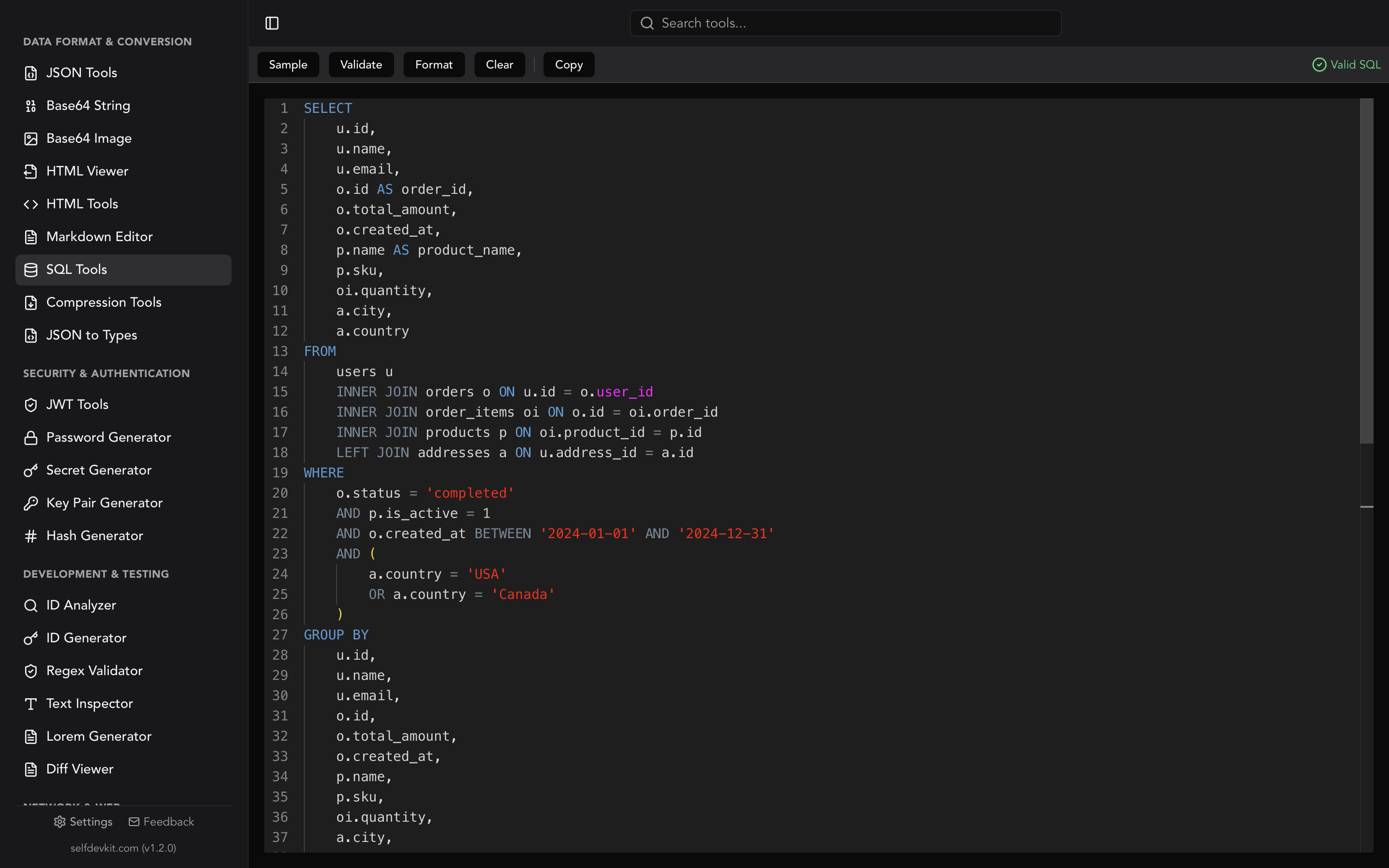
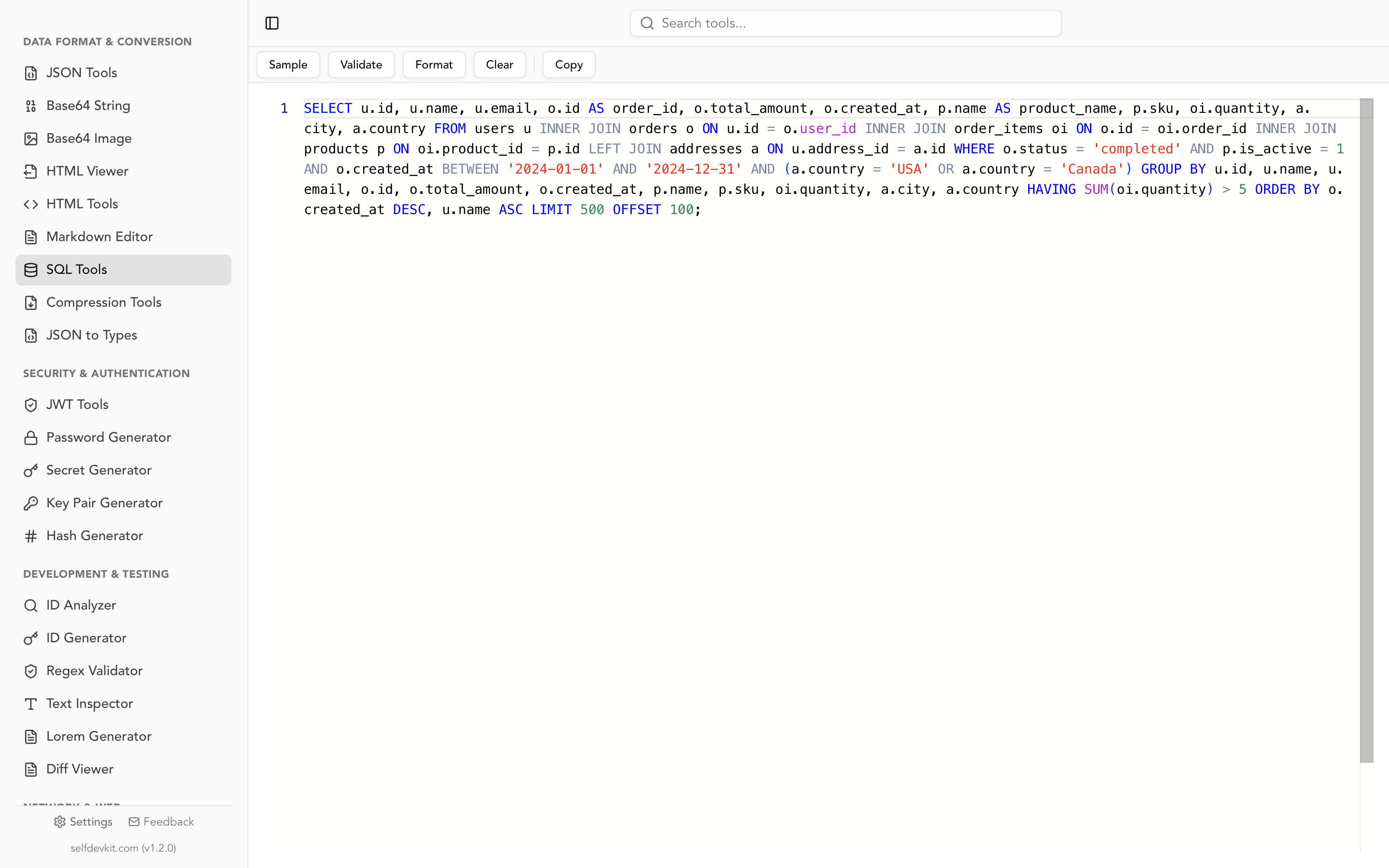
SelfDevKit's SQL Tools validate your SQL before formatting it, catching syntax errors immediately. That saves a round trip to the database.
Size limits and performance
Paste a 500-line stored procedure into most online formatters and you will notice lag. Some have undocumented size limits. Server-side tools add network latency on top of parsing time. For large queries or batch formatting, online tools become a bottleneck.
No workflow integration
You cannot plug an online formatter into a pre-commit hook, a CI pipeline, or an editor extension. Every use requires a manual copy-paste cycle: select, copy, switch tabs, paste, format, copy, switch back, paste. For a one-off query, that is fine. For the tenth time today, it is friction.
If you need programmatic formatting, check our guide on how to format SQL in Python, JavaScript, and CLI tools.
The security problem nobody talks about
This is the gap that no online SQL formatter addresses. Your SQL queries are not just code. They are a map of your data model.
What a query reveals
Consider a typical production query:
SELECT
    u.email,
    u.subscription_tier,
    s.mrr,
    s.churn_risk_score
FROM users u
JOIN subscriptions s ON u.id = s.user_id
WHERE s.churn_risk_score > 0.7
    AND u.account_type = 'enterprise'
    AND u.region IN ('us-east', 'eu-west')
ORDER BY s.mrr DESC;
Paste this into an online formatter and you have just told a third-party server:
- Your database has a
churn_risk_scorecolumn (you are modeling churn) - You segment by
subscription_tierandaccount_type(your pricing model structure) - You track
mrrper user (SaaS revenue model) - You have region-based data partitioning
- Your enterprise customers are the ones you are worried about churning
That is competitive intelligence wrapped in a SELECT statement.
Server-side logging is the real risk
When a formatter processes SQL server-side, the query hits their infrastructure. It may be logged for debugging. It may pass through a CDN that caches request bodies. Third-party analytics scripts on the page could access the input field. You have zero visibility into their data retention policies.
This is not hypothetical paranoia. If your company has SOC 2, GDPR, HIPAA, or even basic NDA requirements, pasting internal SQL into external services is a compliance issue. The same concern applies to formatting HTML or working with JSON data that contains sensitive structures.
Client-side tools are better, but not enough
ExtendsClass and PoorSQL run in the browser, which is better. Your SQL never leaves your device. But you are still trusting that:
- The page does not include analytics scripts that read form inputs
- The JavaScript will not change with the next deployment
- Your browser extensions are not capturing the data
An offline desktop app eliminates all of these vectors. The code runs locally, there is no network stack involved, and no third party can inject scripts.
When online is fine (and when it is not)
Not every SQL query needs Fort Knox security. Here is a practical framework.
Online formatters are fine for:
- Tutorial or learning queries with sample data
- Public SQL from Stack Overflow or documentation
- Generic queries with no proprietary schema details
- Quick formatting when you have no local tools installed
Use offline formatting when:
- The query references production table or column names
- It contains WHERE clauses that reveal business rules
- You are working with queries from logs that might contain real data
- Your company has any data handling compliance requirements
- You format SQL frequently enough that copy-paste friction matters
For most working developers, the second list describes their daily reality.
A faster workflow without the browser
The copy-paste-format-copy-paste cycle gets old fast. Here are three approaches that skip the browser entirely.
Desktop formatter
SelfDevKit's SQL Tools give you a dedicated SQL editor with syntax highlighting, validation, and one-click formatting. Paste your query, hit format, copy the result. No network requests, no ads, no page loads. It uses the same uppercase-keyword, 4-space-indent conventions that most teams expect.
If you work with multiple data formats throughout the day, having JSON formatting, HTML tools, and SQL formatting in a single app means fewer tabs and less context switching.
Editor extensions
VS Code has several SQL formatting extensions. IntelliJ and DataGrip format SQL natively. If you live in your editor, these work well for files. They are less convenient for ad-hoc queries from logs or Slack.
CLI tools
For pipeline integration, sqlformat (Python) and npx sql-formatter (Node.js) handle batch formatting from the command line. Our SQL formatter guide has working examples for both, plus pre-commit hook configuration with sqlfmt.
Frequently asked questions
Is it safe to use an online SQL formatter?
It depends on what you are formatting. For generic or educational queries, online tools are perfectly fine. For queries that reference production schemas, customer data, or business logic, use a local tool instead. Server-side formatters log and process your input on their infrastructure, and you have no control over data retention.
Do online SQL formatters support all SQL dialects?
Most support standard SQL and common dialects like PostgreSQL, MySQL, and T-SQL. DPRiver supports 24+ dialects. However, procedural extensions (PL/pgSQL, T-SQL stored procedures) often break or format incorrectly. If you need dialect-specific formatting, check whether the tool explicitly supports yours.
Can I use an online SQL formatter for stored procedures?
Most general-purpose formatters struggle with procedural SQL. They handle SELECT, INSERT, UPDATE, and DELETE well, but IF/THEN blocks, LOOP constructs, and BEGIN/END wrappers often produce mangled output. PoorSQL is one exception that handles T-SQL procedures reasonably well. For other dialects, format the SQL statements inside the procedure individually.
What is the difference between formatting and validating SQL?
Formatting changes how SQL looks without changing what it does: indentation, line breaks, keyword casing. Validation checks whether the SQL is syntactically correct. Most online formatters only format. They will rearrange broken SQL without telling you it is broken. Tools like SelfDevKit do both, catching syntax errors before you waste time running an invalid query.
Try it offline
If you are tired of the copy-paste-tab-switch cycle, or if you have ever hesitated before pasting a production query into a website, a local formatter solves both problems.
Download SelfDevKit to format and validate SQL offline, alongside 50+ other developer tools.