Choosing an SSH key generator looks like a trivial decision. It is not. The math behind an SSH key is public and identical everywhere; the only secret ingredient is randomness, which means the generator you pick is the entire security story. This guide covers what a generator actually does, the six kinds you will encounter, the times generators shipped broken keys to millions of machines, and the four commands that verify the key you were handed.
An SSH key generator turns random bytes into a key pair. Every implementation, from ssh-keygen to a web page to a cloud console, runs the same standardized algorithm. What differs is where the randomness comes from and who else could see the result. Those two questions are the only ones worth asking, and most comparison articles never ask either.
If you just want the command and the steps, our complete guide to generating an SSH key walks through ssh-keygen, passphrases, ssh-agent, and adding keys to GitHub. This post is about the tool doing the generating.
Table of contents
- What an SSH key generator actually does
- The six kinds of SSH key generator
- When SSH key generators shipped broken keys
- Verify the key your generator produced
- Your generator will not stop you from making a weak key
- Cloud consoles are key generators too
- Using an offline graphical generator
- Frequently asked questions
What an SSH key generator actually does
An SSH key generator draws bytes from the operating system's cryptographically secure random number generator, converts them into a private key according to the chosen algorithm, then derives the matching public key. That is the whole job. The algorithm is a published standard, the code is usually open source, and the output format is fixed, so the only variable a generator controls is the quality and secrecy of its randomness.
Where that randomness comes from depends on the platform. OpenSSH pulls from the OS kernel pool: getrandom(2) on Linux, arc4random on macOS and the BSDs, and the CNG BCryptGenRandom interface on Windows. These are seeded from hardware events and, on modern CPUs, dedicated instructions. A browser tab, by contrast, gets crypto.getRandomValues(), which is fine in principle but sits behind JavaScript you cannot audit.
The two common algorithms do very different amounts of work with those bytes:
Ed25519 takes 32 random bytes, hashes them, clamps a few bits, and it is done. There is no search, no rejection, no failure case. Generation is effectively instant and there is almost nothing an implementation can get wrong beyond feeding in bad randomness.
RSA has to find two large random probable primes and test them. That is a random walk with an unpredictable number of iterations, which is why RSA generation is slow and why the timing varies run to run. On my machine, generating each key type:
ed25519      0.00 s
rsa 2048     0.24 s
rsa 4096     1.85 s
That 4096-bit figure is not a benchmark you can rely on. Run it again and it might take five seconds, or fifteen. Prime search is luck.
This difference matters for one reason: RSA's prime selection step is a place where a clever implementation can introduce structure, and structure is exactly what breaks keys. Ed25519 has no equivalent step. That is a real argument for preferring Ed25519 that has nothing to do with key size or speed.
The size difference shows up in the files themselves. An Ed25519 public key is 98 bytes; a 4096-bit RSA public key is 742 bytes. The private keys are 411 bytes and 3,381 bytes respectively.
The six kinds of SSH key generator
There are six practical categories of SSH key generator, and they differ far less in output than in trust boundary. Every one of them produces a standards-compliant key. What separates them is the list of parties who had an opportunity to see the private half.
| Generator | Runs where | Who could see the private key | Best for |
|---|---|---|---|
OpenSSH ssh-keygen |
Your machine, CLI | You only | The default answer for everyone |
| PuTTYgen | Your machine, Windows GUI | You only | Legacy Windows workflows needing .ppk |
| Offline desktop GUI | Your machine, GUI | You only | Point-and-click without a terminal |
| Browser-based generator | A web page | You, plus anyone who controls or compromises that page | Nothing you will actually use |
| Cloud console (AWS, DigitalOcean, Azure) | The provider's servers | You and the provider | Convenience, at a cost worth understanding |
Hardware token (ed25519-sk, ecdsa-sk) |
A YubiKey or similar | Nobody, including you | High-value production access |
The hardware token row is the interesting outlier. Since OpenSSH 8.2, released in February 2020, ssh-keygen can enroll FIDO/U2F security keys with the ed25519-sk and ecdsa-sk types. The private key material never leaves the token, so there is no file to steal, and every authentication requires a physical touch. Note that hardware support for ed25519-sk is less common than ecdsa-sk, so check your token.
If you try it without a token plugged in, you get exactly what you would expect:
$ ssh-keygen -t ed25519-sk -f ~/.ssh/id_sk
Key enrollment failed: device not found
The browser row deserves the bluntest treatment. Several of the top results for "ssh key generator" are web pages that will happily hand you a private key. Some are honest about running client-side. The problem is not honesty, it is verifiability: you cannot confirm from the outside that the key was not logged, cached, or shipped to a server, and a single compromised script or dependency changes the answer silently. There is no partial compromise of an SSH private key.
When SSH key generators shipped broken keys
Key generators have failed catastrophically at least three times in ways that produced keys an attacker could recover from the public half alone. None of these were exotic. All of them affected mainstream software or hardware, and all of them were failures of the generator, not the algorithm.
Debian's OpenSSL, 2008. A maintainer removed lines of code that were triggering warnings in Valgrind. Those lines were the PRNG seeding. The only varying input left was the process ID, and on Linux the default maximum PID is 32,768. Every SSH key generated on an affected Debian or Ubuntu system between September 2006 and May 2008 came from a pool of roughly 32,767 possible keys per architecture and key size. You could enumerate the entire keyspace on a laptop. Debian's DSA-1571-1 advisory has the details, and the affected keys included SSH, OpenVPN, DNSSEC, and X.509 material.
Embedded devices, documented 2012. The Mining Your Ps and Qs study by Heninger, Durumeric, Wustrow, and Halderman scanned 22 million hosts and recovered RSA private keys for 0.50% of TLS hosts, purely because those keys shared common factors. The cause was headless and embedded devices generating keys immediately at first boot, before the entropy pool had anything in it. Two devices seeded identically produce related keys, and a shared prime between two public keys is a gcd away from both private keys.
Infineon's RSA library, 2017. ROCA (CVE-2017-15361) was a flaw in how Infineon's "Fast Primes" routine selected primes. The primes had a recognizable algebraic structure, which made 1024-bit and 2048-bit keys factorable by a variant of Coppersmith's attack. Affected products included TPM chips, Gemalto smart cards, and YubiKey 4 before firmware 4.3.5. This is the case that should adjust your priors most: it was a hardware generator, from a serious vendor, running a certified library, and it still produced recoverable keys for years.
The pattern across all three is the same. The keys looked perfectly normal. They had the right length, the right format, and the right fingerprint structure. Nothing in the output told you anything was wrong. That is why the only durable defense is picking generators with a large auditing surface and a long track record, which in practice means OpenSSH or something built on well-reviewed cryptographic libraries running on your own hardware.
Verify the key your generator produced
You cannot test a key for good randomness after the fact, but you can verify four things in about ten seconds: that the pair actually matches, that it is the type and size you asked for, that the private key is encrypted, and that the public key is the one you are about to authorize.
Confirm the public key matches the private key. Both halves produce the same fingerprint, so a mismatch means you are about to authorize the wrong file. Real output from OpenSSH 9.6:
$ ssh-keygen -lf ~/.ssh/id_ed25519.pub
256 SHA256:S8Xnf74CiNS7cSwf6DnWJcELQbGy0VpumFPtOjP0URY demo@example.com (ED25519)

$ ssh-keygen -lf ~/.ssh/id_ed25519
256 SHA256:S8Xnf74CiNS7cSwf6DnWJcELQbGy0VpumFPtOjP0URY demo@example.com (ED25519)
That output also answers the second question. The leading 256 is the key size in bits and the trailing (ED25519) is the type, so one command confirms you got what you asked for rather than what a default handed you.
Check whether the private key is actually encrypted. A passphrase is what makes a stolen key file survivable, and it is easy to skip it by accident when scripting. Ask ssh-keygen to read the key with an empty passphrase and see if it complains:
# Succeeds silently: the key has NO passphrase
ssh-keygen -y -P "" -f ~/.ssh/id_ed25519 > /dev/null

# Fails: the key is encrypted
ssh-keygen -y -P "" -f ~/.ssh/id_protected > /dev/null
You can also read it straight off the file. The start of an OpenSSH private key is base64 that encodes the cipher and KDF names in plain sight. An unencrypted key begins with the encoding of openssh-key-v1 followed by none twice:
-----BEGIN OPENSSH PRIVATE KEY-----
b3BlbnNzaC1rZXktdjEAAAAABG5vbmUAAAAEbm9uZQ...
An encrypted one names the cipher and KDF instead, and you can spot aes256-ctr and bcrypt in the decoded prefix:
-----BEGIN OPENSSH PRIVATE KEY-----
b3BlbnNzaC1rZXktdjEAAAAACmFlczI1Ni1jdHIAAAAGYmNyeXB0...
If the fifth block of characters is not different between your keys, you have unencrypted private keys sitting on disk. Generate the passphrase itself with a real password generator rather than inventing one; our secure password generator guide explains why length beats character-class complexity here.
Derive the public key from the private key. This is the check that catches a mislabeled or corrupted file, and it also works on PEM keys produced by non-SSH generators. ssh-keygen -y reads a PKCS#8 PEM private key directly:
$ ssh-keygen -y -f private_key.pem > id_rsa.pub
$ ssh-keygen -lf id_rsa.pub
2048 SHA256:7Aeao8noMrKt0bfKqtAeZWrJfvqcXOIBKHFy6Fpi+nE no comment (RSA)

$ ssh-keygen -lf private_key.pem
2048 SHA256:7Aeao8noMrKt0bfKqtAeZWrJfvqcXOIBKHFy6Fpi+nE no comment (RSA)
Identical fingerprints, so the derived public key genuinely belongs to that private key. That is the bridge between a generic key pair generator and an SSH workflow, and it is covered in more depth in our RSA key generator guide.
Your generator will not stop you from making a weak key
ssh-keygen will generate a key that no security team would approve, without a single warning. This surprises people who assume the tool encodes best practice. It does not; it encodes backward compatibility.
On Ubuntu 24.04 with OpenSSH 9.6, both of these succeed quietly:
$ ssh-keygen -t rsa -b 1024 -N "" -f ./weak -q
$ ssh-keygen -lf ./weak.pub
1024 SHA256:oLJ/7+nxSYadIWC4LvK0+pz4xTOPpThwDcGRqXwyhtY (RSA)

$ ssh-keygen -t dsa -N "" -f ./dsakey -q
$ ssh-keygen -lf ./dsakey.pub
1024 SHA256:BQM92EUjY7/7b7bGKfJFZjVxLTWJVuuPcqoEy+DsBCU (DSA)
NIST disallowed RSA below 2048 bits for new keys back in 2013 in SP 800-131A, and DSA in SSH is limited to a 160-bit private key with SHA-1, an estimated 80-bit security level. The only thing that eventually stopped DSA was upstream removing it: OpenSSH 9.8 disabled it at compile time in July 2024, and OpenSSH 10.0 deleted the code entirely in April 2025. Until you upgrade, your generator will keep making them.
The floor it does enforce is low. Ask for 512-bit RSA and you get one refusal:
Invalid RSA key length: minimum is 1024 bits
So decide the parameters yourself rather than trusting the tool to protect you:
| Choice | Verdict | Reason |
|---|---|---|
-t ed25519 |
Use this | Fixed 256-bit key, ~128-bit security, no way to botch generation |
-t rsa -b 4096 |
Acceptable | Legacy or FIPS environments only. Slow to generate, large keys |
-t rsa -b 2048 |
Minimum | Fine for compatibility, ~112-bit security |
-t rsa -b 1024 |
Never | Disallowed since 2013, still generates without warning |
-t ecdsa |
Avoid | Signing leans heavily on per-signature randomness |
-t dsa |
Never | Removed in OpenSSH 10.0 |
-t ed25519-sk |
Best for production | Private key cannot be extracted from the token |
Cloud consoles are key generators too
When you click "create key pair" in a cloud console, the provider's servers run the generator and hand you the private key. This is an easy step to overlook because it does not feel like using a key generator, but it is the same trust decision with a different interface.
AWS is the clearest example. CreateKeyPair generates both halves on Amazon's side and lets you download the private key exactly once, after which AWS discards its copy. The alternative is ImportKeyPair, where you generate locally and upload only the public half:
# Generate locally
ssh-keygen -t ed25519 -C "prod-bastion" -f ~/.ssh/id_prod

# Send only the public key to AWS
aws ec2 import-key-pair \
  --key-name prod-bastion \
  --public-key-material fileb://~/.ssh/id_prod.pub
The ImportKeyPair documentation is explicit that the private key is never transferred between you and AWS in this flow. That is a meaningful difference for anything touching production, and it costs you one extra command. Import is the right default; console-generated key pairs are fine for a throwaway sandbox instance and awkward to justify anywhere else.
The same logic applies to any managed platform that offers to generate a deploy key or an access key for you. Ask which side of the network the randomness happened on.
Using an offline graphical generator
If you want a graphical SSH key generator, the requirement is that it runs locally with no network calls, not that it looks nice. A native desktop app satisfies that; a web page cannot, regardless of what its marketing copy says.
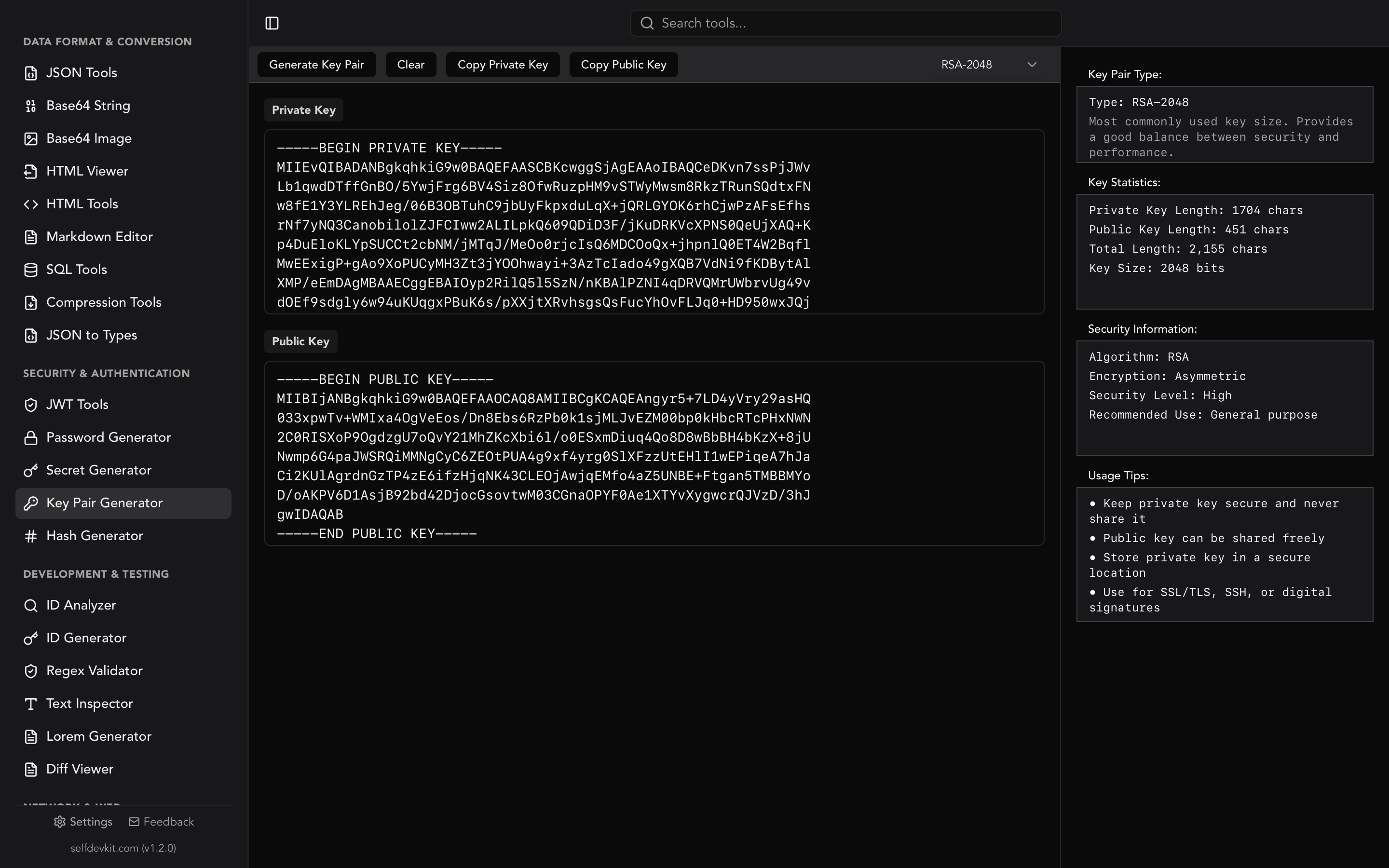
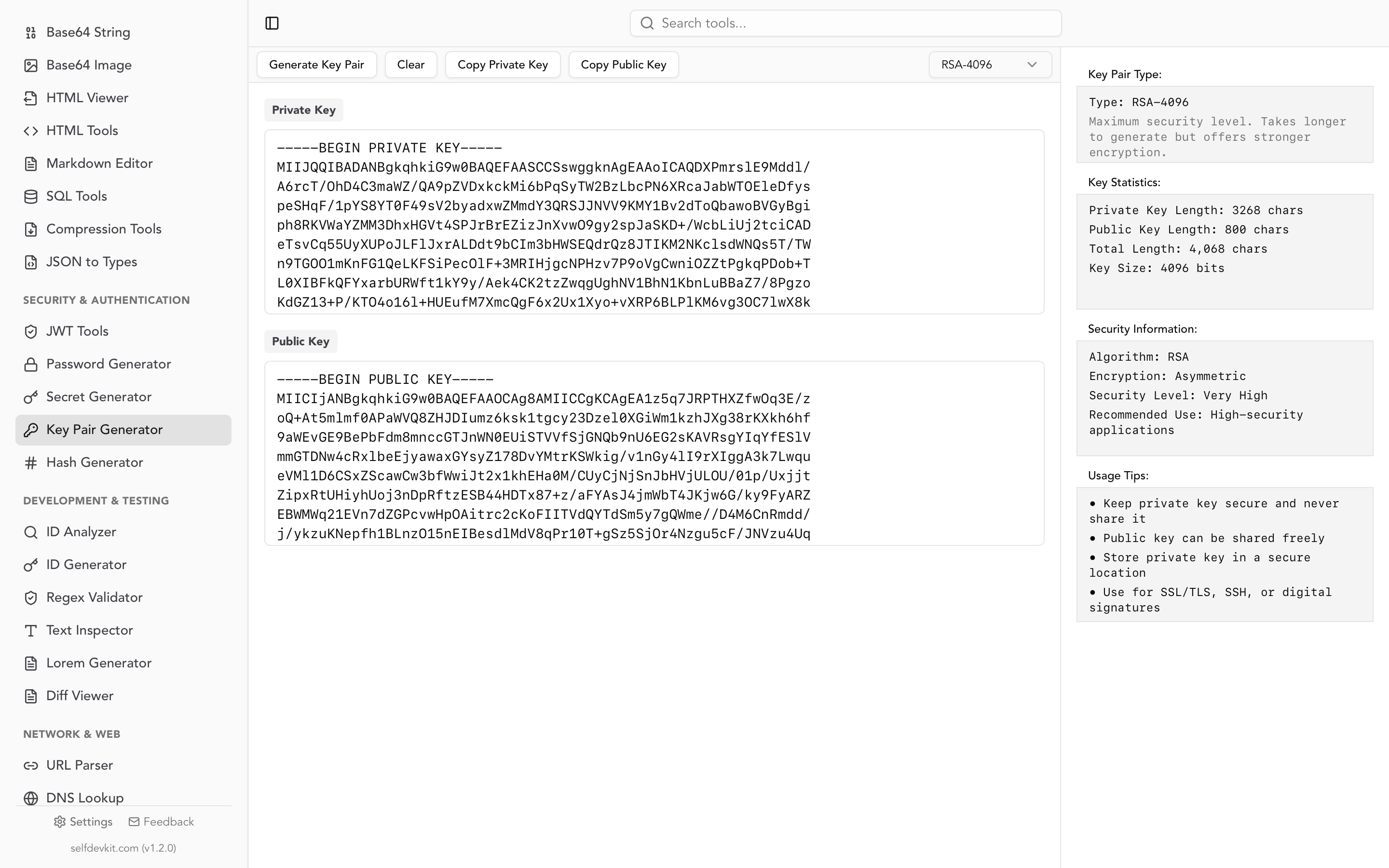
SelfDevKit's key pair generator generates RSA key pairs at 1024, 2048, or 4096 bits entirely on your machine. Nothing is sent anywhere, because the app has no server to send it to. It outputs the private key as PKCS#8 PEM (BEGIN PRIVATE KEY) and the public key as SPKI PEM (BEGIN PUBLIC KEY), alongside key statistics and usage notes.
Be clear about what that gives you. It is a PEM key pair, not an OpenSSH-format key, and it does not do Ed25519. To use it as an SSH identity, run the same derivation from the verification section:
ssh-keygen -y -f private_key.pem > id_rsa.pub
That produces the ssh-rsa AAAA... line for authorized_keys or a GitHub key setting. OpenSSH will also accept the PEM file directly as an identity with ssh -i private_key.pem user@host. For Ed25519 or hardware-backed keys, ssh-keygen remains the right tool, and you should use it.
The broader point is the one that runs through why offline-first developer tools matter: secrets should be created on hardware you control, by software that has no ability to phone home. That applies to SSH keys, to API tokens from a secret generator, and to checksums you compute with a hash generator to confirm a key file has not changed.
Frequently asked questions
Is it safe to use an online SSH key generator?
No, not for a key you intend to use. Even a generator that runs entirely client-side gives you no way to verify that from the outside, and a compromised script or dependency would leak private keys silently. Generate locally with ssh-keygen or an offline key pair generator instead.
How can I tell if my SSH key generator produced a weak key?
You cannot detect weak randomness by inspecting the key, which is precisely what made the Debian and ROCA incidents so damaging. What you can do is confirm the type and size with ssh-keygen -lf, avoid RSA below 2048 bits and DSA entirely, and use a generator with a long public audit history running on hardware you control.
Does the SSH key generator I use affect compatibility?
No. Every generator produces standards-compliant keys, and a key made by PuTTYgen, ssh-keygen, or a desktop app works identically once the server has the public half. The only differences are container formats, which conversion commands like ssh-keygen -y and ssh-keygen -p -m PEM resolve.
Should I generate one SSH key or several?
Generate one key per device rather than one key per service. Since only the public half is shared, a single key can be authorized on unlimited servers, but a per-device key means losing a laptop is a scoped revocation instead of a global one. Name them explicitly with -f ~/.ssh/id_work so rotation is not guesswork.
What to do next
Pick the generator by trust boundary, not by convenience. For almost everyone that means ssh-keygen -t ed25519 on the machine that will hold the key, and for production access worth protecting it means ed25519-sk on a hardware token. Whichever you use, spend the ten seconds to check the fingerprint on both halves and confirm the private key is encrypted before you authorize anything.
If you prefer a graphical, fully offline tool for RSA key pairs, SelfDevKit's key pair generator runs on your machine with no network access, sitting alongside 50+ other developer tools that follow the same rule.
Download SelfDevKit: offline, private developer tools that keep your keys on your own hardware.