What is JSON compare?
JSON compare is the process of analyzing two JSON data structures to identify differences in their keys, values, types, and nesting. Unlike plain text diffing, a proper JSON comparison accounts for key ordering, type coercion, and structural depth to produce meaningful results.
Comparing two JSON objects sounds simple until you actually try it. You paste two API responses into a diff tool, and it lights up with hundreds of "changes" that are really just keys in a different order. Or you run === in JavaScript and get false on two objects that contain identical data. JSON compare is one of those tasks that looks trivial on the surface but hides real complexity underneath.
This guide covers every practical approach: code examples in five languages, command-line techniques with jq and diff, visual comparison tools, and the key-ordering problem that trips up nearly everyone.
Table of contents
- Why JSON comparison is harder than it looks
- The key ordering problem
- Edge cases that break naive comparison
- How to JSON compare in code
- A minimal recursive diff in 30 lines
- Command-line JSON comparison with jq
- Visual JSON diff tools
- Semantic vs structural vs textual comparison
- Real-world JSON compare workflows
- JSON comparison in CI/CD pipelines
- Performance: when to use what
- Privacy risks of online JSON comparison
- Frequently asked questions
Why JSON comparison is harder than it looks
JSON comparison fails with naive string equality because the JSON specification (RFC 8259) defines objects as unordered collections of key-value pairs. Two objects can be semantically identical while being textually different.
Consider these two payloads:
{"name": "Alice", "age": 30, "active": true}
{"active": true, "name": "Alice", "age": 30}
A line-by-line diff flags these as completely different. A developer looking at them knows they are the same. This gap between textual difference and semantic equivalence is the core challenge of JSON comparison.
It gets worse with nested structures. When an API returns an array of objects and the order of items within that array shifts between responses, a text diff produces a wall of red and green that is almost impossible to read. And that is before you encounter type-level differences, like a number 30 versus a string "30", which look similar to a human but behave very differently in code.
The key ordering problem
RFC 8259 is explicit: "An object is an unordered collection of zero or more name/value pairs." Implementations should not assign meaning to the order of members. Yet most serializers do produce a consistent order, and developers start to rely on it.
This creates three distinct problems when comparing JSON:
1. False positives. A text diff shows changes where none exist because keys shifted position.
2. Noise in real diffs. When keys are reordered AND values are changed, the meaningful changes get buried in the noise.
3. Array ambiguity. Unlike objects, JSON arrays ARE ordered per the spec. So [1, 2, 3] is genuinely different from [3, 2, 1]. Some comparison tools sort arrays too, which can mask real bugs.
The solution depends on your context. If you are comparing API responses and key order does not matter, sort the keys before diffing. If you are comparing configuration files where array order is significant (like middleware pipelines or CSS rules), preserve the order and compare structurally.
Edge cases that break naive comparison
Even a proper deep-equality check can produce wrong results if you do not account for these six gotchas. Each one has bitten production systems.
null vs missing key
// Document A
{"name": "Alice", "nickname": null}

// Document B
{"name": "Alice"}
These are structurally different. Document A explicitly declares nickname exists with a null value. Document B has no nickname key at all. Most deep-equal implementations correctly distinguish these, but some schema validators and API gateways treat them as equivalent. The fix: always check for key existence separately from value equality using hasOwnProperty or in operators.
Type coercion traps: 0 vs false vs "" vs null
// All of these are falsy in JavaScript, but they are NOT equal in JSON
JSON.stringify(0)     // "0"
JSON.stringify(false) // "false"
JSON.stringify("")    // '""'
JSON.stringify(null)  // "null"
Languages with loose equality (JavaScript's ==, PHP's comparisons) can report these as "the same." JSON comparison must be type-strict. If your comparison library has a strict mode, enable it. In Python, 0 == False is True, so use a library like deepdiff that checks type identity separately from value equality.
Floating point precision loss
const obj = { total: 0.1 + 0.2 };
const json = JSON.stringify(obj);
// {"total":0.30000000000000004}

const parsed = JSON.parse('{"total": 0.3}');
// obj.total !== parsed.total
Any JSON produced by a calculation (rather than a literal) can carry floating point artifacts. When you serialize and deserialize, 0.3 and 0.30000000000000004 are different strings. The fix: round numeric values to a fixed precision before comparison, or use an epsilon-based comparator for known floating-point fields.
Unicode normalization
// These look identical but are different byte sequences
{"city": "résumé"}   // U+00E9 (precomposed é)
{"city": "résumé"}   // U+0065 + U+0301 (e + combining accent)
Both render as "résumé" in any editor. A byte-level comparison flags them as different. This shows up frequently in data sourced from different operating systems (macOS normalizes to NFD, Windows tends toward NFC). The fix: normalize both strings to the same Unicode form (typically NFC) before comparison. In JavaScript, use str.normalize('NFC').
Nested arrays with mixed object shapes
// Document A
[{"id": 1, "role": "admin"}, {"id": 2, "role": "user"}]

// Document B
[{"id": 2, "role": "user"}, {"id": 1, "role": "admin"}]
Is this reordered (semantically equal) or genuinely different data? It depends on context. If the array represents a set of users, the order is meaningless. If it represents a priority queue, the order is the data. No tool can decide this for you. The fix: define your comparison semantics explicitly. Use ignore_order=True (Python's deepdiff) or a custom comparator that matches by ID, not by array index.
Invisible whitespace in string values
{"greeting": "hello "}   // trailing space
{"greeting": "hello"}    // no trailing space
This is invisible in most editors and diff viewers. But it is a genuine data difference that can break string matching, cache keys, and equality checks downstream. The fix: trim strings before comparison if trailing whitespace is not semantically meaningful in your domain, or use a diff tool that highlights whitespace differences explicitly.
How to JSON compare in code
To compare two JSON objects programmatically, parse both structures and perform a recursive deep comparison. Every major language has built-in or standard library support for this.
JavaScript / Node.js
JavaScript has no built-in deep equality check. The === operator only compares references, not values. You need a recursive function or a library:
// Using Node.js assert (throws on mismatch)
const assert = require('assert');

const a = { name: "Alice", scores: [95, 87] };
const b = { scores: [95, 87], name: "Alice" };

try {
  assert.deepStrictEqual(a, b);
  console.log("Objects are equal");
} catch (e) {
  console.log("Differences found:", e.message);
}
For a detailed diff output instead of just pass/fail, use a library like deep-diff:
const { diff } = require('deep-diff');

const lhs = { name: "Alice", age: 30, role: "admin" };
const rhs = { name: "Alice", age: 31, role: "admin", active: true };

const differences = diff(lhs, rhs);
// [
//   { kind: 'E', path: ['age'], lhs: 30, rhs: 31 },
//   { kind: 'N', path: ['active'], rhs: true }
// ]
The kind field tells you the type of change: N for new, D for deleted, E for edited, and A for array changes.
Python
Python's dictionary comparison is straightforward because == on dicts does a deep value comparison that ignores key insertion order:
import json

with open('old.json') as f:
    old = json.load(f)
with open('new.json') as f:
    new = json.load(f)

if old == new:
    print("Identical")
else:
    # Find specific differences
    from deepdiff import DeepDiff
    result = DeepDiff(old, new, ignore_order=True)
    print(result)
The deepdiff library gives you granular results: values_changed, dictionary_item_added, dictionary_item_removed, and type_changes. The ignore_order=True flag handles array ordering differences.
Java (Jackson)
ObjectMapper mapper = new ObjectMapper();
JsonNode tree1 = mapper.readTree(json1);
JsonNode tree2 = mapper.readTree(json2);

boolean equal = tree1.equals(tree2);
// Jackson's equals() does deep comparison, ignoring key order
Jackson's JsonNode.equals() performs a full recursive comparison out of the box. For custom comparison logic, use JsonNode.equals(comparator, other) to supply your own comparator that defines field-level equality rules.
Go
import "encoding/json"

var obj1, obj2 interface{}
json.Unmarshal([]byte(json1), &obj1)
json.Unmarshal([]byte(json2), &obj2)

equal := reflect.DeepEqual(obj1, obj2)
Go's reflect.DeepEqual works on unmarshaled JSON because map[string]interface{} comparison is order-independent by nature.
C# (.NET)
using Newtonsoft.Json.Linq;

var token1 = JToken.Parse(json1);
var token2 = JToken.Parse(json2);

bool equal = JToken.DeepEquals(token1, token2);
Json.NET's JToken.DeepEquals method handles all nesting levels and ignores key order in objects while preserving order sensitivity in arrays.
A minimal recursive diff in 30 lines
Understanding how JSON diff works internally makes you a better consumer of diff libraries. Here is a complete recursive diff function in JavaScript that walks two objects and returns every difference with its path:
function jsonDiff(a, b, path = '') {
  const diffs = [];

  // Handle type mismatches or primitive differences
  if (typeof a !== typeof b || Array.isArray(a) !== Array.isArray(b)) {
    diffs.push({ path: path || '(root)', type: 'type_changed', oldVal: a, newVal: b });
    return diffs;
  }

  // Primitives: compare directly
  if (typeof a !== 'object' || a === null || b === null) {
    if (a !== b) diffs.push({ path: path || '(root)', type: 'value_changed', oldVal: a, newVal: b });
    return diffs;
  }

  // Arrays: compare index by index
  if (Array.isArray(a)) {
    const maxLen = Math.max(a.length, b.length);
    for (let i = 0; i < maxLen; i++) {
      if (i >= a.length) diffs.push({ path: `${path}[${i}]`, type: 'added', newVal: b[i] });
      else if (i >= b.length) diffs.push({ path: `${path}[${i}]`, type: 'removed', oldVal: a[i] });
      else diffs.push(...jsonDiff(a[i], b[i], `${path}[${i}]`));
    }
    return diffs;
  }

  // Objects: check all keys from both sides
  const allKeys = new Set([...Object.keys(a), ...Object.keys(b)]);
  for (const key of allKeys) {
    const childPath = path ? `${path}.${key}` : key;
    if (!(key in a)) diffs.push({ path: childPath, type: 'added', newVal: b[key] });
    else if (!(key in b)) diffs.push({ path: childPath, type: 'removed', oldVal: a[key] });
    else diffs.push(...jsonDiff(a[key], b[key], childPath));
  }
  return diffs;
}
The algorithm is simple: check the type first, then dispatch to the right comparison strategy (primitive, array, or object). Each recursive call extends the path string so you know exactly where each difference lives.
Usage:
const diffs = jsonDiff(
  { name: "Alice", scores: [95, 87], role: "admin" },
  { name: "Alice", scores: [95, 90], active: true }
);
// [
//   { path: 'scores[1]', type: 'value_changed', oldVal: 87, newVal: 90 },
//   { path: 'role', type: 'removed', oldVal: 'admin' },
//   { path: 'active', type: 'added', newVal: true }
// ]
This covers 90% of comparison needs. Production libraries like deep-diff add optimizations (circular reference detection, custom comparators, edit-distance for arrays), but the core logic is this same recursive walk.
Command-line JSON comparison with jq
To compare two JSON files from the command line, use jq to normalize formatting and key order, then pipe through diff. This approach handles files of any size without writing code.
Basic comparison with sorted keys
diff <(jq -S . file1.json) <(jq -S . file2.json)
The -S flag sorts object keys alphabetically at every nesting level. This eliminates false positives from key reordering. The output is a standard unified diff that shows exactly which values changed.
Comparing only keys (schema diff)
Sometimes you only care whether the structure changed, not the values:
diff <(jq -S 'keys' file1.json) <(jq -S 'keys' file2.json)
This is useful for API response validation where you want to detect when a field is added or removed.
Colorized output with colordiff
diff <(jq -S . a.json) <(jq -S . b.json) | colordiff
Or use vimdiff for a side-by-side view in the terminal:
vimdiff <(jq -S . file1.json) <(jq -S . file2.json)
Handling large files
For files over 100MB, jq can be slow because it loads the entire file into memory. In those cases, use streaming mode:
jq -S --stream . large1.json > /tmp/sorted1.json
jq -S --stream . large2.json > /tmp/sorted2.json
diff /tmp/sorted1.json /tmp/sorted2.json
Or consider specialized tools like json-diff which are optimized for large JSON comparison.
Visual JSON diff tools
A visual diff tool highlights additions, deletions, and modifications in a graphical interface, making it faster to scan large documents than reading raw diff output. Most online JSON diff tools provide this, but they require uploading your data to a remote server.
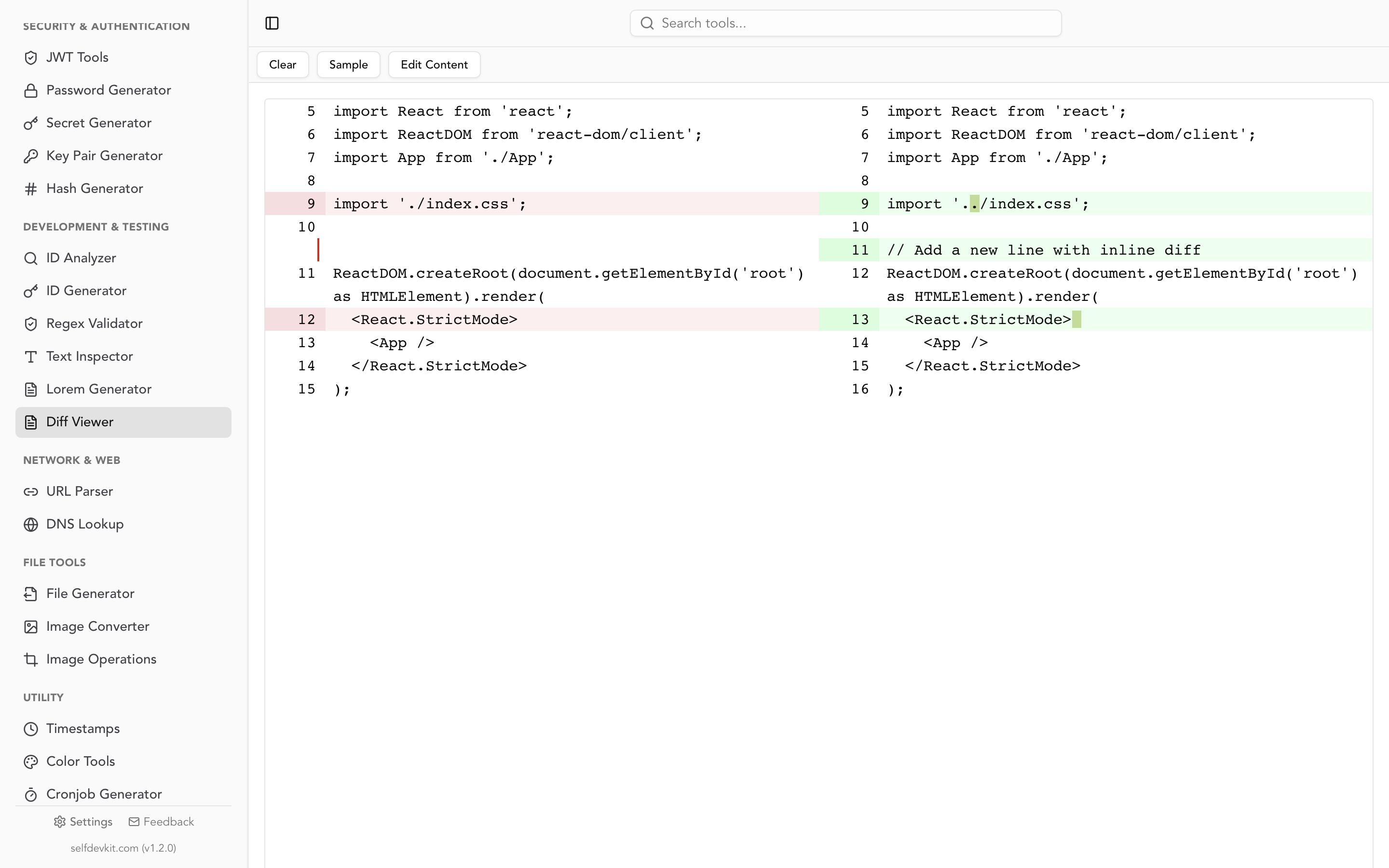
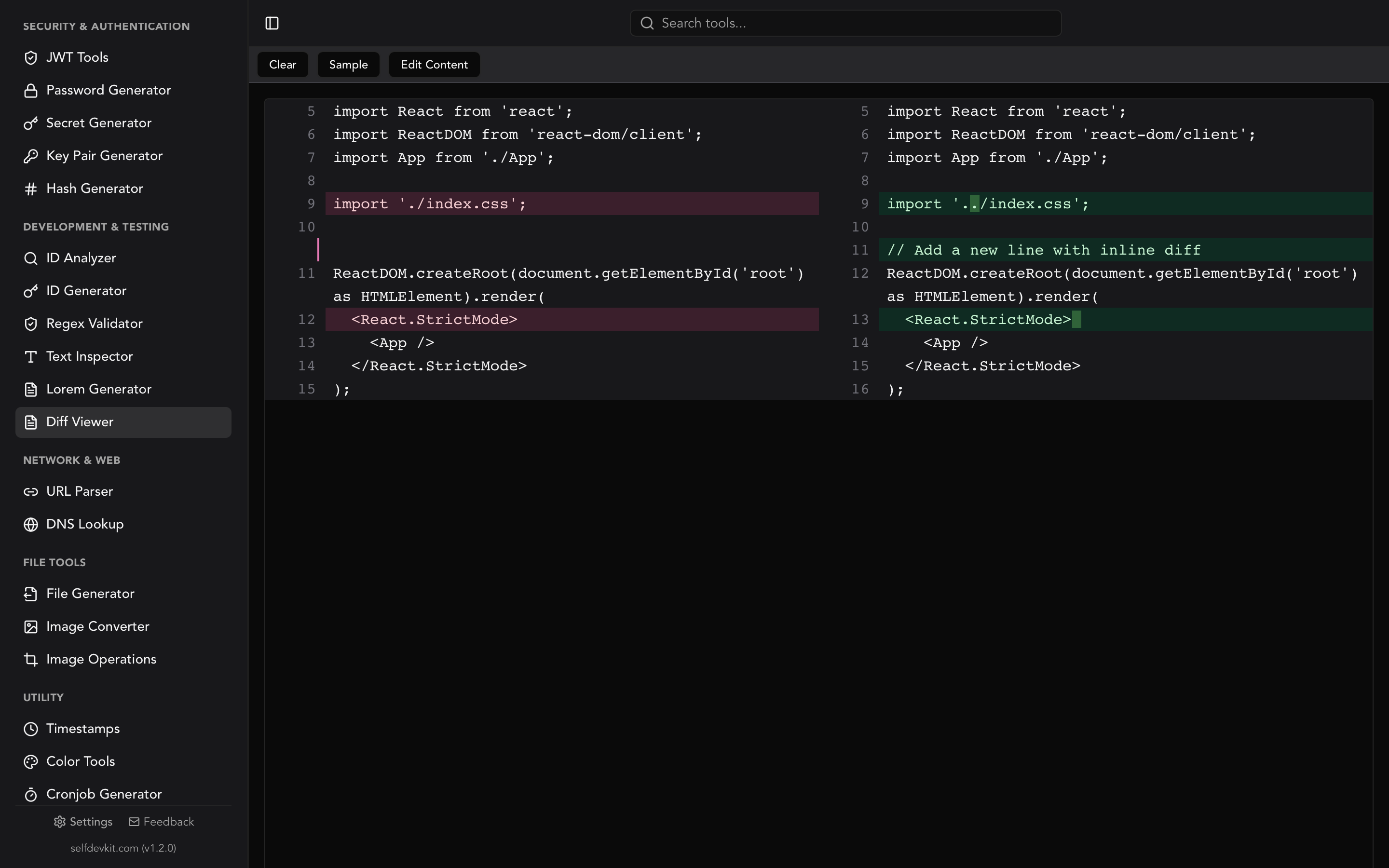
SelfDevKit's Diff Viewer runs entirely on your machine. Paste two JSON documents, and it shows a side-by-side comparison with line-level and word-level highlighting. Because it uses a code diff checker engine under the hood, you get syntax highlighting and clean visual output.
For JSON specifically, a good workflow is:
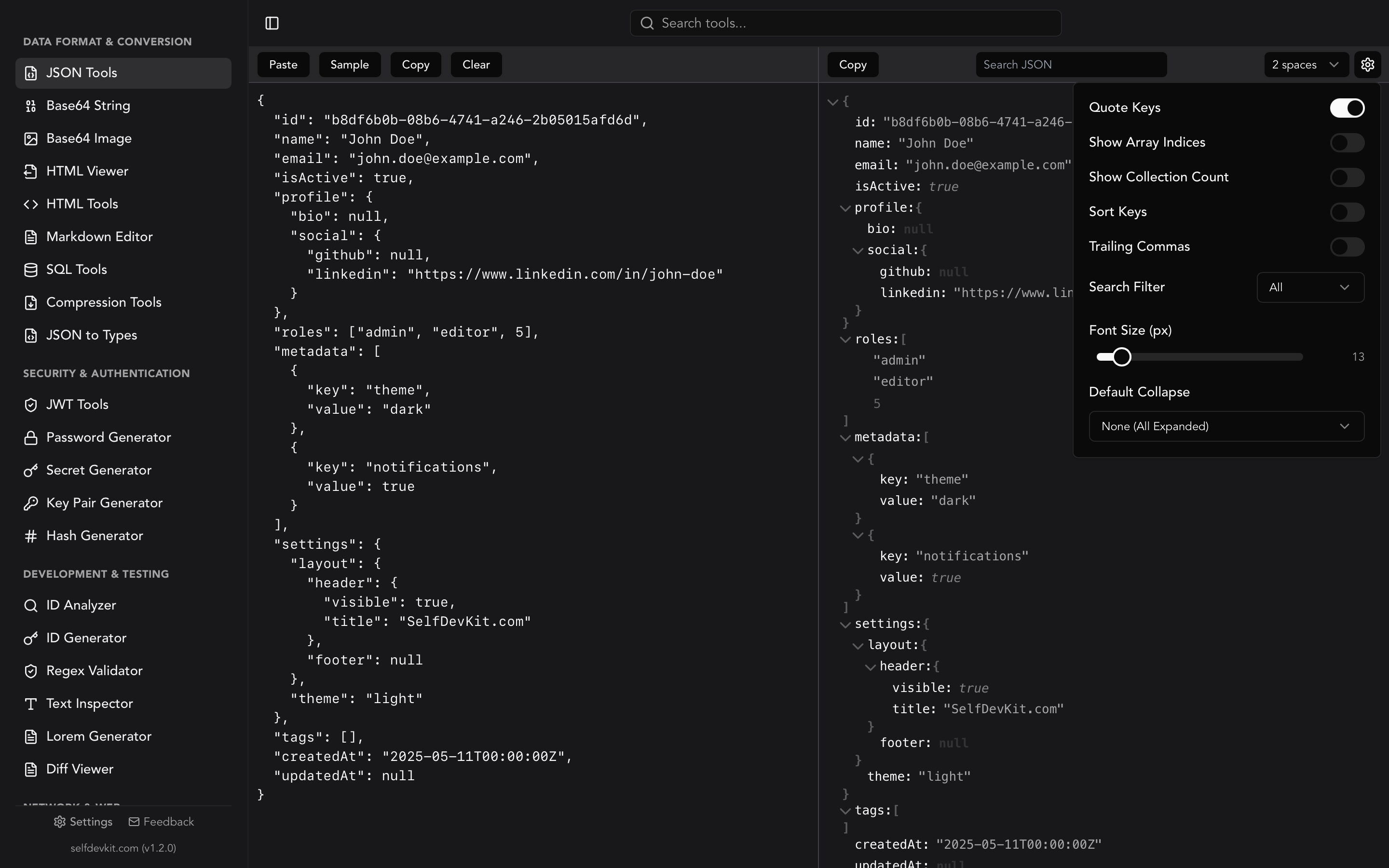
- Format both JSON documents with consistent indentation using SelfDevKit's JSON tools
- Sort keys alphabetically (the JSON tools format option handles this)
- Paste the formatted outputs into the Diff Viewer
- Scan the highlighted differences
This three-step pipeline eliminates noise from formatting and key ordering, leaving only the actual content differences visible.
Semantic vs structural vs textual comparison
There are three fundamentally different approaches to comparing JSON, and choosing the wrong one produces misleading results.
| Approach | What it compares | Key order matters? | Array order matters? | Best for |
|---|---|---|---|---|
| Textual | Raw character strings | Yes | Yes | Config files, exact match checks |
| Structural | Parsed tree structure | No | Yes | API responses, data validation |
| Semantic | Meaning of the data | No | Sometimes no | Test assertions, data sync |
Textual comparison is what diff does on unprocessed files. It is fast and simple but produces false positives when keys are reordered or indentation changes. Use it only when you control the serialization and know the output is deterministic.
Structural comparison parses both documents into trees and walks them recursively. This is what assert.deepStrictEqual in Node.js and JToken.DeepEquals in C# do. Key order is ignored in objects, but array order is preserved. This is the right default for most development work.
Semantic comparison goes further by optionally ignoring array order, treating null and missing keys as equivalent, or applying custom equality rules. Python's DeepDiff with ignore_order=True operates at this level. Use this for test suites where you care about data content, not structure.
Most developers need structural comparison. If your online diff tool only does textual comparison, you are wasting time reading noise.
Which approach to use: a decision tree
Pick your comparison strategy based on what you are actually doing:
- Writing tests: Use semantic comparison. Ignore key order and array order. Focus on whether the data content is correct, not how it is arranged.
- Reviewing a PR : Use structural comparison. Key-order independent, but array-order preserved. You want to see what actually changed in the data shape.
- Debugging a CI pipeline : Use textual with sorted keys (
jq -S+diff). Fast, reproducible, easy to read in log output. - Validating API contracts : Use structural comparison plus schema validation. The diff catches unexpected changes; the schema ensures required fields and types remain correct.
- Syncing data between systems : Use semantic comparison with custom equality rules. You may need to ignore timestamps, treat empty strings as null, or match records by ID rather than position.
- If unsure : Structural comparison is the safe default. It handles key ordering gracefully without making assumptions about array semantics.
Real-world JSON compare workflows
JSON comparison is not just an academic exercise. Here are specific workflows where developers reach for comparison tools daily.
API version migration
When upgrading from v1 to v2 of an API, capture response samples from both versions and compare them:
curl https://api.example.com/v1/users/123 | jq -S . > v1.json
curl https://api.example.com/v2/users/123 | jq -S . > v2.json
diff <(jq -S . v1.json) <(jq -S . v2.json)
This immediately reveals renamed fields, new fields, removed fields, and type changes. It is far more reliable than reading changelog documentation, which often misses edge cases.
Configuration drift detection
Production config files drift from their committed versions. Compare the running config against the repository version to catch unauthorized changes:
kubectl get configmap myapp-config -o json | jq -S '.data' > live.json
jq -S . config/myapp.json > repo.json
diff live.json repo.json
If you are working with sensitive Kubernetes secrets or environment configs, running this comparison offline is important. Pasting production configs into an online diff tool exposes credentials.
Test snapshot validation
Many test frameworks use JSON snapshots to verify API output. When a snapshot test fails, you need to compare the expected and actual output to decide whether the change is intentional:
const { diff } = require('deep-diff');

const expected = require('./snapshots/user-response.json');
const actual = await fetchUser(123);

const changes = diff(expected, actual);
if (changes) {
  console.log("Snapshot mismatch:");
  changes.forEach(c => {
    console.log(`  ${c.kind} at ${c.path.join('.')}: ${c.lhs} → ${c.rhs}`);
  });
}
Database migration verification
After running a database migration, export a sample record as JSON before and after the migration to verify the transformation:
from deepdiff import DeepDiff

pre_migration = {"user_id": 1, "name": "Alice", "email": "alice@example.com"}
post_migration = {"userId": 1, "fullName": "Alice", "email": "alice@example.com", "createdAt": "2026-01-15T00:00:00Z"}

result = DeepDiff(pre_migration, post_migration)
print(result)
# dictionary_item_added: {'createdAt'}
# dictionary_item_removed: {'user_id', 'name'}
# dictionary_item_added: {'userId', 'fullName'}
This verifies that renaming and new fields behave correctly before you run the migration in production.
JSON comparison in CI/CD pipelines
Automated JSON comparison catches breaking changes before they reach production. The most effective pattern is comparing API response snapshots on every pull request and failing the build if unexpected differences appear.
GitHub Actions: API contract snapshot check
This workflow step compares the current API response schema against a committed snapshot and blocks the PR if the contract has changed without an explicit update:
- name: Check API contract
  run: |
    # Fetch current API response and normalize
    curl -s http://localhost:3000/api/users/schema | jq -S . > /tmp/current-contract.json

    # Compare against committed snapshot
    if ! diff <(jq -S . api/snapshots/users-contract.json) /tmp/current-contract.json > /tmp/contract-diff.txt; then
      echo "::error::API contract has changed unexpectedly. Review diff below:"
      cat /tmp/contract-diff.txt
      echo ""
      echo "If this change is intentional, update the snapshot:"
      echo "  cp /tmp/current-contract.json api/snapshots/users-contract.json"
      exit 1
    fi
Commit your contract snapshots to the repository. When the API legitimately changes, a developer updates the snapshot file as part of their PR, making the contract change visible in code review.
Jest custom matcher for readable JSON diffs
Default Jest output for deep object mismatches is hard to read for large objects. A custom matcher produces path-based diff output:
expect.extend({
  toMatchJsonSnapshot(received, expected) {
    const { diff } = require('deep-diff');
    const differences = diff(expected, received);

    if (!differences) {
      return { pass: true, message: () => 'JSON objects are identical' };
    }

    const formatted = differences.map(d => {
      const path = d.path ? d.path.join('.') : '(root)';
      switch (d.kind) {
        case 'E': return `  CHANGED ${path}: ${JSON.stringify(d.lhs)} -> ${JSON.stringify(d.rhs)}`;
        case 'N': return `  ADDED   ${path}: ${JSON.stringify(d.rhs)}`;
        case 'D': return `  REMOVED ${path}: ${JSON.stringify(d.lhs)}`;
        case 'A': return `  ARRAY   ${path}[${d.index}]: ${d.item.kind}`;
        default:  return `  UNKNOWN ${path}`;
      }
    }).join('\n');

    return {
      pass: false,
      message: () => `JSON mismatch:\n${formatted}`
    };
  }
});
Usage in a test: expect(apiResponse).toMatchJsonSnapshot(expectedPayload). When it fails, you see exactly which paths changed rather than a wall of red/green text.
JSON schema validation as a complement to diffing
Diffing tells you what changed. Schema validation tells you whether the result is still valid. Use both together in CI:
# Diff catches unexpected changes
diff <(jq -S . expected.json) <(jq -S . actual.json)

# Schema validation catches structural violations
npx ajv validate -s schema.json -d actual.json
Schema validation is especially useful for API contracts because it enforces required fields, value types, and allowed enum values, catching a class of problems that pure diffing misses.
Performance: when to use what
JSON comparison speed depends entirely on file size. Here is a quick reference for choosing the right tool at each scale:
| File size | Recommended approach | Typical speed |
|---|---|---|
| Under 1MB | Any approach works. Use whatever is convenient. | Instant |
| 1-100MB | jq -S + diff is reliable |
2-15 seconds |
| 100MB-1GB | Use jq --stream or split into chunks |
30-120 seconds |
| Over 1GB | Specialized tools (json-diff), or split by top-level keys and compare in parallel |
Minutes |
In-memory libraries like deep-diff (JavaScript) and DeepDiff (Python) have a practical limit of 50-100MB depending on available RAM. They load both documents fully into memory and build comparison trees, so memory usage is roughly 3-5x the file size.
Desktop tools like SelfDevKit handle larger files than browser-based tools because native applications can access system memory directly rather than operating within a browser's heap limit (typically 1-4GB). For files in the 50-500MB range, a desktop diff viewer is often the most practical visual option.
Streaming approaches (jq --stream) process JSON token by token without loading the full document. This trades speed for memory efficiency and works on files that would crash an in-memory tool.
For the common case (comparing API responses, config files, test snapshots), files are under 1MB and any tool works. Do not over-engineer your comparison pipeline for a problem you do not have.
Privacy risks of online JSON comparison
Most online JSON comparison tools send your data to a remote server for processing. This is a problem when your JSON contains API keys, authentication tokens, PII (personally identifiable information), or proprietary business data.
Consider what a typical API response contains:
{
  "user": {
    "id": "usr_a1b2c3",
    "email": "alice@company.com",
    "api_key": "sk_live_4eC39HqLyjWDarjtT1zdp7dc",
    "billing": {
      "card_last4": "4242",
      "plan": "enterprise"
    }
  }
}
Pasting this into an online diff tool means a third-party server now has your user's email, API key, and billing info. Most tool privacy policies say they do not store data, but you have no way to verify that. And even if they do not store it intentionally, server logs, CDN caches, and analytics tools can capture request bodies.
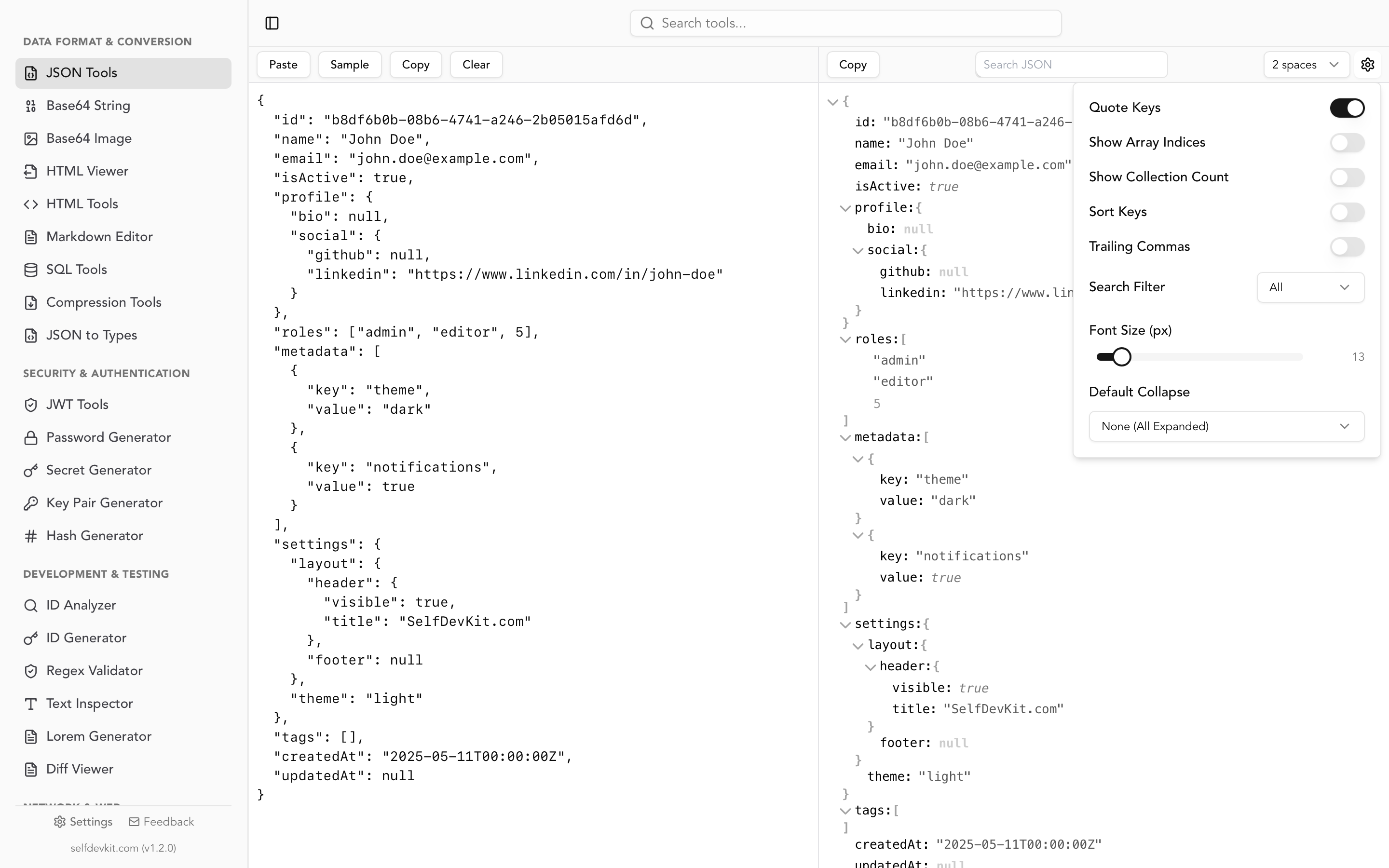
The safer approach is to compare JSON locally. SelfDevKit's Diff Viewer processes everything on your machine. Nothing leaves your device. You can also use the JSON formatter to clean up and sort keys before comparing, all without an internet connection.
Download SelfDevKit to get a private, offline JSON comparison workflow along with 50+ other developer tools.
Frequently asked questions
How do I compare two JSON files for equality?
Parse both files into their language's native data structure and use a deep equality function. In Python, use json.load() and ==. In JavaScript, use assert.deepStrictEqual(). In Java, use Jackson's JsonNode.equals(). For a quick visual check, use diff <(jq -S . a.json) <(jq -S . b.json) on the command line. All of these approaches handle key ordering differences automatically.
Does key order matter when comparing JSON objects?
No. Per RFC 8259, JSON objects are unordered collections. {"a":1,"b":2} and {"b":2,"a":1} are semantically identical. However, plain text diff tools will flag them as different. Use a JSON-aware comparison tool or sort keys with jq -S before diffing to avoid false positives.
What is the difference between JSON diff and JSON compare?
The terms are mostly interchangeable. "JSON diff" typically emphasizes showing the differences (additions, deletions, changes), while "JSON compare" can also mean checking equality (returning true or false). In practice, most tools and libraries do both: they compare two objects and return a list of differences, or an empty result if the objects are equal.
Can I compare JSON files larger than 1GB?
Yes, but you need the right tools. Standard in-memory comparison libraries load both files entirely into RAM, which fails for very large files. Use jq's streaming mode (jq --stream), or split the JSON into smaller chunks and compare them individually. For visual comparison of large files, desktop tools like SelfDevKit's Diff Viewer handle large inputs better than browser-based alternatives because they are not limited by browser memory constraints.
Try it yourself
Comparing JSON does not have to involve pasting sensitive data into a random website. Format your JSON, sort the keys, and run a proper diff, all in one app that works offline.
Download SelfDevKit to get the Diff Viewer, JSON formatter, and 50+ other developer tools in a single desktop app.