What is a Lorem Ipsum Generator?
A lorem ipsum generator produces placeholder text based on a scrambled passage from Cicero's De Finibus Bonorum et Malorum (45 BC). Developers and designers use it to fill layouts, test typography, seed databases, and prototype interfaces without waiting for real content.
Every developer reaches for a lorem ipsum generator at some point. You need text in a card component, a database table needs seed data, or a client wants to see what their page looks like with "real" content. Placeholder text solves all of these problems. But most developers treat it as a one-click copy-paste task without thinking about where the text comes from, how to generate it programmatically, or whether their online generator of choice is quietly logging their input.
This guide covers the history behind lorem ipsum, practical use cases beyond design mockups, code examples for generating placeholder text in multiple languages, and how to do it all offline.
Table of contents
- Where lorem ipsum actually comes from
- How a lorem ipsum generator works
- Developer use cases beyond design
- Generating lorem ipsum in code
- The placeholder text stress test cheat sheet
- Lorem ipsum alternatives worth knowing
- Why online generators are a privacy risk
- Frequently asked questions
- Try it yourself
Where lorem ipsum actually comes from
Lorem ipsum originates from De Finibus Bonorum et Malorum ("On the Ends of Good and Evil"), a philosophical work by Cicero written in 45 BC. An unknown printer in the 1500s scrambled a passage from sections 1.10.32 and 1.10.33 to create a type specimen book. Richard McClintock, a Latin scholar at Hampden-Sydney College, traced the origin in the 1980s after recognizing the rare Latin word consectetur in a sample.
The reason it stuck for five centuries: lorem ipsum has a letter frequency distribution that closely mirrors real English.
| Letter | Lorem Ipsum frequency | English frequency |
|---|---|---|
| e | ~11.8% | ~12.7% |
| t | ~8.2% | ~9.1% |
| a | ~8.1% | ~8.2% |
| i | ~7.5% | ~7.0% |
| o | ~6.8% | ~7.5% |
| n | ~6.1% | ~6.7% |
The word length distribution is similarly realistic: lorem ipsum averages 5.1 characters per word versus English at 4.7. This means your UI components will wrap, break, and overflow in patterns that closely match what real content will do. Generators that repeat "content here, content here" fail this test completely.
How a lorem ipsum generator works
A lorem ipsum generator combines a dictionary of Latin words with sentence structure templates to produce text that looks like natural prose. Most generators let you control the output by specifying a count of words, sentences, or paragraphs.
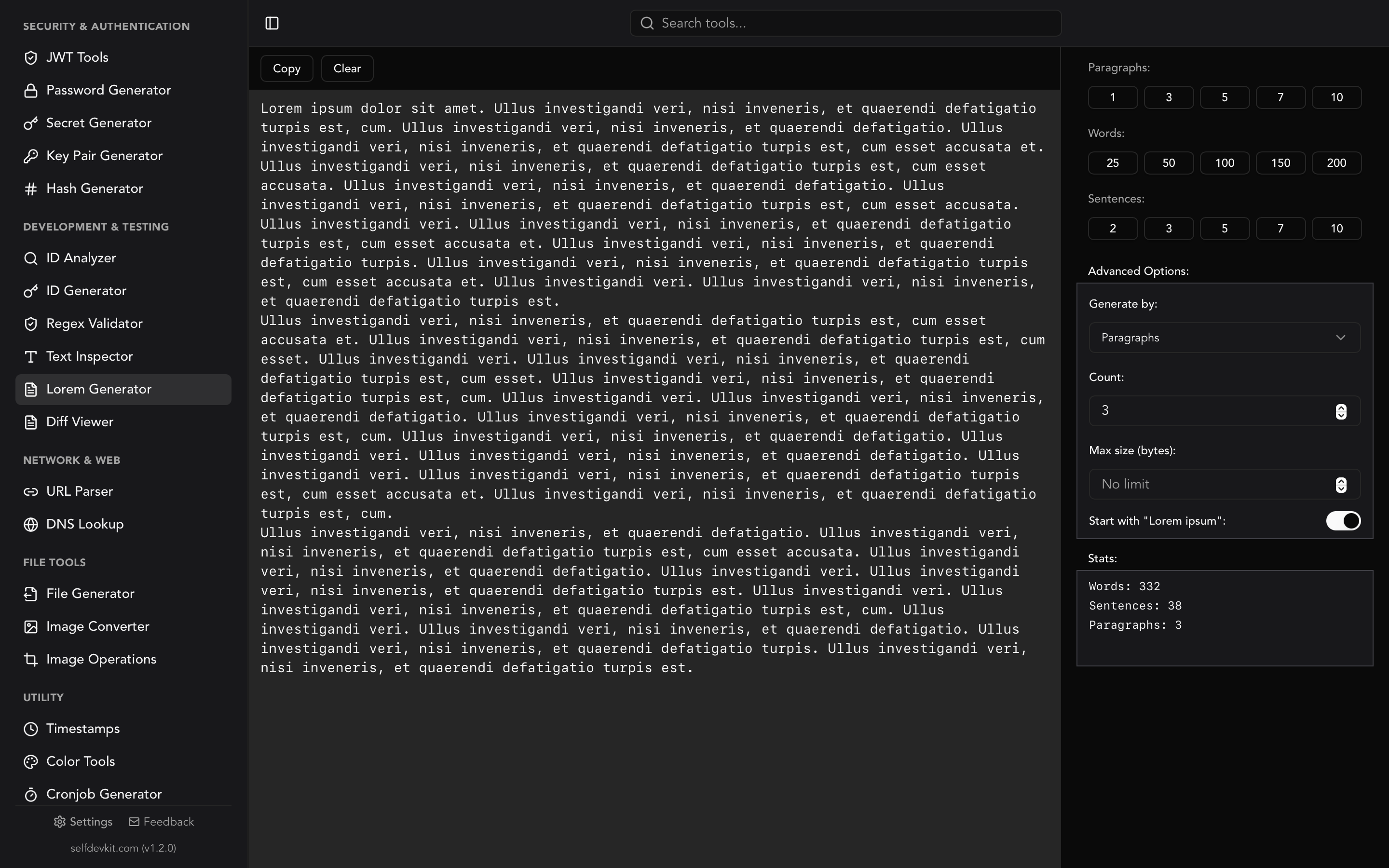
SelfDevKit's Lorem Generator takes this a step further with real-time statistics. As you generate text, you see the exact word count, sentence count, and paragraph count. You can also set a maximum character size to constrain output for fields with length limits.
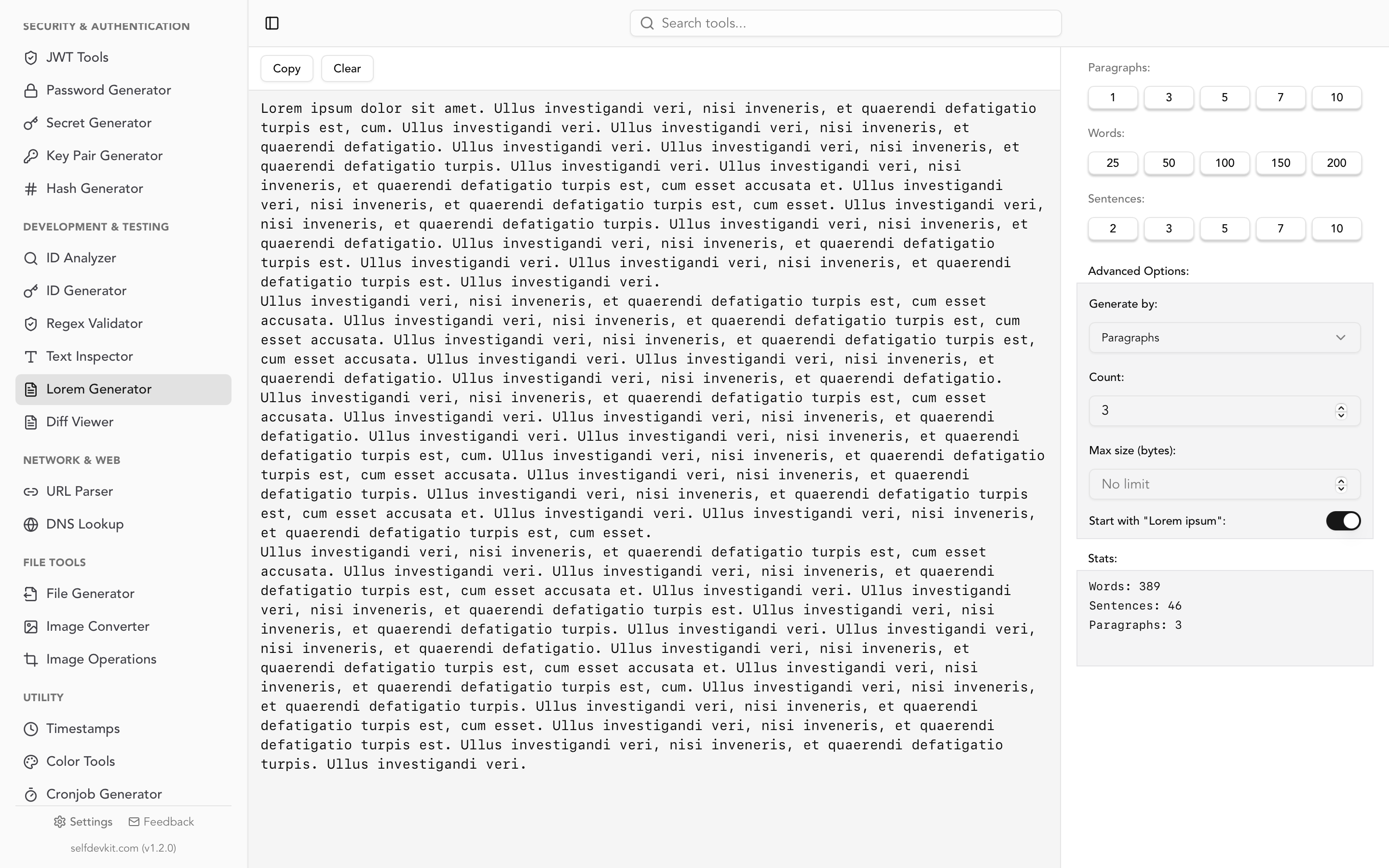
Under the hood, SelfDevKit uses the lipsum crate in Rust to build varied paragraphs. Each paragraph contains 8 to 12 sentences, and sentence length varies randomly between 8 and 15 words per sentence, with occasional extensions for natural rhythm. The result reads more naturally than generators that repeat the same fixed block of text.
Here is what the generation options look like:
| Option | Description | Example |
|---|---|---|
| Words | Generate a specific word count | 150 words of lorem ipsum |
| Sentences | Generate a specific number of sentences | 10 sentences |
| Paragraphs | Generate full paragraphs (8-12 sentences each) | 5 paragraphs |
| Max size | Cap output at a character limit | 500 characters max |
| Start with "Lorem ipsum" | Force the classic opening phrase | Toggle on/off |
Most online generators only offer paragraph counts. The word and sentence modes are particularly useful for developers who need to fill a database column with a precise character limit or test a text field that truncates at a specific length.
Developer use cases beyond design
Placeholder text generation goes far beyond filling a Figma mockup. Here are the use cases that most "lorem ipsum generator" articles never mention.
Database seeding
When you set up a development database, you need realistic-looking data. A single INSERT statement with "test" repeated 50 times tells you nothing about how your queries perform or how your UI renders real-world content. Lorem ipsum gives you varied word lengths and sentence structures that expose layout bugs early.
INSERT INTO articles (title, body, author_id, created_at)
VALUES
  ('Lorem ipsum dolor sit amet', 'Consectetur adipiscing elit. Sed do eiusmod tempor incididunt ut labore et dolore magna aliqua. Ut enim ad minim veniam, quis nostrud exercitation ullamco laboris.', 1, NOW()),
  ('Pellentesque habitant morbi', 'Tristique senectus et netus et malesuada fames ac turpis egestas. Vestibulum tortor quam, feugiat vitae, ultricies eget, tempor sit amet, ante.', 2, NOW());
If you work with SQL regularly, SelfDevKit's SQL tools can format those seed scripts so they stay readable as they grow.
Unit testing and snapshot tests
Component tests need deterministic input. Hard-coding placeholder text in your test fixtures keeps snapshots stable across runs. A lorem ipsum generator gives you realistic text without inventing fake content by hand every time.
// test/fixtures/articles.js
export const mockArticle = {
  title: 'Lorem ipsum dolor sit amet',
  body: 'Consectetur adipiscing elit, sed do eiusmod tempor incididunt ut labore et dolore magna aliqua.',
  excerpt: 'Consectetur adipiscing elit...',
  wordCount: 19
};
API mocking
When building a frontend before the backend is ready, you need mock API responses. Placeholder text makes your mock data look realistic in the UI, which helps catch overflow issues, truncation bugs, and spacing problems that "test123" never reveals.
{
  "posts": [
    {
      "id": "550e8400-e29b-41d4-a716-446655440000",
      "title": "Pellentesque habitant morbi tristique",
      "content": "Senectus et netus et malesuada fames ac turpis egestas. Vestibulum tortor quam, feugiat vitae, ultricies eget, tempor sit amet, ante.",
      "published": true
    }
  ]
}
For generating those UUIDs alongside your placeholder text, the ID Generator handles UUIDs, ULIDs, NanoIDs, and more. And if you need to validate the JSON structure of your mock data, the JSON tools can format and validate it instantly.
Email template testing
Email clients render HTML differently. When testing email templates, lorem ipsum with varying paragraph lengths helps you verify that your layout holds up across Gmail, Outlook, and Apple Mail. Short paragraphs, long paragraphs, single-word lines. You want to stress every edge case.
You can preview your email HTML with SelfDevKit's HTML Viewer before sending test emails.
Content management systems
CMS themes need demo content. Whether you are building a WordPress theme, a Gatsby starter, or a Next.js blog template, lorem ipsum fills the pages so reviewers can evaluate typography, spacing, and responsive behavior without writing real articles.
Responsive design stress testing
A heading that looks perfect with a three-word title might break with a twelve-word one. A product description card that fits two lines of text might overflow with five. Lorem ipsum lets you test these edge cases systematically. Generate short text (5 words), medium text (25 words), and long text (100 words) for the same component, then verify your CSS handles all three gracefully.
This is especially valuable for internationalized apps. German text is roughly 30% longer than English for the same meaning. French runs about 15% longer. If your layout can handle long lorem ipsum paragraphs, it is more likely to survive translation.
Documentation and README files
When writing documentation templates for open-source projects, you often need to show what a completed README or guide looks like. Lorem ipsum fills the sections so contributors can see the intended structure. Just make sure to add a comment noting it is placeholder text. More than one project has shipped with lorem ipsum accidentally left in its docs.
Generating lorem ipsum in code
Sometimes you need placeholder text inside your application, not from a web tool. Here is how to generate lorem ipsum programmatically in several languages.
JavaScript / Node.js
The lorem-ipsum package on npm is the most popular option:
npm install lorem-ipsum
import { LoremIpsum } from 'lorem-ipsum';

const lorem = new LoremIpsum({
  sentencesPerParagraph: { max: 8, min: 4 },
  wordsPerSentence: { max: 16, min: 4 }
});

// Generate 3 paragraphs
console.log(lorem.generateParagraphs(3));

// Generate 5 sentences
console.log(lorem.generateSentences(5));

// Generate 50 words
console.log(lorem.generateWords(50));
Python
Python has the lorem-text package and the Faker library, which is more versatile for general test data:
pip install lorem-text faker
# Using lorem-text
from lorem_text import lorem

print(lorem.paragraphs(3))
print(lorem.sentences(5))
print(lorem.words(50))

# Using Faker (more flexible)
from faker import Faker
fake = Faker()

print(fake.paragraph(nb_sentences=5))
print(fake.text(max_nb_chars=200))
CLI (one-liners)
If you just need quick placeholder text in a terminal:
# Using Python's lorem-text
python3 -c "from lorem_text import lorem; print(lorem.paragraphs(2))"

# Using Node.js
npx lorem-ipsum --count 3 --units paragraphs

# Pure bash (no dependencies)
curl -s "https://loripsum.net/api/3/medium/plaintext"
Rust
SelfDevKit itself uses the lipsum crate internally:
use lipsum::lipsum_words;

fn main() {
    // Generate 100 words of lorem ipsum
    let text = lipsum_words(100);
    println!("{}", text);
}
The advantage of using a library over a web API is determinism. Your build process and tests should not depend on an external HTTP call that might fail, rate-limit, or return different content each time.
Go
Go's standard library does not include a lorem ipsum generator, but the golorem package fills the gap:
package main

import (
    "fmt"
    "github.com/drhops/golorem"
)

func main() {
    // Generate 3 paragraphs
    fmt.Println(golorem.Paragraph(10, 15))
    fmt.Println(golorem.Paragraph(8, 12))
    fmt.Println(golorem.Paragraph(10, 15))

    // Generate a single sentence
    fmt.Println(golorem.Sentence(8, 15))
}
For any of these languages, you can pipe the output into SelfDevKit's Text Inspector to verify the word count, character count, and line count match your requirements before using it in production test data.
Choosing the right library
Not all lorem ipsum libraries are equal. Here is how they compare on the features that actually matter for developer workflows:
| Library | Language | Weekly downloads | Zero deps | Word mode | Sentence mode | Max char limit | HTML output | Deterministic seed |
|---|---|---|---|---|---|---|---|---|
lorem-ipsum |
JS/TS | ~580K | Yes | Yes | Yes | No | Yes | No |
fast-lorem-ipsum |
JS/TS | ~12K | Yes | Yes | Yes | No | No | No |
Faker |
Python | ~8.5M | No (19 deps) | Yes | Yes | Yes (max_nb_chars) |
No | Yes (Faker.seed()) |
lorem-text |
Python | ~95K | Yes | Yes | Yes | No | No | No |
lipsum |
Rust | ~180K | Yes | Yes | No | No | No | Yes (via lipsum_words_with_rng) |
golorem |
Go | ~2K | Yes | No | Yes | No | No | No |
Key takeaways: if you need deterministic output for snapshot tests, Python's Faker or Rust's lipsum crate are the only options that support seeded generation. If you need HTML-wrapped output for email templates or CMS testing, lorem-ipsum on npm is your only choice without post-processing. And if dependency count matters (it should for CI pipelines), avoid Faker for lorem ipsum alone; its 19 transitive dependencies are overkill when lorem-text does the same job with zero.
The placeholder text stress test cheat sheet
Most developers generate one block of lorem ipsum and call it done. That misses the point. Placeholder text is a testing tool, and like any testing tool, you need to cover edge cases systematically.
Use this checklist when testing any component that renders dynamic text:
Length extremes
- Empty string (0 characters)
- Single character ("L")
- Single word ("Lorem")
- One line that fits the container exactly
- Text that forces exactly 2 lines (find the breakpoint)
- 5x the expected maximum length
Special characters
- Accented characters: "Lörem ïpsum dölor sït àmet"
- CJK characters: mixed Latin and Chinese/Japanese text (30% wider per character)
- RTL text: Arabic or Hebrew mixed with LTR lorem ipsum
- Emoji in text: "Lorem 🔥 ipsum 💻 dolor"
Whitespace traps
- Leading/trailing spaces
- Double spaces between words
- No-break spaces (
) that prevent wrapping - A single 50-character "word" with no spaces (tests
overflow-wrap)
Internationalization multipliers
- German: generate 130% of your English word count (German text expands ~30%)
- French: generate 115% of your English word count
- Chinese/Japanese: generate 60% of your English character count (but characters are wider)
- Arabic: test full RTL layout reversal
No competitor covers this. Most "lorem ipsum generator" articles stop at "paste this text into your mockup." If you actually want to ship a component that handles real-world content, run through this checklist with generated text from SelfDevKit's Lorem Generator at each length. The Text Inspector will confirm your character and word counts are hitting the targets.
Lorem ipsum alternatives worth knowing
Classic lorem ipsum is not your only option. Depending on the context, alternatives can be more effective or simply more fun for your team.
| Generator | What it produces | Best for |
|---|---|---|
| Classic Lorem Ipsum | Scrambled Latin from Cicero | Professional client presentations |
| Hipster Ipsum | Trendy food and lifestyle words mixed with Latin | Internal prototypes |
| Bacon Ipsum | Meat-themed filler text | Making QA testers smile |
| Cupcake Ipsum | Dessert and candy themed text | Food-related apps |
| Corporate Ipsum | Buzzword-heavy business jargon | Enterprise UI mockups |
| Fillerama | Quotes from Futurama, Doctor Who, etc. | Fun demos |
For professional work, stick with classic lorem ipsum. Clients and stakeholders are used to seeing it, and it does not distract from the design review. For internal hackathons and demos, the alternatives keep things light.
One important note: some teams have moved toward using "real content first" design, where actual copy is written before the interface is built. This approach, advocated by designers like Luke Wroblewski, argues that placeholder text hides content strategy problems. Both approaches have merit. Use lorem ipsum when you genuinely do not have final content yet, but resist using it as an excuse to defer content decisions indefinitely.
Why online generators are a privacy risk
This might sound paranoid for placeholder text. It is not.
Most developers do not use lorem ipsum generators in isolation. They paste generated text alongside real project context. You might type a field label into a form description, specify column names that reveal your database schema, or configure a generator with parameters that hint at your product's feature set.
Online tools can and do log input. Some popular lorem ipsum sites load third-party analytics, ad trackers, and social widgets that monitor your session. Even if the generator itself is harmless, the surrounding tracking infrastructure is not.
The safer approach is an offline generator. SelfDevKit's Lorem Generator runs entirely on your machine. No network requests, no analytics, no server logs. Generate as much placeholder text as you need without exposing your workflow to third parties.
This is the same privacy principle behind using offline tools for JSON formatting, JWT decoding, and Base64 encoding. Anything you type into a web tool is data you are sharing with someone else's server.
If you want to understand why offline tools matter for your entire development workflow, our post on why offline matters covers this in depth.
Frequently asked questions
Is lorem ipsum copyrighted?
No. The original text by Cicero is from 45 BC, placing it firmly in the public domain. The scrambled "lorem ipsum" version used as placeholder text has been in continuous use since the 1500s and is not subject to copyright. You can use it freely in any project.
How much lorem ipsum should I use for testing?
Match the expected real-world content length. If your blog post cards will display 150-word excerpts, generate 150 words. If a user bio field caps at 500 characters, test with exactly 500 characters. SelfDevKit's lorem generator lets you specify exact word counts and set max character limits for precisely this reason. Also test edge cases: a single word, an empty string, and a paragraph that far exceeds the limit. For related text analysis, the Text Inspector can give you character, word, and line counts on any content.
Can I generate lorem ipsum in HTML or Markdown?
Most generators output plain text. To get HTML-wrapped lorem ipsum, you will need to add the tags yourself or use a library that supports it. In JavaScript, the lorem-ipsum package supports a format: 'html' option. For Markdown, generate plain text and wrap it in your Markdown structure. SelfDevKit's Markdown Editor is useful for previewing the result.
Why not just use real content from the start?
Using real content is ideal when you have it. But in early prototyping, you often do not. Waiting for copywriting to finalize before building the UI creates bottlenecks. Lorem ipsum lets designers and developers work in parallel with the content team. The key is replacing it with real content before shipping.
Try it yourself
SelfDevKit's lorem ipsum generator gives you words, sentences, or paragraphs with real-time stats and a max character limit. No network required. No data shared.
Download SelfDevKit to get the lorem generator plus 50+ other developer tools, all offline and private.