
Pretty JSON is JSON with line breaks and indentation added so a human can read it. In theory that's all a pretty printer does: it adds whitespace, and the data stays exactly the same. In practice, most pretty printers parse your JSON into native values and then serialize them again, and that round trip can change things. Large IDs get rounded. Keys get reordered. Duplicate keys vanish. NaN becomes null, or turns into output that isn't valid JSON at all.
This post shows how to get pretty JSON in JavaScript, Python and jq, and then what each one does to the data along the way. Every output below comes from running the tools (Node 24, Python 3.12, jq 1.7.1) on the same input.
How to make pretty JSON in three common tools
To make pretty JSON, parse the text and serialize it again with an indent setting. Every mainstream language has this built in.
JavaScript uses the third argument of JSON.stringify:
const pretty = JSON.stringify(JSON.parse(raw), null, 2);   // 2 spaces
const tabbed = JSON.stringify(JSON.parse(raw), null, '\t'); // tabs
A number indent is capped at 10. Passing 20 still gives you 10 spaces.
Python comes with a command-line pretty printer, json.tool:
python3 -m json.tool data.json                      # 4 spaces by default
python3 -m json.tool --indent 2 --sort-keys data.json
python3 -m json.tool --tab --no-ensure-ascii data.json
The --no-ensure-ascii flag matters more than it looks. Without it, Python escapes every non-ASCII character, so "é" comes out as "\u00e9" and an emoji becomes a surrogate pair like "\ud83d\ude00". That's still valid JSON, but much harder to read, which defeats the point.
jq is the usual choice in a shell pipeline:
curl -s https://api.example.com/users/1 | jq .
jq --indent 4 . data.json
jq --tab -S . data.json     # tabs, sorted keys
The fidelity test: one input, three outputs
Pretty printing is lossless only if the parser can represent every value in the input exactly. Here is a single-line test document with eight common edge cases:
{"b":1,"10":"ten","a":2,"2":"two","id":9007199254740993,"price":1.10,"big":1e400,"neg":-0,"exp":1E2,"dup":1,"dup":2,"emoji":"café 😀"}
Here's what each tool printed:
| Input | Node JSON.stringify |
Python json.tool |
jq 1.7.1 . |
|---|---|---|---|
Key order b, 10, a, 2 |
2, 10, b, a (reordered) |
preserved | preserved |
9007199254740993 |
9007199254740992 (wrong) |
exact | exact |
1.10 |
1.1 |
1.1 |
1.10 |
1e400 |
null |
Infinity (invalid JSON) |
1E+400 |
-0 |
0 |
0 |
-0 |
1E2 |
100 |
100.0 |
1E+2 |
"dup":1,"dup":2 |
one key, value 2 |
one key, value 2 |
one key, value 2 |
"café 😀" |
café 😀 |
caf\u00e9 \ud83d\ude00 (escaped) |
café 😀 |
So none of the three gives byte-for-byte fidelity, and each fails differently. Some of these differences are cosmetic. Two of them can corrupt production data.
Big integers: the change that breaks things
JavaScript stores every JSON number as an IEEE 754 double, which represents integers exactly only up to 2^53 - 1 (9007199254740991). Anything larger is rounded to the nearest double without any warning. The ID 9007199254740993 came back as ...992, so it now points to a different record.
This isn't a hypothetical edge case. 64-bit IDs like Snowflake IDs and database BIGINT keys routinely exceed it. RFC 8259, section 6 says only integers in the range -(2^53)+1 to 2^53-1 are interoperable, because widely used implementations rely on IEEE 754 double precision.
jq 1.7 keeps the original literal as long as you don't do arithmetic on it. Once you do, it converts to a double too:
$ jq '.id, (.id + 0)' in.json
9007199254740993
9007199254740992
Modern JavaScript can preserve big integers if you ask. The reviver's third argument exposes the original source text, and JSON.rawJSON (Baseline 2025) writes it back out unchanged:
const data = JSON.parse(raw, (key, value, ctx) =>
  Number.isInteger(value) && !Number.isSafeInteger(value)
    ? BigInt(ctx.source)
    : value
);

const pretty = JSON.stringify(
  data,
  (key, value) => typeof value === 'bigint' ? JSON.rawJSON(value.toString()) : value,
  2
);
// "id": 9007199254740993 (exact)
Without the replacer, JSON.stringify throws Do not know how to serialize a BigInt. That's a better outcome than a silently wrong ID.
Key order: JavaScript moves numeric keys first
JavaScript objects list integer-like keys ("2", "10") in ascending numeric order before all other keys, whatever order they had in the source. Any formatter built on JSON.parse therefore prints "2" and "10" at the top. Python dicts and jq keep insertion order.
The JSON spec says objects are unordered, so this doesn't change the meaning. It does matter in two places:
- Diffs. If you prettify both sides of a comparison with different tools, you get changes that don't exist. Use one tool for both sides, or sort keys on both sides (
jq -S,--sort-keys). The JSON compare guide covers semantic diffing in more detail. - Signed payloads. Webhook signatures and JWS are computed over exact bytes. Verify against the raw body you received, never against a pretty-printed copy.
Sorting has its own detail. jq -S and Python's --sort-keys both sort by code point, so uppercase sorts before lowercase: B, Z, a, b, é. If you expected a, b, B, that's why the output looks wrong.
Duplicate keys disappear without an error
All three tools accepted {"dup":1,"dup":2} and kept only the last value. RFC 8259, section 4 says names "SHOULD be unique" and that behavior with duplicates is unpredictable; many implementations report only the last pair, as these three do. The trouble is that a pretty printer then hides a bug that was right there in the raw text, such as a config file that sets timeout twice.
To find duplicates in Python, use object_pairs_hook:
import json

def no_dupes(pairs):
    keys = [k for k, _ in pairs]
    dupes = {k for k in keys if keys.count(k) > 1}
    if dupes:
        raise ValueError(f"duplicate keys: {sorted(dupes)}")
    return dict(pairs)

json.load(open("config.json"), object_pairs_hook=no_dupes)
# ValueError: duplicate keys: ['dup']
NaN, Infinity and values JSON can't hold
JSON has no NaN or Infinity, so each tool falls back to something different. Python's encoder writes NaN and Infinity by default, and most other parsers reject that output. Pass allow_nan=False to json.dumps to get an error instead. JavaScript and jq both convert NaN to null.
JavaScript also drops some values without any notice. undefined and functions are removed from objects, and Date objects become ISO strings:
JSON.stringify({ u: undefined, f() {}, d: new Date(0), n: NaN })
// {"d":"1970-01-01T00:00:00.000Z","n":null}
That one only matters when you prettify a live object instead of JSON text. That happens all the time with console.log(JSON.stringify(obj, null, 2)), and it's why a field you know exists can be missing from the log.
Choosing a pretty printer for the job
The right pretty printer depends on whether you need to read the data or keep it exactly as it is.
| Situation | Use |
|---|---|
| Reading an API response or log line | Any of them |
Payload with 64-bit IDs or BIGINT keys |
jq (no arithmetic), or JS with ctx.source + JSON.rawJSON |
| Committing formatted JSON to git | One tool with sorted keys, run in a pre-commit hook |
| Auditing a config for duplicate keys | Python with object_pairs_hook |
| Non-ASCII text you need to read | jq, JS, or Python with --no-ensure-ascii |
| Verifying a signature | None; use the raw bytes |
For deeply nested data, indentation alone isn't enough. A collapsible tree view helps you get around, and our JSON viewer guide covers that. If the formatter rejects your input outright, the JSON validator guide lists the syntax errors that usually cause it.
Pretty JSON in SelfDevKit
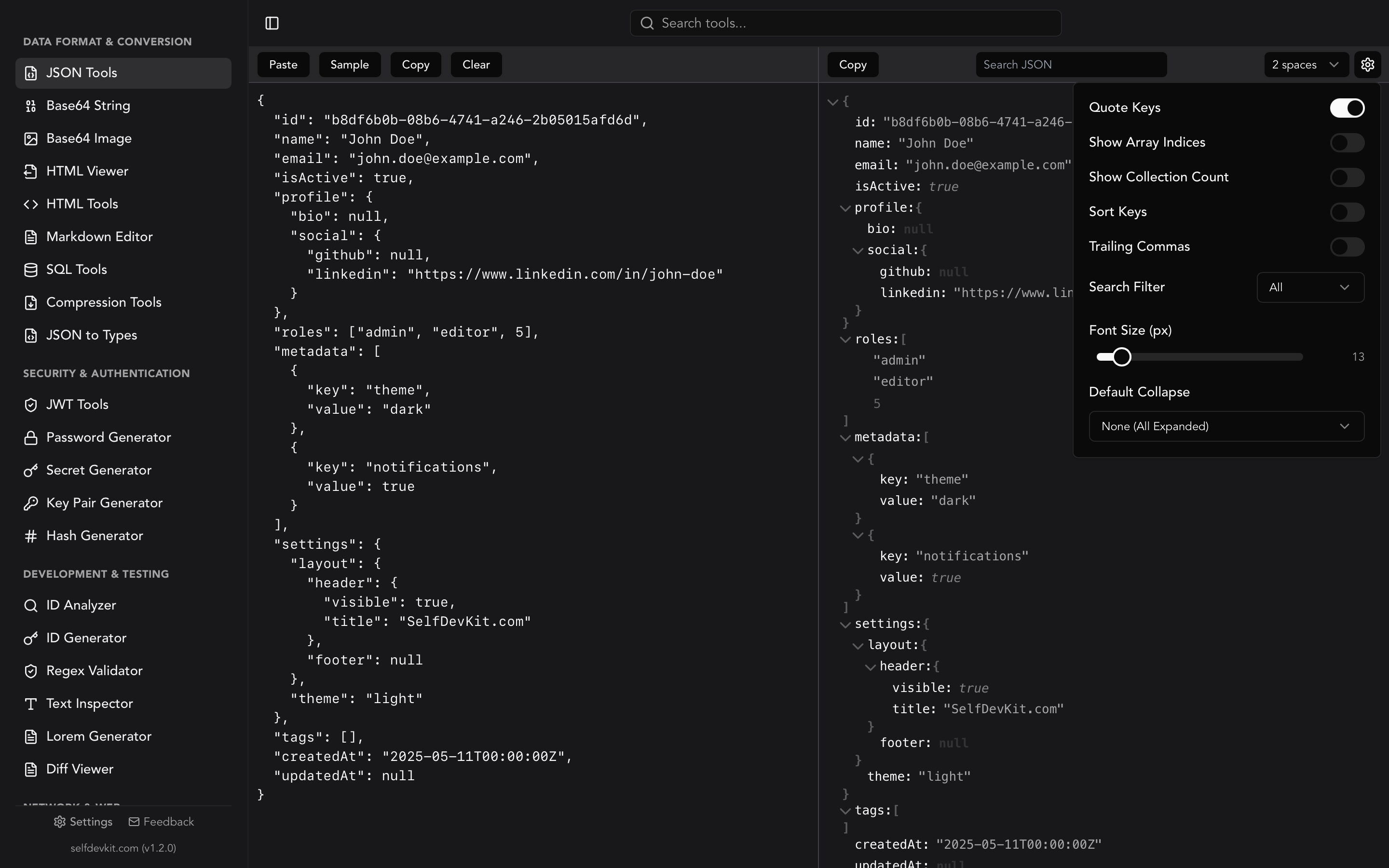
SelfDevKit's JSON Tools formats JSON locally on your machine. You get a collapsible tree view, 2, 4 or 6-space indentation, recursive key sorting, search with filtering, and collapse-by-arrays or collapse-by-objects. Nothing is uploaded, so you can paste a production response containing tokens or customer records without handing it to a third-party website. The online JSON formatter guide covers the privacy trade-offs of web formatters.
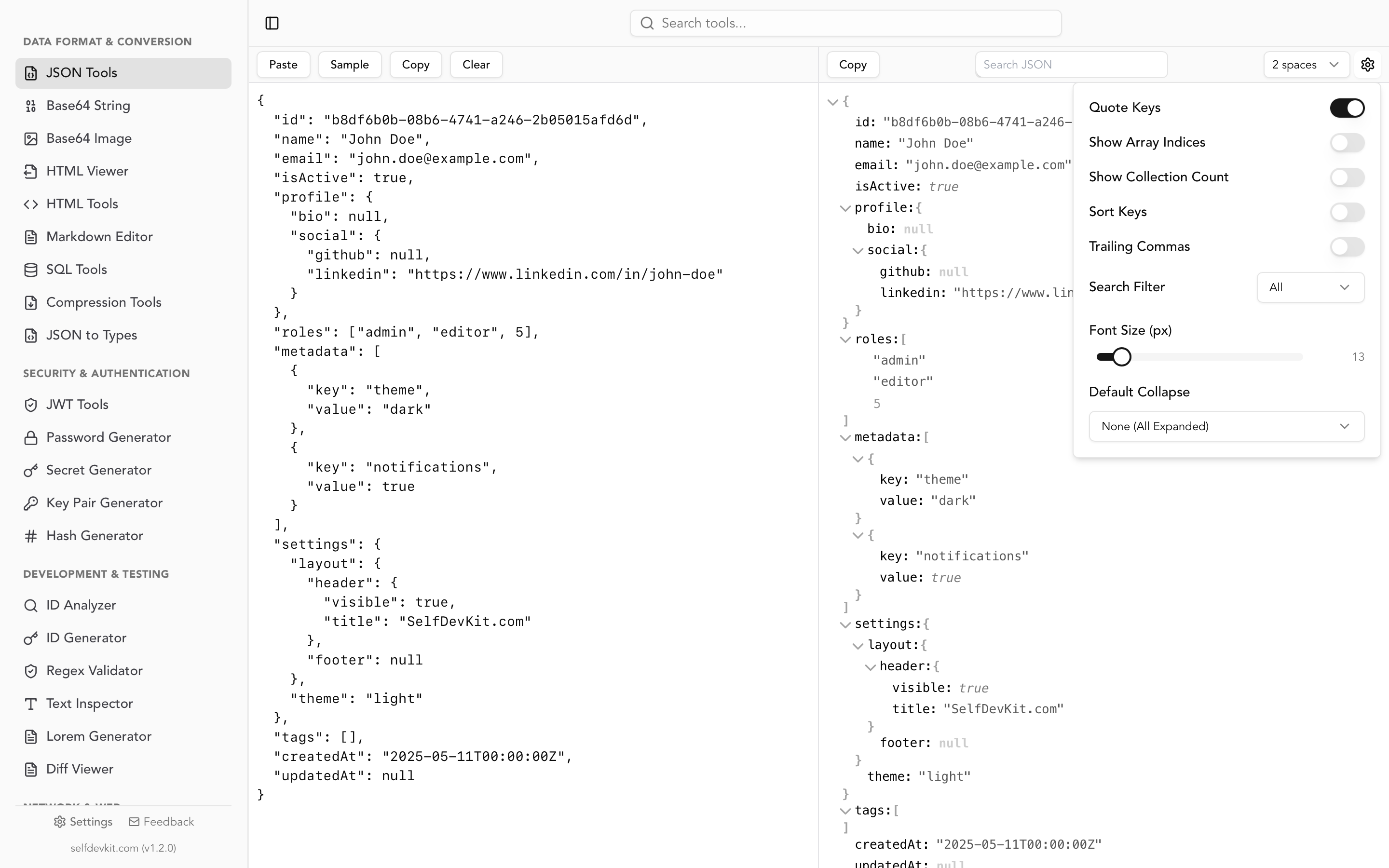
To be clear about its limits: JSON Tools parses input with JavaScript's JSON.parse, so the behavior described above applies. Integers above 2^53 are rounded, numeric keys move to the top, and duplicate keys collapse to the last value. For everyday reading, debugging and sorting, that doesn't matter. When the payload carries 64-bit IDs that must survive a copy and paste, use jq . for that one task.
It also catches a common log-file annoyance: escaped JSON strings are detected and unescaped automatically (see how to unescape JSON). When you need the compact form back for a payload or a fixture, jq -c . or JSON.stringify(data) reverses the process, and the JSON minify guide explains when that's worth doing.
Download SelfDevKit to get pretty JSON, a tree view and 50+ other developer tools offline, without sending your data anywhere.