A sample JSON file is a small, valid .json document you use to test code that reads, uploads, parses or displays JSON. If you need one right now, copy this, save it as sample.json in UTF-8, and you're done:
{
  "id": 1024,
  "name": "Ada Lovelace",
  "email": "ada@example.com",
  "active": true,
  "roles": ["admin", "editor"],
  "address": { "city": "London", "postcode": "W1J 7NT" },
  "lastLogin": null
}
That one file touches every JSON type: number, string, boolean, array, object and null. For anything beyond a smoke test, though, one clean file proves very little. Real input arrives with duplicate keys, a byte order mark, numbers too large for a double, or 80 MB of records. This guide gives you six copy-paste samples for common shapes, then fifteen edge-case files with the results of running each through four parsers, then a script that writes reproducible JSON of any size.
Every result below was produced by running the files locally on Node.js 24.18, Python 3.12.3, Rust serde_json 1.0.154 and jq 1.7.1 in November 2026. Other versions may differ.
Table of contents
- Six sample JSON files for common shapes
- Edge-case sample JSON files and how parsers handle them
- Generate a large sample JSON file for load tests
- Generate sample JSON files offline with SelfDevKit
- FAQ
Six sample JSON files for common shapes
The six JSON shapes developers test against most are a single record, a paginated list, a nested config, an error response, a geographic feature and a file that covers every value type. Each sample below is valid under RFC 8259, the current JSON standard, and uses reserved example.com addresses so a test run can never email a real person.
1. Paginated API list response
Use this to test list views, pagination logic and empty-page handling.
{
  "data": [
    { "id": 1, "title": "Write tests", "done": true, "priority": 2 },
    { "id": 2, "title": "Fix flaky CI job", "done": false, "priority": 1 },
    { "id": 3, "title": "Update README", "done": false, "priority": 3 }
  ],
  "meta": { "page": 1, "perPage": 3, "total": 42, "totalPages": 14 },
  "links": {
    "self": "/api/tasks?page=1",
    "next": "/api/tasks?page=2",
    "prev": null
  }
}
The "prev": null matters. Code that does links.prev.length crashes on page one, and this file catches that.
2. Nested application config
Use this for config loaders, schema validation and deep-merge logic.
{
  "app": { "name": "orders-api", "version": "2.4.1", "debug": false },
  "server": { "host": "0.0.0.0", "port": 8080, "timeoutMs": 30000 },
  "database": {
    "url": "postgres://app:secret@localhost:5432/orders",
    "pool": { "min": 2, "max": 10 }
  },
  "features": { "newCheckout": true, "betaSearch": false },
  "allowedOrigins": ["https://example.com", "https://admin.example.com"]
}
JSON has no comments. If your config format needs them, you want JSONC, JSON5 or YAML, and a strict parser will reject the file (see the edge cases below).
3. Error response (RFC 9457 problem details)
Use this to test how a client surfaces API errors. The fields follow RFC 9457, which replaced RFC 7807 and is served as application/problem+json.
{
  "type": "https://example.com/problems/validation-error",
  "title": "Your request is not valid.",
  "status": 422,
  "detail": "2 fields failed validation.",
  "instance": "/api/orders/7f3c",
  "errors": [
    { "field": "email", "message": "must be a valid email address" },
    { "field": "quantity", "message": "must be greater than 0" }
  ]
}
errors is an extension member. RFC 9457 allows them, and the RFC's own validation example uses an errors array for exactly this.
4. GeoJSON feature
Use this for map components and anything that stores coordinates.
{
  "type": "Feature",
  "geometry": { "type": "Point", "coordinates": [-0.1276, 51.5072] },
  "properties": { "name": "London", "population": 8799800 }
}
The coordinates are longitude first, then latitude. RFC 7946 requires that order, and swapping them is an easy mistake because many maps and APIs say "lat, lon". This point plots in London; reversed, it lands in the Indian Ocean.
5. Every-type coverage file
Use this when you are testing a parser, a serializer or a type generator, because it hits the awkward values that the friendly samples skip.
{
  "string": "plain",
  "emptyString": "",
  "unicode": "Zoë, Søren, 日本語, 🚀",
  "escaped": "quote \" backslash \\ newline \n tab \t",
  "integer": 42,
  "negative": -17,
  "float": 3.14159,
  "exponent": 6.022e23,
  "zero": 0,
  "true": true,
  "false": false,
  "null": null,
  "emptyArray": [],
  "emptyObject": {},
  "mixedArray": [1, "two", false, null, { "five": 5 }, [6]]
}
If you feed this into JSON to TypeScript or any other type generator, mixedArray and the two empty containers are where the output gets interesting.
6. JSON Lines (NDJSON)
Use this for log pipelines, bulk imports and anything that streams. JSON Lines puts one complete JSON value on each line, separated by \n, saved as .jsonl.
{"ts":"2026-11-07T00:00:01Z","level":"info","msg":"server started","port":8080}
{"ts":"2026-11-07T00:00:04Z","level":"warn","msg":"slow query","ms":1840}
{"ts":"2026-11-07T00:00:09Z","level":"error","msg":"db timeout","retry":true}
This is not one JSON document. JSON.parse and json.load both reject it as a whole file, which is exactly why it scales: you parse it a line at a time.
Paste any of these into a JSON validator before you commit them as fixtures. Copying from a web page is the easiest way to pick up a smart quote or a non-breaking space.
Edge-case sample JSON files and how parsers handle them
Fifteen small files cover the edge cases that break JSON handling in production: duplicate keys, oversized numbers, encoding problems, non-standard syntax, extreme nesting and files that are empty or not quite JSON. The Python script below writes all fifteen into the current directory:
# make_edge_cases.py: writes 15 edge-case JSON test files
files = {
    "01-duplicate-keys.json":   b'{"id": 1, "role": "user", "role": "admin"}\n',
    "02-big-integer.json":      b'{"id": 9007199254740993}\n',
    "03-huge-exponent.json":    b'{"value": 1e400}\n',
    "04-negative-zero.json":    b'{"value": -0}\n',
    "05-utf8-bom.json":         b'\xef\xbb\xbf{"ok": true}\n',
    "06-trailing-comma.json":   b'{"a": 1, "b": 2,}\n',
    "07-comment.json":          b'{\n  // retries\n  "retries": 3\n}\n',
    "08-nan.json":              b'{"value": NaN}\n',
    "09-lone-surrogate.json":   b'{"name": "\\ud800"}\n',
    "10-invalid-utf8.json":     b'{"name": "caf\xe9"}\n',   # Latin-1 é, not UTF-8
    "11-deep-nesting.json":     b"[" * 10000 + b"]" * 10000 + b"\n",
    "12-top-level-scalar.json": b"42\n",
    "13-empty.json":            b"",
    "14-ndjson.json":           b'{"id": 1}\n{"id": 2}\n',
    "15-single-quotes.json":    b"{'a': 1}\n",
}
for name, data in files.items():
    with open(name, "wb") as f:
        f.write(data)
Each file was then parsed with the default, everyday call in each tool: JSON.parse(fs.readFileSync(f, 'utf8')) in Node, json.load(open(f, encoding='utf-8')) in Python, serde_json::from_slice::<Value> in Rust and jq . f on the command line.
| File | Node.js 24 | Python 3.12 | serde_json 1.0 | jq 1.7.1 |
|---|---|---|---|---|
| 01 duplicate keys | role: "admin" |
role: "admin" |
role: "admin" |
role: "admin" |
| 02 integer 2^53+1 | rounds to ...992 | exact | exact | exact |
03 1e400 |
Infinity |
Infinity |
error | keeps 1E+400 |
04 -0 |
-0 |
0 |
-0.0 |
-0 |
| 05 UTF-8 BOM | error | error | error | accepted |
| 06 trailing comma | error | error | error | error |
07 // comment |
error | error | error | error |
08 NaN |
error | accepted | error | becomes null |
09 lone surrogate \ud800 |
accepted | accepted | error | error |
| 10 invalid UTF-8 byte | caf� |
error | error | caf� |
| 11 10,000 levels deep | parses | error (limit ~10,000) | error (limit 127) | error (limit 256) |
12 top-level 42 |
42 |
42 |
42 |
42 |
| 13 empty file | error | error | error | no output, exit 0 |
| 14 two JSON lines | error | error | error | accepted as a stream |
| 15 single quotes | error | error | error | error |
Bold marks a silent change: the parser succeeded but your data is not what the file said.
What the table means for your tests
Duplicate keys never fail. All four parsers keep the last value without warning. RFC 8259 says names "SHOULD be unique" and that behavior with duplicates "is unpredictable," so a payload with "role": "user", "role": "admin" can be read differently by a validating proxy and the service behind it. If authorization depends on a field, test with file 01.
Large IDs break in JavaScript. RFC 8259 only promises interoperability for integers in the range ±(2^53 − 1). Node read 9007199254740993 as 9007199254740992 and kept going. Python, Rust and jq kept it exact. If your API returns 64-bit IDs, file 02 is the test that tells you whether the frontend needs them as strings.
The BOM is the cross-platform trap. A file saved as "UTF-8 with BOM", an option in Windows Notepad and many other editors, fails in Node, Python's text-mode json.load and serde_json, yet jq reads it without comment. Python's error message even names the fix: open the file with encoding='utf-8-sig', or pass raw bytes to json.loads, which detects the BOM itself. RFC 8259 says implementations "MUST NOT add a byte order mark" to JSON sent over a network.
Python is the lenient one. It accepts NaN, turns 1e400 into Infinity, and will write both back out with json.dumps, producing output no strict parser accepts. Pass allow_nan=False to json.dumps if the file leaves Python.
Node changes the data on the way out. JSON.parse keeps -0 and reads 1e400 as Infinity, but JSON.stringify writes them back as 0 and null. A script that loads a fixture, edits one field and saves it has quietly rewritten both.
Node hides encoding damage. Reading with 'utf8' replaced the invalid byte in file 10 with U+FFFD (�) and parsed successfully. The original character is gone, and nothing told you.
Depth limits vary by two orders of magnitude. serde_json stops at 127 levels by default, jq at 256, Python's C parser at roughly 10,000. Node's JSON.parse handled 10,000 levels and even 10 million in a follow-up run, but JSON.stringify on the 10,000-level result threw Maximum call stack size exceeded. A file that parses can still crash on the way out.
jq is a stream parser, not a validator. It exited 0 on the empty file and happily read two concatenated documents. If a CI step uses jq . file.json to check that a file is valid JSON, files 13 and 14 both pass it. jq -e . exits non-zero on empty input, which is a better check. RFC 8259 is clear that a bare 42 is a complete JSON text, so file 12 passing everywhere is correct behavior.
For more on what parse-and-reserialize changes even with valid input, see the pretty JSON round-trip tests.
Generate a large sample JSON file for load tests
To generate a large sample JSON file, write records to a stream one at a time instead of building the whole array in memory. Downloaded "10 MB JSON" files have a fixed shape you can't change; a script gives you any size, your own fields, and the same bytes on every run when you seed the random generator.
// make-json.mjs: write a large, reproducible sample JSON file without holding it in memory
// usage: node make-json.mjs <records> <out.json> [--ndjson]
import { createWriteStream } from 'node:fs';
import { once } from 'node:events';

const [count, outPath, mode] = [Number(process.argv[2]), process.argv[3], process.argv[4]];
const ndjson = mode === '--ndjson';

// mulberry32: tiny seeded PRNG, so the same seed always gives the same file
let seed = 42;
const rand = () => {
  seed = (seed + 0x6d2b79f5) | 0;
  let t = Math.imul(seed ^ (seed >>> 15), 1 | seed);
  t = (t + Math.imul(t ^ (t >>> 7), 61 | t)) ^ t;
  return ((t ^ (t >>> 14)) >>> 0) / 4294967296;
};
const pick = (arr) => arr[Math.floor(rand() * arr.length)];
const first = ['Ada', 'Grace', 'Linus', 'Zoë', 'Søren', 'Aiko', 'José', 'Priya'];
const last = ['Lovelace', 'Hopper', 'Torvalds', 'Müller', 'Nakamura', 'Okafor'];
const plans = ['free', 'pro', 'team', null];

const out = createWriteStream(outPath);
const write = async (s) => { if (!out.write(s)) await once(out, 'drain'); };

if (!ndjson) await write('[\n');
for (let i = 1; i <= count; i++) {
  const f = pick(first), l = pick(last);
  const record = {
    id: i,
    name: `${f} ${l}`,
    email: `user${i}@example.com`,
    plan: pick(plans),
    active: rand() < 0.8,
    balance: Math.round(rand() * 1e6) / 100,
    tags: Array.from({ length: Math.floor(rand() * 4) }, () => pick(['beta', 'vip', 'eu', 'trial'])),
    createdAt: new Date(1.6e12 + Math.floor(rand() * 1e11)).toISOString(),
  };
  const line = JSON.stringify(record);
  if (ndjson) await write(line + '\n');
  else await write((i > 1 ? ',\n' : '') + line);
}
if (!ndjson) await write('\n]\n');
out.end();
await once(out, 'finish');
node make-json.mjs 500000 users.json wrote 86.8 MB in about two seconds on a small test machine, and a second run produces a byte-identical file. Each record is about 170 bytes, so divide your target size by 170 to get the count. The emails are unique by construction (user1@example.com, user2@...), which matters if you seed a table with a unique constraint. Names include non-ASCII letters on purpose, so encoding bugs show up in the load test instead of in production.
File size versus memory
Parsing a whole JSON file costs several times its size in memory, while streaming JSON Lines stays flat. These are peak resident memory figures for the files above:
| Records | File | Node JSON.parse |
Node line stream | Python json.load |
Python line loop |
|---|---|---|---|---|---|
| 100,000 | 17.2 MB | 99 MB | 62 MB | 102 MB | 11 MB |
| 500,000 | 86.8 MB | 344 MB | 70 MB | 467 MB | 11 MB |
An idle Node process sits around 42 MB and Python around 10 MB, so most of the streaming column is runtime overhead. At 87 MB of input, whole-file parsing needed roughly four to five and a half times the file size. That ratio is the number to check before you point a load test at a service running in a 512 MB container.
Generate sample JSON files offline with SelfDevKit
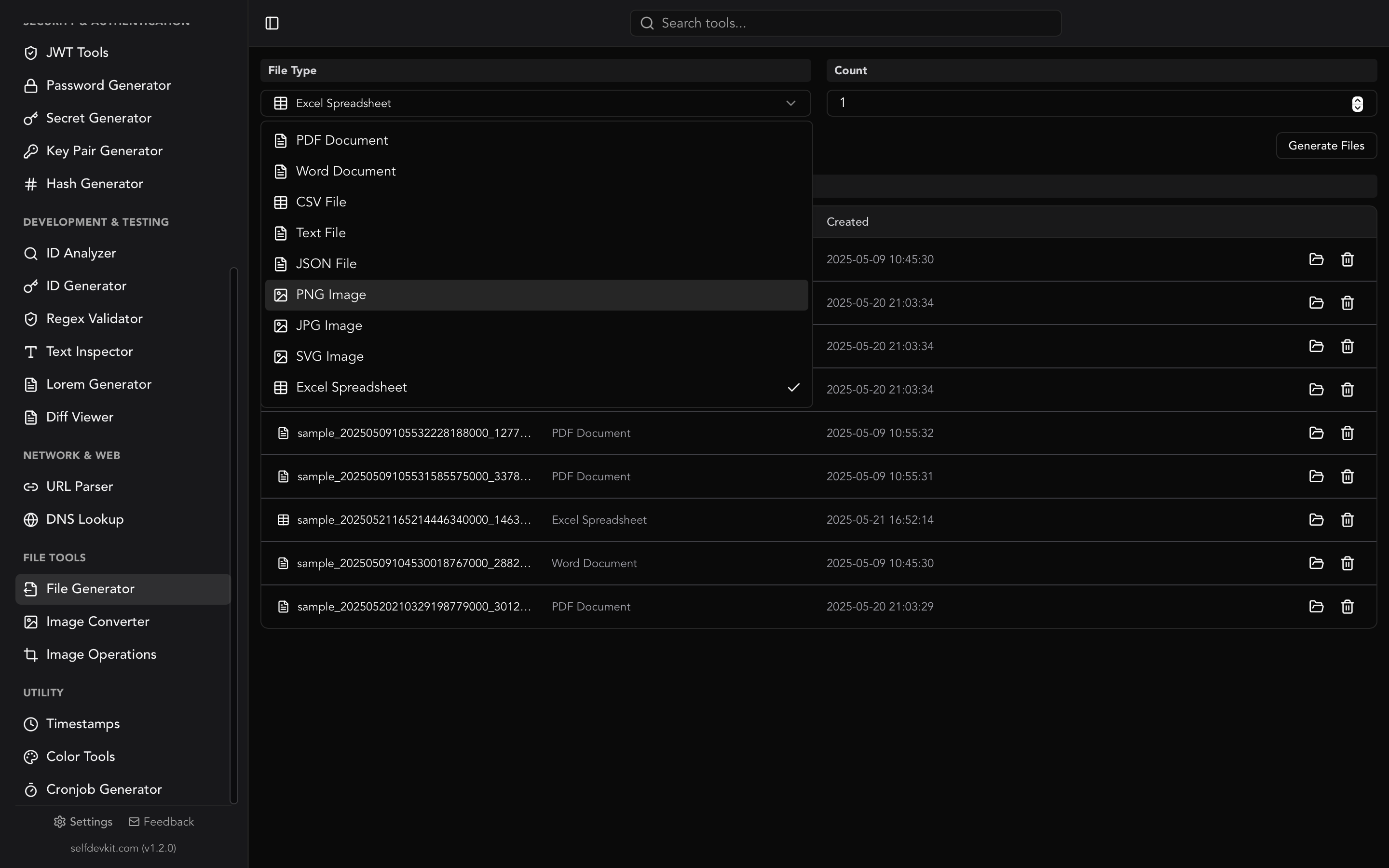
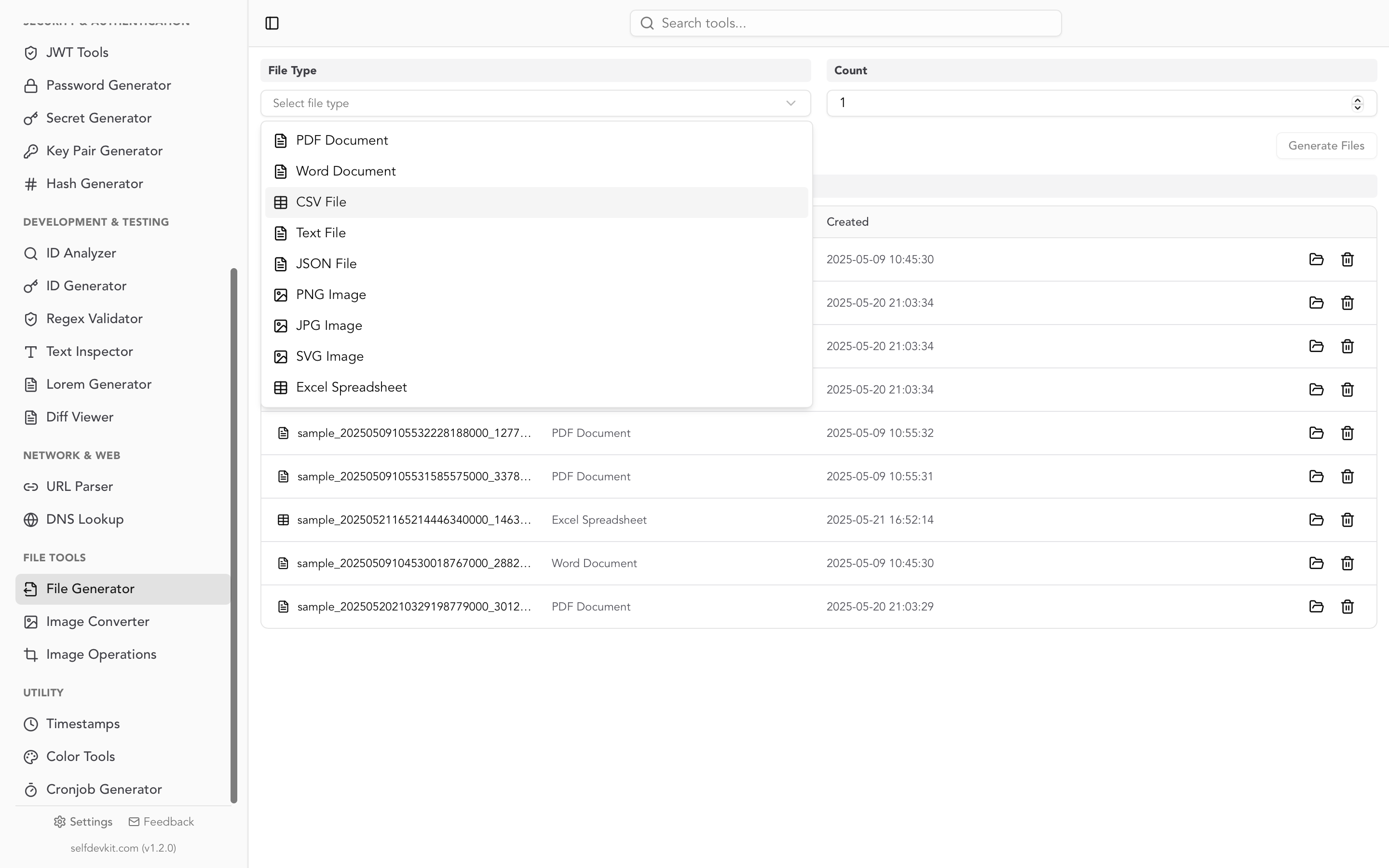
SelfDevKit's File Generator writes sample JSON files filled with fake people, companies and addresses, entirely on your machine. Choose JSON, set Count, and click Generate Files. The files appear in a list where you can open them, reveal them in your file manager or delete them.
What you get, based on the generator's source:
- Shape: a pretty-printed array of flat objects with 14 fields:
name,email,city,company,job_title,phone,street,building,zip_code,country,state,currency,professionandindustry. - Count does double duty. It sets both the number of files and the records per file, and the field is set up for values from 1 to 100. Count 10 gives ten files of ten records each.
- Size: about 440 bytes per record, so a 100-record file is roughly 44 KB.
- Safe emails: every address uses
example.com,example.netorexample.org, the domains RFC 2606 reserves for documentation.
Know the limits before you build tests on it. Every value is a string, including zip_code and building, and there are no numbers, booleans, nulls or nested objects. job_title, profession and industry contain person and company names rather than real job titles. Emails are random, not unique: in repeated test runs of the same generator code, between 6 and 11 of every 20 hundred-record files contained at least one repeated address. That makes these files a good fit for upload, import and display tests, and a poor fit for type coverage or seeding a column with a unique index. For those, use sample 5 above or the script.
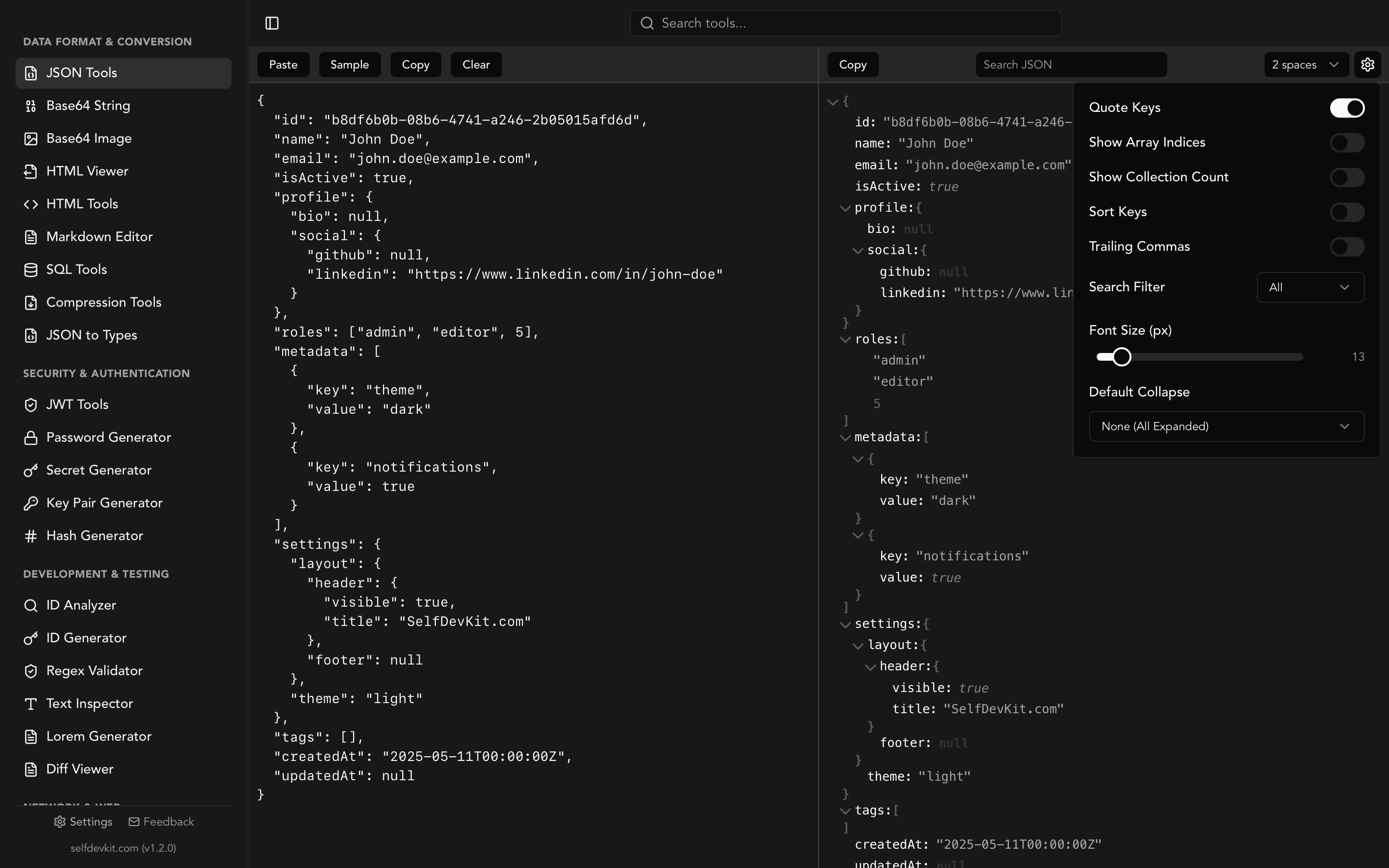
Once a file exists, the rest of the workflow stays in the same app. Paste its contents into JSON Tools to browse the tree, search, sort keys or check that a hand-edited fixture still parses. JSON Tools uses the JavaScript JSON.parse engine, so pasted text follows the same syntax rules as the Node column in the table above.
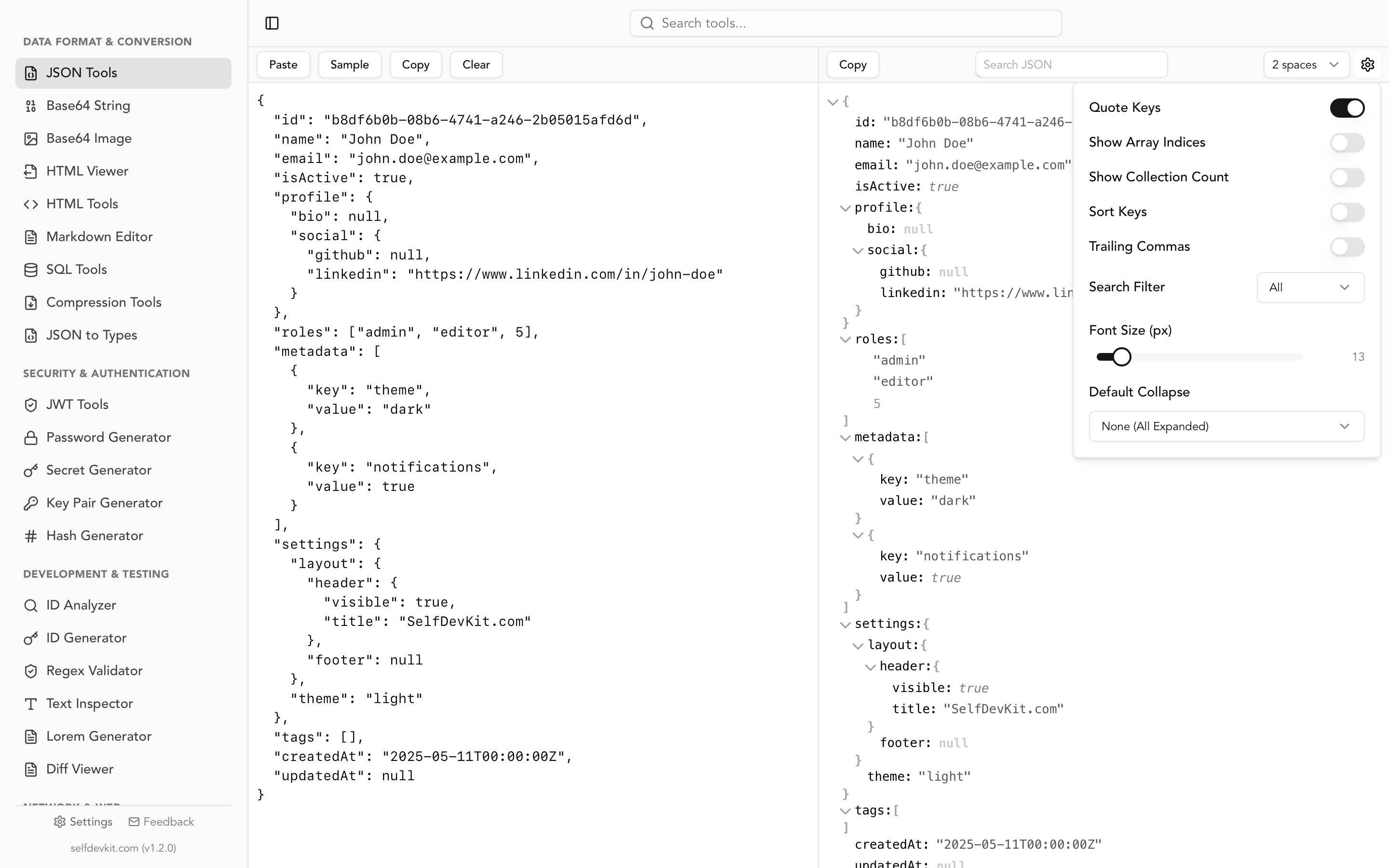
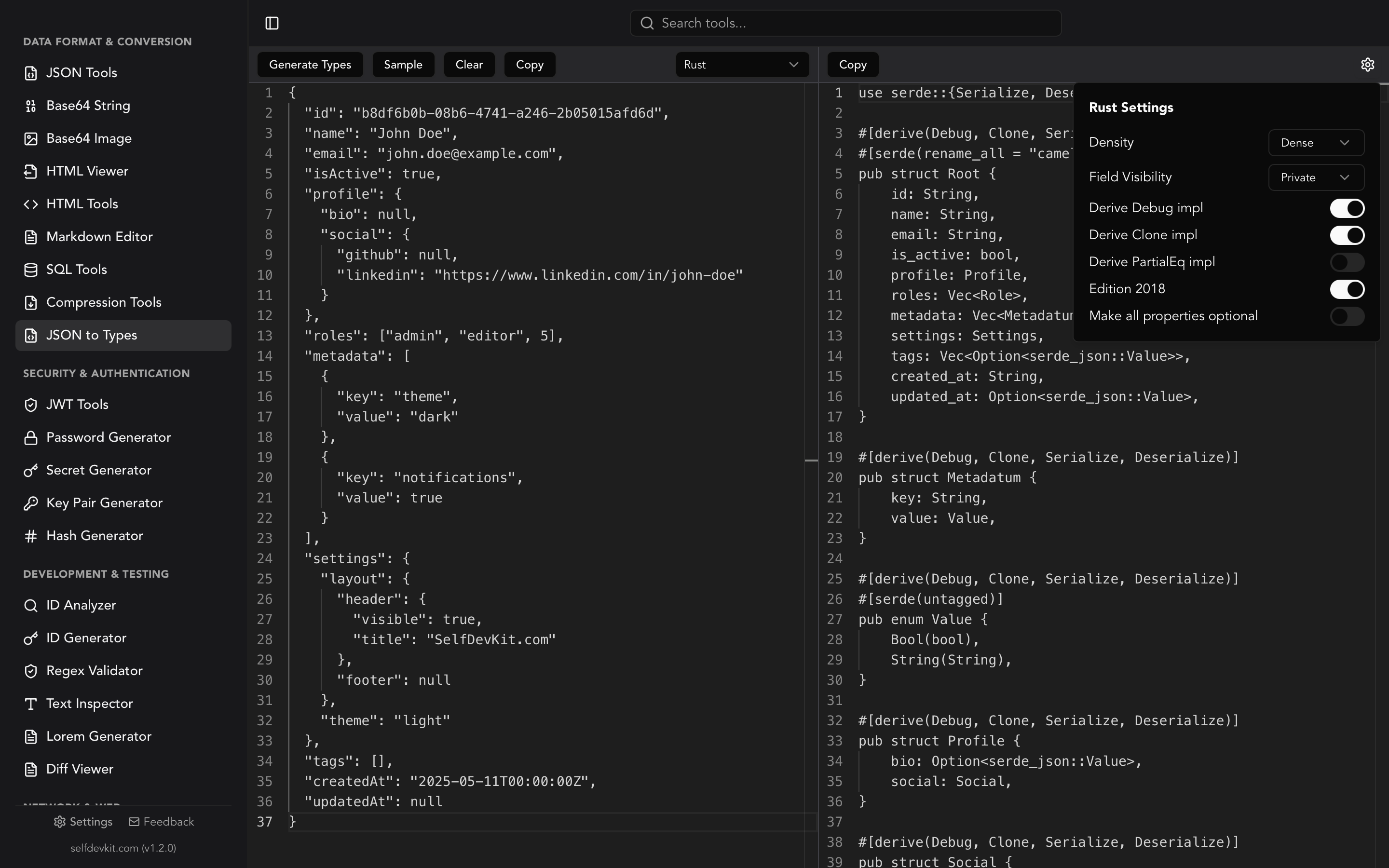
From there, JSON to Types turns a sample into TypeScript, Zod, Python, Rust, Go or Ruby types, and the Diff Viewer shows what changed between two fixture versions. The JSON compare guide covers that last step in detail.
Generating fixtures locally has a practical upside beyond convenience. Test data often starts life as a copy of a real API response, and pasting that into a web-based generator or formatter sends it to someone else's server. Nothing in this workflow leaves your machine. The same tool also produces sample PDF files, CSV, Excel and images when your test needs more than JSON.
FAQ
How do I create a sample JSON file?
Paste valid JSON into any text editor and save it with a .json extension in UTF-8 without a BOM. On the command line, echo '{"ok": true}' > sample.json works. For realistic fake records, use SelfDevKit's File Generator or the streaming script above.
Can a JSON file contain just a number or a string?
Yes. RFC 8259 defines a JSON text as any serialized value, so a file containing only 42 or "hello" is valid. Older specs required an object or array at the top level, and some legacy tools still expect one.
How big can a JSON file be?
The format has no size limit; your parser's memory does. In the tests above, whole-file parsing of an 87 MB file needed roughly four to five and a half times the file size in RAM. Above a few hundred megabytes, switch to JSON Lines or a streaming parser.
Why does my JSON file fail with "Unexpected token" at position 0?
A frequent cause is a UTF-8 byte order mark at the start of the file, which some Windows editors add. Re-save as UTF-8 without BOM, or read the file with utf-8-sig in Python. If the BOM isn't the problem, the error position points at the first character the parser couldn't accept.
What to do next
Copy the six samples into a fixtures/ folder, generate the fifteen edge-case files, and run your own parser over all of them. The bold cells in the table are the ones worth a regression test.
If you'd rather generate, view, validate and diff those fixtures without a browser tab or an upload, download SelfDevKit. It bundles the File Generator, JSON Tools and 50+ other developer tools in one offline desktop app.