What does a timestamp unix converter actually do?
It takes an integer counting seconds (or milliseconds, microseconds, or nanoseconds) since January 1, 1970 UTC and renders it as a calendar date, or does the reverse. The conversion itself is arithmetic and never fails. What differs between converters is how they guess the input unit, which timezone they display, and what they do with values they cannot represent.
Search for a timestamp unix converter and you get a dozen near-identical web pages with a text box. Paste 1712563200, get April 8, 2024, move on. That works right up until the number you paste is not what you assumed it was, and the converter hands you a confident, plausible, wrong answer instead of an error.
This post is not another explanation of epoch time. If you want that, the Unix timestamp converter guide covers the fundamentals, and date to timestamp unix covers the trickier reverse direction. This one is about the converters themselves: the ones already installed on your machine, the ways they silently disagree, and a short test suite you can run against any of them in under a minute.
Every value in this post was produced by actually running the tool, not copied from documentation.
Table of contents
- The timestamp unix converter you already have installed
- Five converters, one bad input, five different answers
- Numbers that look like Unix timestamps but are not
- Timestamps hidden inside IDs
- A test suite for any timestamp unix converter
- Online, CLI, or desktop
- Frequently asked questions
- Convert timestamps without leaving your machine
The timestamp unix converter you already have installed
Every developer machine already ships several epoch converters. You do not need a browser tab for a one-off conversion, and reaching for the terminal is usually faster than finding the tab you left open yesterday.
| Environment | Convert epoch to date | Unit it expects |
|---|---|---|
GNU coreutils (date) |
date -u -d @1712563200 |
Seconds, accepts fractions |
BSD / macOS (date) |
date -u -r 1712563200 |
Seconds |
| Node.js | node -e 'console.log(new Date(1712563200*1000).toISOString())' |
Milliseconds |
| Python 3 | python3 -c "import datetime as d;print(d.datetime.fromtimestamp(1712563200,d.timezone.utc))" |
Seconds (int or float) |
| jq | jq -n '1712563200 | todate' |
Seconds |
| SQLite | SELECT datetime(1712563200,'unixepoch'); |
Seconds |
| PostgreSQL | SELECT to_timestamp(1712563200); |
Seconds (double) |
| MySQL | SELECT FROM_UNIXTIME(1712563200); |
Seconds |
There is one trap in that table worth calling out on its own, because it bites anyone who moves between macOS and Linux.
On BSD and macOS, date -r 1712563200 prints the date for that epoch value. On GNU coreutils, -r means "reference file" and expects a path. Running the macOS command on Linux gives you this:
$ date -u -r 1712563200
date: 1712563200: No such file or directory
That is the good outcome, because it fails loudly. The GNU coreutils date documentation uses -d @SECONDS instead. The reverse direction is portable: date +%s gives seconds everywhere, and on GNU systems date +%s%3N gives milliseconds.
For grabbing timestamps out of structured API responses, jq is the fastest option because it converts in place:
$ echo '{"created_at":1712563200000}' | jq '.created_at |= (./1000 | todate)'
{
  "created_at": "2024-04-08T08:00:00Z"
}
That pattern is worth memorizing. Divide by 1000 first if the field is in milliseconds, then pipe to todate. If you are digging through a large payload rather than a single field, a JSON viewer with a collapsible tree is a better fit than a one-liner.
Five converters, one bad input, five different answers
Feed a millisecond timestamp to a converter that expects seconds and you get five distinct behaviors across common tools. The input below is 1712563200000, which is April 8, 2024 in milliseconds.
| Tool | Command | Result |
|---|---|---|
| jq 1.7.1 | jq -n '1712563200000 | todate' |
"56238-12-20T08:00:00Z" |
| GNU date 9.4 | date -u -d @1712563200000 |
Thu Dec 20 08:00:00 AM UTC 56238 |
| Python 3.12 | datetime.fromtimestamp(1712563200000, tz=utc) |
ValueError: year 56238 is out of range |
| SQLite 3.45 | SELECT datetime(1712563200000,'unixepoch') |
NULL |
| Node.js | new Date(1712563200000) |
2024-04-08T08:00:00.000Z |
Five tools, five contracts. Node is correct because its constructor takes milliseconds in the first place. Python fails loudly. SQLite fails silently by returning NULL, which will happily flow into a report as a blank cell. jq and GNU date both produce a real, formatted, syntactically valid date in the year 56238.
The failure mode that costs you the most time is not the loud one. It is the plausible one.
Now run the same experiment in the other direction, feeding seconds to a converter that expects milliseconds:
new Date(1712563200).toISOString()
// '1970-01-20T19:42:43.200Z'
This is the January 1970 bug that everybody hits at least once, usually while debugging a JWT. The exp and iat claims are defined in seconds, so passing them straight into a JavaScript Date puts every token three weeks after the epoch and marks it long expired. If you are chasing that class of bug, our decode JWT walkthrough covers the claim structure, and SelfDevKit's JWT tools render exp and iat as dates so the unit question never comes up.
Digit counting is a heuristic, not a rule
Most converters auto-detect the unit by counting digits: 10 means seconds, 13 means milliseconds, 16 microseconds, 19 nanoseconds. For current dates that heuristic is right almost always. It is still a heuristic.
| Digits | Read as seconds | Read as milliseconds |
|---|---|---|
10 (1712563200) |
2024-04-08 | 1970-01-20 |
13 (1712563200000) |
year 56238 | 2024-04-08 |
16 (1712563200000000) |
year 54,270,937 | year 56238 |
19 (1712563200000000000) |
beyond any calendar range | year 54,270,937 |
The heuristic breaks in two places. Timestamps in seconds only reached ten digits on September 9, 2001 (1000000000), so any pre-2001 date in seconds has nine digits or fewer and can be misread. And millisecond timestamps from the first few years after the epoch land in the eleven and twelve digit range, which many converters do not handle at all.
The safest habit is to know your source rather than trust auto-detection. Date.now() in JavaScript and System.currentTimeMillis() in Java are milliseconds. time.time() in Python, time() in PHP, and date +%s are seconds. Go's UnixNano() is nanoseconds, and per the Go time package docs an int64 nanosecond value only spans 1677 to 2262, which is why UnixNano is a poor choice for archival dates.
Numbers that look like Unix timestamps but are not
Several widespread systems count time from an epoch that is not 1970. Paste one of their values into a Unix converter and the arithmetic succeeds. You get a date. It is simply the wrong date, sometimes by decades, and nothing in the output warns you.
All values below represent the same real moment, 2024-04-08 08:00:00 UTC:
| Format | Epoch | Unit | Value for that moment | What a Unix converter shows |
|---|---|---|---|---|
| Unix time | 1970-01-01 | seconds | 1712563200 |
2024-04-08 (correct) |
Apple Cocoa / NSDate |
2001-01-01 | seconds | 734256000 |
1993-04-08 |
Windows FILETIME |
1601-01-01 | 100 ns | 133570368000000000 |
1974-03-26 |
| Chrome / WebKit | 1601-01-01 | microseconds | 13357036800000000 |
2393-04-08 |
.NET DateTime.Ticks |
0001-01-01 | 100 ns | 638481600000000000 |
1990-03-26 |
| Excel serial date | 1899-12-30 | days | 45390.33 |
1970-01-01 |
The last column assumes a converter that auto-detects units by digit count. The two 18-digit values get read as nanoseconds, which is why they land on ordinary-looking 1970s and 1990s dates rather than erroring out.
The Cocoa row is the dangerous one. Apple's reference date is January 1, 2001, so NSDate values read as Unix seconds give you a date exactly 31 years early. 734256000 renders as April 8, 1993. That is a real date, in a believable range, in the right month and day. Nothing looks broken. If you are debugging Core Data exports, Safari history, or iOS crash logs, subtract the offset first:
COCOA_EPOCH = 978307200  # seconds between 1970-01-01 and 2001-01-01
unix = cocoa_value + COCOA_EPOCH
Windows is the other one you will meet often, in event logs, registry exports, and Active Directory attributes. A FILETIME counts 100-nanosecond intervals since January 1, 1601. The conversion is:
unix_seconds = filetime / 10_000_000 - 11644473600
Chrome's history and cookie databases use the same 1601 epoch but in microseconds, so 13357036800000000 divided by a million and offset by 11644473600 gets you back to Unix seconds. A 17-digit number that resolves to the year 2393 is the tell.
The rule of thumb: when a converter returns a date that is off by exactly 31 years, or a date in the 1970s from a system that did not exist in the 1970s, suspect the epoch before you suspect the converter. Check what wrote the value, not what is reading it.
Timestamps hidden inside IDs
Many identifier formats embed a creation timestamp, which means the ID itself is a timestamp unix converter input if you know where to slice it. This is genuinely useful during incident response, when you have a record ID from a log line and no created_at column to go with it.
| ID format | Where the time lives | Unit | Epoch |
|---|---|---|---|
| MongoDB ObjectID | First 4 bytes (8 hex chars) | seconds | 1970-01-01 |
| ULID | First 10 Crockford base32 chars | milliseconds | 1970-01-01 |
| UUIDv7 | First 48 bits | milliseconds | 1970-01-01 |
| Twitter Snowflake | Bits 22 and above | milliseconds | 2010-11-04 |
| Discord Snowflake | Bits 22 and above | milliseconds | 2015-01-01 |
MongoDB is the easiest to do by hand. Per the ObjectId documentation, the first four bytes are a Unix timestamp in seconds:
oid = "6613b6800000000000000000"
seconds = int(oid[:8], 16)   # 1712567936
# 2024-04-08T09:18:56+00:00
ULIDs put a 48-bit millisecond timestamp in the leading ten characters, encoded in Crockford base32 per the ULID spec. Decoding 01HV0M2M00 gives 1712639266816 milliseconds, which is April 9, 2024 at 05:07:46 UTC.
Snowflakes need their platform epoch added back after the 22-bit shift. Twitter's epoch is 1288834974657 and Discord's is 1420070400000, both in milliseconds. Get the epoch wrong and every ID in your dataset dates to late 2010 instead of last Tuesday.
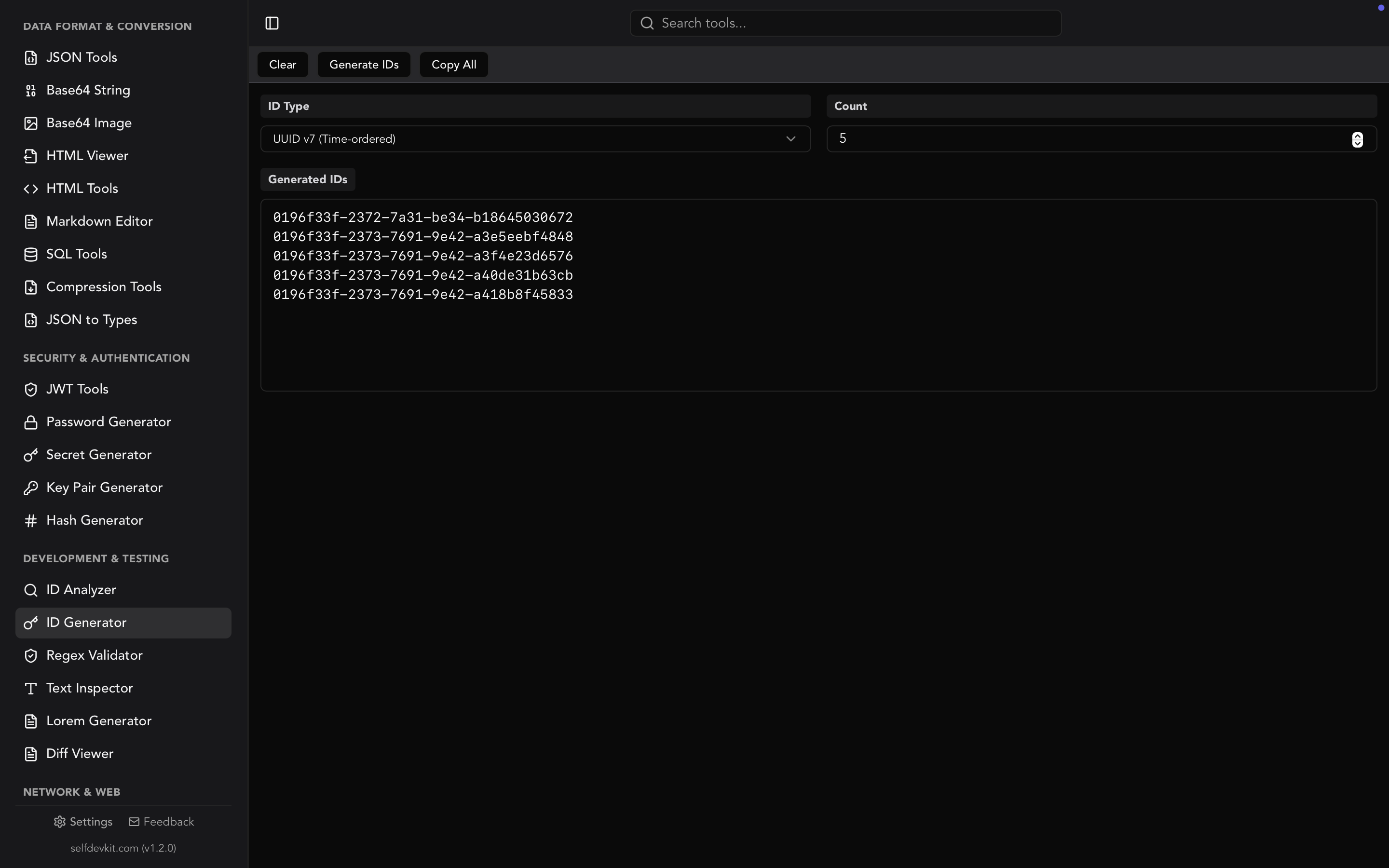
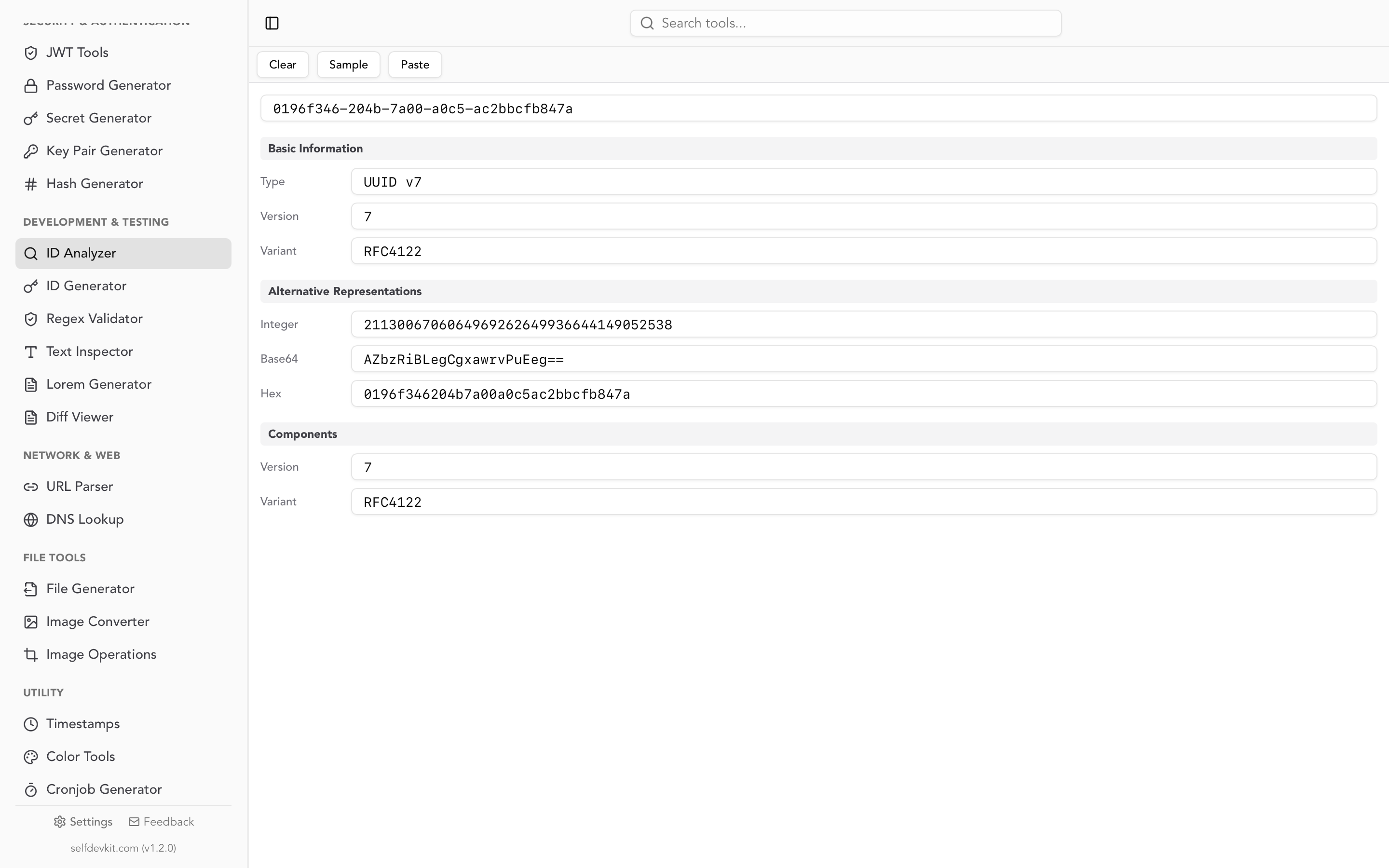
Doing this by hand across five formats is tedious. SelfDevKit's ID Analyzer detects the format and extracts the embedded timestamp for UUIDs, ULIDs, KSUIDs, Snowflakes, Stripe IDs, and MongoDB ObjectIDs, so you can paste an ID straight out of a log line. For background on which of these formats to actually adopt, our UUID generator guide compares them on sortability and index behavior.
A test suite for any timestamp unix converter
Before you trust a converter with production debugging, spend sixty seconds feeding it these eight values. The expected outputs are all UTC and were verified against Python 3.12 and GNU coreutils 9.4.
| # | Input | Expected UTC output | What it tests |
|---|---|---|---|
| 1 | 0 |
1970-01-01T00:00:00Z | Does it treat zero as valid, or as empty input? |
| 2 | -1 |
1969-12-31T23:59:59Z | Signed integer handling |
| 3 | -2208988800 |
1900-01-01T00:00:00Z | Pre-1970 dates for historical data |
| 4 | 2147483647 |
2038-01-19T03:14:07Z | The 32-bit boundary |
| 5 | 2147483648 |
2038-01-19T03:14:08Z | One second past it, no wraparound to 1901 |
| 6 | 1712563200000 |
2024-04-08T08:00:00Z | Millisecond auto-detection |
| 7 | 1712563200000000 |
2024-04-08T08:00:00Z | Microsecond auto-detection |
| 8 | 1712563200.5 |
2024-04-08T08:00:00.500Z | Fractional seconds |
Tests 2 and 3 eliminate a surprising number of web converters, which either reject the minus sign at the input field or return NaN. Test 5 catches anything still doing 32-bit arithmetic. Tests 6 and 7 tell you whether auto-detection exists at all or whether you are expected to normalize the unit yourself.
Then run the round-trip test, which is the one that matters most:
- Convert a timestamp to a date string.
- Copy that exact date string back into the reverse field.
- Check you get the original number.
If the converter displays local time by default but parses input as UTC (or the other way around), the round trip drifts by your UTC offset and you have found a tool that will eventually cost you an afternoon. This asymmetry is the core of why the reverse direction is harder, which the date to timestamp guide unpacks in detail.
One last check: paste a value with the surrounding noise you actually copy in real life, such as "created_at": 1712563200, straight out of a JSON body. A converter that strips quotes, commas, and whitespace saves you a manual cleanup step on every single lookup.
Online, CLI, or desktop
Pick based on what you are converting, not on which is objectively best. All three categories are correct at arithmetic. They differ in friction and in where the data goes.
| Online converter | CLI one-liner | Desktop tool | |
|---|---|---|---|
| Setup | None | None | Install once |
| Works offline | No | Yes | Yes |
| Batch conversion | Sometimes | Yes, with a loop | Yes |
| Shows local and UTC together | Usually | No, one format per invocation | Yes |
| Handles ID formats | No | Only with custom scripts | Yes |
| Value leaves your machine | Depends on the page | No | No |
That last row deserves more than a checkbox. A raw epoch integer is not sensitive. The context you paste alongside it very often is.
In practice, developers do not paste 1712563200 on its own. They paste the whole log line, the whole JSON object, or the whole JWT payload, because that is what was on the clipboard. Which means the request goes out with an internal hostname, a customer email, a session identifier, or a bearer token attached. Most online converters do the math in client-side JavaScript and never transmit anything, which is fine. But you cannot tell that from the outside, the page can change between visits, and "probably client-side" is not a control you can point at during an audit.
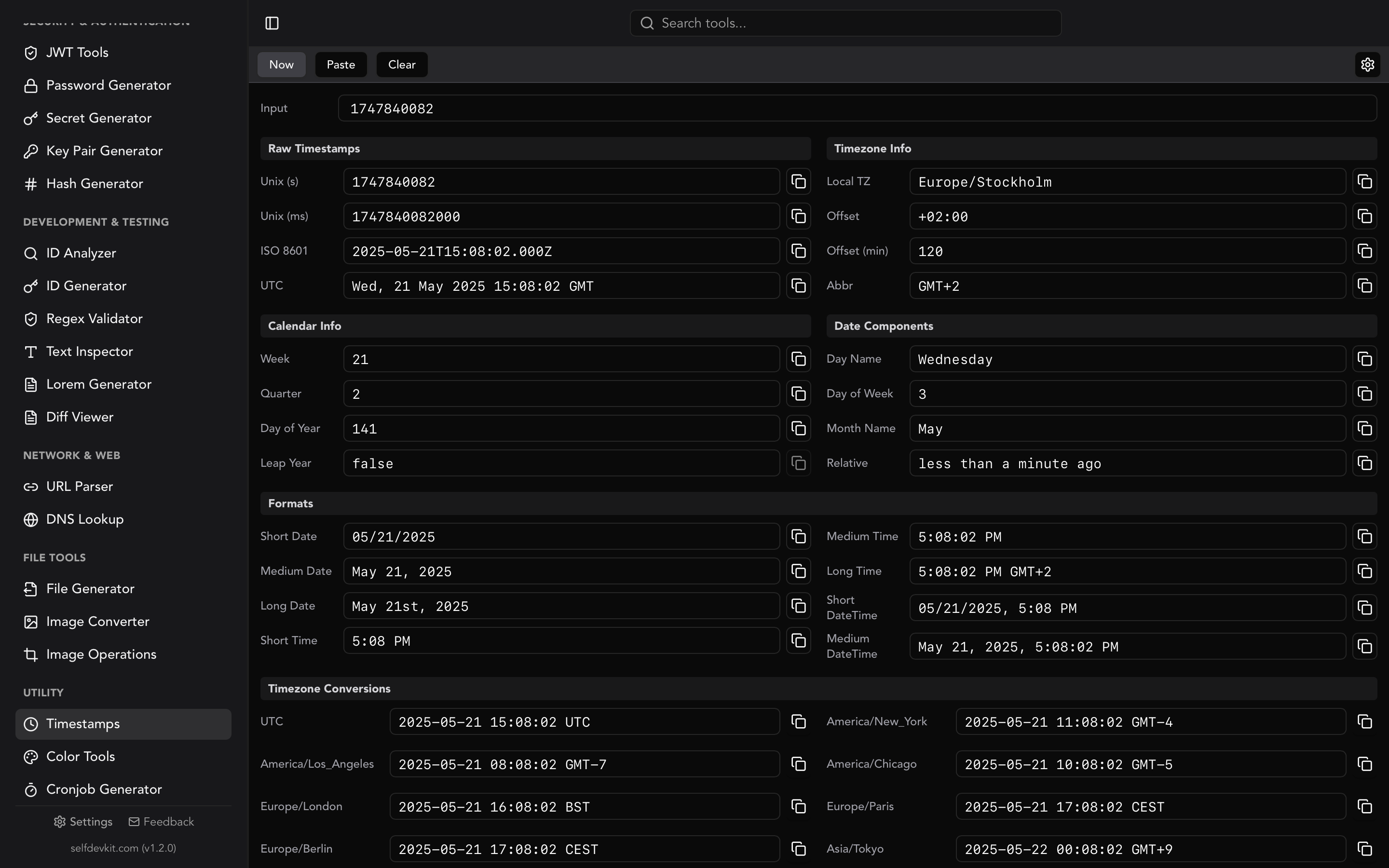
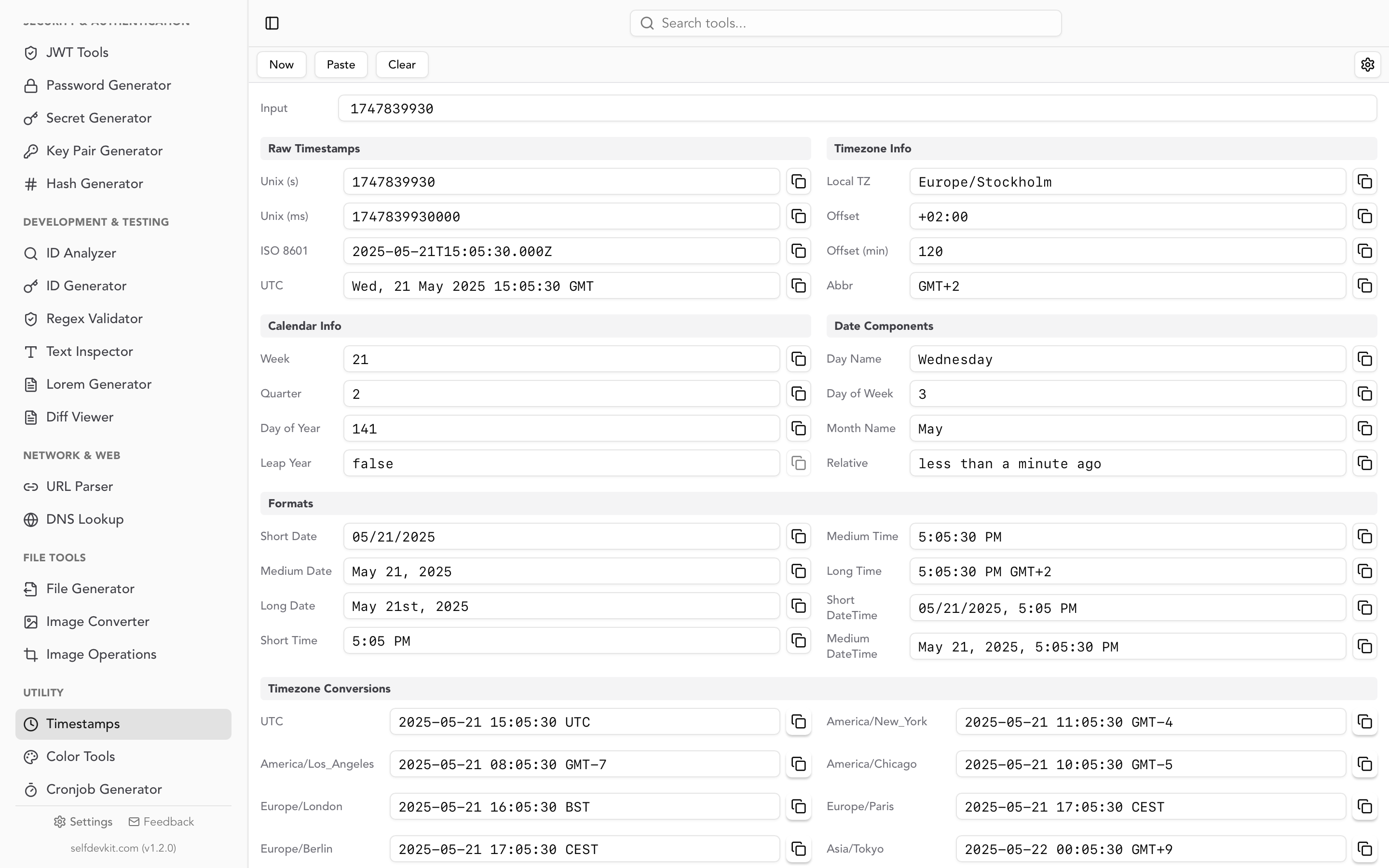
The offline answer sidesteps the question entirely. SelfDevKit's Timestamps tool runs the conversion locally in a native desktop app, showing ISO 8601, UTC, local time, and calendar details like week number and quarter side by side. Nothing is transmitted because there is no network call to make. The same applies to the JSON tools and SQL tools you would reach for while inspecting the payload that timestamp came from.
Frequently asked questions
How do I know if a timestamp is in seconds or milliseconds?
Count the digits for a modern date: 10 is seconds, 13 is milliseconds, 16 is microseconds, 19 is nanoseconds. Better, check the source. JavaScript and Java produce milliseconds, while Unix shell tools, Python, PHP, Go's Unix(), and most SQL databases produce seconds.
Why does my converter show a date decades off?
Almost always an epoch mismatch rather than a converter bug. Apple's Cocoa timestamps count from 2001 and read 31 years early. Windows FILETIME and Chrome timestamps count from 1601. Excel serial dates count days from 1899-12-30.
Is a Unix timestamp always UTC?
Yes. The value itself carries no timezone. POSIX defines it as "a value that approximates the number of seconds that have elapsed since the Epoch," with every day counted as exactly 86400 seconds. Timezone only enters the picture at display time, which is why a converter should always label whether it is showing UTC or local.
Can I convert timestamps without an internet connection?
Yes, and you probably should for anything containing production data. date -u -d @1712563200 on Linux, date -u -r 1712563200 on macOS, or MDN's Date reference for the browser console all work with the network off. A desktop tool adds unit auto-detection and multi-format output on top.
Convert timestamps without leaving your machine
Converters are cheap. Trustworthy converters that auto-detect the unit, handle negatives and 2038 correctly, round-trip without timezone drift, and never see your production log lines are less common.
Run the eight test values above against whatever you use today. If it passes, keep it. If it does not, SelfDevKit's timestamp unix converter handles seconds through nanoseconds with automatic detection, renders ISO 8601, UTC, and local time together, and pairs with an ID analyzer for the timestamps buried inside ULIDs and Snowflakes. It also solves adjacent problems you hit in the same debugging session, like reading a cron schedule or decoding a token.
Download SelfDevKit for 50+ developer tools that run entirely offline, with a one-time license and no subscription.